

Chopard Scraper
Pricing
from $2.10 / 1,000 results
Chopard Scraper
Scrape Chopard jewelry and watches from the official store in any market.
Pricing
from $2.10 / 1,000 results
Rating
0.0
(0)
Developer

Aboo Script
Maintained by CommunityActor stats
0
Bookmarked
2
Total users
1
Monthly active users
6 days ago
Last modified
Categories
Features
Share
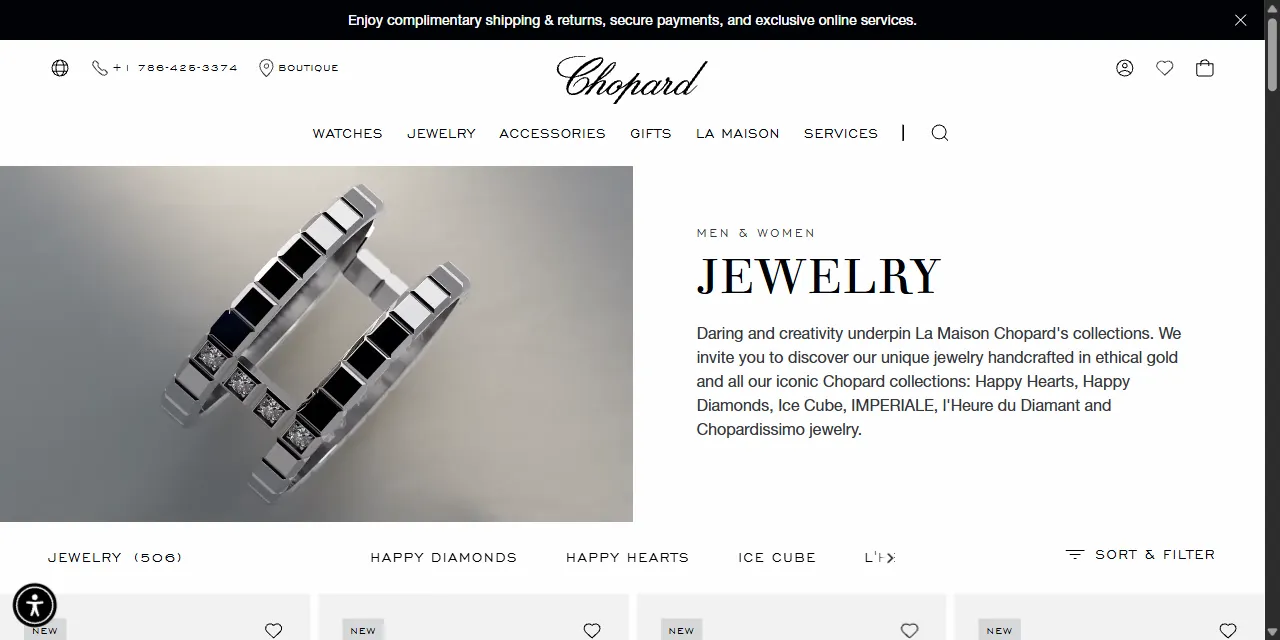
Chopard Scraper extracts jewelry, watches and accessories from the official Chopard online store into clean, structured data you can download as JSON, CSV, Excel, or HTML. Paste a Chopard category, search or product URL, or type a few keywords, and get the local price and currency, stock status, ring sizes, collection, material, full specifications, descriptions and images for every product. No account or login required.
Introduction
Chopard is a Swiss luxury house known for its fine jewelry (Happy Diamonds, Ice Cube, Happy Hearts) and watches (Alpine Eagle, L.U.C, Happy Sport). Its official store covers more than 40 countries, each with its own prices, currency and language, which makes it a reliable source for luxury pricing and product data.
This actor collects the same public information you see in your browser and turns it into a ready-to-use dataset. You can run it once, schedule it to run daily, or connect it to your own tools.
What data can you extract from Chopard?
- 🏷️ Product name, reference number, summary and full description
- 💲 Price, price range for products with sizes, price on request flag, currency and market
- 📦 Stock status and the purchase button shown on the website
- 💍 Ring sizes with their reference, price and availability
- 🗂️ Category, subcategory, collection, gender and material
- ⌚ Watch details: case diameter, water resistance and movement
- 📋 Full specifications as listed on the product page (case and dial, movement, strap, stones, dimensions, perfume notes and more)
- ✨ New, limited edition and boutique exclusive flags
- 🖼️ High resolution images
- 🔗 Direct URL to each product page
Use Cases
- 📈 Market research: compare Chopard prices across countries and currencies, and follow price changes over time.
- 🕵️ Competitor monitoring: track new creations, limited editions and stock levels of a leading luxury brand.
- 🛍️ Retail and resale: check official retail prices and references when pricing pre-owned jewelry and watches.
- 🗂️ Database building: build your own catalog of Chopard jewelry and watches with full specifications and images.
- 🤖 AI and automation: feed clean, structured data into spreadsheets, dashboards, or AI workflows.
How to scrape Chopard step by step
- Paste one or more Chopard URLs into Start URLs, or type keywords into Search queries.
- For search queries, choose the Market and, if you want, a sort order and a price range.
- Set Maximum number of results to how many products you want per URL or per query.
- Click Start and wait for the run to finish.
- Download your data in JSON, CSV, Excel, or HTML from the Output tab.
Input
- Start URLs: Chopard URLs to scrape. Supported pages: category pages (for example jewelry, rings or watches), search result pages (with
?q=) and single product pages. Any filters and sort order you apply on the website (collection, material, price range, availability) are kept in the results. The country, currency and language follow the market part of the URL, for example/en-us/,/fr-fr/or/ja-jp/. - Search queries: keywords to search on Chopard, one per line. Each query is scraped separately.
- Maximum number of results: how many products to collect for each start URL or search query. Set 0 for no limit.
- Market: the store used for search queries. It sets the prices, currency and language.
- Sort by: sort order for search queries (price high to low, name A to Z, name Z to A). Leave empty for the default order.
- Minimum price and Maximum price: price range for search queries, in the currency of the selected market.
You can use start URLs, search queries, or both in the same run.
Input Examples
Scrape a category page from Chopard:
Search by keywords:
Output
Each product is saved as one item in the dataset. Here is an example of a single item:
You can download the dataset in JSON, CSV, Excel, XML, or HTML, or access it through the Apify API.
Notes
- Only chopard.com store pages (and chopard.cn for China) are supported. The home page, content pages and other websites are skipped.
- Many high jewelry and complication watches are sold on request: their price is empty and
priceOnRequestistrue. - Products with sizes (rings) show a price range in
priceandpriceMax, with the price and availability of each size insizes. The purchase button text is empty for them because it depends on the chosen size. - Some markets, such as International, China and Russia, do not sell online: products there are shown as not available, and the price is the store reference price when one exists.
- Product names, descriptions and specifications are in the language of the market.
category,subcategoryandavailabilityare always in English. - Watch fields (case diameter, water resistance, movement) are empty for jewelry and accessories.
- A product found by several start URLs or queries in the same run is saved only once.
Why use the Chopard Scraper?
- ✅ No login needed: works with public data only, so there is no account to manage.
- 🌍 Every market: more than 40 country stores with local prices, currency and language.
- 🎯 Keeps your filters: paste any category or search URL from your browser and get exactly what you see there.
- 🧹 Clean data: prices are real numbers, specifications are grouped, and descriptions are plain text.
- 💸 Pay for what you need: set a result limit per URL or query and keep every run small and cheap.
- 🔄 Ready for automation: schedule runs, export to Google Sheets, or connect to Make, Zapier, and n8n.
FAQ
How many results can I scrape?
You can set any number in Maximum number of results, or 0 for no limit. The actor keeps going until it reaches your limit or runs out of products.
Do I need a Chopard account?
No. The actor only collects publicly available data. You do not need to log in or provide any account details.
How do I get prices in another currency?
Use a start URL from the market you want (for example /en-gb/ for pounds or /ja-jp/ for yen), or choose the Market for search queries.
Can I scrape data on a schedule?
Yes. Use Apify Schedules to run the actor every hour, day, or week, and get fresh prices and stock automatically.
Can I request a new feature or filter?
Yes. Right now the actor supports start URLs, search queries, market, sort order and price range. If you need other filters or inputs, get in touch and they can be added.
Can I get a custom or private version?
Yes. The actor can be customized for your workflow, delivered as a private version, or a new scraper can be built for a different website. Use the contact details below.
Need help or want a custom solution?
- 📧 Email: aboo.script@gmail.com
- 🧩 More scrapers: Apify profile
Image Credit
Image credit: Chopard


