
TikTok Trending Videos Scraper
Pricing
from $2.45 / 1,000 results
TikTok Trending Videos Scraper
[💰$3.5 / 1K] ⚡ Fast, cheap TikTok trending videos scraper for TikTok Creative Center. No login, no API key. Top videos by country (US, JP, VN, TH, ID), period, category and sort: views, organic views, engagement rate, 6s view rate, hashtags, creator and top comments.
Pricing
from $2.45 / 1,000 results
Rating
0.0
(0)
Developer

Aboo Script
Maintained by CommunityActor stats
0
Bookmarked
2
Total users
1
Monthly active users
7 days ago
Last modified
Categories
Security
Limited permissionsShare
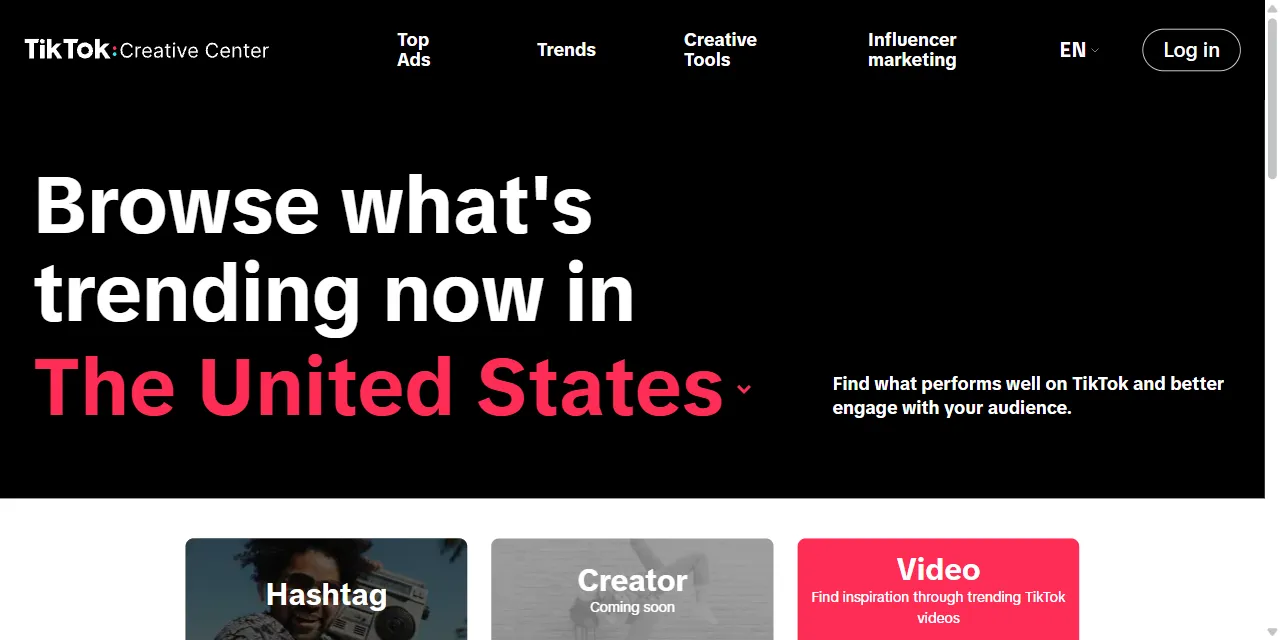
TikTok Trending Videos Scraper extracts the trending TikTok videos ranked by TikTok Creative Center into clean, structured data you can download as JSON, CSV, Excel, or HTML. Paste a Creative Center trending videos URL for a country and period, and get the video link, caption, hashtags, views, engagement rate, 6-second view rate, and creator details for every video. No account or login required.
Introduction
TikTok Creative Center is TikTok's free inspiration hub for marketers and creators. Its Trends section ranks the best performing TikTok videos per country, so brands, agencies, and creators can see what content is winning right now.
This actor collects the same public rankings you see in your browser and turns them into a ready-to-use dataset. It reads the overall ranking plus the ranking of every content category (Beauty & Care, Fashion, Food & Beverage, Games, and more), so you get far more trending videos per country than the first screen shows. Run it once, schedule it daily to follow trends over time, or connect it to your own tools.
What data can you extract from TikTok Creative Center?
- 🎬 Video URL, video ID, caption, hashtags, and posting date
- 🏆 Rank, country, period, sort metric, and content category of the ranking
- 👀 Video views and organic views, for the selected period and lifetime
- 📊 Engagement rate and 6-second view rate, for the selected period and lifetime
- 🖼️ Cover image and video file link
- 👤 Creator username, name, profile URL, bio, avatar, and follower count
- 💬 Top comments with likes, author, and date, plus the creator region (optional, United States ranking)
Use Cases
- 📈 Trend research: see which videos, topics, and hashtags are taking off in the US, Japan, Vietnam, Thailand, or Indonesia.
- 🎨 Content inspiration: study the captions, hooks, and formats of top videos in your category before you plan your own content.
- 🕵️ Competitor and brand monitoring: spot which brands and paid partnerships reach the top of the rankings.
- 🤝 Influencer discovery: find creators behind trending videos, with their follower counts and bios.
- 🤖 AI and automation: feed clean, structured trend data into spreadsheets, dashboards, or AI workflows.
How to scrape TikTok trending videos step by step
- Paste one or more TikTok Creative Center trending videos URLs into Start URLs, for example one per country.
- Optionally choose Sort by, Categories, Organic videos only, and Include top comments.
- Set Max results to how many videos you want per URL.
- Click Start and wait for the run to finish, then download your data from the Output tab.
Input
- Start URLs: TikTok Creative Center trending videos pages, such as
https://ads.tiktok.com/creative/creativeCenter/trends/video?region=US&period=30. Theregionin the URL is the country (US, JP, VN, TH, or ID) and theperiodis 7 or 30 days, just like the country and period selectors on the website. - Sort by: rank videos by video views, engagement rate, or 6-second view rate. Default: video views.
- Categories: content categories to rank, such as Beauty & Care, Fashion, Food & Beverage, Games, or Technology & Finance. The overall ranking always comes first. Leave empty to include every category.
- Organic videos only: rank only organic videos and leave out promoted views.
- Include top comments: add the top comments and the creator region to each video (United States ranking only). Runs are slower with this option.
- Max results: how many unique videos to collect for each start URL. Set 0 for no limit.
Input Examples
Trending videos in the United States (last 30 days) and Japan (last 7 days):
Top beauty and food videos in the US by engagement rate, with top comments:
Output
Each video is saved as one item in the dataset. Here is an example of a single item:
authorRegion and topComments are only added when Include top comments is on. You can download the dataset in JSON, CSV, Excel, XML, or HTML, or access it through the Apify API.
Notes
- Trending video rankings are available for the United States, Japan, Vietnam, Thailand, and Indonesia. URLs for other countries, and pages other than trending videos, are skipped.
- Without a TikTok account, Creative Center shows the top 4 videos of each ranking. The actor combines the overall ranking with every category ranking, which usually gives about 40 to 60 unique videos per country, period, and sort order.
- Each video is saved once per start URL.
rankis its position in the ranking it was found in, andcategoryis that ranking's category (nullfor the overall ranking). - Likes, shares, and comment counts are not part of the Creative Center rankings, so they are not included.
- Top comments are only available for the United States ranking. For other countries
topCommentsis empty. - Cover and video file links are temporary and expire after a few days. Use the video
urlas the permanent link. - Some categories have no trending videos for a country or period; they are simply skipped.
Why use the TikTok Trending Videos Scraper?
- ✅ No login needed: works with public data only, so there is no TikTok account to manage.
- 📚 More than the first screen: every content category is ranked and merged into one deduplicated list.
- 🎯 Real ranking metrics: views, organic views, engagement rate, and 6-second view rate, exactly as TikTok ranks them.
- 🧹 Clean data: numbers are real numbers, dates use one standard format, and hashtags are extracted for you.
- 💸 Pay for what you need: set a result limit per URL and keep every run small and cheap.
- 🔄 Ready for automation: schedule runs, export to Google Sheets, or connect to Make, Zapier, and n8n.
FAQ
How many trending videos can I scrape?
Set any number in Max results, or 0 for no limit. The actor keeps going through the overall ranking and the category rankings until it reaches your limit or runs out of videos. See Notes for how many videos the rankings show.
Do I need a TikTok account?
No. The actor only collects publicly available data from TikTok Creative Center. You do not need to log in or provide any account details.
Can I track TikTok trends on a schedule?
Yes. Use Apify Schedules to run the actor every day or week and build your own history of trending videos.
Why are some fields empty?
Some videos or creators do not show every piece of information, for example an empty bio. When a field is not available, it is returned as null.
Can I request a new feature or filter?
Yes. Right now the actor supports trending videos URLs with sort, category, and organic filters. If you need other inputs, get in touch and they can be added.
Can I get a custom or private version?
Yes. The actor can be customized for your workflow, delivered as a private version, or a new scraper can be built for a different website. Use the contact details below.
Need to scrape other social media and ad platforms?
- TikTok Ad Library Scraper: ads from the TikTok ad library with audience targeting.
- YouTube Live Chat Scraper: live chat messages and chat replays from YouTube streams.
- Facebook Ads Library Scraper: Facebook, Instagram, Messenger, and Threads ads.
- Snapchat Ads Gallery Scraper: ads from the Snapchat ads gallery.
Need help or want a custom solution?
- 📧 Email: aboo.script@gmail.com
- 🧩 More scrapers: Apify profile
Image Credit
Image credit: TikTok Creative Center


