
Image to Markdown
DeprecatedPricing
from $20.00 / 1,000 pages
Image to Markdown
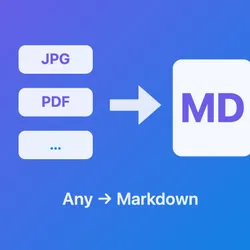
DeprecatedImage to Markdown converts images and scanned PDFs into structured Markdown using AI-powered document understanding. It recognizes text, tables, mathematical formulas (LaTeX), and figures while preserving the correct reading order and document layout.
Pricing
from $20.00 / 1,000 pages
Rating
0.0
(0)
Developer

Abot API
Maintained by CommunityActor stats
0
Bookmarked
5
Total users
1
Monthly active users
10 days ago
Last modified
Categories
Share
What does Image to Markdown do?
Image to Markdown converts images and scanned PDFs into structured Markdown using AI-powered document understanding. It recognizes text, tables, mathematical formulas (LaTeX), and figures while preserving the correct reading order and document layout.
Key features
- Layout analysis — Understands document structure (titles, paragraphs, figures, captions)
- Table extraction — Recognizes table structures and outputs them as Markdown tables
- Formula recognition — Detects mathematical formulas and converts them to LaTeX
- PDF support — Process multi-page PDF documents
- Multiple input methods — Upload files directly or provide URLs
Use cases
- Academic paper digitization — Convert scanned research papers with equations into editable Markdown/LaTeX
- Technical document processing — Parse engineering specs, datasheets, and manuals preserving tables and formulas
- Invoice and receipt parsing — Extract structured data from scanned financial documents
- Book digitization — Convert scanned book pages into searchable, editable text
- Data pipeline integration — Use the Apify API to automate document parsing in your workflows
- RAG / LLM preparation — Convert documents to Markdown for use as context in AI applications
How to use
- Upload files or provide URLs to images (PNG, JPEG) or PDF documents
- Run the Actor and get structured Markdown output
Supported file formats
| Format | Extensions |
|---|---|
.pdf | |
| PNG | .png |
| JPEG | .jpg, .jpeg |
Input
The Actor accepts uploaded files or URLs pointing to images or PDFs. All other parameters are optional with sensible defaults.
- Upload Files — Drag and drop image or PDF files directly
- URLs — List of URLs pointing to documents to parse
- Include Metadata — Include processing metadata in output (default:
true) - Output Format — Choose between Dataset (JSON), Key-Value Store (MD files), or both (default:
both) - API token override - Optional. The Actor ships with a built-in API token that is rotated roughly every 3 months. If a run fails authentication, or the log shows a token-expiry warning, get a fresh token from your provider and paste it here, ideally as an Apify secret input. No code change or redeploy needed.
Output
The Actor outputs results to the Dataset (JSON) and/or Key-Value Store (Markdown files), depending on the outputFormat setting.
Dataset output example
Key-Value Store output
When using keyValueStore or both output format, each successfully parsed document is saved as a .md file in the Key-Value Store, ready to download or use in downstream workflows.


