
Local Lead Intelligence
Under maintenancePricing
from $9.00 / 1,000 scored leads
Local Lead Intelligence
Under maintenanceDiscover, enrich, deduplicate, and rank public local-business leads.
Pricing
from $9.00 / 1,000 scored leads
Rating
0.0
(0)
Developer

Abrahan Gil
Maintained by CommunityActor stats
0
Bookmarked
2
Total users
1
Monthly active users
2 months ago
Last modified
Categories
Share
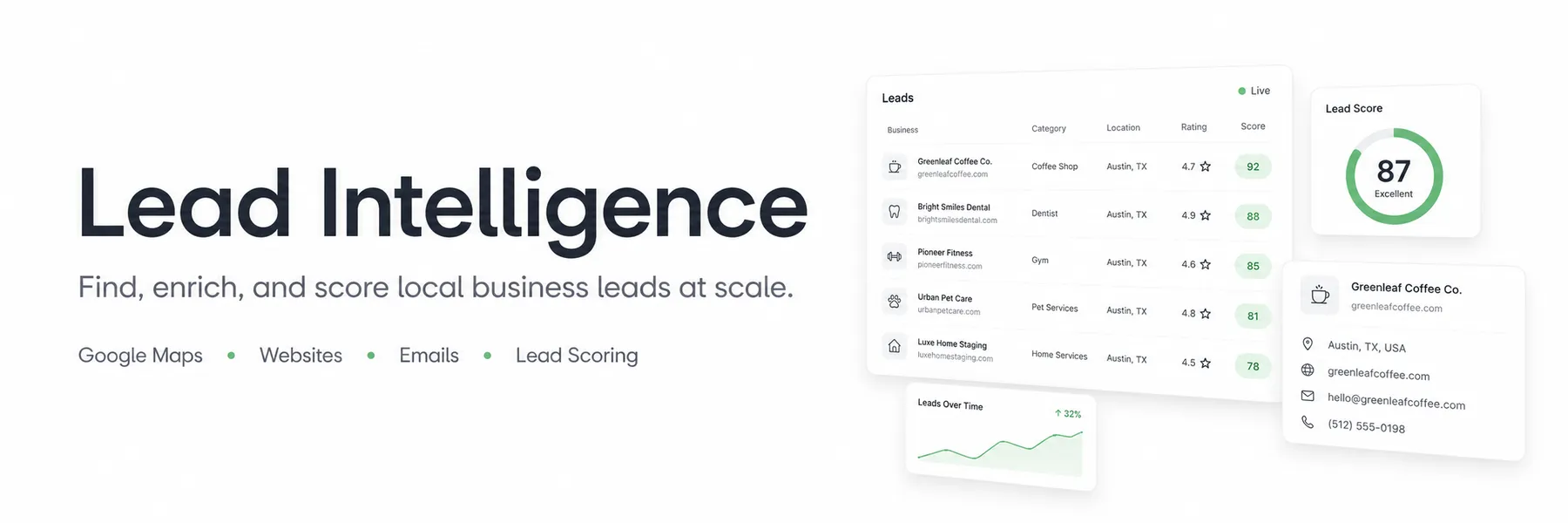
Turn Google Maps searches into enriched, deduplicated, and prioritized local business leads.
Local Lead Intelligence finds businesses for any niche and location, visits their public websites, extracts contact and digital signals, and assigns every lead an explainable opportunity score. Use it to build prospect lists that are ready for sales research instead of spending hours cleaning raw Google Maps results.
- Find local businesses by search query and location
- Extract phones, websites, ratings, reviews, coordinates, and Google Maps URLs
- Discover public emails, social profiles, contact forms, WhatsApp, and booking tools
- Detect CMS, analytics, advertising pixels, and structured data
- Remove duplicates across overlapping searches
- Prioritize prospects with a transparent
0-100lead score and sales angle - Export results to JSON, CSV, Excel, XML, or HTML, or access them through the Apify API
What does Local Lead Intelligence do?
Local Lead Intelligence is a Google Maps lead scraper, lead generation API, and website enrichment Actor. It combines browser-based Google Maps discovery with fast website crawling to produce a single clean dataset of sales-ready business records.
For every discovered business, the Actor can:
- Open its Google Maps listing and collect the available business details.
- Normalize domains, phones, names, addresses, and coordinates.
- Remove duplicate businesses before spending time on enrichment.
- Visit the public business website and relevant contact, about, booking, and legal pages.
- Identify contact channels and digital technologies.
- Calculate an explainable lead score, tier, confidence, reasons, and suggested sales angle.
The result is not just a directory of businesses. It is a prioritized lead list designed to help you decide who to contact first and why.
Why use Local Lead Intelligence?
Build targeted prospect lists
Find businesses in specific industries, cities, regions, or countries. Combine up to 20 queries and 20 locations in one run, with a maximum of 100 search combinations.
Prioritize outreach
Use lead tiers, score reasons, and sales angles to focus research and outreach on the most promising opportunities instead of treating every Maps result equally.
Research local markets
Compare business density, online reputation, contactability, and digital maturity across niches or locations.
Find digital-service opportunities
Identify businesses with missing contact options, limited social presence, no booking system, weak tracking setup, or other public website signals relevant to agencies and consultants.
Automate repeatable workflows
Run the Actor manually, through the Apify API, on a schedule, or as part of a workflow using webhooks and Apify integrations.
What data can it extract?
| Category | Available fields |
|---|---|
| Business identity | Name, category, deterministic business ID, Google Place ID |
| Location | Address, latitude, longitude, requested location |
| Contact details | Phone, website, public email addresses |
| Google Maps signals | Rating, review count, listing URL, source query |
| Social profiles | Public business profile links found on the website |
| Conversion signals | Contact forms, WhatsApp links, booking systems |
| Website technology | CMS, analytics, advertising pixels, structured data |
| Lead intelligence | Lead score, tier, confidence, score breakdown, reasons, sales angle |
| Run metadata | Enrichment status and scrape timestamp |
Website and contact fields depend on what each business publishes publicly. The Actor returns null, an empty array, or a partial enrichment status when information is unavailable.
How to generate local business leads
- Open the Actor and enter one or more business queries, such as
dentists,solar installers, orreal estate agencies. - Add the cities, regions, or countries you want to search.
- Choose how many results to request for each query and location.
- Keep website enrichment and lead scoring enabled for sales-ready output, or disable them for basic Maps data.
- Click Start and open the Dataset tab when the run finishes.
- Filter by score or tier, then download the results or access them through the API.
Input
The simplest run only needs queries and locations. See the Actor's Input tab for every configuration option.
Main input options
| Field | Description | Default |
|---|---|---|
queries | Business categories or search phrases. Required, up to 20. | - |
locations | Cities, regions, or countries. Required, up to 20. | - |
maxResultsPerQuery | Maximum requested results for each query and location. | 100 |
language | ISO language code used by Google Maps. | en |
countryCode | Optional ISO two-letter country code for phone normalization. | - |
enrichWebsite | Visit public business websites for additional signals. | true |
findEmails | Extract publicly visible email addresses. | true |
findSocialProfiles | Extract public social profile links. | true |
detectTechnologies | Detect website, tracking, form, and booking technologies. | true |
scoreLeads | Calculate explainable scores and sales angles. | true |
dedupeMode | Use strict or loose duplicate detection. | strict |
excludedDomains | Domains that must not be enriched or returned. | [] |
excludedPlaceIds | Google Place IDs that must not be returned. | [] |
A run supports up to 100 query-location combinations and 10,000 requested results. Google Maps may return fewer businesses than requested.
Deduplication modes
strictmatches businesses by Google Place ID, website domain, or phone number.loosealso compares normalized names, addresses, and nearby coordinates.
Use strict when you want conservative matching. Use loose when overlapping searches produce many variations of the same business.
Output
Results are stored in the default Apify dataset. You can view them as a table, access them through the API, or download them as JSON, CSV, Excel, XML, or HTML.
Recoverable discovery and website errors are stored separately in the named errors dataset, so one blocked or unavailable website does not cancel the whole run.
Explainable lead scoring
When scoring is enabled, every lead receives a deterministic score based on:
| Tier | Score |
|---|---|
PLATINUM | 85-100 |
GOLD | 70-84 |
SILVER | 50-69 |
BRONZE | 0-49 |
The Actor does not use an LLM to invent recommendations. Scores are generated from collected signals and accompanied by score_breakdown and score_reasons. Because the current version does not retain cross-run history, freshness is neutral and confidence is adjusted accordingly.
How much does it cost?
Local Lead Intelligence uses pay-per-event pricing. The Actor selects one exclusive product event for each stored lead:
| Event | Result |
|---|---|
lead_basic | Google Maps lead without website enrichment or scoring |
lead_enriched | Lead with website enrichment and no scoring |
lead_scored | Lead with explainable scoring enabled |
Check the Actor's Pricing tab for the current price of each result type. Cost depends on the number of unique leads stored and the enabled processing level. Duplicate, excluded, and failed records are not stored as lead results.
The Actor stops saving additional leads if the run spending limit is reached.
API, schedules, and integrations
Local Lead Intelligence can be used as a local lead generation API. Open the Actor's API tab to find ready-to-use examples for JavaScript, Python, and direct HTTP requests.
You can also:
- Schedule recurring searches to refresh prospect lists
- Trigger follow-up workflows with webhooks
- Send datasets to spreadsheets, databases, automation tools, or your own application
- Monitor runs and retrieve output programmatically through the Apify API
Performance and result quality
The Actor uses Playwright for JavaScript-heavy Google Maps discovery and HTTP-first website crawling for faster enrichment. It processes searches and websites concurrently while keeping complete business detail extraction enabled.
For larger enriched runs:
- Use distinct queries with minimal overlap to reduce duplicate discovery work.
- Split independent locations across several Actor runs when minimum latency matters.
- Assign at least 4 GB of memory when using high concurrency.
- Reduce concurrency if the run approaches its memory limit or encounters frequent blocking.
- Lower
maxEnrichmentPageswhen only homepage signals are needed.
Complete records require opening individual Google Maps listings. Higher speed should not come at the cost of missing phones, websites, addresses, ratings, or other core lead fields.
Limitations
- Google Maps can return fewer results than requested and may vary results by location, language, and time.
- Google Maps interface changes may temporarily affect extraction until the parser is updated.
- Some websites block automated requests, are unavailable, or require JavaScript, resulting in partial or failed enrichment.
- Public email addresses and social profiles are not available for every business.
- The Actor does not validate email inboxes, collect historical changes, send campaigns, or write directly to a CRM.
Frequently asked questions
Can it find email addresses?
Yes. When website enrichment and email extraction are enabled, the Actor searches the business's public website and relevant pages for visibly published email addresses. Results depend on what the business makes available.
Does it support any country or niche?
The Actor accepts general Google Maps queries and locations worldwide. Use countryCode to improve international phone normalization and set the appropriate language for the target market.
Why did I receive fewer leads than requested?
Google Maps may expose fewer matching listings than the requested maximum. Deduplication and exclusion lists can further reduce the final number of unique leads.
Can I export the leads to my CRM?
You can download the dataset or retrieve it through the Apify API, then import it into your CRM. You can also use Apify webhooks and integrations to automate delivery.
How are lead scores calculated?
Scores are rule-based and use observable business, contact, website, reputation, and freshness signals. Inspect score_breakdown and score_reasons to understand each result.
Responsible use
This Actor collects information that businesses make publicly visible on Google Maps and their public websites. It does not bypass authentication or collect private data.
You are responsible for using the results in accordance with applicable laws, privacy requirements, marketing rules, opt-out obligations, and the terms of the websites and services you use. If your use case involves personal data or regulated outreach, consult qualified legal counsel.
Support
Found a bug, a missing field, or a business website that was not enriched correctly? Open an issue in the Actor's Issues tab and include the run ID, a small reproducible input, and the expected result. Feature requests and feedback are welcome.


