
![Expedia Scraper [$2/1K] | Hotel Reviews avatar](https://images.apifyusercontent.com/BIaHrkQnmvzZj-esnhjV9-5TpFu0myy7GBgEyChV7-c/rs:fill:250:250/cb:1/aHR0cHM6Ly9hcGlmeS1pbWFnZS11cGxvYWRzLXByb2QuczMudXMtZWFzdC0xLmFtYXpvbmF3cy5jb20vZHRSN3FuVGJRck5pU0NtajctYWN0b3ItTGJCS1hTNVhtbVY4bURCQk8tQ3dFelNtMndPTS1leHBlZGlhLnBuZw.webp)
Expedia Scraper [$2/1K] | Hotel Reviews
Pricing
from $1.60 / 1,000 results
Expedia Scraper [$2/1K] | Hotel Reviews
Collect Expedia and Hotels.com hotel reviews by property URL or city search. Get ratings, full review text, authors, stay details, photos and responses, with optional property data and room rates.
Pricing
from $1.60 / 1,000 results
Rating
0.0
(0)
Developer

Ahmed Jasarevic
Maintained by CommunityActor stats
0
Bookmarked
2
Total users
0
Monthly active users
a day ago
Last modified
Categories
Share
Expedia Reviews Scraper - Ratings, Stay Data & Hotel Insights
Collect guest reviews from Expedia and Hotels.com.
How It Works
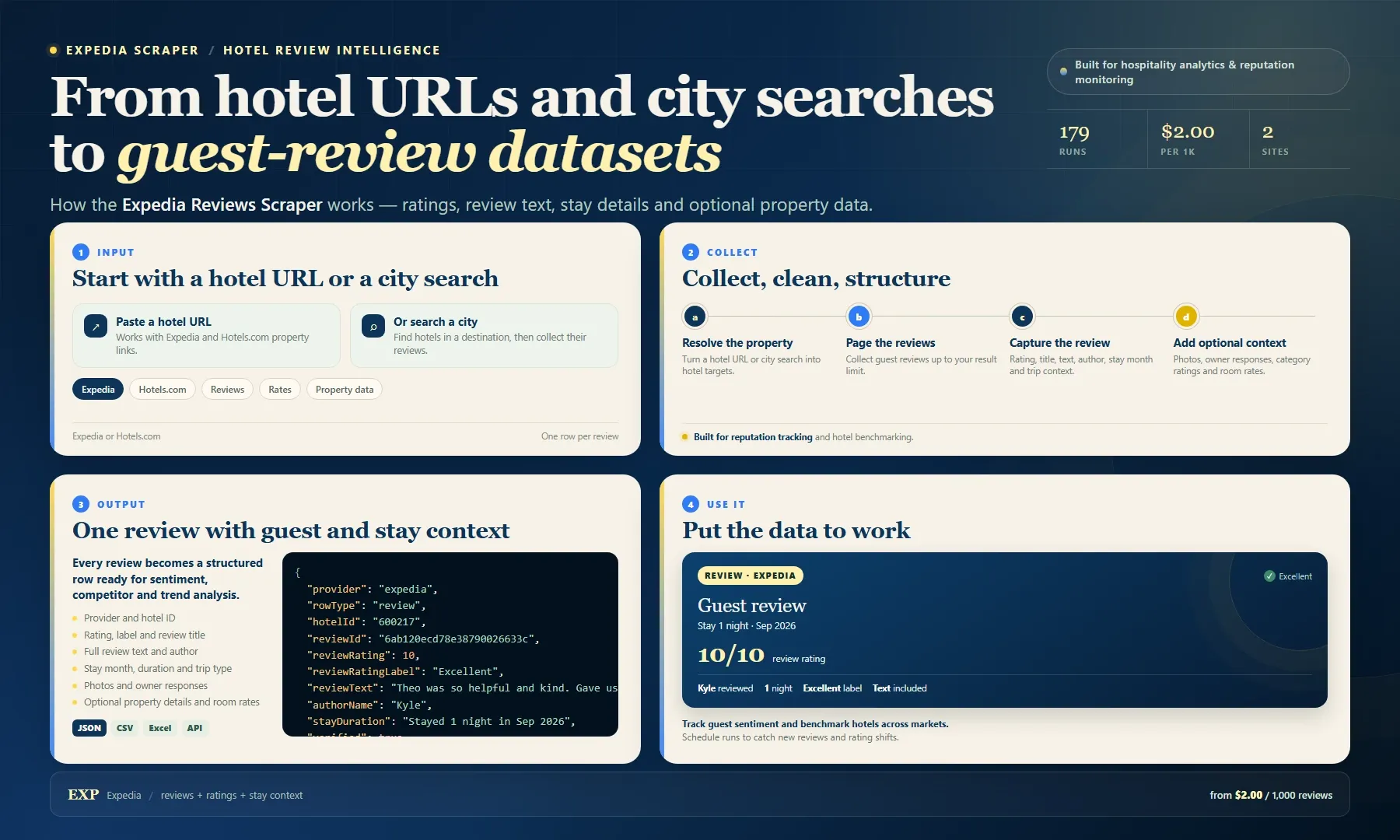
Looking for an Expedia scraper or a practical Expedia API alternative? Paste Expedia or Hotels.com hotel URLs or run a city search. The Actor returns guest reviews with ratings, labels, titles, full review text, author, stay month, stay duration, trip type, review photos and owner responses. Optional flags add property details, category ratings and room rates.
Use the dataset for hotel reputation monitoring, sentiment analysis, competitive benchmarking and hospitality research. Export as JSON, CSV or Excel, or pull results through the Apify API. Start with one property, then pay from $2.00 per 1,000 results.
What You Get
- Ratings, labels, review titles and full review text
- Author, stay month, stay duration and trip context
- Review photos and public management responses
- Optional property details, category ratings and room rates
Input
| Field | Type | Default | Description |
|---|---|---|---|
startUrls | array | - | Expedia or Hotels.com hotel URLs. |
searchLocations | array | - | City or region searches with check-in and check-out dates. |
maxItems | integer | 20 | Maximum review rows per start URL. |
reviewsFrom | string | - | Only include reviews on or after this date (YYYY-MM-DD). |
sortBy | string | newest | newest, highest, lowest or mostHelpful. |
includeReviewPhotos | boolean | true | Keep review photo URLs. |
includeOwnerResponses | boolean | true | Keep public management responses. |
includePropertyDetails | boolean | false | Add address, description, amenities and photos. |
includeRoomRates | boolean | false | Add room types, prices and availability. |
Example Input
Output
One dataset item per record.
| Field | Description |
|---|---|
provider, rowType, hotelId | Record type and property identity. |
reviewRating, reviewRatingLabel | Guest score and label. |
reviewTitle, reviewText | Review headline and full text. |
authorName, stayDuration, stayMonth, tripType | Guest and stay context. |
reviewPhotos, hotelResponse | Media and public responses. |
hotelName, propertyAddress | Optional property details. |
roomTypes, rooms | Optional room-rate data. |
url, scrapedAt | Source and collection time. |
Example Output
Pricing
| Volume | Cost |
|---|---|
| 1 result | $0.002 |
| 1,000 results | $2.00 |
| 10,000 results | $20.00 |
The standard Actor start charge applies to each run.
Integrations
- Export the dataset as JSON, CSV or Excel from Apify.
- Pull results through the Apify API.
- Schedule repeat runs for monitoring and change tracking.
- Connect webhooks to Slack, Google Sheets, Make, Zapier, n8n or your own workflow.
FAQ
Does it work with Hotels.com?
Yes. Use Expedia or Hotels.com hotel links, or search by city.
Why is the hotel name sometimes empty?
The review row always carries hotelId. Name and property fields are included only when the optional property details are available.
Can I collect room rates?
Yes. Set includeRoomRates to true and provide stay dates.
Can I filter reviews by date?
Yes. Set reviewsFrom to a YYYY-MM-DD date.
Legal & Compliance
This Actor collects publicly available information. It is not affiliated with, endorsed by or sponsored by the data source. Users are responsible for complying with applicable terms, privacy laws and data-protection regulations.


![Trustpilot Scraper [$0.70/1K💰] | Reviews | Ratings avatar](https://images.apifyusercontent.com/mcW2vplLG6GYOoG4bodomGCfhKukaKvxaYH9Qo5uTx4/rs:fill:76:76/cb:1/aHR0cHM6Ly9hcGlmeS1pbWFnZS11cGxvYWRzLXByb2QuczMudXMtZWFzdC0xLmFtYXpvbmF3cy5jb20vZHRSN3FuVGJRck5pU0NtajctYWN0b3ItQjlha1FDZmxpN1d3R3M5Y1Mtd0R2YXZLZGpHai1UUlNULkwtNWFkYTljOTIucG5n.webp)


