
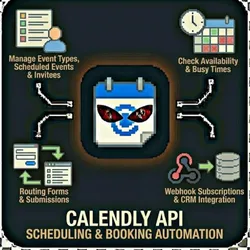
Calendly API - Scheduling & Booking Automation
Pricing
from $0.01 / 1,000 results
Calendly API - Scheduling & Booking Automation
Automate your Calendly scheduling with the official API. List event types, manage scheduled events, check availability, sync invitee data, and create webhook subscriptions. Perfect for CRM integration, appointment automation, and availability management.
Pricing
from $0.01 / 1,000 results
Rating
0.0
(0)
Developer

The Howlers
Maintained by CommunityActor stats
0
Bookmarked
10
Total users
1
Monthly active users
3 days ago
Last modified
Categories
Share
Automate Calendly scheduling workflows. List event types, manage scheduled events, check availability, get user info, and sync booking data. Perfect for CRM integration, appointment automation, and availability management.
BYOK (Bring Your Own Key) -- you provide your own API credentials.
Before You Start
This actor requires your own API credentials to fetch real data.
Where to get your key: Calendly personal access token (from calendly.com/integrations/api_webhooks)
This actor runs in Demo Mode by default, so a default free run returns sample data (free, no key needed) to show you the output format. Set demoMode to false to fetch real data.
Quick Start
Test with Demo Mode (free, no API key needed)
Run with real data
Input Parameters
| Parameter | Type | Default | Required | Description |
|---|---|---|---|---|
task | string | "list_event_types" | Yes* | Operation to perform |
accessToken | string | - | Yes* | Calendly personal access token (from calendly.com/integrations/api_webhooks) |
userUri | string | - | No | User URI (e.g., https://api.calendly.com/users/XXXXXXXX) |
organizationUri | string | - | No | Organization URI for filtering |
eventTypeUri | string | - | No | Event type URI for availability/event operations |
scheduledEventUri | string | - | No | Scheduled event URI for event details/cancellation |
inviteeUri | string | - | No | Invitee URI for invitee details |
membershipUri | string | - | No | Organization membership URI |
routingFormUri | string | - | No | Routing form URI |
webhookUri | string | - | No | Webhook subscription URI for deletion |
startTime | string | - | No | Start time for availability/events (ISO 8601 format) |
endTime | string | - | No | End time for availability/events (ISO 8601 format) |
status | string | - | No | Filter scheduled events by status |
cancelReason | string | - | No | Reason for canceling a scheduled event |
webhookCallbackUrl | string | - | No | URL to receive webhook notifications |
webhookEvents | array | ["invitee.created","invitee.canceled"] | No | Events to subscribe to |
webhookScope | string | "user" | No | Scope of webhook (user or organization) |
maxResults | integer | 100 | No | Maximum number of results to return |
resultWebhookUrl | string | - | No | URL to send results to (Zapier, Make, n8n, etc.) |
demoMode | boolean | true | No | Run with sample data (no access token required) |
*Required when Demo Mode is off.
Pricing
This actor uses pay-per-event billing:
| Event | Description | Price |
|---|---|---|
| API Request | Each Calendly API request processed | $0.01 |
Demo mode is free -- no charges for sample data.
Troubleshooting
"API key is required"
You have Demo Mode turned off but didn't provide an API key. Either:
- Turn Demo Mode on to test with sample data
- Add your API key in the input
"API error 403" or "Unauthorized"
Your API key is invalid, expired, or doesn't have access to this specific API endpoint. Double-check your key and account permissions.
"API error 429" or "Rate limit"
Too many requests. Wait a minute and try again, or reduce the number of items per run.
No results or empty dataset
Check the run log for error messages. Common causes:
- Invalid input format (check the examples above)
- API key without proper permissions
- The target data doesn't exist or is too small to track
How do I test without an API key?
Enable Demo Mode in the input. This returns realistic sample data so you can verify the output format works for your workflow.
Built by John Rippy | Actor Arsenal


