
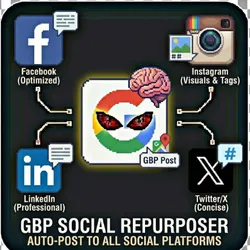
GBP Social Repurposer - Auto-Post to Social Platforms
Pricing
from $0.01 / 1,000 results
GBP Social Repurposer - Auto-Post to Social Platforms
Automatically transform and repurpose your Google Business Profile (GBP) posts for Facebook, Instagram, LinkedIn, and Twitter/X with AI-powered content optimization. Turn one GBP post into perfectly tailored content for every major social platform.
Pricing
from $0.01 / 1,000 results
Rating
0.0
(0)
Developer

The Howlers
Maintained by CommunityActor stats
0
Bookmarked
2
Total users
1
Monthly active users
a month ago
Last modified
Categories
Share
GBP Social Repurposer - Auto-Post GBP Content to Social Media
Automatically repurpose Google Business Profile posts to Facebook, Instagram, LinkedIn, and Twitter/X with AI-powered content adaptation. Turn one GBP post into perfectly optimized content for every major social platform.
BYOK (Bring Your Own Key) -- you provide your own API credentials.
Before You Start
This actor requires your own API credentials to fetch real data.
Where to get your key: Page Access Token with pages_manage_posts permission. Also used for Instagram.
Quick Start
Run with real data
Input Parameters
| Parameter | Type | Default | Required | Description |
|---|---|---|---|---|
gbpPosts | array | - | No | Array of Google Business Profile posts to repurpose. Each post should have text, optional images, and post type. |
businessName | string | - | No | Your business name to include in AI-generated content for brand consistency |
enableFacebook | boolean | true | No | Post to Facebook Page. Requires Facebook Page ID and Access Token. |
enableInstagram | boolean | true | No | Post to Instagram Business Account. Requires Instagram Business Account ID and Facebook Access Token. Note: Instagram requires images. |
enableLinkedIn | boolean | true | No | Post to LinkedIn Organization Page. Requires Organization ID and Access Token. |
enableTwitter | boolean | true | No | Post to Twitter/X. Requires API keys and access tokens. |
facebookPageId | string | - | No | Your Facebook Page ID for posting. Find it in Page Settings > Page Info. |
facebookAccessToken | string | - | Yes* | Page Access Token with pages_manage_posts permission. Also used for Instagram. |
instagramBusinessAccountId | string | - | No | Your Instagram Business Account ID. Find it via Facebook Business Suite. |
linkedinOrganizationId | string | - | No | Your LinkedIn Company/Organization Page ID. |
linkedinAccessToken | string | - | Yes* | LinkedIn OAuth access token with w_organization_social permission. |
twitterApiKey | string | - | Yes* | Your Twitter/X API Key (Consumer Key) |
twitterApiSecret | string | - | Yes* | Your Twitter/X API Secret (Consumer Secret) |
twitterAccessToken | string | - | Yes* | Your Twitter/X Access Token |
twitterAccessTokenSecret | string | - | Yes* | Your Twitter/X Access Token Secret |
enableAiRewriting | boolean | true | No | Use Claude AI to intelligently rewrite and optimize content for each social platform |
anthropicApiKey | string | - | Yes* | Your Anthropic API key for Claude AI content optimization. Required if AI rewriting is enabled. |
aiTone | string | "professional" | No | The tone for AI-generated content across all platforms |
includeLinkToGBP | boolean | true | No | Add a link back to the original Google Business Profile post (where supported) |
includeHashtags | boolean | true | No | Add relevant hashtags to posts for better discoverability |
customHashtags | array | - | No | Always include these hashtags in posts (e.g., your brand hashtag) |
scheduleMode | string | "preview" | No | How to handle posting: 'preview' generates content without posting, 'immediate' posts right away, 'queue' saves for later |
webhookUrl | string | - | No | URL to POST results to when complete (for automation integrations) |
Pricing
This actor uses pay-per-event billing:
| Event | Description | Price |
|---|---|---|
| Post Repurposed | Each GBP post repurposed to social media | $0.03 |
Troubleshooting
"API key is required"
- Add your API key in the input
"API error 403" or "Unauthorized"
Your API key is invalid, expired, or doesn't have access to this specific API endpoint. Double-check your key and account permissions.
"API error 429" or "Rate limit"
Too many requests. Wait a minute and try again, or reduce the number of items per run.
No results or empty dataset
Check the run log for error messages. Common causes:
- Invalid input format (check the examples above)
- API key without proper permissions
- The target data doesn't exist or is too small to track
How do I test without an API key?
Built by John Rippy | Actor Arsenal
Running without credentials
If you run this actor without a GBP post source or platform credentials, it returns clearly labeled sample data instead of posting. The sample item includes demo: true and a notice field. Nothing is posted to any social platform and no task events are charged. Provide your own post source and credentials in the input to post for real. Setting demoMode to true behaves the same way.


