
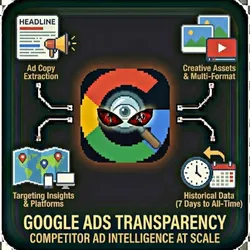
Google Ads Transparency Competitor Ad Intelligence at Scale
Pricing
from $0.01 / 1,000 results
Google Ads Transparency Competitor Ad Intelligence at Scale
Scrape Google Ads Transparency Center to research competitor advertising strategies. See ad copy, creatives, targeting regions, and platforms. Ad copy extraction Creative assets Targeting insights Advertiser Market research Historical data Multi-format support Competitive analysis Brand monitoring
Pricing
from $0.01 / 1,000 results
Rating
0.0
(0)
Developer

John Rippy
Actor stats
0
Bookmarked
27
Total users
13
Monthly active users
a day ago
Last modified
Categories
Share
Google Ads Transparency Scraper - Competitor Ad Copy, Creatives & Spend Intelligence
Scrape the Google Ads Transparency Center for competitor ad research. Extract ad copy, creatives, targeting regions, platforms, date ranges, and estimated impressions for any advertiser. Search by company name, keyword, or direct URL. Essential for competitive intelligence, ad copy research, and media buying strategy.
Features
- Ad Copy Extraction - Headlines, descriptions, display URLs, and call-to-actions
- Creative Assets - Images and videos from display and YouTube ads
- Targeting Insights - Regions, platforms, and date ranges for each ad
- Advertiser Research - Search by company name, keyword, or direct URL
- Historical Data - Access ads from the past 7 days to all-time
- Multi-Format Support - Text, image, video, and responsive ads
- Platform Filtering - Search, YouTube, Display, and Shopping ads
- Impression Estimates - Estimated impression ranges for each ad
- Batch Processing - Research multiple advertisers in one run
- Anti-Detection - Residential proxies for reliable access
- Demo Mode - Test with sample data before going live
Who Should Use This Actor?
PPC Agencies
Research competitor Google Ads strategies before building campaigns. See exactly what ad copy, extensions, and creatives competitors are running across Search, Display, and YouTube.
Brand Managers
Monitor when competitors launch new Google Ads campaigns. Track changes in messaging, offers, and creative approaches over time.
Media Buyers
Analyze competitor ad formats and platform distribution. Understand whether competitors focus on Search vs. Display vs. YouTube to inform budget allocation.
Content Strategists
Study competitor ad copy for messaging insights. Discover which headlines, descriptions, and CTAs competitors test across their campaigns.
Competitive Intelligence Teams
Build comprehensive competitor advertising profiles. Track ad activity by region, platform, and time period for strategic analysis.
Small Business Owners
See what ads local competitors are running on Google. Understand their offers, messaging, and which platforms they advertise on.
Quick Start
Demo Mode (Free Test)
{"demoMode": true}
Search by Advertiser Name
{"advertiserName": "Nike","region": "US","dateRange": "30_DAYS","maxAds": 50,"demoMode": false}
Search by Keyword
{"searchQuery": "project management software","region": "US","platform": "SEARCH","maxAds": 100,"demoMode": false}
Full Research with Creatives
{"advertiserName": "HubSpot","region": "US","platform": "ALL","adFormat": "ALL","dateRange": "90_DAYS","maxAds": 200,"includeCreatives": true,"demoMode": false}
Input Parameters
| Parameter | Type | Default | Description |
|---|---|---|---|
advertiserName | string | - | Company/advertiser name to search |
advertiserUrl | string | - | Direct URL to advertiser's transparency page |
searchQuery | string | - | Search ads by keyword |
region | string | "US" | Country filter (US, GB, CA, AU, DE, FR, etc.) |
adFormat | string | "ALL" | Format filter: TEXT, IMAGE, VIDEO, ALL |
platform | string | "ALL" | Platform filter: SEARCH, YOUTUBE, DISPLAY, SHOPPING, ALL |
dateRange | string | "30_DAYS" | Time range: 7_DAYS, 30_DAYS, 90_DAYS, 1_YEAR, ALL_TIME |
maxAds | number | 50 | Maximum ads to scrape |
includeCreatives | boolean | true | Download ad images and videos |
proxyConfiguration | object | Residential | Proxy settings |
demoMode | boolean | true | Return sample data for testing |
webhookUrl | string | - | Webhook URL for results delivery |
Output Format
{"advertiserName": "Nike","advertiserUrl": "https://adstransparency.google.com/advertiser/Nike","adId": "AD-1704412800000-0","adFormat": "IMAGE","adContent": "Official Site - Free Shipping - Shop the latest collection...","headline": "Official Site - Free Shipping","description": "Shop the latest collection. Free returns on all orders.","displayUrl": "www.nike.com","callToAction": "Shop Now","imageUrl": "https://example.com/ad-creative.jpg","lastShown": "2026-01-25","firstShown": "2025-11-15","region": ["US"],"platform": ["DISPLAY"],"estimatedImpressions": "100K-1M","verified": true,"scrapedAt": "2026-01-28T10:00:00.000Z"}
Pricing (Pay-Per-Event)
| Event | Description | Price |
|---|---|---|
ad_scraped | Per ad scraped | $0.01 |
Example costs:
- 50 ads: 50 x $0.01 = $0.50
- 200 ads: 200 x $0.01 = $2.00
- 500 ads: 500 x $0.01 = $5.00
- Demo mode: $0.00
Common Scenarios
Scenario 1: PPC Competitor Audit
{"advertiserName": "Competitor Name","region": "US","platform": "SEARCH","dateRange": "30_DAYS","maxAds": 100,"demoMode": false}
See all search ads a competitor ran in the last 30 days - their headlines, descriptions, and display URLs.
Scenario 2: Display Ad Creative Research
{"searchQuery": "fitness supplements","region": "US","adFormat": "IMAGE","platform": "DISPLAY","maxAds": 200,"includeCreatives": true,"demoMode": false}
Collect display ad creatives from your industry for design inspiration.
Scenario 3: YouTube Ad Intelligence
{"advertiserName": "Competitor Brand","region": "US","platform": "YOUTUBE","dateRange": "90_DAYS","maxAds": 100,"includeCreatives": true,"demoMode": false}
Research competitor YouTube ad strategies including video creatives.
Webhook & Automation Integration
Zapier / Make.com / n8n
- Create a webhook trigger in your automation platform
- Copy the webhook URL to
webhookUrl - Route results to dashboards, alerts, or reports
Popular automations:
- New competitor ads -> Slack alert (real-time ad monitoring)
- Ad data -> Google Sheets (competitive swipe file)
- Weekly ad audit -> Email (competitive intelligence briefing)
- Ad copy -> Airtable (messaging research database)
Apify Scheduled Runs
Schedule daily or weekly runs to track competitor ad changes over time.
FAQ
Q: Is this data from Google directly?
A: Yes. The Google Ads Transparency Center is Google's official public database of advertiser information. All data comes directly from Google's transparency reports.
Q: Do I need a Google Ads account?
A: No. The Ads Transparency Center is publicly accessible. No login or account required.
Q: How accurate are impression estimates?
A: Impression estimates are ranges provided by Google (e.g., "100K-1M"). They represent Google's official reported data, though exact numbers are not disclosed.
Q: Can I see competitor targeting settings?
A: The Transparency Center shows regions where ads were shown and platforms used. Detailed audience targeting (keywords, interests, demographics) is not publicly available.
Q: What date ranges are available?
A: You can search ads from the last 7 days up to all-time. Google retains transparency data for verified advertisers.
Common Problems & Solutions
"No ads found"
- Check the advertiser name spelling
- Try using the direct advertiser URL from the Transparency Center
- Not all advertisers have transparency data available
- Try broader search terms
"Slow scraping"
- The Transparency Center requires JavaScript rendering
- Reduce
maxAdsfor faster runs - Some advertisers with many ads take longer to scrape
"Missing creatives"
- Set
includeCreatives: trueto download images and videos - Some older ads may no longer have accessible creative assets
- Text-only search ads don't have image creatives
"Demo data showing"
- Set
demoMode: false- no account required
📞 Support
- Actor Arsenal: Full Actor Catalog
- Developer: John Rippy
Built by John Rippy | Actor Arsenal
