
Influencer Marketing MCP Server avatar
Influencer Marketing MCP Server

Pricing

from $0.01 / 1,000 results

Go to Apify Store
Influencer Marketing MCP Server

Influencer Marketing MCP Server

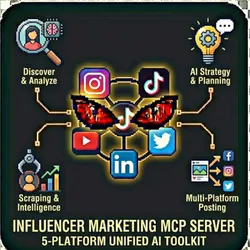
Enterprise-grade MCP (Model Context Protocol) server that provides unified access to influencer marketing tools across Instagram, TikTok, YouTube, LinkedIn, and Twitter. Includes AI-powered analysis, strategy generation, and multi-platform posting in one integrated toolkit.

Pricing

from $0.01 / 1,000 results

Rating

0.0

(0)

Developer

John Rippy

John Rippy

Maintained by Community

Actor stats

1

Bookmarked

1

Total users

1

Monthly active users

4 days ago

Last modified

Share

Influencer Marketing MCP Server - AI-Powered Influencer Intelligence for Claude Desktop

Model Context Protocol (MCP) server providing unified access to influencer discovery, analysis, strategy generation, and social media posting. Give Claude Desktop the power to research influencers, vet partnerships, and plan campaigns through natural conversation.

What is MCP (Model Context Protocol)?

MCP is a protocol that allows AI assistants like Claude to interact with external tools and data sources in real-time. This MCP server gives Claude access to 12+ influencer marketing tools through natural language.

Example Conversation

You: "Find me 20 fitness micro-influencers on Instagram with at least 4% engagement"
Claude: [Uses discover_influencers tool] "I found 20 fitness micro-influencers. Here are the top 5..."
You: "Analyze the top 3 for audience quality and brand safety"
Claude: [Uses analyze_influencer tool] "Here's my analysis of each influencer..."
You: "Create a campaign strategy with a $15,000 budget"
Claude: [Uses generate_strategy tool] "Here's a comprehensive campaign strategy..."

Features

  • 12+ Influencer Tools - Discovery, analysis, strategy, posting
  • Multi-Platform Support - Instagram, TikTok, YouTube, LinkedIn, Twitter
  • MCP Protocol Compatible - Works with Claude Desktop and other MCP clients
  • Real-Time Data - Live scraping from social platforms
  • AI-Powered Insights - Sentiment analysis, brand safety, recommendations
  • Social Posting - Post directly to LinkedIn, Instagram, Twitter
  • Webhook Support - Async delivery for automation
  • Demo Mode - Test tools without charges

Who Should Use This Actor?

Marketing Professionals Using Claude

Turn Claude into your influencer marketing assistant. Research, vet, and plan campaigns through natural conversation.

Agency Account Managers

Let AI handle initial influencer research. Ask Claude to find creators matching specific criteria and generate reports.

Brand Marketing Teams

Democratize influencer research across the team. Anyone can ask Claude to find and analyze influencers.

Solo Marketers & Founders

Get agency-level influencer intelligence without agency prices. Claude becomes your on-demand marketing researcher.

Automation Engineers

Build AI-powered influencer marketing workflows. Connect MCP tools to Zapier, Make.com, or custom apps.

Content Teams

Use Claude to research creator partnerships, analyze content styles, and plan collaborations.

Available Tools (12)

ToolDescriptionTypical Cost
discover_influencersFind influencers by niche, platform, tier~$1-3
analyze_influencerDeep vetting with audience/engagement analysis~$1-2
generate_strategyAI campaign strategy with budgets & calendars~$2-3
scrape_instagram_profileExtract Instagram profile data~$0.10
scrape_tiktok_profileExtract TikTok profile data~$0.10
scrape_youtube_channelExtract YouTube channel data~$0.10
scrape_linkedin_profileExtract LinkedIn profile data~$0.10
post_to_instagramPost content to Instagram~$0.25
post_to_linkedinPost content to LinkedIn~$0.25
post_to_twitterPost content to Twitter~$0.25
compare_influencersSide-by-side influencer comparison~$0.50
estimate_campaign_costCalculate campaign budget estimates~$0.10

Quick Start

Demo Mode (Free Test)

{
"demoMode": true
}

Claude Desktop Configuration

Add to your Claude Desktop config file (~/Library/Application Support/Claude/claude_desktop_config.json on Mac):

{
"mcpServers": {
"influencer-marketing": {
"command": "npx",
"args": [
"-y",
"@anthropic/apify-mcp-server",
"--actor",
"alizarin_refrigerator-owner~influencer-marketing-mcp-server"
],
"env": {
"APIFY_TOKEN": "your_apify_token"
}
}
}
}

Direct API Call (Without Claude)

{
"tool": "discover_influencers",
"toolInput": {
"platforms": ["instagram"],
"niches": ["fitness"],
"influencerTiers": ["micro"],
"minEngagementRate": 3.0,
"maxResults": 20
},
"demoMode": false
}

With Webhook Delivery

{
"tool": "analyze_influencer",
"toolInput": {
"influencers": [{"platform": "instagram", "username": "fitness_creator"}],
"analysisDepth": "comprehensive"
},
"webhookUrl": "https://hooks.zapier.com/...",
"demoMode": false
}

Input Parameters

ParameterTypeDefaultDescription
toolstring-Tool to execute (see tool list)
toolInputobject-Tool-specific input parameters
demoModebooleantrueReturn sample data
webhookUrlstring-Webhook for async delivery
anthropicApiKeystring-For AI-powered tools
openaiApiKeystring-Alternative AI provider

Tool-Specific Inputs

discover_influencers

{
"platforms": ["instagram", "tiktok"],
"niches": ["fitness", "wellness"],
"influencerTiers": ["micro", "mid"],
"minEngagementRate": 3.0,
"locations": ["United States"],
"maxResults": 50
}

analyze_influencer

{
"influencers": [
{"platform": "instagram", "username": "creator_handle"}
],
"analysisDepth": "standard",
"postsToAnalyze": 30
}

generate_strategy

{
"campaignGoal": "brand_awareness",
"budget": {"amount": 10000, "currency": "USD"},
"platforms": ["instagram", "tiktok"],
"influencerTiers": ["micro", "mid"],
"campaignDuration": "4_weeks"
}

post_to_linkedin

{
"accessToken": "your_linkedin_access_token",
"content": "Post content here...",
"imageUrl": "https://..."
}

Output Format

Server Status

{
"status": "ready",
"serverName": "influencer-marketing-mcp-server",
"version": "2.0.0",
"toolCount": 12,
"tools": [
"discover_influencers",
"analyze_influencer",
"generate_strategy",
"scrape_instagram_profile",
"scrape_tiktok_profile",
"scrape_youtube_channel",
"scrape_linkedin_profile",
"post_to_instagram",
"post_to_linkedin",
"post_to_twitter",
"compare_influencers",
"estimate_campaign_cost"
],
"aiEnabled": true,
"defaultPlatforms": ["instagram", "tiktok"]
}

Tool Response

{
"tool": "discover_influencers",
"status": "success",
"resultCount": 20,
"data": [...],
"processingTime": 12500,
"billingEvents": [
{"event": "platform_searched", "count": 1, "unitPrice": 0.10, "total": 0.10},
{"event": "influencer_discovered", "count": 20, "unitPrice": 0.02, "total": 0.40}
],
"totalCost": 0.50,
"executedAt": "2026-01-28T10:30:00.000Z"
}

Pricing (Pay-Per-Event)

Costs are based on underlying actor usage:

OperationApproximate Cost
Discovery (50 influencers)~$1.50-3.00
Deep Analysis (1 influencer)~$1.00-2.00
Strategy Generation~$2.00-3.00
Profile Scrape (per profile)~$0.10
Social Post (per post)~$0.25
Compare Influencers (3)~$0.50-1.00
Campaign Estimate~$0.10
Demo mode$0.00

Actual costs depend on parameters (more influencers = higher cost)

Common Scenarios

Scenario 1: AI-Assisted Research via Claude

User: "Find 30 beauty micro-influencers on Instagram and TikTok
with 4%+ engagement in the US"
Claude uses: discover_influencers with appropriate parameters
Claude returns: Formatted list with top recommendations

Scenario 2: Partnership Vetting

User: "Analyze @beauty_creator for audience quality and brand safety"
Claude uses: analyze_influencer with comprehensive depth
Claude returns: Detailed report with recommendation

Scenario 3: Campaign Planning

User: "Create an influencer campaign strategy for a new skincare
line with a $20,000 budget"
Claude uses: generate_strategy
Claude returns: Full strategy with budget allocation, calendar,
and outreach templates

Scenario 4: Direct API Workflow

{
"tool": "discover_influencers",
"toolInput": {
"platforms": ["instagram", "tiktok"],
"niches": ["beauty", "skincare"],
"influencerTiers": ["micro"],
"minEngagementRate": 4.0,
"locations": ["United States"],
"maxResults": 30
},
"webhookUrl": "https://hooks.zapier.com/...",
"demoMode": false
}

Platform Integrations

Claude Desktop

Use natural language to access all tools. Claude handles parameter mapping automatically.

Zapier / Make.com / n8n

  1. Create HTTP/Webhook module
  2. POST to Apify API with tool parameters
  3. Process results in your workflow

Custom Applications

Use Apify API directly:

curl -X POST "https://api.apify.com/v2/acts/alizarin_refrigerator-owner~influencer-marketing-mcp-server/runs" \
-H "Content-Type: application/json" \
-H "Authorization: Bearer YOUR_APIFY_TOKEN" \
-d '{"tool": "discover_influencers", "toolInput": {...}}'

Influencer Marketing Suite

ActorBest ForMCP Tool
Influencer DiscoveryFinding creatorsdiscover_influencers
Influencer AnalyzerVetting partnershipsanalyze_influencer
Influencer Strategy GeneratorCampaign planninggenerate_strategy
MCP ServerAI-assisted researchAll tools unified

FAQ

Q: Do I need Claude Desktop to use this?

A: No. You can call tools directly via Apify API or webhooks. Claude Desktop provides the best experience for conversational research.

Q: How do I get started with Claude Desktop?

A: 1) Download Claude Desktop, 2) Add MCP config, 3) Restart Claude, 4) Start chatting about influencers.

Q: Which tools require AI API keys?

A: analyze_influencer (with AI modules) and generate_strategy require Claude or OpenAI API keys for full functionality. Basic features work without AI.

Q: Can I use this for posting to social media?

A: Yes. Use post_to_instagram, post_to_linkedin, or post_to_twitter with appropriate access tokens.

Q: How do costs compare to using actors directly?

A: Same pricing - MCP server just provides unified access. No additional markup.

Common Problems & Solutions

"Tool not found"

  • Verify tool name matches exactly (case-sensitive)
  • Check available tools in server status

"Authentication error"

  • Verify Apify token in environment
  • Check API key format for AI providers

"Timeout on large requests"

  • Reduce maxResults parameter
  • Use webhooks for async delivery

"Demo data showing"

  • Set demoMode: false in input
  • Provide Apify token

Built by John Rippy | Actor Arsenal
