
Lightspeed eCom Store Scraper avatar

Lightspeed eCom Store Scraper

Pricing

from $0.01 / 1,000 results

Go to Apify Store
Lightspeed eCom Store Scraper

Lightspeed eCom Store Scraper

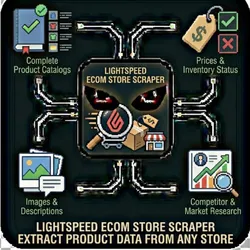
Lightspeed eCom Store Scraper Extract product data from any Lightspeed eCom (E-Series) powered online store. Get complete product catalogs with prices, inventory status, images, and descriptions - perfect for competitor analysis, market research, and price monitoring.

Pricing

from $0.01 / 1,000 results

Rating

0.0

(0)

Developer

The Howlers

The Howlers

Maintained by Community

Actor stats

0

Bookmarked

2

Total users

1

Monthly active users

20 days ago

Last modified

Share

Extract product data from any Lightspeed eCom (E-Series) powered online store. Get complete product catalogs with prices, inventory status, images, and descriptions - perfect for competitor analysis, market research, and price monitoring.

Quick Start

By default, this actor runs in Demo Mode with sample data so you can see how it works instantly.

To scrape a real Lightspeed eCom store:

  1. Set demoMode to false
  2. Enter the store URL
  3. Run the actor

IMPORTANT: Disabling Demo Mode for Real Data

Demo Mode defaults to ON. When you're ready to scrape real store data:

StepAction
1Set demoMode to false
2Enter the Lightspeed eCom store URL

Demo mode uses sample data and will NOT scrape any real store.

Why Use This Scraper?

  • Competitive Intelligence: Monitor competitor pricing, product offerings, and stock levels
  • Market Research: Analyze product trends, pricing strategies, and catalog size across the Lightspeed ecosystem
  • Price Monitoring: Track price changes across multiple stores for arbitrage or repricing strategies
  • Lead Generation: Identify stores in your niche and analyze their product mix
  • Data Migration: Export product catalogs when moving between platforms

What You Get

Each scraped product includes:

FieldDescription
nameProduct title
priceCurrent selling price
compareAtPriceOriginal/compare price (if on sale)
currencyCurrency code (USD, EUR, GBP, etc.)
urlDirect product page URL
imageUrlProduct image URL
skuProduct SKU (when available)
inStockStock availability status
categoryProduct category
brandBrand name (when available)

Use Cases

Competitor Price Monitoring

Track competitor pricing to stay competitive:

{
"storeUrl": "https://competitor-store.com",
"scrapeAllPages": true,
"maxProducts": 1000
}

Quick Catalog Snapshot

Get a fast overview of any store's products:

{
"storeUrl": "https://any-lightspeed-store.com",
"maxProducts": 100,
"scrapeAllPages": false
}

In-Stock Only Analysis

Focus on currently available products:

{
"storeUrl": "https://store.com",
"includeOutOfStock": false
}

Input Parameters

ParameterTypeDefaultDescription
demoModebooleantrueRun with sample data (default: ON). Set to false to scrape real stores!
storeUrlstring-URL of the Lightspeed eCom store to scrape
maxProductsnumber500Maximum number of products to scrape
scrapeAllPagesbooleantrueScrape all category/collection pages
includeOutOfStockbooleantrueInclude out-of-stock products

Either storeUrl or demoMode: true is required

Try Demo Mode First

Test the scraper with sample data before targeting a real store:

{
"demoMode": true
}

Output

Results are stored in the default dataset. Access via:

  • Apify Console: Download as JSON, CSV, or Excel
  • API: https://api.apify.com/v2/datasets/{datasetId}/items

Sample Output

{
"id": "prod-12345",
"name": "Wireless Bluetooth Headphones",
"price": 79.99,
"compareAtPrice": 99.99,
"currency": "USD",
"url": "https://store.com/products/wireless-headphones",
"imageUrl": "https://cdn.store.com/images/headphones.jpg",
"inStock": true,
"category": "Electronics"
}

Pricing

This actor uses pay-per-result pricing:

  • $0.01 per product scraped
  • Only charged for successfully scraped products
  • No minimum or subscription required

Integrations

Export your data to:

  • Google Sheets - Automatic sync
  • Zapier - Trigger workflows
  • Make (Integromat) - Build automations
  • Webhooks - Send to any endpoint
  • API - Programmatic access

How It Works

  1. Loads the store URL and detects Lightspeed platform
  2. Discovers all category and collection pages
  3. Extracts product data from each page
  4. Handles lazy-loading and pagination
  5. Deduplicates products across categories
  6. Outputs clean, structured product data

Limitations

  • Only works with Lightspeed eCom (E-Series) stores
  • Some stores may have anti-scraping measures
  • Product variants are included in parent product data

Support

Having issues? Open an issue or contact support.


Common Problems & Solutions

"Invalid API key" error

Cause: Your API key is wrong, expired, or doesn't have the right permissions. Fix: Double-check your API key. Make sure you copied it exactly without extra spaces.

"Rate limit exceeded" error

Cause: You've hit the API's rate limits. Fix: Wait a few minutes, then try again. Consider reducing the number of concurrent requests.

Empty or incomplete results

Cause: The target may have anti-scraping protection or the data doesn't exist. Fix:

  • Check if the URL/search query is correct
  • Try with different parameters
  • Some sites may block automated access

Demo data showing instead of real results

Cause: demoMode is still set to true. Fix: Set demoMode: false and provide your API key(s).


Built by John Rippy | Actor Arsenal