
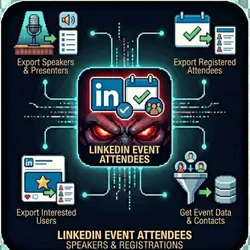
LinkedIn Event Attendees - Speakers & Registrations
Pricing
from $0.01 / 1,000 results
LinkedIn Event Attendees - Speakers & Registrations
Export attendees from LinkedIn Events. Get speakers, registered attendees, and interested users.
Pricing
from $0.01 / 1,000 results
Rating
0.0
(0)
Developer

The Howlers
Maintained by CommunityActor stats
1
Bookmarked
113
Total users
15
Monthly active users
23 hours
Issues response
14 days ago
Last modified
Categories
Share
Export attendees from LinkedIn Events. Get speakers, registered attendees, and interested users. Perfect for event follow-up, networking, and targeted outreach.
BYOK (Bring Your Own Key) -- you provide your own API credentials.
Before You Start
This actor requires your own API credentials to fetch real data.
Where to get your key: JSON array of cookies exported from your browser while logged into LinkedIn
This actor runs in Demo Mode by default, so a default free run returns sample data (free, no key needed) to show you the output format. Set demoMode to false to fetch real data.
Quick Start
Test with Demo Mode (free, no API key needed)
Run with real data
Input Parameters
| Parameter | Type | Default | Required | Description |
|---|---|---|---|---|
eventUrls | array | - | No | LinkedIn event URLs to scrape attendees from |
attendeeTypes | array | ["speakers","attending","interested"] | No | Which types of attendees to scrape |
cookies | string | - | Yes* | JSON array of cookies exported from your browser while logged into LinkedIn |
cookieStorageKey | string | - | No | Storage key from Cookie Manager actor (e.g., 'linkedin-john'). Loads cookies automatically — no manual paste needed. Run the Cookie Manager actor first to capture cookies. |
cookieKvStoreName | string | "cookie-sessions" | No | Name of the Key-Value Store where Cookie Manager saved cookies. Default: 'cookie-sessions' |
maxAttendeesPerEvent | integer | 200 | No | Maximum number of attendees to extract per event |
proxy | object | - | No | Proxy settings (recommended: RESIDENTIAL) |
demoMode | boolean | true | No | Return mock data for testing |
webhookUrl | string | - | No | URL to POST results when scraping completes |
webhookPlatform | string | "custom" | No | Platform type for proper payload formatting |
webhookHeaders | object | - | No | Additional HTTP headers for webhook |
*Required when Demo Mode is off.
Pricing
This actor uses pay-per-event billing. Three events apply:
| Event | Description | Price |
|---|---|---|
| Actor Start | Charged when the Actor starts running. One event per GB of run memory (minimum one event). | $0.00005 |
| result | Single result in the default dataset. | $0.00001 |
| Attendee Scraped | Each attendee (speaker, registered, or interested) exported from a LinkedIn event | $0.02 |
Demo mode never charges Attendee Scraped events. A demo run bills only the platform Actor Start and result events for its sample rows. If this table and the Store pricing tab ever differ, the Store pricing tab is authoritative.
Troubleshooting
"API key is required"
You have Demo Mode turned off but didn't provide an API key. Either:
- Turn Demo Mode on to test with sample data
- Add your API key in the input
"API error 403" or "Unauthorized"
Your API key is invalid, expired, or doesn't have access to this specific API endpoint. Double-check your key and account permissions.
"API error 429" or "Rate limit"
Too many requests. Wait a minute and try again, or reduce the number of items per run.
No results or empty dataset
Check the run log for error messages. Common causes:
- Invalid input format (check the examples above)
- API key without proper permissions
- The target data doesn't exist or is too small to track
How do I test without an API key?
Enable Demo Mode in the input. This returns realistic sample data so you can verify the output format works for your workflow.
Built by John Rippy | Actor Arsenal


