
Microsoft Teams Meeting Cost Tracker avatar
Microsoft Teams Meeting Cost Tracker

Pricing

from $0.01 / 1,000 results

Go to Apify Store
Microsoft Teams Meeting Cost Tracker

Microsoft Teams Meeting Cost Tracker

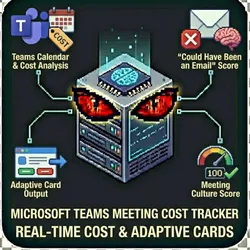
Calculate real-time meeting costs in Microsoft Teams. Analyze Teams calendar meetings, get "Could Have Been an Email" scores, and generate cost reports w/Adaptive Cards.This actor connects to Microsoft Graph API to analyze your Teams calendar "Could Have Been an Email" Score Meeting Culture Score

Pricing

from $0.01 / 1,000 results

Rating

0.0

(0)

Developer

John Rippy

John Rippy

Maintained by Community

Actor stats

0

Bookmarked

2

Total users

1

Monthly active users

4 days ago

Last modified

Share

"Real-Time Meeting Costs in Microsoft Teams" by John Rippy | johnrippy.link

๐Ÿ† 2025 Zapier Automation Hero of the Year โ€” Project Phoenix: A 95-step AI sales pipeline cutting development time by 50%. Read more โ†’


Calculate real-time meeting costs in Microsoft Teams. Analyze Teams calendar meetings, get "Could Have Been an Email" scores, and generate cost reports with Adaptive Cards.

What This Actor Does

This actor connects to Microsoft Graph API to analyze your Teams calendar and provides:

  • Meeting Cost Analysis: Calculate the true cost of each meeting based on attendees and duration
  • "Could Have Been an Email" Score: AI-powered analysis of meeting necessity (0-100)
  • Meeting Culture Score: Overall assessment of your Teams meeting health
  • Adaptive Card Output: Native Teams-formatted cards for easy sharing
  • Recommendations: Actionable insights to reduce meeting waste

Perfect For

  • Microsoft 365 Organizations: Analyze your Teams meeting culture
  • IT Administrators: Audit organization-wide meeting costs
  • Team Leads: Identify opportunities to reduce meeting overhead
  • HR Teams: Track meeting trends across departments
  • Productivity Consultants: Deliver Teams-specific meeting reports

Features

  • Microsoft Graph Integration: Secure OAuth connection to Teams/Outlook calendars
  • Demo Mode: Test the actor without Azure credentials
  • Multiple Output Formats: Full analysis, summary, or Teams Adaptive Card
  • Multi-Currency Support: USD, EUR, GBP, CAD, AUD
  • Recurring Meeting Detection: Identify high-cost recurring meetings
  • Focus Time Analysis: Measure meeting fragmentation impact

Input Examples

Demo Mode (No Credentials Required)

{
"demoMode": true,
"dateRange": "last_week",
"averageSalary": 100000
}

Real Mode with Azure AD Credentials

{
"demoMode": false,
"tenantId": "your-azure-tenant-id",
"clientId": "your-app-client-id",
"clientSecret": "your-app-client-secret",
"userEmail": "user@company.com",
"dateRange": "last_week",
"averageSalary": 120000
}

Output as Teams Adaptive Card

{
"tenantId": "...",
"clientId": "...",
"clientSecret": "...",
"userEmail": "user@company.com",
"outputFormat": "teams_card"
}

Azure AD Setup

To use this actor with real Teams data, you need to register an app in Azure AD:

1. Register Application

  1. Go to Azure Portal > Azure Active Directory
  2. App registrations > New registration
  3. Name: "Meeting Cost Tracker"
  4. Supported account types: Single tenant or Multitenant
  5. Register

2. Configure API Permissions

Add these Microsoft Graph permissions (Application type):

  • Calendars.Read - Read calendars in all mailboxes
  • User.Read.All - Read all users' full profiles

Grant admin consent for these permissions.

3. Create Client Secret

  1. Certificates & secrets > New client secret
  2. Copy the secret value (you won't see it again!)

4. Get Your Credentials

  • Tenant ID: Azure AD > Overview > Tenant ID
  • Client ID: App registration > Overview > Application (client) ID
  • Client Secret: The secret you just created

Output

Full Analysis

{
"overview": {
"platform": "Microsoft Teams",
"totalMeetings": 24,
"totalHours": 42,
"totalCost": 8400,
"averageMeetingLength": 52,
"averageAttendees": 4.2,
"currency": "USD"
},
"meetingCultureScore": {
"overall": 58,
"breakdown": {
"focusTime": 45,
"asyncSuitability": 62
}
},
"asyncCandidates": [
{
"subject": "Weekly Status Update",
"duration": 60,
"attendees": 8,
"cost": 384,
"emailScore": 82,
"recommendation": "Consider replacing with Teams chat, Loop component, or email"
}
],
"recommendations": [
{
"priority": "high",
"action": "Convert \"Weekly Status Update\" to async",
"potentialSavings": 268,
"rationale": "Email score of 82%, 8 attendees"
}
],
"potentialSavings": 2100
}

Teams Adaptive Card

Perfect for posting to Teams channels:

{
"type": "AdaptiveCard",
"version": "1.4",
"body": [
{
"type": "TextBlock",
"text": "๐Ÿ“Š Meeting Cost Report",
"weight": "bolder",
"size": "large"
},
...
],
"actions": [
{
"type": "Action.OpenUrl",
"title": "View Full Report",
"url": "https://meeting.localhowl.com"
}
]
}

Use Cases

1. Weekly Team Reports

Post meeting cost summaries to a Teams channel:

const result = await apifyClient.actor("localhowl/teams-meeting-cost-tracker").call({
tenantId: process.env.AZURE_TENANT_ID,
clientId: process.env.AZURE_CLIENT_ID,
clientSecret: process.env.AZURE_CLIENT_SECRET,
userEmail: "team-lead@company.com",
dateRange: "last_week",
outputFormat: "teams_card"
});
// Post to Teams webhook
await fetch(TEAMS_WEBHOOK_URL, {
method: 'POST',
headers: { 'Content-Type': 'application/json' },
body: JSON.stringify(result.adaptiveCard)
});

2. Organization-Wide Audit

Analyze multiple users' calendars:

const users = ["alice@co.com", "bob@co.com", "carol@co.com"];
const results = [];
for (const user of users) {
const result = await apifyClient.actor("localhowl/teams-meeting-cost-tracker").call({
tenantId: "...",
clientId: "...",
clientSecret: "...",
userEmail: user,
dateRange: "last_month"
});
results.push({ user, ...result });
}
// Aggregate insights across the organization

3. Power Automate Integration

Trigger weekly reports via Power Automate:

  1. Create a scheduled flow (weekly)
  2. Add HTTP action to call Apify API
  3. Post Adaptive Card to Teams channel

"Could Have Been an Email" Score for Teams

The Email Score (0-100) predicts how likely a meeting could be handled via Teams chat, Loop, or email:

ScoreMeaningRecommendation
0-30NecessaryMeeting is likely needed
31-50BorderlineCould be shorter or fewer attendees
51-70QuestionableConsider Teams chat thread
71-100Likely UnnecessaryUse Loop component or email

Factors That Increase Score:

  • Title contains "sync", "update", "status", "check-in"
  • Short duration (< 30 minutes)
  • Only 2 attendees
  • Recurring meeting

Factors That Decrease Score:

  • Title contains "brainstorm", "planning", "workshop"
  • External attendees
  • Structured agenda (from description)
  • Longer, focused sessions

Privacy & Security

  • Uses Microsoft Graph API with OAuth 2.0
  • Client credentials flow (no user interaction required)
  • No calendar data stored beyond analysis
  • Supports single-tenant or multi-tenant apps
  • Admin consent required for organization-wide access

Support


Author

Built by John Rippy | johnrippy.link

๐Ÿ† 2025 Zapier Automation Hero of the Year โ€” Project Phoenix: A 95-step AI sales pipeline cutting development time by 50%. Read more โ†’

Part of the Meeting Cost Tracker productivity suite by LocalHowl