
Tech Stack Detector - BuiltWith Alternative
Pricing
from $0.01 / 1,000 results
Tech Stack Detector - BuiltWith Alternative
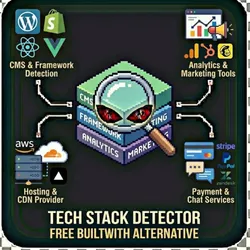
Detect website technology stack including CMS, frameworks, analytics, and marketing tools. A free alternative to BuiltWith. CMS detection Framework detection Analytics tools Marketing tools Hosting & CDN Payment & chat
Pricing
from $0.01 / 1,000 results
Rating
1.0
(1)
Developer

The Howlers
Maintained by CommunityActor stats
2
Bookmarked
184
Total users
3
Monthly active users
a month ago
Last modified
Categories
Share
Detect website technology stack including CMS, frameworks, analytics, and marketing tools. Free alternative to BuiltWith.
Note: this actor runs in Demo Mode by default, so a default free run returns sample data. Set demoMode to false to fetch real data.
Quick Start
Test with Demo Mode (free, no API key needed)
Run with real data
Input Parameters
| Parameter | Type | Default | Required | Description |
|---|---|---|---|---|
urls | array | - | No | URLs to analyze for tech stack. Include https:// prefix or it will be added automatically. |
detectCategories | array | ["CMS","FRAMEWORK","CSS_FRAMEWORK","JS_LIBRARY","ANALYTICS","MARKETING","HOSTING","CDN","ECOMMERCE","PAYMENTS","CHAT","EMAIL"] | No | Filter which technology categories to detect. By default, all 12 categories are checked. |
deepScan | boolean | false | No | Crawl additional pages (about, pricing, blog) for more thorough detection. Slower but finds more technologies. |
demoMode | boolean | true | No | Return sample data for testing (free, no live scraping). Set to false for real analysis. |
webhookUrl | string | - | No | URL to receive results via POST when analysis completes (Zapier, Make, n8n, custom) |
Pricing
This actor uses pay-per-event billing:
| Event | Description | Price |
|---|---|---|
| Site Analyzed | Per website analyzed for technology stack | $0.02 |
Demo mode is free -- no charges for sample data.
Troubleshooting
"API error 429" or "Rate limit"
Too many requests. Wait a minute and try again, or reduce the number of items per run.
No results or empty dataset
Check the run log for error messages. Common causes:
- Invalid input format (check the examples above)
- The target data doesn't exist or is too small to track
How do I test without an API key?
Enable Demo Mode in the input. This returns realistic sample data so you can verify the output format works for your workflow.
Built by John Rippy | Actor Arsenal


