
Whatsapp Business Poster
Pricing
from $0.01 / 1,000 results
Whatsapp Business Poster
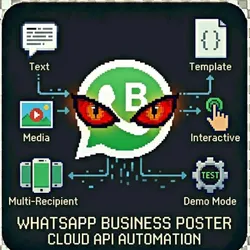
Send automated WhatsApp messages via the official Cloud API. Perfect for customer notifications, appointment reminders, order updates & marketing campaigns. Text Messages, Template Messages, Media Messages, Interactive Messages, Multi-Recipient, Demo Test the actor without sending real messages
Pricing
from $0.01 / 1,000 results
Rating
0.0
(0)
Developer

The Howlers
Maintained by CommunityActor stats
0
Bookmarked
4
Total users
0
Monthly active users
2 months ago
Last modified
Categories
Share
Send automated WhatsApp messages via the official Cloud API. Send text, templates, images, documents, videos, and interactive messages to customers. Perfect for notifications, reminders, and customer engagement.
BYOK (Bring Your Own Key) -- you provide your own API credentials.
Before You Start
This actor requires your own API credentials to fetch real data.
Where to get your key: WhatsApp Business API permanent access token. Get one from Meta Business Suite > WhatsApp > API Setup.
Quick Start
Run with real data
Input Parameters
| Parameter | Type | Default | Required | Description |
|---|---|---|---|---|
accessToken | string | - | Yes* | WhatsApp Business API permanent access token. Get one from Meta Business Suite > WhatsApp > API Setup. |
phoneNumberId | string | - | No | Your WhatsApp Business phone number ID from Meta Business Suite. |
recipientPhone | string | - | No | Single recipient phone number in international format (e.g., +1234567890). |
recipientPhones | array | - | No | Array of phone numbers to send to (international format). |
messageType | string | "text" | No | Type of message to send. |
textMessage | string | - | No | Plain text message content (for text type). |
templateName | string | - | No | Name of the approved WhatsApp message template (for template type). |
templateLanguage | string | "en_US" | No | Language code for the template (e.g., en_US, es_ES). |
templateComponents | string | - | No | JSON array of template components with variables. Example: [{"type":"body","parameters":[{"type":"text","text":"John"}]}] |
mediaUrl | string | - | No | Public URL of the media file to send (for image, document, video types). |
mediaCaption | string | - | No | Caption for the media message. |
interactiveType | string | "button" | No | Type of interactive message. |
interactiveBody | string | - | No | Main body text for interactive message. |
interactiveButtons | string | - | No | JSON array of buttons or list sections. For buttons: [{"type":"reply","reply":{"id":"btn1","title":"Yes"}}] |
interactiveHeader | string | - | No | Header text for interactive message (optional). |
interactiveFooter | string | - | No | Footer text for interactive message (optional). |
previewUrl | boolean | false | No | Enable link preview for text messages containing URLs. |
webhookUrl | string | - | No | URL to receive a POST request when the actor run finishes. Useful for integrations with Zapier, Make, n8n, or custom automation workflows. |
Pricing
This actor uses pay-per-event billing:
| Event | Description | Price |
|---|---|---|
| Message Sent | Each WhatsApp message sent | $0.02 |
Troubleshooting
"API key is required"
- Add your API key in the input
"API error 403" or "Unauthorized"
Your API key is invalid, expired, or doesn't have access to this specific API endpoint. Double-check your key and account permissions.
"API error 429" or "Rate limit"
Too many requests. Wait a minute and try again, or reduce the number of items per run.
No results or empty dataset
Check the run log for error messages. Common causes:
- Invalid input format (check the examples above)
- API key without proper permissions
- The target data doesn't exist or is too small to track
How do I test without an API key?
Run the actor without an access token, or set demoMode to true, and it returns labeled sample message results in the exact format of a live run. No real WhatsApp messages are sent, every sample item carries demo: true and a _notice field, and sample runs charge no task events. Provide your own WhatsApp Business API credentials to send real messages.
Built by John Rippy | Actor Arsenal


