
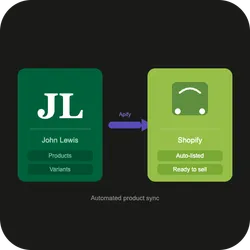
Sync Johnlewis Products to Shopify Store
DeprecatedPricing
from $20.00 / 1,000 results
Sync Johnlewis Products to Shopify Store
DeprecatedSync John Lewis products to Shopify. Paste any category, brand, search, or product URL — variants, images, pricing, and stock are scraped and imported automatically. Products are created, updated, archived, or reactivated based on their live status on John Lewis.
Pricing
from $20.00 / 1,000 results
Rating
0.0
(0)
Developer

Alkausari M
Maintained by CommunityActor stats
0
Bookmarked
3
Total users
1
Monthly active users
21 days ago
Last modified
Categories
Share
Scrape any John Lewis category, brand, search page, or product URL and push the results straight into your Shopify store — no coding required. Pricing, stock, variants, images, weights — all synced. Run once to bootstrap a catalogue; schedule it to keep your store live with John Lewis pricing and stock.
Built and maintained by Alkausari M.
✦ Highlights
- 🛒 Direct to Shopify — single Actor, end-to-end
- 🔁 Idempotent — re-runs update existing products, no duplicates
- 🎨 Full variant handling — colour, size, and colour + size all mapped automatically
- 🖼 Images, weights, pricing — synced including per-kg surcharge support
- 🗄 Optional archiving — discontinued products archived automatically (dry-run by default)
- 🛡 Zero code — paste URLs + Shopify credentials, click Start
⚙ How it works
You only run this Actor. It's the single entry point of a three-Actor pipeline — stages 1 and 2 trigger automatically behind the scenes.
- Listing URL (category / brand / search) → Stage 1 runs first, then 2, then 3.
- Direct product URL → Stage 1 is skipped.
- Mix both URL types freely in a single run.
[!NOTE] Each upstream stage is billed as a separate Actor run under your account. While each runs, this Actor waits. You'll see all runs listed in your Apify Console.
🔑 Shopify setup
You need an Admin API access token with these scopes:
read_products, write_products, read_inventory, write_inventory, read_publications, write_publications.
Create one in Shopify Admin → Settings → Apps and sales channels → Develop apps → Create an app → configure the scopes above → install → copy the Admin API access token.
📋 Input
| Field | Description | Required | Default |
|---|---|---|---|
| Start URLs | John Lewis listing pages, direct product URLs, or a mix | Yes | — |
| Shopify Store URL | e.g. my-store.myshopify.com | Yes | — |
| Shopify Access Token | Admin API access token | Yes | — |
| Shopify API Version | e.g. 2024-10 | Yes | — |
| New Product Status | Draft (review first) or Active (publish immediately) | No | Draft |
| Last Listing Page to Crawl | Max page per start URL. 0 = all pages | No | 1 |
| Max Product Pages to Scrape | Cap on total product pages. 0 = unlimited | No | 200 |
| Price per KG (£) | Weight surcharge added to products with a listed weight | No | 5 |
| Enable Archiving | Archive products no longer found in the scrape | No | false |
Example input — brand sync
Example input — mixed URLs
📦 What it does in Shopify
For every product found in the scrape:
- Creates new products with all variants, images, pricing, and weight (as
Draftby default). - Updates existing products — prices, inventory, stock status; adds any new variants since the last run. Existing images are not re-uploaded.
- Matches by SKU (product code) → no duplicates on re-runs. Idempotent.
- Reactivates archived products that have returned to stock.
- Archives discontinued products (optional) — products no longer in the scrape are archived in Shopify. Runs as a dry-run by default; set
enableArchiving: trueto apply.
Variant handling
| John Lewis product type | Shopify structure |
|---|---|
| Single variant (no colour/size) | Single variant product |
| Colour variants only | Product with Color option |
| Size variants only | Product with Size option |
| Colour + size variants | Product with Color + Size options |
Each colour's images are uploaded once and assigned to the correct variant. Shopify's async image processing is handled automatically — the Actor waits until images are READY before assigning them.
💡 Use cases
- Dropshipping — keep your store in sync with John Lewis pricing and stock without manual data entry.
- Catalogue import — bootstrap your store by importing an entire John Lewis brand or category in one run.
- Scheduled price & stock updates — run on a schedule to automatically update prices and stock as John Lewis changes them.
- Multi-brand catalogues — pass multiple brand or category URLs in
startUrlsand sync all of them in one run.
📮 Support
Bugs, feature requests, or custom scraping/Shopify work — open an issue on Apify or email alkausarimujahid@gmail.com.


