
Whiskyfass.de Whisky Scraper
Pricing
Pay per usage
Whiskyfass.de Whisky Scraper
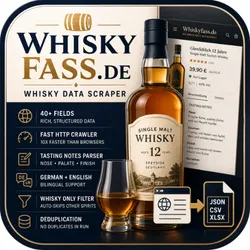
Scrapes 40+ fields per whisky product from whiskyfass.de — Germany's leading whisky retailer. Extracts pricing, ABV, age, cask type, tasting notes, distillery, region, and availability. Fast HTTP crawler, no login required.
Pricing
Pay per usage
Rating
0.0
(0)
Developer

ScrapySpider
Maintained by CommunityActor stats
1
Bookmarked
5
Total users
1
Monthly active users
5 months ago
Last modified
Categories
Share
Whiskyfass.de Data Scraper + Shopify Integration 🥃 → 🛒
This Actor scrapes comprehensive whisky product data from whiskyfass.de, a German whisky retailer, and optionally syncs products directly to your Shopify store via the Admin API.
🆕 Shopify Integration Features
✅ Automatic Product Creation - Scraped products are automatically created in Shopify
✅ Smart Updates - Updates existing products by SKU (no duplicates)
✅ Inventory Management - Sets inventory levels automatically
✅ Product Mapping - Maps whisky data to Shopify format (prices, images, tags)
✅ Error Handling - Graceful error recovery with detailed sync reports
✅ Flexible Modes - Create-only, update-only, or upsert (create or update)
Features
- Comprehensive Product Data - Extracts 40+ fields per product including pricing, availability, images, and metadata
- Tasting Notes Extraction - Intelligent parser for nose, palate, finish, and appearance descriptions with flavor descriptors
- Multi-language Support - Handles both German and English content with language detection
- Smart Data Normalization - Converts units (ml, cl, l), normalizes ABV percentages, and standardizes pricing
- Flavor Pattern Detection - Uses regex patterns to identify 100+ flavor keywords across fruits, spices, wood, and more
🚀 Quick Start with Shopify
1. Create Shopify Custom App
- Go to Shopify Admin → Settings → Apps and sales channels
- Click "Develop apps" → "Create an app"
- Enable these API scopes:
write_products,read_products,write_inventory,read_inventory - Install the app and copy your Admin API Access Token
2. Test Your Connection
Edit test-shopify.js with your credentials and run:
This will verify your connection and create/delete a test product.
3. Run with Shopify Enabled
📖 Detailed guide: See stratgy.md for complete Shopify documentation.
Technical Stack
- BasicCrawler - HTTP-based crawler using axios + Cheerio for fast static HTML parsing
- Cheerio - Fast, flexible HTML parsing library (jQuery-like API)
- Router Pattern - Organized request handling with labeled routes
- Apify SDK - Dataset storage and Actor lifecycle management
- Input Schema - Validated Actor configuration
How it works
1. Input Configuration
The Actor accepts startUrls array (defaults to https://whiskyfass.de/whisky) and begins crawling from the main whisky category page.
2. Three-Stage Crawling Process
Stage 1: Category Discovery (Default Handler)
- Fetches the main whisky page
- Extracts subcategory links from the navigation menu
- Enqueues all subcategory URLs with label
'products'
Stage 2: Product Listing Pages (Products Handler)
- Processes each subcategory page
- Extracts all product links from the listing
- Handles pagination to capture all products
- Enqueues product detail URLs with label
'detail'
Stage 3: Product Detail Extraction (Detail Handler)
- Fetches and parses individual product pages
- Extracts 40+ fields including:
- Basic Info: Name, brand, description, breadcrumbs, images
- Pricing: Current price, old price, price per liter, currency
- Product Details: EAN/SKU, bottle size, ABV, availability
- Whisky Specs: Age, distillery, bottler, region, country, spirit type
- Maturation: Cask type, cask finish, cask strength, chill filtration status -Project Structure
Output Schema
Each product record contains these fields:
Prerequisites
- Node.js 18+ installed
- Apify CLI installed (
npm install -g apify-cli)
Local Development
- Install dependencies:
- Run the Actor locally:
- Configure input in
storage/key_value_stores/default/INPUT.json:
- View results in `storage/datasets/default/product_url: "https://whiskyfass.de/...", canonical_url: "https://whiskyfass.de/...", subcategory_url: "https://whiskyfass.de/category",
// Identifiers product_id: "4012345678901", // EAN or URL hash shop_sku: "12345",
// Basic Info name: "Glenfiddich 12 Year Old", brand: "Glenfiddich", description: "...", breadcrumbs: ["Whisky", "Scotch", "Single Malt"],
// Images main_image: "https://...", images: ["https://...", "https://..."],
// Pricing & Availability price_current: 39.90, price_old: 45.00, price_per_liter: 57.00, currency: "EUR", availability_enum: "in_stock",
// Product Specs bottle_size_ml: 700, abv_percent: 40.0, age_years: 12, cask_strength: false, non_chill_filtered: true,
// Origin & Classification distillery: "Glenfiddich", country: "Scotland", region: "Speyside", spirit_type: "Single Malt Whisky",
// Maturation cask_type: "Ex-Bourbon & Sherry Casks",
// Tasting Notes nose: "Fresh pear, subtle oak...", palate: "Creamy with notes of...", finish: "Long and smooth...", nose_descriptors: ["pear", "oak", "vanilla"], palate_descriptors: ["cream", "malt", "spice"], tasting_notes_confidence: 1.0,
// Metadata timestamp_utc: "2026-02-15T10:30:00.000Z", scrape_run_id: "abc123" }
Flavor Pattern Detection
The Actor uses regex patterns in src/flavor.js to identify 100+ flavor keywords across categories:
- Fruits (citrus, apple, berry, etc.)
- Spices (vanilla, cinnamon, pepper, etc.)
- Sweet notes (honey, caramel, chocolate, etc.)
- Wood & smoke (oak, peat, etc.)
- Nuts & grains
- Floral & fresh notes
Resources
If you're looking for examples or want to learn more visit:
- Crawlee + Apify Platform guide
- Documentation and examples
- Node.js tutorials in Academy
- How to scale Puppeteer and Playwright
- Video guide on getting data using Apify API
- Integration with Make, GitHub, Zapier, Google Drive, and other apps
- A short guide on how to create Actors using code templates:
Getting started
For complete information see this article. To run the Actor use the following command:
Deploy to Apify Platform
Option 1: Deploy from Local Machine
- Log in to Apify (requires API Token):
- Deploy your Actor:
Your Actor will be built and deployed to Actors -> My Actors.
Option 2: Connect Git Repository
- Go to Actor creation page
- Click Link Git Repository
- Connect your repository and configure build settings
Configuration
Input Parameters
startUrls(required): Array of URLs to start crawling from. Defaults to the main whisky category page.
Crawler Settings
Configured in src/main.js:
maxConcurrency: 5- Maximum parallel requests- Uses BasicCrawler with axios for HTTP requests (no browser needed)
Selectors
All CSS selectors are defined in src/selectors.js. Update these if the website structure changes.
Maintenance
Updating Flavor Patterns
Edit src/flavor.js to add or modify flavor detection keywords:
Updating Selectors
If the website HTML structure changes, update src/selectors.js:
Troubleshooting
No products found
- Check if website structure has changed
- Verify selectors in
selectors.js - Check logs for HTTP errors or blocked requests
Missing tasting notes
- Verify the product page has tasting note sections
- Check
tasting_notes_confidencefield (1.0 = high confidence, 0.3 = ambiguous) - Some products may not have detailed tasting notes
Incorrect data extraction
- Review helper functions in
helpers.js - Check regex patterns for units, prices, and ABV
- Verify language detection is working correctly
Performance Notes
- Speed: BasicCrawler with Cheerio is ~10x faster than browser-based crawlers for static HTML
- Efficiency: No browser automation overhead, uses simple HTTP requests
- Concurrency: Set to 5 parallel requests for optimal balance between speed and server load
- Resource Usage: Minimal memory and CPU usage compared to Puppeteer/Playwright
License
ISC
Author
It's not you it's me


