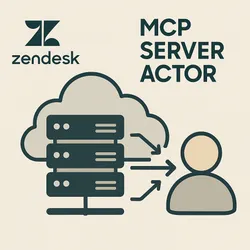
Zendesk MCP Server Actor
Pricing
from $20.00 / 1,000 results
Zendesk MCP Server Actor
The Zendesk MCP Server Actor refers to a specialized software component or actor within the Model Context Protocol (MCP) framework, designed to facilitate seamless integration between artificial intelligence (AI) agents and Zendesk's customer support platform.
Pricing
from $20.00 / 1,000 results
Rating
0.0
(0)
Developer

Yash Kavaiya
Maintained by CommunityActor stats
0
Bookmarked
1
Total users
0
Monthly active users
7 months ago
Last modified
Categories
Share
A Model Context Protocol (MCP) server for Zendesk integration, running as an Apify Actor. This server provides tools for interacting with Zendesk, including ticket management, user operations, and search functionality through the MCP protocol.
Features
- Ticket Management: Create, read, update, and comment on support tickets
- User Management: View user information and details
- Search: Advanced ticket search with flexible query options
- Resources: Access Zendesk tickets, users, groups, and ticket fields
- Prompts: Templates for creating tickets, crafting responses, and analyzing data
- Pay-per-Event Pricing: Transparent pricing model with pay-per-use for each operation
Available Tools
| Tool | Description | Price per Use |
|---|---|---|
get_ticket | Get details of a specific Zendesk ticket | $0.001 |
create_ticket | Create a new ticket with subject, description, priority, and tags | $0.01 |
update_ticket | Update status, priority, or add comments to existing tickets | $0.005 |
add_ticket_comment | Add public or private comments to tickets | $0.002 |
search_tickets | Search tickets with custom queries and sorting options | $0.01 |
get_user | Get details of a specific Zendesk user | $0.001 |
Available Resources
zendesk://tickets- List of all recent Zendesk ticketszendesk://users- List of all Zendesk userszendesk://ticket-fields- List of all ticket fields (default and custom)zendesk://groups- List of support groups in the Zendesk account
Available Prompts
create_ticket- Template for creating a new ticket with appropriate detailsticket_response- Template for drafting professional responses to ticketsticket_analysis- Template for analyzing ticket data and trends
Configuration
Required Environment Variables
Set the following environment variables when deploying the Actor:
ZENDESK_BASE_URL- Your Zendesk subdomain URL (e.g.,https://your-subdomain.zendesk.com)ZENDESK_EMAIL- Your Zendesk account email addressZENDESK_API_TOKEN- Your Zendesk API token
To get an API token, visit Admin > Channels > API in your Zendesk Support admin interface.
Optional Configuration
SESSION_TIMEOUT_SECS- Inactivity timeout in seconds before terminating idle sessions (default: 300)
Usage
Deploy to Apify
- Deploy this Actor to the Apify platform
- Configure the required environment variables in the Actor input
- Start the Actor in STANDBY mode
- Use the provided MCP endpoint URL to connect from your MCP client
Connect from MCP Client
Once the Actor is running in STANDBY mode, add the following configuration to your MCP client (e.g., Claude Desktop, VS Code):
Replace:
YOUR_ACTOR_STANDBY_URLwith the standby URL provided by ApifyYOUR_APIFY_TOKENwith your Apify API token
Example Queries
Once connected to Claude or another MCP client, you can ask questions like:
- "Show me all open tickets with high priority"
- "Create a new ticket for a customer who can't log into their account"
- "Find all tickets submitted by user@example.com"
- "What's the status of ticket #12345?"
- "Add a reply to ticket #12345 explaining how to reset a password"
Development
Local Development
-
Clone the repository:
git clone https://github.com/Yash-Kavaiya/Zendesk-MCP-Server-actor.gitcd Zendesk-MCP-Server-actor -
Install dependencies:
$pip install -e . -
Set up environment variables:
export ZENDESK_BASE_URL="https://your-subdomain.zendesk.com"export ZENDESK_EMAIL="your_email@example.com"export ZENDESK_API_TOKEN="your_api_token"export APIFY_META_ORIGIN="STANDBY" -
Run the server:
$python -m src
Project Structure
Architecture
This Actor is built on the Apify Python MCP Server Template and uses the following components:
- MCP Gateway: Proxies requests between MCP clients and the Zendesk MCP server
- Proxy Server: Exposes a Streamable HTTP transport endpoint at
/mcp - Event Store: Maintains session state for connection resumption
- Charging System: Integrates with Apify's pay-per-event pricing model
Links
- Zendesk MCP Server on PyPI
- Apify Python MCP Server Template
- Model Context Protocol Documentation
- Apify Platform
License
This project is licensed under the Apache License 2.0.
Support
For issues and questions:
- GitHub Issues: Report an issue
- Apify Support: Contact Apify
Version
Current version: 0.1.0
Credits
Built with:
- mcp-zendesk - The underlying Zendesk MCP server
- Apify SDK - Apify Python SDK
- Model Context Protocol - MCP specification