

1688 Reverse Image Search — Suppliers, Prices & Matches
Pricing
from $3.25 / 1,000 successful photo searches
1688 Reverse Image Search — Suppliers, Prices & Matches
Find 1688 and Taobao products by photo. Enrich 1688 with galleries, variants, quantity prices, MOQ and supplier data. JSON/CSV/API. Taobao details currently unavailable. Photo-search fees and platform usage apply.
Pricing
from $3.25 / 1,000 successful photo searches
Rating
0.0
(0)
Developer

Apivault Labs
Maintained by CommunityActor stats
0
Bookmarked
33
Total users
11
Monthly active users
3 days ago
Last modified
Categories
Share
1688 & Taobao Reverse Image Search | Find Products by Photo
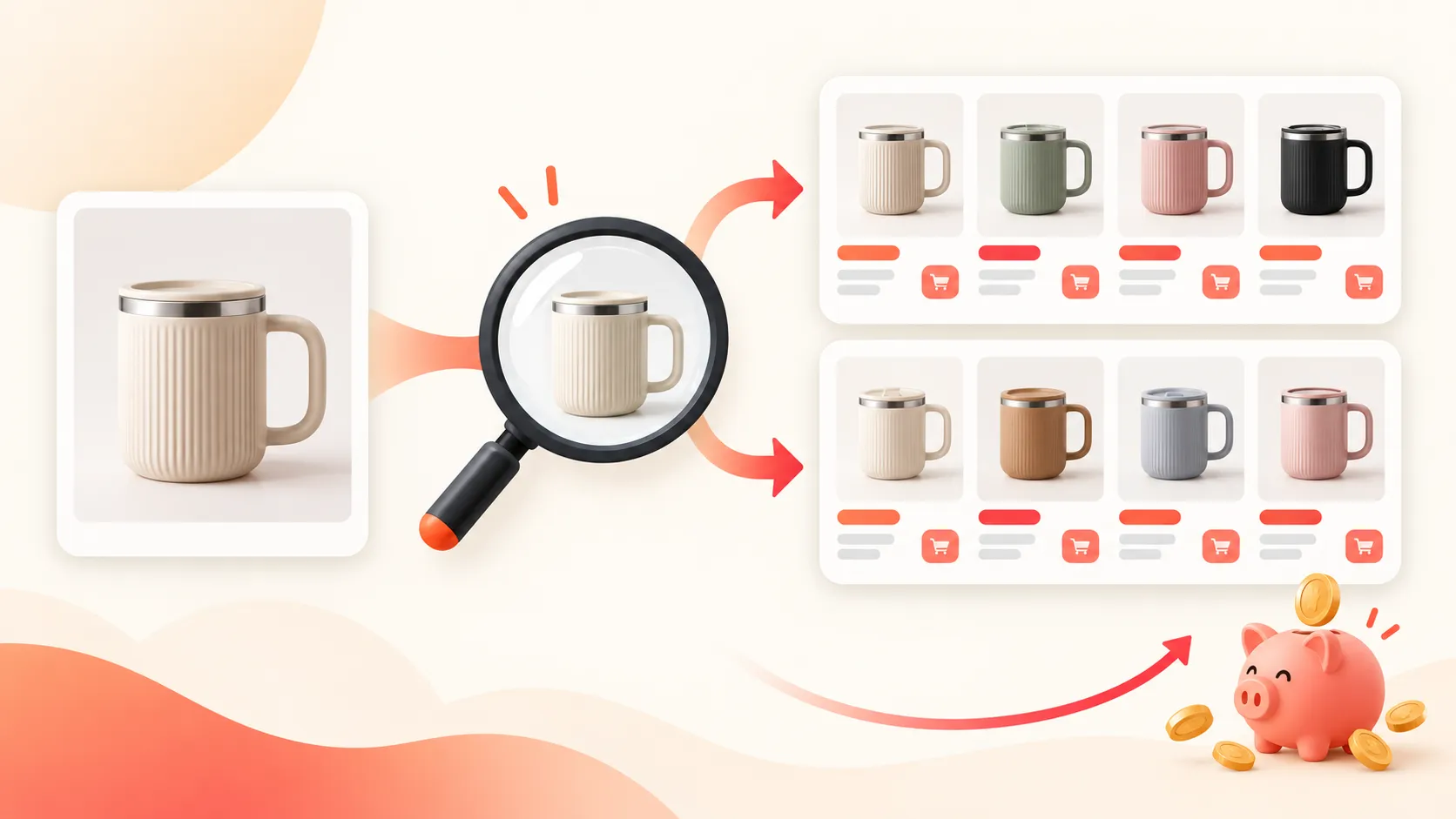
Find product listings on 1688, Taobao, or both from a photo. Compare listed prices, spot lower minimum orders, and save a shortlist with links, images, shop details, and reported sales where available. You can search with up to three photos of the same item to see which candidates recur.
Need more than a thumbnail on 1688? Set includeDetails: true to enrich a bounded shortlist with original image URLs, product text, attributes, variants, supplier information and reported pricing where available. Or use operation: "product_details" with canonical 1688 product URLs.
Current Taobao coverage: photo search still works. Rich Taobao/Tmall details are currently unavailable because the independent detail providers require access/verification. These providers are disabled rather than repeatedly queried. Taobao detail requests report taobao_details_source_access_unavailable; no extra detail event is charged. Do not expect Taobao galleries or variants from this release. This part of the requested improvement remains open.
Who can use this product-photo sourcing tool?
1688 reverse image search helps sourcing teams turn a reference photo into a reviewable supplier shortlist. Taobao photo search adds retail candidates for comparison. Neither a high search position nor recurrence across photos independently authenticates a manufacturer or establishes that two items are identical.
| Workflow | Start with | Useful result | Check before taking action |
|---|---|---|---|
| Compare wholesale candidates | One clear product photo, 1688 | Listing links, CNY prices and available MOQ | Variant, order quantity and live supplier terms |
| Review retail alternatives | One photo, Taobao | Public product cards and shop context | Canonical listing identity and destination availability |
| Narrow a sourcing shortlist | Price/MOQ/title filters | A smaller set of returned cards | Filters can exclude unknown prices or MOQ |
| Compare views of one item | Two or three photos of that item | Recurring offers and best observed position | Recurrence is evidence, not a visual similarity percentage |
| Inspect a known 1688 offer | Canonical offer URL | Available gallery, attributes, variants and supplier fields | Detail provenance, truncation and missing values |
Searches can return fewer distinct cards than requested. Keep marketplace, product identity and collection context when exporting to a sourcing spreadsheet; do not treat the returned sample's median price as the market's wholesale price.
Rich product details
Enrich your photo-search shortlist
The first five eligible returned rows are attempted by default, in shortlist order. maxDetailProducts accepts 1–20; maxImagesPerProduct defaults to100 (maximum500), maxVariantsPerProduct to200 (maximum500). detailTimeoutSecs defaults to90 (10–180) within the run's remaining time. Search-only behaviour is unchanged when includeDetails is false.
Each attempted row keeps its search fields and adds images (deduplicated source image URLs), canonicalProductId, canonicalProductUrl and a structured details object:
images.main,images.variants,images.description: source-provided gallery, SKU and description images. URL resolution/size suffixes are not guessed or rewritten. Images are links, not downloaded files or verified high-resolution assets.title,titleTranslated,descriptionText,attributes: text and structured source fields where present. Description images are separate; text-only extraction does not perform OCR or include executable HTML.variants: source SKU IDs, option names/values,priceCny, source-reportedstockReportedand image URLs.stockReportedis not independently verified inventory.pricing: source listing price, min/max of valid variants in the source response before output caps, quantity tiers, reported MOQ and price context. Quantity tiers do not establish checkout prices or shipping/tax costs; MOQ and the first quantity tier may differ in the source. Missing MOQ stays null.supplier,popularity: available shop/company IDs, name, location, selected supplier metrics and reported sales with period context. The supplier repeat-purchase fraction is normalized torepeatPurchasePercent(0–100); its original value is kept asrepeatPurchaseRateRaw. Ambiguous counters are not converted into sales claims.source,coverage,status,error: intermediary provenance, identity-check evidence, available fields, returned/source counts and truncation.status=availablemeans a valid source response, not that every field or the complete marketplace SKU matrix was obtained.
Only products with a confirmed canonical ID can be enriched. Taobao search frequently provides an opaque advertising link; if it cannot be resolved through ordinary public redirects, the row reports unresolved_product_id and keeps its search information. No visual/title guess is substituted for the product ID. Use the original canonical URL in the mode below for such listings. Failed, denied, capped and timed-out details do not remove a completed paid search card. Check SUMMARY.detailSummary and DETAILS for counts/statuses.
Inspect known product URLs
Supply up to20 canonical 1688 offer or Taobao/Tmall item URLs. No photo is required; photo input/prefill is ignored in this mode. Failed/skipped requests remain in DETAILS and ERRORS, outside the product Dataset. If every requested product is unavailable, the run fails with diagnostics. IDs stay strings. Examples can become unavailable as listings change.
1688 details come from Fatkun's public export interface, a third-party intermediary. Supplier fields can be absent; source availability varies. An experimental Oopbuy Taobao adapter returned data during research but subsequently required verification and is disabled in this release. Its earlier results are not evidence of current access or independently verified canonical identity. CSSBuy and Lovegobuy also declined access and are not used as hidden fallbacks.
Values, translations, SKU coverage, sales and quantities are source-reported and may be stale or incomplete. No marketplace login, user cookies or paid supplier API are used; refusals/login/rate limits are reported without bypass. Product details use ordinary bounded public HTTP requests, separately from the existing proxy-backed photo workflow.
There is no additional detail or per-product event in this release. Photo searches retain their existing event charges; URL-only details perform no photo search and have no photo-search events. Platform usage still applies, including failed/empty detail checks, and enabling enrichment adds requests/time/storage. A future pricing change would be disclosed separately.
During a photo search, recovery snapshots can contain the search-only shortlist while details are still pending. The final saved snapshot and Dataset contain the same enriched rows.
Get started in three steps
- Paste a direct public link to a product photo, or use Upload product photos to add a JPG, PNG, WebP, or GIF file. If the upload dialog asks where to save the file, choose a storage and continue; there is no second storage field to fill in.
- Choose 1688, Taobao, or Both under Where to search. Keep the default result limit for a quick first look.
- Click Start. Open the Product shortlist for listings and Price and search summary for counts and price ranges.
Add a second or third view only when you want to compare repeated candidates. All photos should show the same product. If you only have a product page link, open the image itself and use its direct image address instead.
If you switch from an uploaded photo to a direct link, remove the old upload from the form before starting a new search.
Apify asks you to approve full Actor permissions before your first run. Full permissions grant access to your Apify account data; this Actor uses that access to read photos you upload through the form. Review the access prompt before running it.
What you can do
| Feature | How it helps |
|---|---|
| Search one or both marketplaces | Compare wholesale offers on 1688 with Taobao listings from the same photo. |
| Sort and filter listed prices | See cheaper candidates first or set a CNY price range. |
| Check minimum order | Keep 1688 offers with a reported minimum order at or below your limit. |
| Compare multiple photos | Prioritize candidates that recur across different views of one item. |
| Explore deeper results | Request up to 5,000 candidates per photo and marketplace when available. |
| Export results | Download JSON, CSV, or Excel, or use the Apify API and integrations. |
What is in each result?
Results include the marketplace, product title, product link, image link, and listed price in CNY when available. Depending on the marketplace and listing, you may also get a shop name, minimum order quantity, reported sales, shop rating, repeat-purchase information, and an original listed price. On 1688, returned cards can also include the seller's location, trade score, medal level, and reported repeat-purchase percentage. Unavailable details remain empty.
Each result shows its best search position and the number of your photos on which the same offer or visible card appeared. The shortlist also includes short reasons and a comparison with the median listed price among returned candidates from the same marketplace. The summary shows the lowest, median, and highest returned prices, overall and by marketplace.
These figures describe the returned listings, not the whole market. A repeated card helps narrow your search; it does not prove an exact product match. Always verify the live listing, seller, price, and order terms before purchasing. Prices exclude shipping, taxes, and other fees.
Useful settings
-
Keep / exclude product phrases: Match phrases in the original product name and any available translation, ignoring case. At least one keep phrase must match; an exclude phrase always removes the card. For shoes, try keep phrases
shoes,sneakers,帆布鞋, and exclude phrasessocks,cups,袜,纸杯. These filters can remove unrelated candidates, but do not verify a visual match. An English phrase may miss a product with no English translation. Completed searches are still charged when filters remove every result. -
Results to request: Start with 10. Increase the limit for deeper research. A request for 5,000 does not guarantee 5,000 distinct products; deep searches take longer and use more resources. Taobao may return fewer results than requested.
-
Sort products: Keep the search order, show the lowest listed prices first, or show the highest first. Listings without a price appear last.
-
Found in at least this many photos: With two or three views of the same product, set this to 2 or 3 to keep recurring candidates.
-
Minimum and maximum listed price: Keep products within your CNY budget. Listings without a price are excluded when a price filter is set.
-
Largest acceptable minimum order: Applies to 1688 listings. Listings without a reported minimum order are excluded when this filter is set; Taobao listings remain available in a combined search.
If a photo search fails while another succeeds, the summary marks the run as partial and lists the affected marketplace and photo. Some Taobao product links may redirect. Some public photo links also fail when the image host rejects the request; uploading the photo is the best alternative. Taobao may return few or no cards repeated across several photos. Avoid submitting confidential photos or images containing personal information.
Saved results if a run is interrupted
After each attempted photo search, the Actor saves the currently eligible shortlist. Saved shortlist preview contains up to 100 cards; Full saved shortlist is a gzip-compressed JSON file with all saved cards. Open these outputs in the run, even if it was subsequently aborted. No extra photo-search event is charged for saving a snapshot; platform storage and transfer usage can apply.
Snapshots marked provisional: true can change as more photos complete, including match counts, ordering and price comparisons. They are not proof that every requested search finished. A completed run also leaves a final snapshot matching the Dataset. Only work saved before interruption is recoverable; a photo query still in progress may be absent. Storage failures are reported as checkpointWarnings in SUMMARY. Snapshots provide downloads, not automatic resumption of unfinished queries.
Example API input
For API use, you can also provide up to three encoded images through imagesBase64, or add direct links through additionalImageUrls. Each image can be up to 5 MB and 25 million pixels, and must decode as JPEG, PNG, WebP or GIF. Product rows are in the dataset; counts and price ranges are in SUMMARY (OUTPUT is a compatibility alias), and diagnostics are in ERRORS.
Direct links can use any verified public HTTPS host. The Actor downloads and validates the photo through Apify Proxy before sending image bytes to the search provider; the provider does not need to fetch your URL. Up to three public HTTPS redirects are followed. Private destinations, unsupported files, excessive redirects and damaged images are rejected. If a source site blocks the proxy, upload the photo instead.
Reliability and data provenance
Searches use HTTP requests to Fatkun's public web interface. No separate 1688, Taobao, or Fatkun API key is needed; Apify authentication and Apify Proxy are required. Availability depends on this third-party interface. A changed page format, refusal, or rate limit is reported rather than replaced with invented products. Both marketplaces share this provider; they are not independent fallback sources.
When the 1688 interface rejects an outdated action identifier, the Actor can refresh the four known action references from the site's current public JavaScript once per session. It does not execute downloaded code. This handles identifier rotation while preserving response validation; it cannot guarantee immunity to future interface changes.
runTimeout defaults to 240 seconds, accepts 30–1500, and respects an earlier platform timeout. The Actor checks the photo-search spending cap before external searches. Summary statuses include COMPLETED, NO_MATCHES, PARTIAL, CHARGE_LIMIT_REACHED, FAILED, and INVALID_INPUT. NO_MATCHES can mean that verified candidates were removed by your filters. A provider response without verifiable cards is reported as an error.
If pagination fails after valid cards, earlier cards remain available with PARTIAL diagnostics and that incomplete photo search has no search-event charge. Platform usage can still apply. Taobao scans at most 500 candidate positions; 1688 deep searches sample price bands. Neither guarantees exhaustive coverage or exactly the requested count. coverageComplete stays false. Each product carries provider: fatkun_public_web and exactProductMatchVerified: false. Photo rank is provider ordering, not a measured similarity percentage. Taobao repeated-card identity uses visible title, image and seller when available; it does not verify a canonical product ID.
Use with MCP and AI agents
Use this Actor when the user supplies a product photo and wants a shortlist of visually related 1688 wholesale offers or Taobao products. Supply the photo, choose the marketplace, start with maxResults: 10, and read both dataset rows and SUMMARY/ERRORS. Do not describe a PARTIAL search as complete, turn missing values into zero, or claim exact visual similarity. The MCP server exposes the Actor's input schema; inclusion does not guarantee an agent will choose the tool automatically.
Connect Apify's hosted MCP endpoint:
For Codex, add this server to your own configuration and set APIFY_TOKEN in the client environment:
Claude Code project .mcp.json example:
Keep the token out of committed files. After the Actor finishes, read its dataset and the SUMMARY and ERRORS records from its default key-value store. A completed search removed by price, MOQ, or repeated-photo filters still counts as one completed photo search.
Pricing
One completed photo search on one marketplace is one search event, even if your filters remove all candidates. Searching both marketplaces with one photo counts as two searches. Failed or incomplete photo searches are not charged as search events. Rates are $4 per 1,000 searches on FREE and $3.25–$3.75 on paid tiers, plus platform and proxy usage paid by the user. Deep searches can incur substantially more usage; check the Actor's Pricing tab before running a large job.
Practical supplier-research workflows
Start with a small one-marketplace search. Inspect several listing images and URLs before using narrower filters. A product photo containing multiple unrelated objects can yield a mixed shortlist; cropping or choosing a clearer reference is a user preparation step, not a feature of this Actor.
A small 1688 reverse image search
This public sample photo is for a first contract check. Replace it with a direct image URL you can share. One completed photo search on one marketplace is one photo-search event, independently of how many cards survive the filters.
Shortlist offers by listed price and reported MOQ
Both bounds concern source-reported listing values. Missing prices and missing 1688 MOQ can be excluded; this does not prove those suppliers are expensive or require large orders. Completed searches are still charged if the filters remove every card.
Keep product words and exclude an unwanted material
These are text phrase filters over the original title and available translation. They are illustrative Chinese search phrases, not a guarantee of exact category or material detection. Use terms appropriate to your own product; translation availability varies.
Sourcing exports and repeat observations
Use the original product URL and canonical ID where available as identity; keep opaque advertising links separate. A seller name is useful context, but does not verify a factory, authorize resale or establish the seller's legal identity. Preserve missing fields when comparing MOQ, shop metrics and popularity. Source-reported sales can have different periods and rounding; do not combine them into a verified monthly demand figure.
For a repeat price worksheet, save dated exports in your own destination and compare the same marketplace, listing and variant. This Actor does not place orders, negotiate with suppliers, calculate landed cost or automatically maintain a cross-run price history. A lower listing price can refer to another SKU or quantity tier. Add shipping, tax and payment assumptions in your own purchasing process rather than labelling the observed price an all-in quote.
When enabling details, inspect details.coverage, source counts and truncation alongside the returned variants and images. An output cap does not imply that unreturned variants do not exist. A gallery URL is a source link, not an image licence or a guarantee of permanent availability. Taobao rich details remain unavailable; the URL-details example must not be advertised as a working Taobao detail API.
Reverse image search questions
Is the price per returned product? No. The primary event is one completed image search on one selected marketplace. The currently saved rates are FREE $0.004, BRONZE $0.00375, SILVER $0.0035 and GOLD/PLATINUM/DIAMOND $0.00325 per event. One photo on both marketplaces can create two events. Compute, proxy and storage costs are separate. Increasing maxResults affects work and coverage, rather than changing the event into a per-product fee.
Can I paste a product page instead of a photo? For image search, provide a direct accessible image or use the upload control. For available 1688 URL details, select product_details and provide canonical productUrls. A product page URL is not automatically a downloadable image.
Does a high rank mean an exact match? It is the source's observed order. Check photographs, dimensions, materials, SKU and seller terms yourself. The Actor does not issue an authenticity or visual-match certificate.
Why are the preview and final export different? The preview is provisional while more photos or details are processed. Use the final Dataset and summary for the completed run. Interrupted-run snapshots disclose their provisional state; they are recovery evidence, not a promise that every photo completed.
What should an automation report? Report the actual number of cards, completed/charged searches, requested markets and caps, and source errors. Use returned storage IDs for SUMMARY, ERRORS and DETAILS. Keep unknown availability distinct from a valid zero-result filtered search. Existing saved Tasks remain available where published; their presence does not remove source restrictions.
n8n and developer integrations
Use this Actor in your automation or application with the existing community integrations below. An Apify account and API token are required; Actor and platform charges follow the current pricing.
- n8n community node: n8n-nodes-apivault-1688-image-search. Install package name
n8n-nodes-apivault-1688-image-searchin a self-hosted n8n instance that permits community packages. - Python client and examples: GitHub.
- n8n source and usage: GitHub.
These are community packages. Publication on npm does not establish n8n verification or availability in n8n Cloud. Review the linked package README for supported inputs and setup.


