
WhatsApp Number Validator — Registration & Number Checks
Pricing
from $0.80 / 1,000 number validateds
WhatsApp Number Validator — Registration & Number Checks
Check supplied phone numbers for available WhatsApp registration signals and normalize bulk lists. Bulk export: JSON, CSV, Excel and API. PPE: from $0.8/1K number checks; usage extra.
Pricing
from $0.80 / 1,000 number validateds
Rating
4.8
(7)
Developer

Apivault Labs
Maintained by CommunityActor stats
4
Bookmarked
711
Total users
167
Monthly active users
10 hours
Issues response
13 days ago
Last modified
Categories
Share
✅ WhatsApp Number Validator — Bulk Phone Cleanup | $0.80/1K Paid Plans
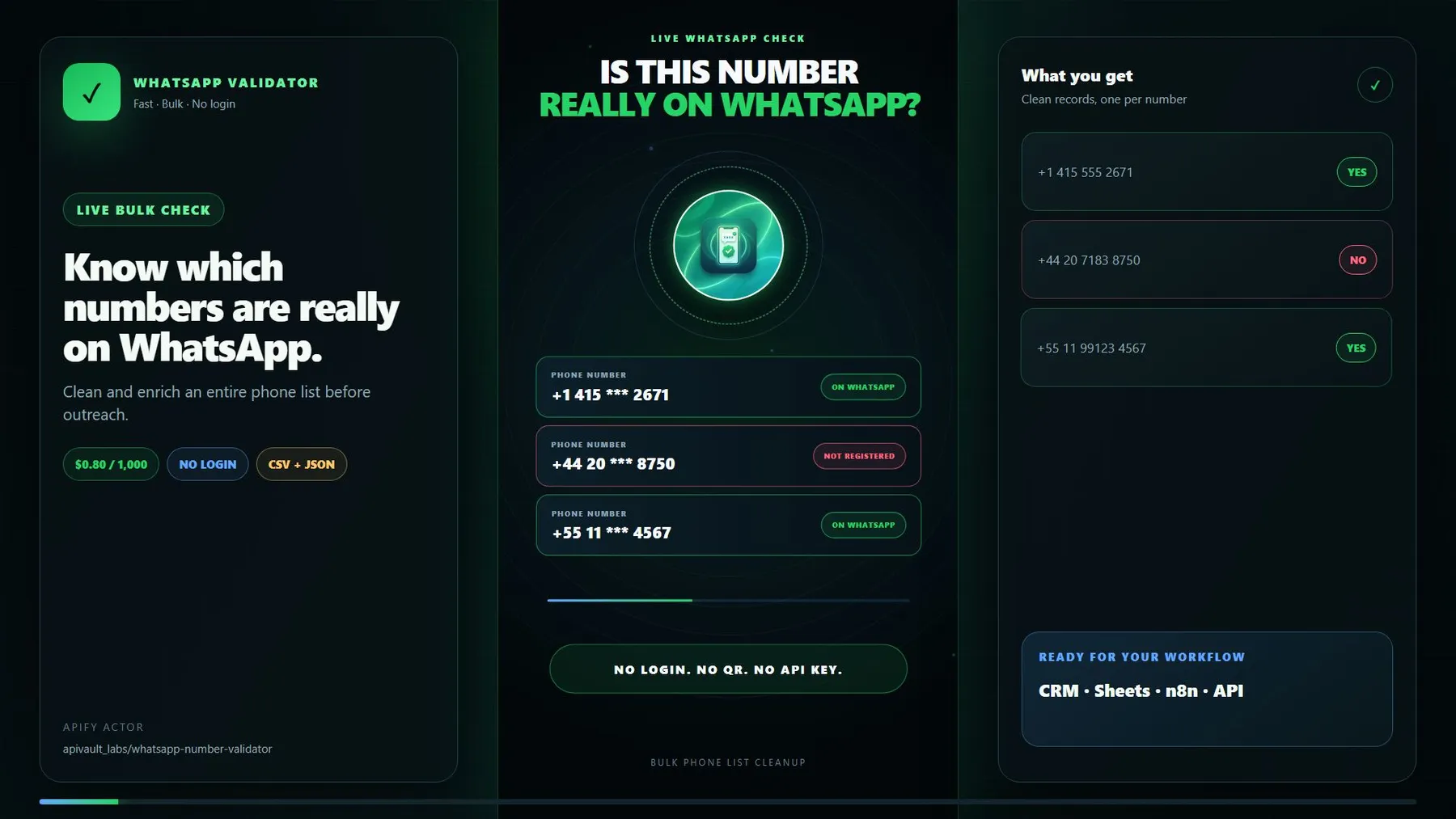
▶️ Watch the fast 20-second walkthrough — paste a bulk phone list, start the Actor, review live WhatsApp status and phone intelligence, then export clean CSV or JSON.
Validate phone numbers and request a best-effort live WhatsApp registration check in bulk. Paste numbers and get back an explicit status for each one, plus full phone metadata — E.164 format, country, region, carrier, line type (mobile / landline / VoIP), time zones, and a WhatsApp-ready flag — so you stop wasting sends on landlines, typos and dead numbers.
✅ No customer WhatsApp login or QR scan required. A confirmed live response returns
trueorfalse. Live requests automatically use rotating Apify Residential Proxy sessions when they are available on the caller's account. Numbers that cannot be completed before the run limit are saved inRETRY_INPUTfor another run instead of being charged as completed results.
Cache snapshots are historical hints, never a current registration verdict.
whatsappCached preserves such a hint separately. Completed checks include
whatsappVerification (provider_response, first_party_business, or
linked_device) and whatsappCheckedAt. Provider answers remain best-effort;
two agreeing fallback requests do not constitute independent ground truth.
Conflicting fallback answers stay unknown. Cached-only records are saved in
UNVERIFIED_RESULTS (up to 2,000 records, with total/truncation metadata), remain
in RETRY_INPUT, and are not charged as completed checks.
The live check is best-effort. Source availability and verification coverage vary; no current overall accuracy or throughput improvement is measured by this README.
Separate phone normalization from registration evidence
Use WhatsApp Number Validator for authorized CRM cleanup, numbering-rule checks and best-effort registration observations. A valid format, a WhatsApp-capable line and a confirmed current registration are three different signals. Keep the explicit status and verification time with every exported number.
| Need | Output to read | What it does not establish |
|---|---|---|
| Standardize a contact record | e164, international, national, valid | Active subscription or message delivery |
| Understand number metadata | regionCode, carrier, lineType, timezones | Current physical location or exact present carrier |
| Review registration | whatsapp, whatsappStatus, verification/time | Independent identity proof or recipient consent |
| Recover unfinished checks | RETRY_INPUT and UNVERIFIED_RESULTS | A negative registration answer |
The batch Actor can perform a live check; the offline Standby metadata tool described below only evaluates number metadata/capability. It cannot by itself confirm WhatsApp registration.
🤖 For AI agents — MCP & Standby (validate on demand)
Run this Actor in Standby mode for a warm HTTP + MCP endpoint that validates a single number per call — the perfect step inside an agent or automation flow (clean a lead before you message it). Fully offline, so it answers instantly.
- MCP tool:
validate_number→ validity, E.164/international/national formats, country, region, carrier, line type and awhatsappCapabilitygrade (yes/maybe/no). - REST (same endpoint):
GET /?number=+14155552671(optional&defaultCountry=US)
Turn on Standby in the Actor's settings to get your endpoint URL.
🔗 Use it in n8n
There's a dedicated n8n community node —
n8n-nodes-apivault-whatsapp-validator.
Perfect for a "new lead → validate → only message real WhatsApp users" automation.
- In n8n: Settings → Community Nodes → Install →
n8n-nodes-apivault-whatsapp-validator. - Add an Apify API credential (your token from Apify Console → Settings → Integrations).
- Drop the WhatsApp Number Validator node in, pass
phoneNumbers(ornumbersText), and pipe the clean records (whatsappStatus,whatsapp,e164,carrier,country…) into your CRM, Google Sheets, or a WhatsApp / SMS sender node.
Prefer no install? The generic Apify node can run this Actor too. And in Standby / MCP mode you can validate a single number per call for real-time, per-lead checks inside a live workflow.
⚡ Quick start
Each number comes back as one clean record.
Ready-to-run Tasks
- Check if a phone number is on WhatsApp
- Clean a list before a WhatsApp campaign
- Normalize phone numbers to E.164
- Validate numbers from a CSV column
Saved Tasks cover campaign cleanup, CRM normalization, carrier lookup and country-specific examples. Availability is shown on each Task page. Start small, verify the statuses, then scale the batch.
🎯 Why this matters
Phone lists can contain malformed or outdated entries and mixed line types. WhatsApp Business can use some fixed lines; number validity and registration need separate checks. Sending to unverified or inappropriate destinations:
- wastes your WhatsApp Business message allowance and sender reputation,
- inflates costs on per-message platforms,
- and can get your number flagged for high failure rates.
Use the returned structural, line-type and registration statuses for your own review. A valid/registered number is not by itself a verified reachable recipient or permission to contact one.
📦 What you get per number
| Field | Description |
|---|---|
valid | Matches supported numbering rules; active service/dialability is not verified |
e164 | Normalised +<country><number> (the format every API wants) |
international / national | Human-readable formats |
country / regionCode | e.g. United States / US |
location | City / area description when available |
carrier | Mobile carrier name when known (Claro, Airtel, JT …) |
lineType | mobile, landline, fixed-or-mobile, voip, toll-free … |
timezones | Time zones for the number (great for send-time targeting) |
whatsappCapable | true when the line can hold a WhatsApp account (mobile / mobile-capable plan) |
whatsappStatus | registered, not_registered, or invalid in completed Dataset results |
whatsapp | Confirmed WhatsApp boolean; invalid phone numbers return false |
whatsappProfilePic | Optional public profile picture URL when supported and available; otherwise null |
leadScore / leadQuality | 0–100 outreach score + hot / warm / cold / dead label |
bestTimeToMessage / localTimezone / localTimeNow | Send-time helpers based on the number's time zone |
⚙️ Input parameters
| Field | Type | Default | Description |
|---|---|---|---|
workflow | enum | auto | Merge both inputs, or explicitly use only the structured list or pasted text |
phoneNumbers | array | — | Numbers to validate (one per line) |
numbersText | string | — | Optional: paste a whole list / spreadsheet column at once (merged & de-duplicated) |
defaultCountry | string | US | ISO region for numbers without a leading + |
whatsappConcurrency | int | 50 | Parallel live checks (1–50) |
whatsappTimeout | int | 15 | Per-number timeout for live check (5–60s) |
outputPreset | enum | full | AI-friendly full, flat csv, or both |
exportFormat | enum | default | Legacy API override: default / csv / both |
📤 Output example
Illustrative fields and values; this is not a current verified lookup result.
whatsapp is populated only when a live check is confirmed. Inspect
whatsappStatus before treating false as a negative result. whatsappProfilePic
is the account's public photo when available. Set
"exportFormat": "csv" for HubSpot / Excel-friendly columns.
The SUMMARY.sourceAttempts record contains aggregate counts by live-check
source and outcome (resolved, noVerdict, rateLimited, unavailable).
These count attempts across retries, not unique numbers, and contain no phone
numbers. Unresolved valid numbers remain in RETRY_INPUT.
⚡ Performance
- Efficient live checks — tuned for reliable bulk processing.
- Variable throughput — measure your actual list and inspect incomplete/retry counts.
- Standby metadata validation (without a live registration check) responds quickly for one-number automation calls.
- De-duplication built in — duplicate inputs are merged automatically, you never pay twice for the same number.
💡 Use cases
- Pre-campaign list cleaning — drop landlines, typos and invalid numbers before a WhatsApp/SMS blast.
- Cut messaging costs — only keep numbers that can actually receive messages.
- CRM hygiene — normalise every number to E.164 and tag carrier / country.
- Lead enrichment — append country, region, carrier and line type to a contact list.
- Send-time targeting — use the time zone to message at the right local hour.
💰 Pricing
Billing confirmation and recovery
Results are delivered only after Apify accepts their charge request. Rejected or
uncertain billing stops delivery and leaves recovery information in RETRY_INPUT
and, when storage remains available, BILLING_DIAGNOSTICS. Successful batches
update the retry checkpoint so a normal continuation excludes delivered numbers.
Standby readiness checks, tool discovery and invalid tool calls do not count as
number-validation events. Offline Standby validation still checks phone metadata,
not current WhatsApp registration.
SUMMARY.billingConfirmedResultEvents counts confirmed result events for the run;
billingResultPriceUsd is the run's event rate and billingEstimatedEventChargeUsd
is an event-charge estimate, not developer earnings. Ordinary cloud runs use the
price resolved by Apify for the caller's plan. If only an unresolved tier table is
available, the spending guard reserves the highest listed rate conservatively.
Charge and Dataset writes are separate operations. If a response is lost or a storage write fails after charging, compare existing Dataset rows and charged event counts before retrying. Exactly-once delivery across a hard interruption is not guaranteed. The Actor does not automatically repeat an ambiguous paid request.
- Paid Apify plans: $0.80 per 1,000 results ($0.0008 per number).
- Apify Free plan: $8.00 per 1,000 results ($0.008 per number).
You pay per returned number. Every row always contains formatting and validity
metadata. Valid numbers are added to the paid Dataset only after a definitive
live response. If the run approaches its timeout or a source is temporarily
unavailable, unfinished numbers are saved to the default Key-Value Store as
RETRY_INPUT — a ready-to-run JSON input you can use for the next run.
The ERRORS record is empty after a complete run and otherwise contains
machine-readable retry or input guidance for MCP clients and automations.
❓ FAQ
Does whatsapp: true mean it's really on WhatsApp?
Yes — it means the live check confirmed registration. A confirmed
whatsapp: false means the live check returned a negative response. When a check
cannot be completed within the run budget, whatsapp remains null and
the number is excluded from the paid Dataset and placed in RETRY_INPUT.
Does the Actor use Apify Proxy?
Yes. When Apify supplies APIFY_PROXY_PASSWORD for the caller, every live
attempt uses a fresh US Residential Proxy session. Proxy traffic is platform
usage paid by the account that starts the run. If proxy access is unavailable,
the Actor uses direct/cache fallbacks and places inconclusive numbers in the
retry file.
What happens when a large run reaches its timeout?
The Actor reads the platform's exact ACTOR_TIMEOUT_AT value and stops live
work up to 90 seconds early (one third of the remaining time for short runs).
Completed results are flushed to the Dataset, and all remaining numbers are
saved in RETRY_INPUT. Individual fallback chains are limited to 20-90 seconds;
API writes have a separate bounded deadline. A recovery checkpoint is saved
before results are exported. Download that record and use
it directly as the input of a new run.
Why do some numbers show whatsappCapable: true but whatsapp: false?
whatsappCapable means the line can hold a WhatsApp account (it's a mobile /
mobile-capable number). whatsapp is the live result — whether an account is
actually registered on that number. A capable number with no WhatsApp account
returns whatsappCapable: true, whatsapp: false.
Which countries are supported? Global — every country's numbering rules are covered.
⚖️ Use responsibly
This tool validates and formats phone numbers. You are responsible for having a lawful basis and any required consent before contacting people, and for complying with WhatsApp's terms, the TCPA, GDPR and other applicable laws.
Continue the workflow
- Website Leads Database — build targeted B2B lists
- Google Maps Scraper — collect local business contacts
- Use this Actor through Apify MCP
If the Actor cleaned your list successfully, please leave an honest review.
Ready-to-import n8n workflow
Clean a contact list before the next permitted outreach step with the maintained WhatsApp Validator n8n connector. Download the quickstart workflow, import it into n8n, add your Apify API credential, and supply the numbers you are authorized to validate.
Small validator inputs for a predictable pipeline
Choose the workflow explicitly when inputs come from different systems. The example number is a test input; replace it with a number you are authorized to validate and inspect the returned status rather than assuming a positive answer.
For a pasted column, use text workflow so an unrelated structured list does not silently expand the requested batch.
For a legacy API consumer, preserve the explicit export shape it expects. Both representations can describe the same completed check; do not treat them as different people or independent evidence.
Read completed, unfinished and cached-only records separately
A completed live registration response can be true or false. Invalid numbering inputs are structural rejections, not a failed search for an account. Unresolved valid numbers do not become paid completed checks; read RETRY_INPUT and ERRORS. A cached-only hint in UNVERIFIED_RESULTS remains historical, with current whatsapp null, rather than a confirmed present-day negative or positive.
sourceAttempts counts attempts across fallback paths, not unique phone numbers or independent votes. Agreement among dependent sources does not prove independent ground truth. A resumed input can finish a previous incomplete batch, but it is another time-bound observation; retain the original run IDs and timestamps.
The output score and time helpers are metadata heuristics. A high score is not verified buying intent; a matching time zone does not show actual device presence. Registration does not guarantee delivery, availability or permission to message. The Actor does not send outreach.
Validator pricing and standby questions
What is a paid result? Each completed returned number uses result: $0.0008 on paid plans or $0.008 on Free. There is no Actor Start event configured for this Actor. Platform/proxy usage is separately paid by the caller and can apply to unfinished checks as well.
Does offline Standby give a live registration verdict? No. Its validate_number tool returns numbering metadata and a capability grade. Use the batch Actor's explicit registration status/verification timestamp for a supported live observation. Offline capability must not be relabelled registered.
Why can a fixed line be relevant? Some business accounts can use fixed numbers. Decide based on actual supported verification and your purpose; a blanket mobile-only rule can exclude valid business accounts.
Can every list finish in 30 seconds? No. Source response time, proxy access, fallback behavior and run limits affect throughput. Start with a small list and use actual run measurements rather than a universal speed claim.
Should a retry overwrite the whole CRM record? Preserve source, time and previous unknown/confirmed context. Update only the fields supported by the completed check; a retry failure is not proof that a previously observed account disappeared.
n8n and developer integrations
Use this Actor in your automation or application with the existing community integrations below. An Apify account and API token are required; Actor and platform charges follow the current pricing.
- n8n community node: n8n-nodes-apivault-whatsapp-validator. Install package name
n8n-nodes-apivault-whatsapp-validatorin a self-hosted n8n instance that permits community packages. - n8n source and usage: GitHub.
- Python client and examples: GitHub.
- n8n source and usage: GitHub.
These are community packages. Publication on npm does not establish n8n verification or availability in n8n Cloud. Review the linked package README for supported inputs and setup.


