Google Custom Search API Alternative: Change One Base URL
Pricing
from $4.00 / 1,000 search page (up to 10 results)s
Google Custom Search API Alternative: Change One Base URL
Queries in, Google Custom Search JSON (items, queries, searchInformation) out. Change one base URL before the Jan 1, 2027 shutdown. $0.004 per page.
Pricing
from $4.00 / 1,000 search page (up to 10 results)s
Rating
0.0
(0)
Developer

Creator Fusion
Maintained by CommunityActor stats
0
Bookmarked
1
Total users
0
Monthly active users
12 days ago
Last modified
Categories
Features
Share
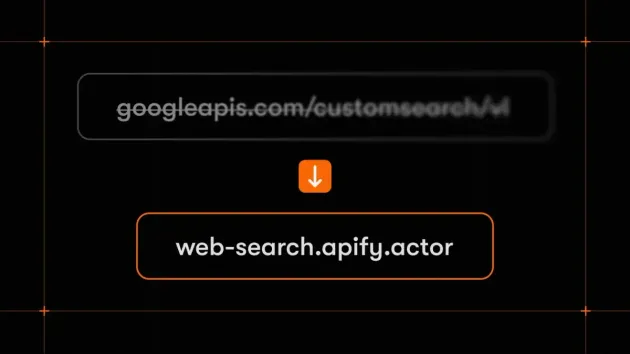
This Google Custom Search API alternative answers your existing Google Custom Search JSON API (/customsearch/v1) calls with the same JSON (items, queries, searchInformation). Google shuts down the Custom Search JSON API on January 1, 2027; here you change one base URL, swap key= for an Apify token=, and keep your parser.
Use it as a live Standby API (GET /customsearch/v1) or as a batch run that writes one dataset row per Google result. Results come from google.com, not from your Programmable Search Engine (cx is accepted and ignored).
Who it's for
- Developers migrating off Google's Custom Search JSON API. It is closed to new customers, and existing customers must migrate by January 1, 2027.
- SEO analysts who want the Google top 10 for hundreds of keywords as a CSV.
- AI agents (MCP) and no-code builders (n8n, Make, Zapier) who need ranked Google links with snippets.
Change one base URL
Before:
After:
Copy the exact Standby URL from the Actor's API tab in Apify Console. Your response parser stays the same. cx is accepted, echoed in queries.request[0] and otherwise ignored, so ranking can differ from what your CSE returned.
Sample output
Batch mode writes one dataset row per result. Real rows from the offline smoke run (test/smoke-input.json): a normal result, then the single row a zero-result query returns.
A zero-result query returns one row with "rank": null (the page was fetched and parsed, so it is charged). correctedQuery is added when Google offers "Did you mean". A failed query returns {"status":"error","query":"...","input":{"query":"..."},"error":{"code":"...","message":"..."}} and is never charged. Batch error codes: INVALID_ARGUMENT, BUDGET_EXHAUSTED, SERP_BLOCKED, SERP_UPSTREAM, TIMEOUT, PARSE_ERROR.
Output fields
| Field | Type | Description |
|---|---|---|
status | string | ok or error |
query | string | The search term from queries |
rank | integer or null | 1-based position across pages; null for a zero-result query |
page | integer | Results page (1 = results 1-10); each page is one cse-query event |
title, link, displayLink, snippet, htmlSnippet, formattedUrl | string | Same meaning as CSE items[] |
totalResults | string | Google's result count (CSE searchInformation.totalResults) |
totalResultsEstimated | boolean | true when the count was estimated from the page |
correctedQuery | string | "Did you mean" spelling, when offered |
request | object | Echo of q, num, start and the refinements that were set |
fetchedAt | string | ISO 8601 fetch time |
error.code, error.message | string | Error rows only |
Dataset views: overview (query, rank, title, link, displayLink, snippet, page, totalResults, fetchedAt, status) and flat (status, query, rank, page, title, link, displayLink, snippet, formattedUrl, totalResults, totalResultsEstimated, fetchedAt, error.code, error.message; scalar columns only, safe for Google Sheets). Download as JSON, CSV, Excel or HTML.
Pricing
Pay per event, one flat price on every Apify plan.
| Event | Price (all tiers) | When it fires |
|---|---|---|
cse-query | $0.004 | Once per parsed Google results page of up to 10 results, in batch or Standby |
That is $4.00 per 1,000 pages, against $5 per 1,000 queries on Google's API. Errors, CAPTCHAs and retries are never charged.
Worked examples:
- 100 keywords, top 10 each (
maxResultsPerQuery: 10): 100 pages = 100 x $0.004 = $0.40. - 500 keywords, top 30 each (
maxResultsPerQuery: 30): 3 pages per keyword = 1,500 pages = $6.00. - 10,000 Standby calls with
num=10: 10,000 pages = $40.00.
The run stops cleanly when your maximum charge (maxTotalChargeUsd) is reached: batch writes BUDGET_EXHAUSTED rows for the remaining queries; Standby answers HTTP 429.
Input
Batch mode. Only queries is required; every other field has a default, so an agent can call with one field:
Example with refinements:
| Field | Type | Default | Description |
|---|---|---|---|
queries | string[] (1-1000) | ["apify web scraping"] | Search terms, one per line |
maxResultsPerQuery | integer 1-100 | 10 | Results per query; every 10 is one cse-query event |
gl | string | us | Country code that geolocates results |
hl | string | en | Interface language |
lr | string | empty | Result language, lang_xx (e.g. lang_en) |
safe | off / active | off | SafeSearch |
siteSearch | string | empty | One domain to include or exclude (e.g. apify.com) |
siteSearchFilter | i / e | i | i include only siteSearch, e exclude it |
dateRestrict | string | empty | d7, w2, m3, y1 |
fileType | string | empty | File extension, e.g. pdf |
exactTerms | string | empty | Phrase every result must contain |
excludeTerms | string | empty | Words that must not appear |
orTerms | string | empty | At least one of these words must appear |
filter | 1 / 0 | 1 | 1 hides near-duplicates, 0 shows them |
There are no secret fields and no proxy settings to configure.
Use with AI agents (MCP)
Add this server to Claude, Cursor or any MCP client:
Example call-actor input:
Then read the run's default dataset (one row per result). Always set a spending cap with maxTotalChargeUsd as a run option (never inside input); at $0.004 per page, maxTotalChargeUsd: 1 covers 250 pages.
API
Run it synchronously and get the dataset items back (maxTotalChargeUsd is a query parameter, not input):
JavaScript (apify-client):
Python (apify-client):
For CSV, read https://api.apify.com/v2/datasets/<datasetId>/items?view=flat&format=csv.
Standby API
Base URL https://apricot-blackberry--google-cse-dropin.apify.actor (copy the exact URL from the Actor's API tab).
GET /customsearch/v1.GET /is the readiness probe and returns200 {"ok":true}.- Authenticate with
Authorization: Bearer <Apify API token>or?token=<Apify API token>. Latency: typically 4-8 s; when Google's search proxy is under heavy load, 20-45 s. Requests time out at 60 s (then503, not charged). Set your HTTP client timeout to at least 65 s. Hard timeout 25 s, then503. Set your HTTP client timeout to at least 30 s. - Supported parameters:
q(required),num1-10 (default 10),start1-91,gl,hl,lr,cr,safe,siteSearch+siteSearchFilter(iinclude,eexclude),exactTerms,excludeTerms,orTerms,hq,fileType,dateRestrict(d7,w2,m3,y1),filter(0/1). Other documented CSE parameters are accepted and listed in the response headerX-CF-Ignored-Params.keyandtokenare never echoed;url.templatehas the token stripped. - Each successful request is one
cse-queryevent ($0.004).
Response: kind, url, queries.request[], queries.nextPage[] (only when a next page exists and start+num<=91), queries.previousPage[], context.title ("Creator Fusion CSE Drop-in"), searchInformation (totalResults is a string), spelling.correctedQuery when Google offers "Did you mean", and items[] (kind, title, htmlTitle, link, displayLink, snippet, htmlSnippet, formattedUrl, htmlFormattedUrl). Extra top-level cfMeta: totalResultsEstimated, upstreamMs, requestId, unresolvedLinks.
Errors use Google's envelope:
| HTTP | status | When |
|---|---|---|
| 400 | INVALID_ARGUMENT | missing q, num outside 1-10, start+num-1>100, bad enum, searchType=image (use apricot_blackberry/google-image-search-api) |
| 404 | NOT_FOUND | unknown path |
| 429 | RESOURCE_EXHAUSTED (reason: budgetExhausted) | run budget spent |
| 503 | UNAVAILABLE (reason: backendError) | Google blocked every attempt, or timeout |
| 500 | INTERNAL | unexpected error |
n8n, Make and Zapier
In n8n add an HTTP Request node: method GET, URL https://apricot-blackberry--google-cse-dropin.apify.actor/customsearch/v1, query parameters q = {{ $json.keyword }}, num = 10, and header Authorization = Bearer <your Apify token>. Map items[].link, items[].title, items[].snippet downstream. Make (HTTP, Make a request) and Zapier (Webhooks by Zapier, GET) take the same URL, parameters and header. For batch runs, use the Apify app in n8n, Make or Zapier with the Actor apricot_blackberry/google-cse-dropin.
FAQ
Is this a Google Custom Search JSON API replacement? Yes. It returns the same customsearch/v1 JSON shape. Change the base URL and replace key= with token=; parsing stays the same.
Are results identical to Google CSE? No. They are google.com results for your query; CSE ranking differs from google.com and we do not promise identical ordering.
What happens after January 1, 2027? Nothing changes for this Actor. It does not depend on Google's Custom Search JSON API.
Can I use my site-restricted engine (cx)? cx is accepted and ignored here. For site-restricted search, use apricot_blackberry/google-site-search-api.
Can I get image results? Use apricot_blackberry/google-image-search-api (searchType=image).
Limits
pagemapandcacheIdare not populated (they need a page fetch per result); the fields are omitted.cxis accepted and ignored; site-restricted engines are served by a separate Actor.searchType=imagereturns 400; useapricot_blackberry/google-image-search-api.- Results stop at index 100 (
start+num-1<=100), as in Google's API; batchmaxResultsPerQueryis capped at 100 andqueriesat 1,000. - Google returns encrypted redirect links to datacenter-style clients; the Actor resolves each one to the real URL before returning it. Some links make Google show a short verification step first; the Actor waits it out (a few seconds), which is why a request can take longer. Measured 2026-11-09: typically 75-90% of links resolve to the real URL; the rest stay as working Google redirect URLs when Google rate-limits the resolution step. If a link cannot be resolved in time,
linkstays as the Google redirect URL (it still opens the right page) andcfMeta.unresolvedLinkscounts them. The page is charged once either way. totalResultsis Google's estimate. When Google shows no count, it is estimated from the page andtotalResultsEstimatedistrue.- Error-envelope field names follow Google's standard API error format; they have not been compared with a live CSE error sample.
- The Actor returns only what Google shows publicly on its results page; it collects no personal data beyond that.
Support
Built by Creator Fusion LLC (Creator Fusion Labs). Questions and bug reports: contact@creatorfusion.net, or open an issue on the Actor's Issues tab.
If this Actor saved you time, please leave a review on its Apify Store page. Honest reviews, good or bad, are how other people decide whether to trust it, and we read every one. Found a problem? Open an issue on the Issues tab and we will fix it.