Google Site Search API: Programmable Search Replacement
Pricing
from $4.00 / 1,000 search request pages
Google Site Search API: Programmable Search Replacement
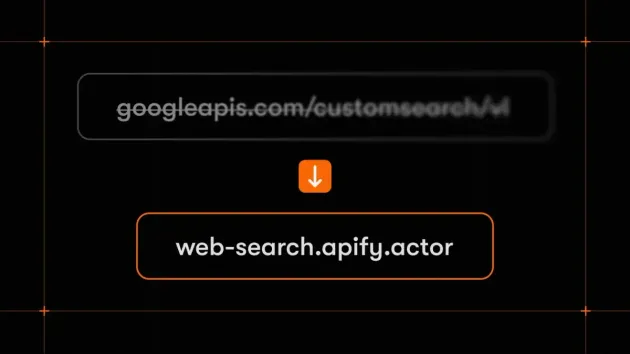
Queries and up to 50 sites in, Google CSE siterestrict JSON out. Change one base URL before the Jan 1, 2027 shutdown. $0.004 per results page.
Pricing
from $4.00 / 1,000 search request pages
Rating
0.0
(0)
Developer

Creator Fusion
Maintained by CommunityActor stats
0
Bookmarked
1
Total users
0
Monthly active users
12 days ago
Last modified
Categories
Features
Share
This Google Site Search API is a Google Programmable Search Engine and Custom Search JSON API siterestrict replacement. It searches up to 50 websites (domains or domain/path* patterns) with one saved cx-style engine and returns Google Custom Search (CSE) siterestrict JSON: Google shuts down the Custom Search JSON API on January 1, 2027, and here you change one base URL and keep your code.
Use it as a live Standby HTTP endpoint or as a batch run that writes a dataset you can open in Sheets.
Who it's for
- Site owners and developers whose docs or site search box calls
customsearch/v1/siterestrict?cx=.... The Custom Search JSON API stops on January 1, 2027, and new Programmable Search Engines are limited to "Sites to search" with 50 domains. - Agencies who need to search 40 client domains for "pricing" and export a CSV.
- AI agents (MCP) that need site-only results with no setup:
{"queries":["refund policy"],"sites":["shopify.com"]}. - No-code builders (Make, Zapier, n8n) who want
items[0].linkfrom a webhook-style URL.
Change one base URL
Your existing call:
becomes (the base URL changes, cx becomes the id of your saved engine, and key is replaced by your Apify API token):
Copy the exact Standby URL from the Actor's API tab in Apify Console. You can send the token as ?token= or as an Authorization: Bearer header. A key parameter is accepted and ignored. Google's old cx values do not carry over: save an engine once and map the new id. Results come from google.com restricted to your sites, not from your old engine, so ranking can differ from what your CSE returned.
What you get
- A saved engine (
cx) holding up to 50 sites and 20 excluded sites. Each site isdomainordomain/path*, for exampledocs.apify.comorexample.com/blog/*. - Both
GET /customsearch/v1andGET /customsearch/v1/siterestricton Standby, with identical behaviour and the Google CSESearchresponse shape. - Results from all sites merged and deduplicated. Every 10 sites is one Google query, run in parallel and merged round-robin.
- A post-filter that checks every result against your site list and exclusions, so no result from outside the list is returned.
- Batch mode: many queries against an engine, one row per result, with a flat CSV view.
Sample output
Batch mode writes one dataset row per result. A real row from the offline smoke run (test/smoke-input.json, inline sites docs.apify.com and crawlee.dev). In the offline fixture the Google redirect link is not resolved, so linkResolved is false; on the platform links are resolved to the real URL.
A query with no hits becomes one row with "status": "no_results". A query that fails becomes {"status":"error","query":"...","input":{"query":"...","engineId":...},"error":{"code":"...","message":"..."}} and is never charged. Error codes: INVALID_ARGUMENT, NOT_FOUND (unknown engineId), BUDGET_EXHAUSTED, UPSTREAM_UNAVAILABLE, PARSE_ERROR, INTERNAL.
Output fields
| Field | Type | Description |
|---|---|---|
status | string | ok, no_results or error |
engineId, engineName | string or null | Saved engine (cx) id and name; null for an inline sites search |
query | string | The search term from queries |
rank | integer | 1-based rank within the query |
title, link, displayLink, snippet | string | Same meaning as CSE items[] |
matchedSite | string | The site entry from your list that the result belongs to |
subqueryIndex | integer | Which Google sub-query (group of up to 10 sites) produced it |
sitesSearched | integer | Number of sites searched |
partial | boolean | true when a sub-query failed and results may be incomplete |
linkResolved | boolean | false when link is still a Google redirect URL |
fetchedAt | string | ISO 8601 fetch time |
error.code, error.message | string | Error rows only |
Dataset views: overview (query, rank, title, link, display link, matched site, snippet, engine, partial, fetched at, status) and flat (scalar columns only, CSV and Sheets ready, errors flattened to error.code and error.message). Download as JSON, CSV, Excel or HTML. When an engine is saved or loaded, the run's key-value store also holds an OUTPUT record (see "Create an engine").
Pricing
Pay per event, flat prices on every Apify plan.
| Event | Price (all tiers) | When it is charged |
|---|---|---|
cse-query | $0.004 | Once per answered request page (up to 10 merged results), Standby request or one page of a batch query |
fanout-subquery | $0.0025 | Once per extra successful Google query beyond the first (engines with more than 10 sites) |
Examples per page of results:
| Engine size | Google queries | Events | Cost per page |
|---|---|---|---|
| 1 to 10 sites | 1 | 1 cse-query | $0.004 |
| 25 sites | 3 | 1 cse-query + 2 fanout-subquery | $0.009 |
| 50 sites | 5 | 1 cse-query + 4 fanout-subquery | $0.014 |
Worked run examples:
- Agency, 40 client domains, 25 keywords, top 10 each: 40 sites = 4 Google queries per page, so each page is 1
cse-query+ 3fanout-subquery= $0.0115; 25 pages = $0.29. - Docs search box on Standby, 5 sites, 10,000 searches a month: 10,000
cse-query= $40.00. - One engine of 10 sites, 100 keywords, top 30 each: 3 pages per keyword, 300
cse-query= $1.20.
Nothing is charged for a request that fails, and the run's maximum charge is checked before every upstream call (Standby answers 429, batch mode stops and writes BUDGET_EXHAUSTED rows).
Input
Only queries is required; every other field has a default, so an agent can call with one field (sites defaults to ["apify.com"]).
| Field | Type | Default | Description |
|---|---|---|---|
queries | string[] (1 to 500) | none (prefill ["installation"]) | Search terms. The only required field. |
sites | string[] (up to 50) | ["apify.com"] | Inline engine: domains or domain/path* patterns. Ignored when engine or engineId is set. |
excludeSites | string[] (up to 20) | [] | Domains or patterns to drop (inline engine). |
engine | object | null | {name, sites[], excludeSites[]}: validates and saves a reusable engine. |
engineId | string | empty | A saved engine id (cx), 16 characters; the cx_ prefix is optional. |
maxResultsPerQuery | integer 1 to 100 | 10 | Results per query. Every 10 results is one more page and one more cse-query. |
gl | string | us | Two-letter country code. |
hl | string | en | Interface language. |
safe | off or active | off | SafeSearch. |
dateRestrict | string | empty | d7, w2, m3, y1 |
fileType | string | empty | File extension, e.g. pdf |
exactTerms | string | empty | Phrase every result must contain |
excludeTerms | string | empty | Words results must not contain |
There are no secret inputs and no proxy settings to configure. Priority when several are set: engine, then engineId, then sites.
Create an engine
Run the Actor once with an engine object. The engine is saved in your account in the named key-value store cf-site-engines under the key cx_<id>, and the id is returned in the run's OUTPUT record and in every result row.
OUTPUT looks like {"engineId":"k3J9xQ2mL0aB7cDe","name":"Docs","sites":[...],"excludeSites":[...],"standbyUrl":"https://.../customsearch/v1/siterestrict?cx=k3J9xQ2mL0aB7cDe&q="}. The OUTPUT record is linked from the run's Output tab. The id is a stable 16-character hash of your account and the engine name, so running again with the same name updates the same engine. Engines belong to the account that runs the Actor.
Use a saved engine in batch mode:
Or search without saving anything:
Use with AI agents (MCP)
Add this server to Claude, Cursor or any MCP client:
Example call-actor input (no top-level queries, so it is not an Actor input by itself):
Only queries is required; sites defaults to ["apify.com"]. Read the run's default dataset for one row per hit. Always set maxTotalChargeUsd as a run option (never inside input); at $0.004 per page, maxTotalChargeUsd: 1 covers 250 pages for engines of up to 10 sites.
API
Run it synchronously and get the dataset items back (maxTotalChargeUsd is a query parameter, not input):
JavaScript (apify-client):
Python (apify-client):
For CSV, read https://api.apify.com/v2/datasets/<datasetId>/items?view=flat&format=csv.
Standby API
Base URL https://apricot-blackberry--google-site-search-api.apify.actor (copy the exact URL from the Actor's API tab). Authenticate with Authorization: Bearer <Apify API token> or ?token=. Each answered request is one cse-query event, plus fanout-subquery for engines with more than 10 sites.
GET /customsearch/v1 and GET /customsearch/v1/siterestrict behave the same. GET / is the readiness probe.
Parameters: the CSE set (q, num 1 to 10, start, safe, filter, gl, hl, lr, cr, siteSearch, siteSearchFilter, exactTerms, excludeTerms, orTerms, hq, fileType, dateRestrict), plus one of:
cx: a saved engine id (thecx_prefix is optional), orsites: comma-separated domains or patterns for an inline engine (sites=docs.apify.com,example.com/blog/*), with optionalexcludeSites, orsiteSearchalone (Google CSE style,siteSearchFilterior omitted):GET /customsearch/v1?q=proxy&siteSearch=docs.apify.comsearches that one site, so an existing Google CSE call works without a saved engine.
A request with none of these (or only siteSearch with siteSearchFilter=e, which needs a site list to exclude from) returns 400. Unsupported parameters are listed in the X-CF-Ignored-Params response header. searchType=image is refused (use apricot_blackberry/google-image-search-api).
With cx or sites, siteSearch works like Google's: with siteSearchFilter=e the site is excluded; with i (the default) the site must lie inside the engine, otherwise the call returns 400.
Latency: typically 4-8 s; when Google's search proxy is under heavy load, 20-45 s. Requests time out at 60 s (then 503, not charged). Set your HTTP client timeout to at least 65 s.
Response (shortened):
Errors use Google's error envelope: 400 invalid parameters, 404 unknown cx (reason: "notFound"), 429 run budget exhausted, 503 upstream unavailable. If some of an engine's Google sub-queries fail, you get the rest with cfMeta.partial: true; if all fail, 503. Requests time out after 60 seconds (503, not charged); each Google sub-query gets up to 20 seconds, and links not resolved by then keep the Google redirect URL. Pagination: start works across merged results, page N refetches page N of every sub-query, and start + num - 1 may not exceed 100.
n8n, Make and Zapier
Make. Use HTTP, Make a request: URL https://apricot-blackberry--google-site-search-api.apify.actor/customsearch/v1/siterestrict, method GET, header Authorization: Bearer <your Apify token>, query string items cx and q; set Parse response to yes. Map items[1].link and items[1].title in the next module (Make arrays start at 1).
n8n. Use an HTTP Request node with the same URL, header and query parameters, then read {{$json.items[0].link}}.
Zapier. Use Webhooks by Zapier, GET with the same URL, header and parameters.
For batch runs, use the Apify app in n8n, Make or Zapier with the Actor apricot_blackberry/google-site-search-api.
FAQ
Is this a Google Programmable Search Engine / Custom Search siterestrict replacement? Yes. It answers customsearch/v1/siterestrict (and customsearch/v1) with the same Custom Search JSON shape, restricted to your saved engine's sites.
Can I keep my cx IDs? No. You get a new id when you save an engine; map it once in your code or config.
How many sites can an engine have? Up to 50 sites, plus path patterns such as example.com/blog/*, and up to 20 excluded sites.
Why do big engines cost more? Every 10 sites is another Google query, charged as fanout-subquery ($0.0025 each).
Are results identical to my old Programmable Search Engine? No. They are google.com results restricted to your sites, so ranking and counts can differ from what your engine returned.
Can a result come from outside my site list? No. Every result is checked against your site patterns and exclusions before it is returned.
Limits
- Results come from Google's public index, so freshness and ranking are Google's. There is no own index and no freshness guarantee.
- Not supported: refinements and facets, promotions, and other Programmable Search Engine console features.
searchType=imageis a separate Actor. Whole-web search is the CSE drop-in Actor (apricot_blackberry/google-cse-dropin). - Google often returns result links as redirect URLs. The Actor resolves them with extra requests before building results; for some links Google adds a few-second verification step, which the Actor waits out. Measured 2026-11-09: typically 75-90% of links resolve to the real URL; the rest stay as working Google redirect URLs when Google rate-limits the resolution step. If a link cannot be resolved in time it stays as a Google redirect URL (
linkResolved: false, counted incfMeta.unresolvedLinks) and is still checked against your site list by its display host. - Merged
totalResultsis an approximation (the sum of the sub-queries' totals, or an estimate). - With more than one sub-query, page N of the merge is built from page N of each sub-query, so ranks across pages are not a strict global ordering.
excludeSitesbecome-site:operators for the first 10 entries; any more are applied by the post-filter only.- Batch paging stops at the first short page to avoid paying for empty pages. A page with zero results is still an answered page and is charged as one
cse-query. - Maximum 100 results per query, 500 queries per batch run, 50 sites and 20 excluded sites per engine.
- Saved engines live in the named key-value store
cf-site-enginesin the account that runs the Actor. - The Actor returns only what Google shows publicly on its results page; it collects no personal data beyond that.
Support
Built by Creator Fusion LLC (Creator Fusion Labs). Questions and bug reports: contact@creatorfusion.net, or open an issue on the Actor's Issues tab.
If this Actor saved you time, please leave a review on its Apify Store page. Honest reviews, good or bad, are how other people decide whether to trust it, and we read every one. Found a problem? Open an issue on the Issues tab and we will fix it.