
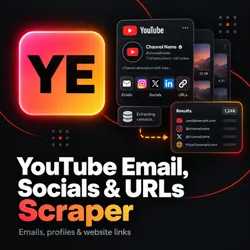
YouTube Channel Contact Scraper — Emails, Socials & URLs
Pricing
from $1.50 / 1,000 channel results
YouTube Channel Contact Scraper — Emails, Socials & URLs
Extract public YouTube channel emails, social profiles, and website links in batches with source evidence and optional recent video descriptions.
Pricing
from $1.50 / 1,000 channel results
Rating
0.0
(0)
Developer

Arabia Insights
Maintained by CommunityActor stats
0
Bookmarked
2
Total users
1
Monthly active users
3 days ago
Last modified
Categories
Share
Extract public YouTube channel emails, social profiles, and links in batch
Find publicly published contact information from YouTube channels in bulk. Supply channel URLs, handles, or channel IDs and receive structured records with source attribution and public channel metadata. Optionally inspect recent public video, Shorts, and completed-stream descriptions for creator contacts and business inquiries.
Why use this Actor?
- Native bulk processing: Process from 1 up to 1,000 channels in a single run. Aliases, handle variations, and duplicate URLs resolving to the same channel are automatically deduplicated while preserving your original input indexes.
- Accurate source attribution: Every extracted email, social link, and outbound URL includes the originating YouTube surface (About page, channel profile link, or specific video description) and extraction method.
- No credentials or browser overhead: Operates entirely over anonymous HTTP without requiring Google API keys, YouTube logins, browser automation, or pasted session cookies.
- Data transparency: Clear distinction between channel-published links and video descriptions (which may include sponsor or affiliate mentions).
- Export ready: Download data in JSON, CSV, or Excel formats, or integrate directly with CRMs, outreach sequences, and automated pipelines via the Apify API.
Extracted data fields
| Field category | Extracted details |
|---|---|
| Emails | Addresses published in channel About descriptions or recent video descriptions, including standard obfuscated formats (e.g. user [at] domain [dot] com). |
| Social links | Recognized social profile links published by the channel (Twitter/X, Instagram, TikTok, LinkedIn, Facebook, Discord, Twitch, Patreon, etc.). Social account ownership and profile authenticity are not independently verified. |
| Website links | Outbound website destinations, merchandise stores, newsletters, and link aggregation hubs (Linktree, Beacons, etc.). |
| Source evidence | Detailed provenance array indicating whether each contact originated from the About tab, an external profile link, or a specific video description, with exact YouTube source URLs. |
| Channel metadata | Canonical channel ID, handle, channel title, description, avatar URL, country, and join date. |
| Public statistics | Subscriber count, view count, and video count, along with display precision indicators (exact, rounded, or unavailable). |
| Coverage & status | Execution status (success, partial, not_found, blocked, unavailable, failed), stop reason, descriptions requested vs. inspected, and surface breakdown. |
3-step quick start
- Input channel identifiers: Enter channel handles (e.g.
@GoogleDevelopers), channel URLs (e.g.https://www.youtube.com/@TED), or channel IDs. - Configure scan depth: Keep Scan recent video descriptions disabled for rapid About-only discovery, or enable it to inspect recent video descriptions (default 20 descriptions per channel, maximum 100).
- Run and download: Start the Actor run and download your dataset as JSON, CSV, or Excel. Use JSON format if you require nested source provenance.
Input configuration
Input parameters
channels(array of strings, required): 1 to 1,000 YouTube channel URLs,@handles, or channel IDs. Aliases and duplicates resolving to the same canonical channel are merged into a single record. Video or playlist URLs are not accepted as channel identifiers. When description scanning is enabled, runs enforce a run-wide limit of 5,000 total planned descriptions (e.g. up to 250 channels at the default depth of 20 [250 × 20 = 5,000], or up to 50 channels at the maximum depth of 100 [50 × 100 = 5,000]). Invalid input combinations exceeding 5,000 planned descriptions are validated and rejected before scraping begins rather than silently clamped; split larger batches across sequential runs.scanRecentDescriptions(boolean, optional, default:false): When enabled, inspects recent public upload descriptions (videos, Shorts, completed streams) in addition to About pages.maxVideosPerChannel(integer, optional, default:20, min:1, max:100): Maximum public upload descriptions inspected per channel when description scanning is enabled.maxRequests(integer, optional, min:1, max:250000): Optional run-wide request limit covering direct requests, retries, redirects, and residential fallback. By default derived automatically from the channel batch size and configured description depth.allowResidentialFallback(boolean, optional, default:false): Opt in to paid residential proxy fallback only if standard direct requests encounter rate limiting.maxResidentialRequests(integer, optional, default:10, min:0, max:1000): Maximum allowance for paid residential proxy requests across the run.maxRunSeconds(integer, optional, default:3600, min:30, max:14400): Collection time limit. Completed channel records are preserved if a run reaches its deadline.concurrency(integer, optional, default:5, min:1, max:10): Number of channels processed concurrently.
Output example
The Actor outputs structured JSON records matching the Apify dataset schema. Below is a representative record:
Pricing
The Actor uses Apify's Pay-Per-Event (PPE) model. It charges one dataset event for each delivered canonical channel row, including diagnostic rows such as not_found, unavailable, or failed results. Duplicate aliases for the same resolved channel are combined into one row, and the original input indexes are retained.
| Apify plan | Per delivered row | Per 1,000 rows |
|---|---|---|
| Free | $0.00225 | $2.25 |
| Bronze | $0.00200 | $2.00 |
| Silver | $0.00175 | $1.75 |
| Gold | $0.00150 | $1.50 |
The Actor start event is $0.002 per allocated memory GB, with a minimum of one event each time an execution starts. At the default 1 GB allocation, that is $0.002 per start; resurrecting an interrupted run starts another execution and can incur another start event. Apify platform usage is billed separately and varies with the resources used by the run. Residential proxy fallback is disabled by default; if enabled, residential traffic is optional, bounded, and can add variable platform charges.
A run spending limit can stop a batch before every submitted channel has a result. Review the delivered rows and run status to see what completed. Current event rates are also shown in the Pricing tab above.
Scope and limitations
- Anonymous public YouTube only: The Actor extracts only publicly published text and links visible without logging in. It does not access private, unlisted, or member-only information.
- No automated "View email address" reveal: YouTube's protected "View email address" feature may require account sign-in or an interactive challenge; this Actor does not access login-gated details. It extracts emails written directly in public About text or video descriptions.
- No external site scraping: The Actor records outbound URLs, profile links, and shorteners as published on YouTube; it does not crawl or visit external websites or third-party social platforms.
- Video descriptions and sponsor mentions: Video descriptions may include brand sponsorships, promotional partner emails, or agency contacts. The Actor extracts these as video mentions and preserves source attribution so you can review their context.
- Absence of contacts: An empty
emails: []array indicates that no email was found on the inspected public YouTube surfaces; it is not a claim that the creator has no email address. - Batch limits and description bounds:
- About-only mode supports batches up to 1,000 channels per run.
- Video description scanning is limited to a maximum of 5,000 planned descriptions per run to maintain performance and reliability. With the default setting of 20 descriptions per channel, a description-enabled run supports up to 250 distinct channels (250 × 20 = 5,000). At the maximum depth of 100 descriptions per channel, a run supports up to 50 distinct channels (50 × 100 = 5,000). Split larger lists into multiple runs.
- No deliverability or ownership guarantees: Contact deliverability, mailbox validity, and channel or external social account ownership are not independently verified.
Frequently asked questions
How are email addresses detected?
The Actor inspects public channel About page text and recent video descriptions using pattern matching that detects standard email formats as well as common obfuscation patterns (such as name [at] domain [dot] com or name(at)domain.com).
Why does a channel have an empty email list?
Many creators do not write their business email directly in public text, instead relying solely on social links, external contact forms, or YouTube's login-gated business inquiry button. If an email is not in the public text surfaces, the emails array will be empty ([]).
How does the Actor handle channel aliases and handle changes?
If you supply multiple URLs or handles that point to the same underlying YouTube channel ID, the Actor identifies the canonical channel, merges the records into one output item, and retains all original input indices in inputIndexes.
Can I scan older videos across a creator's entire history?
No. The Actor inspects recent public uploads from the channel's uploads feed up to the configured limit (maximum 100 descriptions per channel). Historical complete channel archives are not supported.
How do I use this Actor programmatically?
You can trigger runs and retrieve dataset items via the Apify API using Python, JavaScript/TypeScript, or standard HTTP requests. Refer to the API tab on this page for code templates and webhooks setup.
Support and feedback
If you encounter unexpected errors, missing data formats, or have feature requests, please submit an issue via the Issues tab on this Actor's Store page with your run ID and the affected channel identifier.


![[Fast & Cheap] Youtube Email, Socials & Urls Scraper avatar](https://images.apifyusercontent.com/rx0JCkzYfpu0Scg6D1br1HLEB0aSvfnhtPvFGYnvycI/rs:fill:76:76/cb:1/aHR0cHM6Ly9hcGlmeS1pbWFnZS11cGxvYWRzLXByb2QuczMudXMtZWFzdC0xLmFtYXpvbmF3cy5jb20vVTFNcFdtQ29zM1h5d0VRSlEtYWN0b3ItdmE0Tkkya2pQdmNTT0o1TksteEVvc0ZkRjV1Vy1hcGlmeV95dF9hcGlfbG9nby5wbmc.webp)


