

Maersk Port Calls & Vessel Schedules Scraper
Pricing
from $1.20 / 1,000 port call scrapeds
Maersk Port Calls & Vessel Schedules Scraper
Berth-level port calls and full vessel rotations for Maersk and Sealand: ETA/ETD, terminal, voyage number and service code, for any port or vessel.
Pricing
from $1.20 / 1,000 port call scrapeds
Rating
0.0
(0)
Developer

Arman Hossain
Maintained by CommunityActor stats
0
Bookmarked
2
Total users
1
Monthly active users
2 months ago
Last modified
Categories
Share
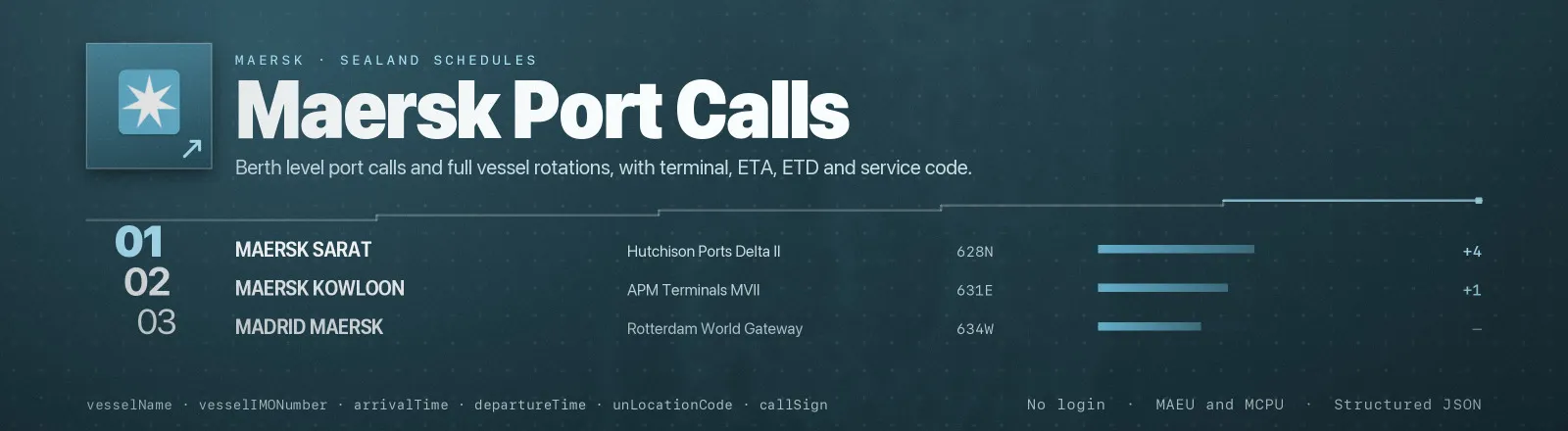
Pulls berth-level port calls and full vessel rotations straight from the schedule platform behind maersk.com/schedules. Give it a port (or several) and you get every vessel calling there in a date window, with terminal, ETA/ETD, voyage number and service code. Give it a vessel and you get its full forward rotation: every remaining port of call through the end of your window.
No login, no proxy and no browser are required to use this Actor. It reads structured JSON directly, for both the Maersk (MAEU) and Sealand (MCPU) brands.
Agent skill: SKILL.md
What you get
One record per port call or per rotation leg. source tells you which flow produced it.
| Field | What it holds |
|---|---|
source | port-call (from a port lookup) or vessel-rotation (from a vessel lookup) |
vesselMaerskCode, vesselName, vesselIMONumber, flagISOCountryCode, callSign | Vessel identity |
marineContainerTerminalName, marineContainerTerminalRKSTCode, marineContainerTerminalGeoCode | The berth/terminal called |
arrivalTime, arrivalTimingClassifier | ETA or ATA, and whether it is ESTIMATED or ACTUAL |
departureTime, departureTimingClassifier | ETD or ATD, and its own estimated/actual flag |
arrivalVoyageNumber, departureVoyageNumber | Inbound and outbound voyage numbers for this call |
arrivalServiceName, arrivalServiceCode, departureServiceName, departureServiceCode | The named service (trade lane) each leg runs on |
isoCountryCode, countryName, unLocationCode, cityName, portName, portCode, regionCode | Port geography |
carrierCodesQueried | Which brand(s) (MAEU, MCPU) this call was requested under |
queriedPort, queriedVessel | The raw input that produced this record, whichever one applies |
scrapedAt | Run timestamp |
RUN_SUMMARY in the key-value store holds per-run counts, the resolved window, and any port or vessel that could not be matched.
Use cases
- Berth-window benchmarking. Pull a terminal's port calls over a rolling window to track how estimated ETAs move against actuals.
- Carrier-of-record ETAs. Feed
arrivalTime/departureTimeinto a supply-chain visibility tool as the carrier's own published schedule. - Vessel tracking without AIS. A vessel's full forward rotation, port by port, without a satellite feed.
- Service-lane mapping. Group by
arrivalServiceCodeto see which vessels and ports share a named service. - Rate/routing tools. Cross-reference
portCode/unLocationCodeagainst a rate sheet to see which sailings are actually available in a window.
Quick start
Nothing at all: the next two weeks of port calls at Rotterdam:
One port, a specific window:
A vessel's full rotation, both brands:
Several ports and a vessel in one run:
Input
| Field | Type | Default | Notes |
|---|---|---|---|
ports | array | ["NLRTM"] | UN/LOCODE, Maersk port code, or a city/port name, matched against Maersk's live port list. Leave empty together with vessels to default to Rotterdam. |
vessels | array | [] | Maersk vessel code, IMO number, or vessel name, matched against Maersk's live vessel list. Leave empty to skip vessel rotations. |
fromDate | string | today | YYYY-MM-DD. Start of the schedule window. |
toDate | string | fromDate + 14 days | YYYY-MM-DD. End of the schedule window. 2-4 week windows answer reliably. |
carrierCodes | array | ["MAEU"] | MAEU (Maersk) and/or MCPU (Sealand). Both are queried together in one request. |
maxRecords | integer | 500 | Total cap across every port and vessel. 0 means no limit. |
Nothing is required. Running with no input returns Rotterdam's next two weeks.
Output example
A berth-level port call:
A leg from a vessel's forward rotation looks the same shape, with source: "vessel-rotation" and queriedVessel set instead of queriedPort.
Naming a port or vessel
| You write | Matched against |
|---|---|
NLRTM | unLocationCode on Maersk's active-port list |
1JUKNJGWHQBNJ | Maersk's own 13-character portCode |
Rotterdam, Tanjung Pelepas | cityName/portName, exact first, then a loose match |
T9P | vesselMaerskCode on Maersk's active-vessel list |
9260914 | vesselIMONumber |
Madrid Maersk | vesselName, exact first, then a loose match |
A name that matches nothing is recorded in RUN_SUMMARY.failures rather than stopping the run; every other port or vessel in the same call still gets processed.
API example
JavaScript example
Notes
arrivalTimingClassifier/departureTimingClassifierflip fromESTIMATEDtoACTUALas a call happens. Re-run the same port or vessel later in the day to see actuals replace estimates.- A port lookup returns every vessel calling there in the window; a vessel lookup returns every port that vessel calls in the window. The two are complementary, not duplicates of each other.
carrierCodesQueriedrecords which brand(s) you asked for, not which brand operates that specific call. Maersk's schedule API does not expose that split when both brands are queried together.maxRecordsbounds the whole run. Once it is reached, later ports or vessels in your list are not even requested, which is whyRUN_SUMMARY.requestsMadecan be lower than expected on a tightly capped run.- A resolved port or vessel with nothing scheduled in your window is a legitimate empty result, not a failure, so it will not appear in
RUN_SUMMARY.failures.
FAQ
Do I need a Maersk account or API key? No. You supply no credentials.
Can I get Sealand (MCPU) sailings too? Yes, add MCPU to carrierCodes. Both brands run on the same schedule platform.
How far ahead can I query? Maersk answers 2-4 week windows reliably; the default is 14 days. Wider windows are accepted but risk truncation on busy ports, so a long-range pull is more reliable as several shorter windows.
What if I misspell a port or vessel name? It is recorded in RUN_SUMMARY.failures with the input you gave, and every other target in the same run still completes.
Does this track vessel position (AIS)? No. It returns Maersk's own published schedule (ETAs, ETDs, ports, terminals), not live GPS position.
Can I plug it into something else? Yes. Apify API, the client libraries, webhooks, scheduled runs, dataset exports to JSON, CSV or Excel, or MCP. The output is structured JSON.


