
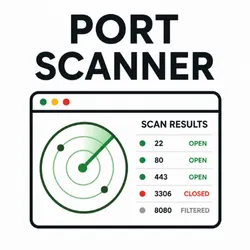
Port Scanner
Pricing
from $10.00 / 1,000 results
Port Scanner
Scan hundreds of hosts for open TCP ports in one run. Get open ports, detected services, and versions as CSV, JSON, or Excel.
Pricing
from $10.00 / 1,000 results
Rating
5.0
(3)
Developer

One Scales
Maintained by CommunityActor stats
4
Bookmarked
18
Total users
1
Monthly active users
21 days ago
Last modified
Categories
Share
Scan hosts for open ports in bulk with a single click. Give it a list of hostnames, IPs, or URLs and it returns a clean table showing which TCP ports are open on each one, what service is listening, and how much of the requested range was covered. Using Nmap for port scan.
No sign-ups, no API keys, no third-party services required. Paste your targets, click Start, and download your results.
⚖️ Only scan hosts you own or have explicit permission to scan. Unauthorized port scanning may be illegal in your jurisdiction. Loopback, private, and reserved IP addresses are blocked automatically.
| Field | Example |
|---|---|
| Target | scanme.nmap.org |
| Resolved IP | 45.33.32.156 |
| Open Ports | 2 |
| Open Port List | 22 (ssh), 80 (http) |
| Ports Scanned | 1000 |
| Ports Requested | 1000 |
| Complete | true |
| Duration (ms) | 875 |
| Status | success |
Features
Bulk Scanning Scan hundreds of hosts in one run. Six targets are scanned in parallel, and every result lands in one exportable table.
Accurate Open-Port Detection Discovery uses a direct TCP-connect sweep with precise per-port timeouts. Open ports are always trustworthy — even when a scan is cut short.
Honest Partial Results
If a host is slow or heavily filtered and the time budget runs out, you get everything that was actually probed plus a complete: false flag and a warning explaining exactly what was and wasn't covered. No silently truncated results.
Smart Port Ordering Well-known ports (80, 443, 22, and friends) are probed first, so even a partial scan surfaces the ports that matter most.
Optional Service & Version Detection
Turn on version detection to run an nmap -sV pass against the open ports only, identifying the software and version behind each one.
Flexible Port Selection
Use a range (1-1000), a specific list (22,80,443), or leave it blank to scan the most common ports automatically.
Safe by Default Private, loopback, reserved, and multicast addresses are refused before any packet is sent.
Per-Target Error Handling A host that fails to resolve doesn't kill the run — it's reported in its own row with a plain-English reason.
Use Cases
Security Auditing Confirm that only the ports you intend to expose are actually reachable from the public internet.
Infrastructure Inventory Map what's listening across your servers, staging boxes, and cloud instances in one pass.
Firewall Verification Validate that firewall and security-group rules behave the way you configured them.
Pre-Migration Checks Verify a new host is serving on the right ports before cutting traffic over to it.
Vendor & Partner Assessment Check the exposed surface of infrastructure you're responsible for or authorized to review.
Uptime & Service Monitoring Confirm critical services (web, SSH, database, mail) are up and accepting connections across a fleet.
Shadow IT Discovery Find forgotten admin panels, dev servers, and databases exposed on non-standard ports.
Input
UI
| Field | Type | Default | Description |
|---|---|---|---|
| Targets (Hostnames / IPs / URLs) | array | — | One or more hosts to scan. Full URLs are reduced to their hostname automatically. |
| Ports | string | 1000 common ports | A range like 1-1000, a list like 22,80,443, or leave blank. |
| Scan Type | select | tcp_connect | Opens a full TCP connection, the same way a browser would. |
| Timeout (seconds per target) | integer | 30 | Seconds allowed per target, 5–60. |
| Detect Service Versions | boolean | false | Runs an nmap -sV pass on open ports. Adds several seconds per target. |
Paste targets in any format — the actor cleans them up:
Protocol (https://), www., paths, ports, and query strings are all stripped automatically.
JSON
Output
UI
Results appear as a table you can export to CSV, JSON, or Excel directly from the Apify console.
| Target | Resolved IP | Open Ports | Open Port List | Ports Scanned | Ports Requested | Complete | Duration (ms) | Status |
|---|---|---|---|---|---|---|---|---|
| scanme.nmap.org | 45.33.32.156 | 2 | 22 (ssh), 80 (http) | 1000 | 1000 | true | 875 | success |
JSON
Support
Need help or want a feature added?
Contact Support — Fill out this quick form
We respond quickly and are happy to add new output fields, scan options, or custom integrations.
Built with care by One Scales Inc.
port scanner port scan open ports tcp port scanner scan ports nmap open port check service detection network scanner port check host port scan security scan banner grab ssh port check bulk port scanner firewall check infrastructure security audit network tcp


