

NuGet Package Scraper: .NET Packages & Frameworks
Pricing
from $0.37 / 1,000 package scrapeds
NuGet Package Scraper: .NET Packages & Frameworks
Extract NuGet registration data: versions, dependency groups by target framework, licence, authors, deprecation and vulnerability notices. No key, no proxy.
Pricing
from $0.37 / 1,000 package scrapeds
Rating
0.0
(0)
Developer

Arman Hossain
Maintained by CommunityActor stats
0
Bookmarked
1
Total users
0
Monthly active users
19 days ago
Last modified
Categories
Share
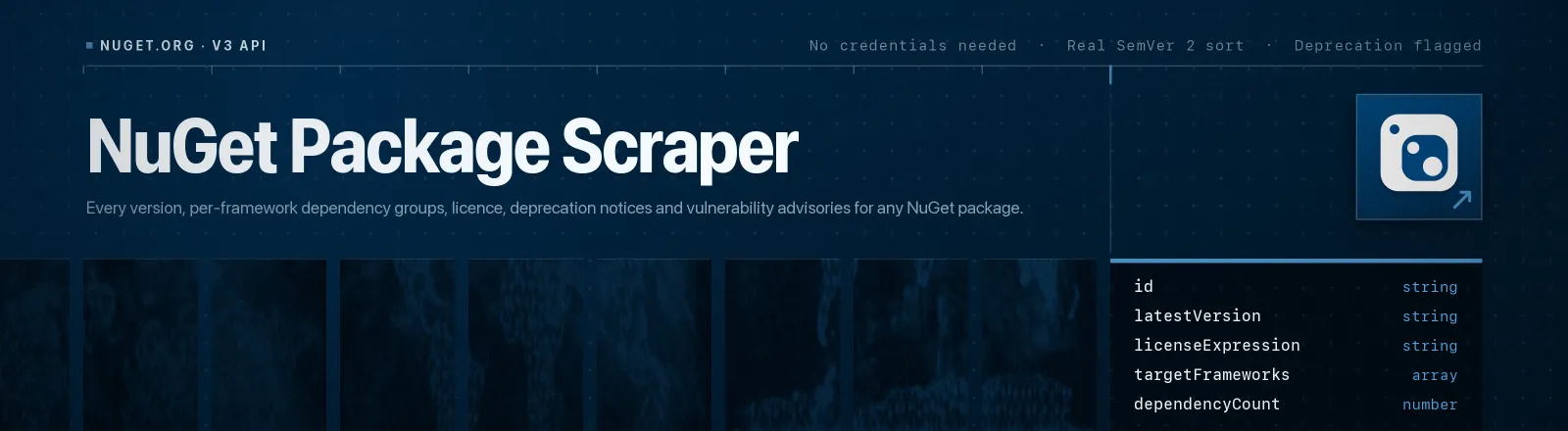
Reads registration data straight from the official nuget.org V3 API: every version, dependency groups broken out per target framework, licence expression, authors, publish dates, deprecation notices with their replacement package, and vulnerability advisories.
It talks to api.nuget.org over plain HTTP, so there's no credentials, no login, no proxy and no browser. A latest-version lookup costs two requests per package however many hundreds of versions that package has.
Agent skill: SKILL.md
What you get
| Field | What it holds |
|---|---|
id, latestVersion, url | Package ID as NuGet cases it, the resolved latest version, and the nuget.org page |
description, summary, title, tags | Descriptive metadata from the catalogue entry |
authors | Author list, split from NuGet's comma-separated string |
licenseExpression, licenseUrl, projectUrl, iconUrl | SPDX licence expression and project links |
dependencyGroups | [{ targetFramework, dependencies: [{ id, range }] }] for the latest version |
targetFrameworks | Every TFM the latest version declares a dependency group for |
dependencyCount | Total dependencies across all returned groups |
isDeprecated, deprecationReasons, deprecationMessage, alternatePackage | Deprecation state and the package NuGet recommends instead |
vulnerabilities | [{ advisoryUrl, severity }] where nuget.org has advisories |
isListed, published | Whether the latest version is listed, and when it was published |
totalVersions | Every version ever pushed, prerelease included |
versions | Per-version array with publish date, listed flag, deprecation flag and TFMs (opt-in) |
packageContent | Direct .nupkg URL |
scrapedAt | Run timestamp |
RUN_SUMMARY in the key-value store holds per-run counts, the flags you used, and any package that failed.
Use cases
- Dependency audits. Licence expression, deprecation state and advisories arrive in one row per package.
- Framework compatibility.
targetFramework: "net8.0"shows exactly what a package needs on that TFM. - Replacing dead packages.
alternatePackageis NuGet's own recommendation, not a guess. - Microsoft-stack tracking. Publish dates and version counts across a portfolio of packages.
- SBOM pipelines. Flat JSON that joins cleanly against your
.csprojpackage references.
Quick start
Two packages, latest stable only:
What a package needs on .NET 8 specifically:
Full history including prereleases, for a release-cadence study:
Input
| Field | Type | Default | Notes |
|---|---|---|---|
packages | array | required | Package IDs, case-insensitive, or full nuget.org package URLs. Duplicates are removed. |
includeAllVersions | boolean | false | Adds the versions array. Walks every registration page, so Serilog costs ten extra requests. |
includePrerelease | boolean | false | Lets prereleases win latestVersion and keeps them in versions. |
targetFramework | string | "" | Case-insensitive exact match on a TFM, such as net8.0, netstandard2.0 or .NETFramework4.7.1. |
totalVersions is always the true total even with includeAllVersions off, because NuGet publishes a per-page leaf count in the registration index. The targetFramework filter narrows dependencyGroups, targetFrameworks and dependencyCount; a package with no group for that TFM comes back with all three empty, which is itself the answer to "does this support net8.0?".
Output example
A real record for Serilog, dependency groups truncated to three:
A deprecated package fills in the fields that matter for an audit. WindowsAzure.Storage returns isDeprecated: true, deprecationReasons: ["Legacy"], the full maintainer message, and alternatePackage: "Azure.Storage.Common".
Naming a package
| What you have | What to pass |
|---|---|
Newtonsoft.Json | Newtonsoft.Json |
newtonsoft.json | either one, since the registration path is lowercased for you |
https://www.nuget.org/packages/Dapper | either the URL or Dapper |
The id field in the output uses NuGet's own casing, not yours, so it joins cleanly against .csproj references.
API example
JavaScript example
Limits and behaviour
- This uses
registration5-gz-semver2, notregistration5-semver1. The older feed omitsdeprecationandvulnerabilitiesentirely. The gzipped semver2 feed is theRegistrationsBaseUrl/3.6.0resource advertised in nuget.org's own service index, and it is the only one that can answer an audit question. - Registration pages are not always inlined. Small packages inline their version leaves in the index, while large ones return only page stubs with an
@idto follow, and Serilog has ten such pages. The Actor detects both and fetches only what it needs. - Latest-version lookups are cheap. With
includeAllVersionsoff, the Actor walks pages newest first and stops at the first page containing a matching version, which is usually one index plus one page whatever the package size. - Versions are sorted with a real SemVer 2 comparator, so
4.4.0outranks4.10.0-betaand a prerelease never outranks its own release. - A missing package won't kill the run. nuget.org serves registrations from blob storage, so an unknown ID is an XML 404; it lands in
RUN_SUMMARY.failuresand the run continues. The Actor errors out only if every package failed. - Transient errors get retried. 429s and 5xx responses get three attempts with linear backoff. A 404 is fatal for that package.
- Public data only. No authentication, no private feeds, no personal data.
FAQ
Do I need a proxy? No. Proxy configuration is not required to run this Actor.
Do I need a NuGet account or API key? No. You supply no credentials.
Are package IDs case-sensitive? Not for input, because the registration path is lowercased for you. The output id carries NuGet's canonical casing.
Why does a package show no dependency groups? Either it declares none, or your targetFramework filter matched nothing. Drop the filter and check targetFrameworks to see what it actually supports.
Why is vulnerabilities usually empty? NuGet attaches advisories to specific affected versions, and most current releases have none. The field reflects what the registration feed carries for the version returned; it is never inferred.
Can I read private or self-hosted feeds? No. This Actor targets nuget.org only.
Can I plug it into something else? Yes. Apify API, the client libraries, webhooks, scheduled runs, dataset exports to JSON, CSV or Excel, or MCP. The output is structured JSON.


