

Workable Jobs Scraper: Company Boards & Departments
Pricing
from $0.74 / 1,000 job scrapeds
Workable Jobs Scraper: Company Boards & Departments
Extract public jobs from any Workable careers page. title, department, location, employment type, remote status and description. No login, no proxy, no browser.
Pricing
from $0.74 / 1,000 job scrapeds
Rating
0.0
(0)
Developer

Arman Hossain
Maintained by CommunityActor stats
0
Bookmarked
1
Total users
0
Monthly active users
22 days ago
Last modified
Categories
Share
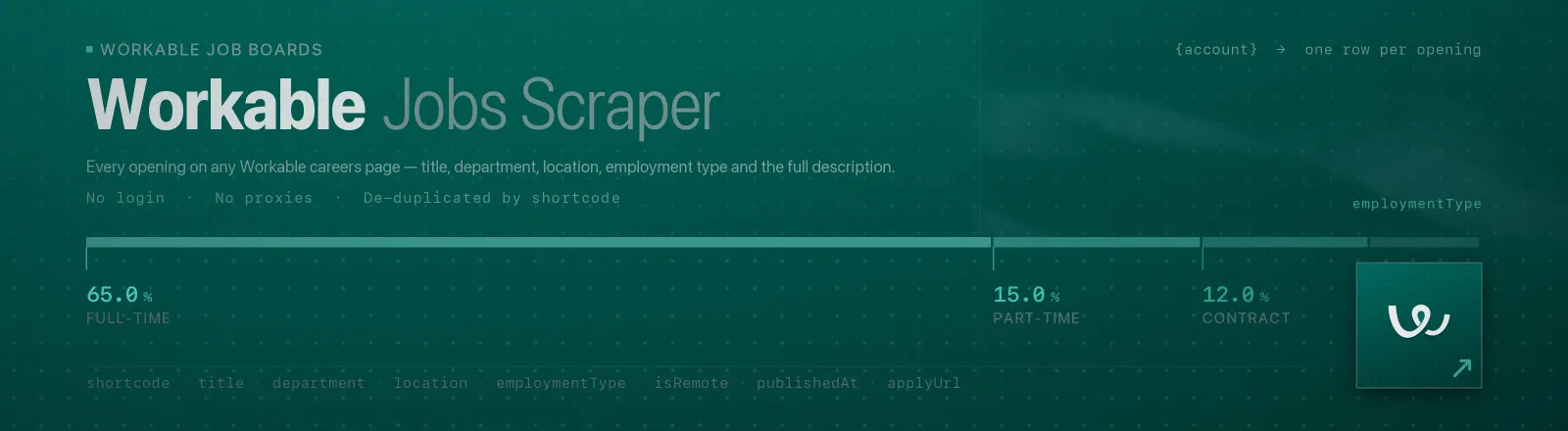
Workable Jobs Scraper pulls every public opening from any Workable-hosted careers page, title, department, location, employment type, remote flag, publish date, apply link and the full plain-text description.
Workable powers the hiring of tens of thousands of small and mid-size companies, and every account publishes its openings for programmatic use. The Actor needs nothing configured to reach them: no browser, no proxy, no login.
Agent skill: SKILL.md
What you get
| Output field | Meaning |
|---|---|
account, company | Account slug used, and the company name as Workable reports it |
shortcode | Workable's stable per-job code, also the last segment of the apply URL |
title | Job title |
department | Department the role sits in, when the board fills one in |
location, country, city | Composed location string plus the structured parts |
employmentType | Full-time, Part-time, Contract, Temporary, Internship |
isRemote | Workable's telecommuting flag |
publishedAt | Publish date (falls back to creation date) |
applyUrl | Direct apply link |
description | Full description as clean plain text, HTML stripped, entities decoded |
scrapedAt | Run timestamp |
A RUN_SUMMARY record in the key-value store holds per-run counts, the filters used, any account that failed, and any account the cap left no room for.
Common use cases
- Aggregate SME hiring across a region. Workable's customer base skews to companies too small to appear on enterprise boards.
- Feed a local job board. One scheduled run refreshes every listing you syndicate.
- Track departmental growth at private companies. Department plus publish date shows where headcount is going.
- Lead generation. A company hiring for a role is a company buying for it.
- Labour-market research. Measure hiring volume by country, department or employment type over time.
Quick start
Two accounts, everything they have (up to the default 1,000-row cap):
Remote engineering roles only, capped:
Fast, lightweight sweep for change detection:
Input
| Field | Type | Default | Notes |
|---|---|---|---|
accounts | array | - | Required. Account slugs (azumo) or full apply.workable.com URLs. Mixed input is fine, URLs are normalised to slugs automatically. |
searchTerms | array | [] | Keep only titles containing one of these terms (case-insensitive). Empty = all. |
departmentFilter | array | [] | Keep only departments matching one of these terms. Empty = all. |
remoteOnly | boolean | false | Keep only roles Workable flags as remote. |
maxJobs | integer | 1000 | Cap on the jobs saved by the whole run, applied after filtering. The allowance is shared evenly across the accounts so no single board crowds out the rest, and whatever the smaller boards leave unused goes to the accounts that had more — the run never stops short of the cap while jobs remain. 0 = no limit. The earlier name maxJobsPerAccount is still honoured and means this same run-wide total; when both are given, the tighter one applies. |
includeDescription | boolean | true | Include the full plain-text description. Turn off for a much smaller, faster dataset. |
The filters combine with AND: a job must match at least one term in each non-empty filter, and satisfy remoteOnly if set. departmentFilter only helps on boards that actually fill in departments, many small accounts leave the field empty, so start without it.
Output example
Finding an account slug
Open a company's Workable careers page and look at the URL:
| URL you see | Slug |
|---|---|
apply.workable.com/acme/ | acme |
apply.workable.com/acme/j/AB12CD34EF/ | acme |
acme.workable.com | acme |
You can paste the whole URL, the Actor extracts the slug itself. If a company's careers page is on its own domain, view source and search for workable.com; the slug is almost always in an iframe or fetch URL.
API example
JavaScript example
Limits and behaviour
- The cap binds the run, not each account.
maxJobsis the most rows a run can deliver, and therefore the most it can charge for. The allowance is shared evenly so one large board cannot crowd out the others, and any share the smaller boards leave unused is handed to the accounts that had more, so you are never short-changed by a cap that was never going to bind. Accounts the cap left no room for are listed inRUN_SUMMARY.accountsSkippedrather than quietly returning nothing. An out-of-range value (negative, fractional, or not a number) is refused before anything is fetched; it is never read as "no limit". - A job is saved once per run. A
shortcodeis unique across Workable, so a role reachable through two of the accounts you listed is delivered — and charged — once. The drops are counted inRUN_SUMMARY.duplicatesSkipped. - Bad accounts don't kill the run. An unknown slug is recorded in
RUN_SUMMARY.failuresand the run continues; the Actor only errors out if every account fails. - Transient errors are retried a few times with exponential backoff before the account is recorded as failed. A slug that does not exist is final for that account.
- Multi-location roles are collapsed. Workable lists a job once per location, so a role open in five countries arrives five times under one
shortcode. The Actor de-duplicates onshortcodeand keeps the row carrying the complete location list. You get one dataset record per real vacancy. - Descriptions are decoded twice. Job authors paste already-encoded markup into Workable's editor, so entities are decoded before tags are stripped and again afterwards. You get real text, not
<p>. - Public data only. No authentication, no personal data, no access-control bypass.
FAQ
Do I need a Workable API key? No. You supply no credentials.
Do I need a proxy? No. Proxy configuration is not required to run this Actor.
Does it include salary? Only if the company writes it into the description, Workable publishes no structured salary field, and this Actor does not invent one.
Why is department null? Departments are optional in Workable and many smaller accounts never set them. Filter on searchTerms instead when that happens.
What happens if an account is unavailable? It is reported in RUN_SUMMARY.failures and the run continues with the remaining accounts.
Can I get only new or changed jobs? Run on a schedule and diff on shortcode plus publishedAt. Setting includeDescription: false makes those sweeps much cheaper.
Can I integrate it with something else? Yes, Apify API, client libraries, webhooks, scheduled runs, dataset exports (JSON/CSV/Excel) or MCP. Output is structured JSON.


