

Greenhouse Jobs Scraper: Locations, Departments & Apply Links
Pricing
from $0.74 / 1,000 job scrapeds
Greenhouse Jobs Scraper: Locations, Departments & Apply Links
Scrape public job listings from any Greenhouse-hosted job board. Returns title, location, department, the full description and an apply URL. No login, no proxy, no browser.
Pricing
from $0.74 / 1,000 job scrapeds
Rating
0.0
(0)
Developer

Arman Hossain
Maintained by CommunityActor stats
0
Bookmarked
2
Total users
1
Monthly active users
3 months ago
Last modified
Categories
Share
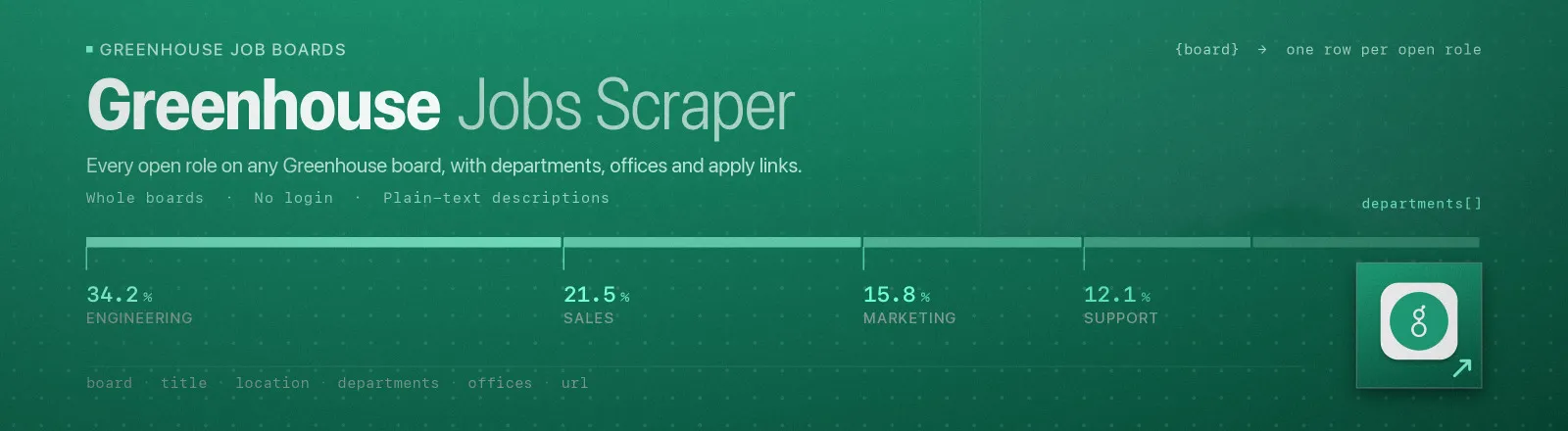
Pulls every open role from any Greenhouse-hosted job board. You get the title, location, offices, departments, the full description as plain text, and a direct apply link.
Thousands of companies post through Greenhouse, and every board exposes a public JSON feed. This Actor reads that feed directly, so there's no browser, no proxy, no login and no rate-limit games. A board with 500 roles comes back in a couple of seconds.
Agent skill: SKILL.md
What you get
| Field | What it holds |
|---|---|
board, company | The board token used, and the company name Greenhouse reports |
jobId, requisitionId | Greenhouse's job ID and the company's internal requisition ID |
title | Job title |
location, offices | The location string, plus the structured office list |
departments | Every department the role is filed under |
url | Direct apply link |
firstPublished, updatedAt, applicationDeadline | Posting timestamps |
description | Full description as clean plain text, with HTML stripped and entities decoded |
scrapedAt | When the run happened |
RUN_SUMMARY in the key-value store holds per-run counts, the filters you used, and any board that failed.
Use cases
- Job aggregators. Ingest hundreds of company boards on a schedule.
- Recruiting intelligence. See which teams a competitor is hiring into, and where.
- Lead generation. A company hiring for a role is usually a company buying for it.
- Market research. Track hiring volume by department or location over time.
- Job hunting. Watch a shortlist of companies and filter down to what you actually want.
Quick start
Two boards, everything on them:
Remote engineering roles only, capped:
A light sweep for change detection:
Input
| Field | Type | Default | Notes |
|---|---|---|---|
boards | array | required | Board tokens like stripe, or full board URLs. You can mix both. URLs get normalised to tokens for you. |
searchTerms | array | [] | Keep only titles containing one of these terms, case-insensitive. Empty means keep everything. |
locationFilter | array | [] | Keep only locations containing one of these terms. Empty means all locations. |
departmentFilter | array | [] | Keep only departments matching one of these terms. Empty means all departments. |
maxJobsPerBoard | integer | 0 | Cap jobs saved per board, applied after filtering. 0 means no limit. |
includeDescription | boolean | true | Include the full plain-text description. Turn it off for a much smaller, faster dataset. |
The three filters are independent and combine with AND. A job has to match at least one term in each filter you actually filled in.
Output example
Finding a board token
Open a company's careers page and look at the URL.
| URL you see | Token |
|---|---|
boards.greenhouse.io/acme | acme |
job-boards.greenhouse.io/acme | acme |
./embed/job_board?for=acme | acme |
You can paste the whole URL and let the Actor pull the token out. If the careers page sits on the company's own domain, view source and search for greenhouse.io. The token is nearly always in an iframe or a fetch URL.
API example
JavaScript example
Notes
- A bad board won't kill the run. Unknown boards return HTTP 404 and land in
RUN_SUMMARY.failures. The Actor only errors out if every board fails. - Transient errors get retried. 429s and 5xx responses get three attempts with linear backoff.
- Descriptions are decoded twice. Greenhouse returns entity-encoded HTML and some boards double-encode it, so entities are decoded before tags are stripped and again afterwards. You get real text, not
<p>. - Public data only. No authentication, no personal data, nothing that gets around access controls.
FAQ
Do I need a Greenhouse API key? No. You supply no credentials.
Does it include salary? Only if the company wrote it into the description. Greenhouse's public feed has no structured salary field, and this Actor won't invent one.
How many boards can I pass at once? There's no hard cap. Each board is one request and they run in sequence, so hundreds per run is normal.
Why did a board return nothing? Either the token is wrong or your filters excluded everything. RUN_SUMMARY reports listed, matched and saved counts per board, which tells the two apart straight away.
Can I get only new or changed jobs? Run it on a schedule and diff on jobId and updatedAt. Setting includeDescription to false makes those sweeps a lot cheaper.
Can I plug it into something else? Yes. Apify API, the client libraries, webhooks, scheduled runs, dataset exports to JSON, CSV or Excel, or MCP. The output is structured JSON.


![Greenhouse Jobs Scraper [$0.79💰] Emails · App Questions avatar](https://images.apifyusercontent.com/5igDzvPIqVGgx1IRUVodsqb-NQ8-0i8GjaA7hIr6s94/rs:fill:76:76/cb:1/aHR0cHM6Ly9hcGlmeS1pbWFnZS11cGxvYWRzLXByb2QuczMudXMtZWFzdC0xLmFtYXpvbmF3cy5jb20vbmduOHZSRVNUa3NleVdFNnAtYWN0b3ItV2N2bm9vZE9UMThhQno2WXAtc0s2MnN5YlliUS1ncmVlbmhvdXNlLnBuZw.webp)


