
App Store & Google Play Scraper API | Reviews, Charts, Data
Pricing
from $0.15 / 1,000 app results
App Store & Google Play Scraper API | Reviews, Charts, Data
Scrape App Store and Google Play apps and reviews in one schema: $0.18 per 1,000 apps and $0.025 per 1,000 reviews. App Store data and Google Play data: ratings, installs, developer pages, App Store top charts, several countries per run, only-new-reviews mode. No login; reviewer names as shown.
Pricing
from $0.15 / 1,000 app results
Rating
0.0
(0)
Developer
Aurelix
Maintained by CommunityActor stats
0
Bookmarked
2
Total users
1
Monthly active users
an hour ago
Last modified
Categories
Security
Limited permissionsShare
What is App Store & Google Play Scraper?
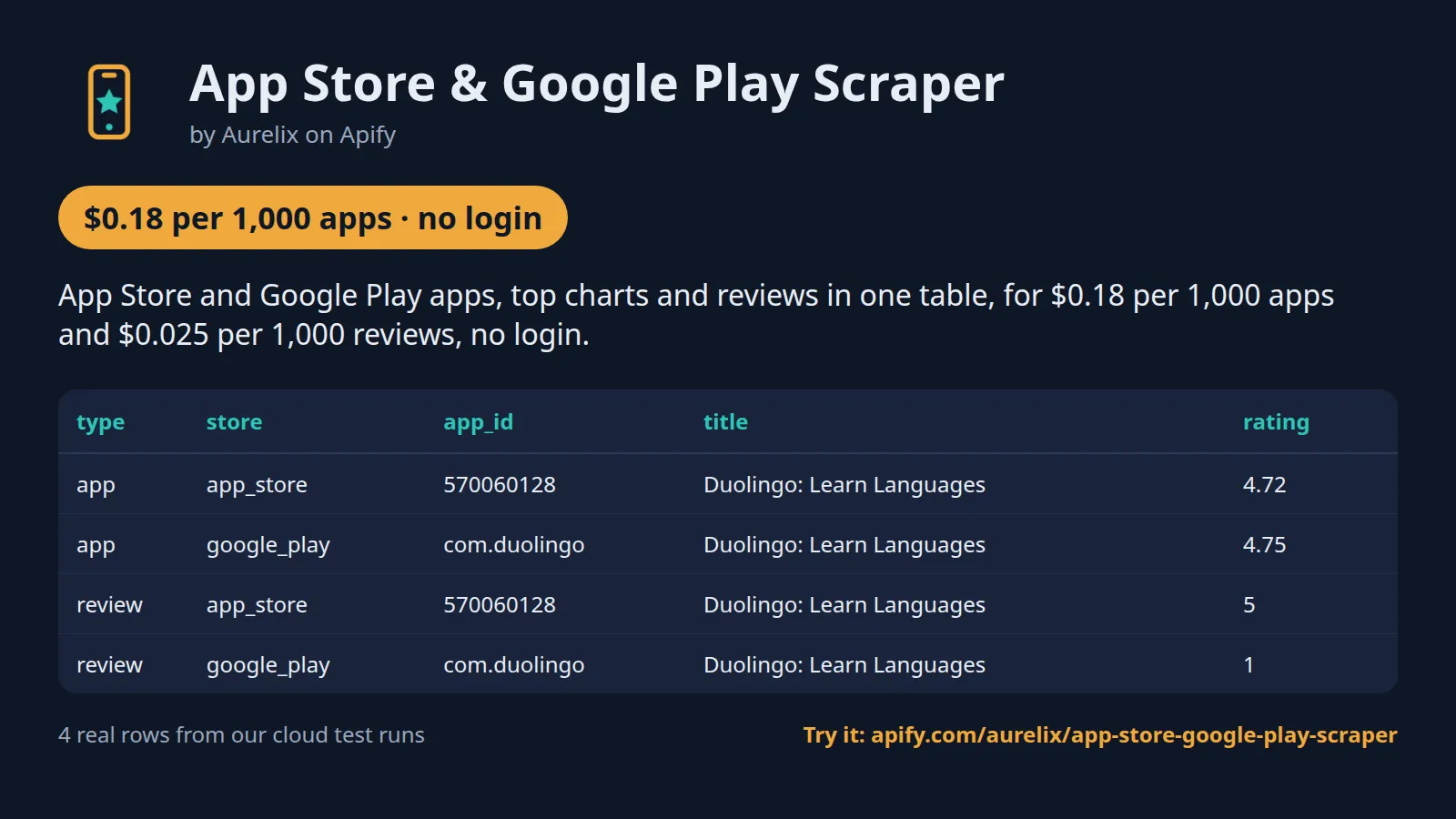
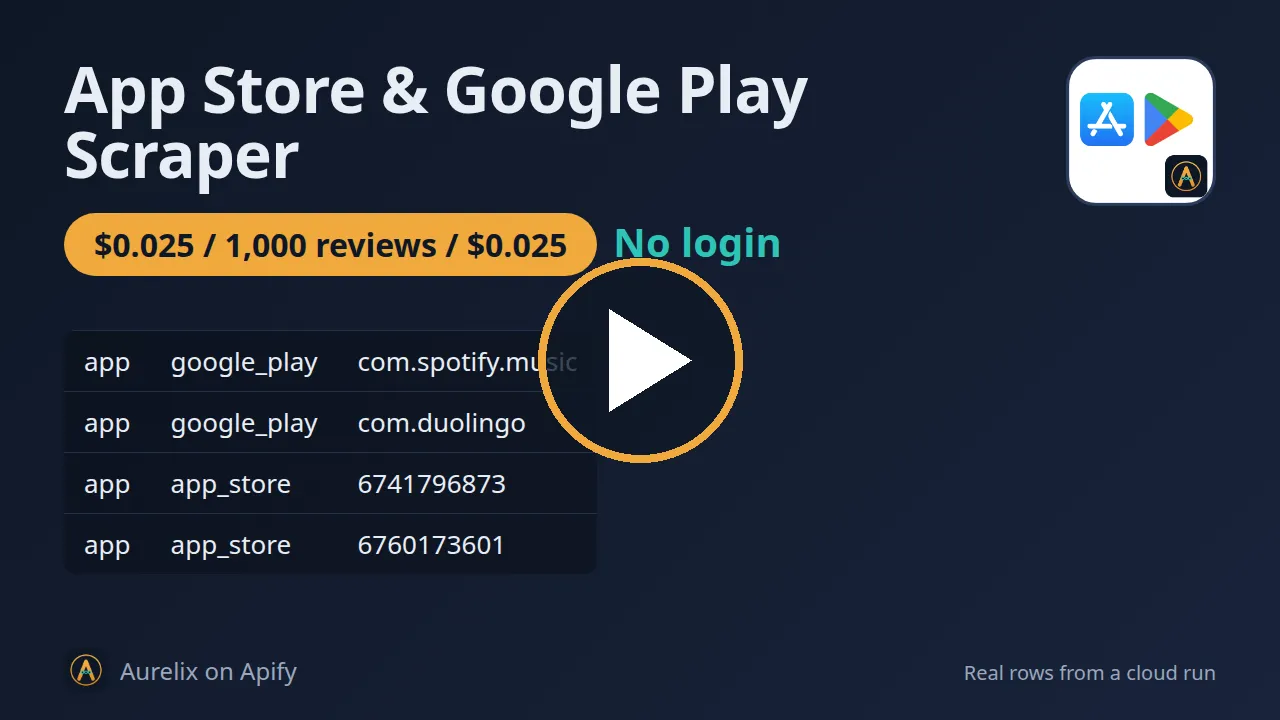
App Store and Google Play apps, top charts and reviews in one table, for $0.18 per 1,000 apps and $0.025 per 1,000 reviews, no login.
For product, growth and ASO teams. Paid Apify plans pay $0.15 per 1,000 apps; reviews include the reviewer's name as shown. The example input (2 apps, 40 reviews) costs about $0.0064. Your first run with the example input costs about $0.013 (42 apps in our test run).
| Stores | Apple App Store and Google Play, one schema (store field) |
| Start from | App URLs, App Store IDs, package names, developer pages, App Store top charts |
| Reviews | App Store: up to 500 per app and country; Google Play: the ~20 the app page shows |
| Countries | Any store country, several per run (e.g. us, gb, de) |
| Output | 50 app fields, 19 review fields; JSON, CSV, Excel, API |
| Automate | Only-new-reviews mode, schedules, Slack/webhook digest, Zapier, Make, n8n, MCP |
| Price | $0.18 per 1,000 apps ($0.15 per 1,000 apps on paid Apify plans) |
| Free to try | Runs on Apify's free plan: the $5 monthly credit covers about 27,000 apps or about 200,000 reviews |
| Login needed | No |
Daily monitor: only what's new, every morning
Set it once, get only the new reviews every morning. With Only new reviews on, the first run returns everything that matches; each later run skips reviews that earlier runs already returned, so you pay only for new ones.
- Paste this input into the Input tab (JSON view) and click Save as a new task; it appears under Saved tasks.
- Open the task from Saved tasks and click Schedule.
- Choose Daily, pick the hour, and save.
Cost example: 1 app on both stores, about 100 new reviews a day plus its 2 app rows ≈ $0.24/month on the free plan ($0.23 on paid plans): one run a day for 30 days, start fee included. The first run returns everything that matches, so it costs more.
Add a Slack incoming-webhook URL in slackWebhookUrl (or any URL in webhookUrl) to get a short digest of each run's new reviews; nothing is sent when a run finds nothing.
Why App Store & Google Play Scraper users pick this one
- Both stores, one schema. iOS and Android apps and reviews in one dataset, store field.
- Reviews with reviewer names. Display name and profile link or picture, as shown.
- Only new reviews. Daily runs return only the reviews you have not seen.
- Charts and developer pages. App Store top 100 by category, every app of a publisher.
- Several countries per run. Up to 500 App Store reviews per app and country.
Get started in 3 steps
- Paste apps into 'Apps': App Store or Google Play URLs, App Store IDs like 324684580, or package names like com.spotify.music. Or add a developer page, or pick App Store top charts.
- Set 'Reviews per app' (0 = app details only) and the store countries, e.g. us and gb; turn on 'Only new reviews' for daily tracking.
- Click Start, or schedule it daily. Download JSON, CSV or Excel, or send results to Google Sheets, Slack, Zapier, Make or n8n.
▶ Try it with the example input
The form opens with an example input already filled in: that run costs about $0.013 on the free plan.
How much does it cost to scrape App Store and Google Play data?
Pay per event: you pay only for what the run returns, plus a small start fee. Bronze, Silver, Gold and higher Apify plans pay less per result.
| Apps | Free plan | Paid plans (Bronze, Silver, Gold) |
|---|---|---|
| 100 | $0.023 | $0.02 |
| 1,000 | $0.19 | $0.16 |
| 10,000 | $1.81 | $1.51 |
Totals include the $0.005 start fee per run, rounded to the cent (amounts under $0.10 to four decimals). Apify's free plan includes $5 of credit a month, enough for about 27,000 apps or about 200,000 reviews.
Every app read is one app result; reviews are billed on top at $0.025 per 1,000 on every plan. Worked examples on the free plan, start fee included: 1 app with 500 App Store reviews = $0.018; 10 competitor apps in 3 countries with 100 reviews each = 30 apps + 3,000 reviews = $0.085; a daily 'Only new reviews' run on 2 apps that finds 60 new reviews = $0.0069 ($0.21 a month). App IDs the stores do not know, duplicate reviews and reviews you already received in 'Only new reviews' mode are never charged.
Billing events
| Event | Free plan | Paid plans (Bronze, Silver, Gold) |
|---|---|---|
app-result | $0.18 per 1,000 apps | $0.15 per 1,000 apps |
review-result | $0.025 per 1,000 reviews | $0.025 per 1,000 reviews |
apify-actor-start | $0.005 per run | $0.005 per run |
What data you get
App Store & Google Play Scraper reads public app listings from Apple's App Store and Google Play and returns them in one schema: an app row per app and country (title, developer, category, price, rating, rating count, installs on Google Play, version, release and update dates, icon, screenshots) and, if you ask for them, a review row per review (rating, title, text, date, app version, helpful votes, developer reply, reviewer name). Start from app URLs, App Store IDs or Android package names, from a developer page, or from an App Store top chart with its ranks. Each review carries the reviewer's display name as the store shows it, plus the public iTunes profile link (App Store) or profile picture (Google Play).
- Every row: type (app or review), store (app_store or google_play), app_id, country, url, source_url, scraped_at in ISO 8601 UTC
- App rows: title, bundle_id, developer, developer_id, developer_url, developer_website, summary, description, genre, genre_id, genres
- App rows: price, currency, is_free, in_app_purchases, contains_ads, rating, ratings_count, reviews_count, rating_histogram (Google Play), rating_current_version (App Store)
- App rows: installs, installs_min, installs_count (Google Play), content_rating, version, min_os_version, size_bytes, languages, released_at, updated_at, release_notes, icon_url, screenshots, privacy_policy_url
- App rows from charts and developer pages: chart, chart_genre, chart_rank, chart_ranks (every chart and rank the app holds in this run), found_via
- Review rows: app_title, review_id, reviewer_name, reviewer_url (App Store), reviewer_avatar_url (Google Play), rating, review_title, text, date, app_version, helpful_votes, total_votes, developer_reply, developer_reply_at
| type | store | app_id | title | rating | ratings_count | text |
|---|---|---|---|---|---|---|
| app | app_store | 570060128 | Duolingo: Learn Languages | 4.72 | 5558294 | |
| app | google_play | com.duolingo | Duolingo: Learn Languages | 4.75 | 51617304 | |
| review | app_store | 570060128 | Duolingo: Learn Languages | 5 | You give me confidence and then at school I get smarter b... | |
| review | google_play | com.duolingo | Duolingo: Learn Languages | 1 | I don't feel like I'm learning the language I signed up f... |
One full app record, exactly as a real run returned it (long text and lists shortened here). From a real run:
Use cases
- Product and growth teams tracking their own app's new reviews every day, both stores in one sheet
- Competitor research: ratings, installs, prices, update cadence and what users complain about
- App Store Optimization: top-chart ranks by category and country, with full app details
- Market sizing: every app of a publisher, with ratings and Google Play install brackets
- Feeding review text to an LLM for sentiment, feature requests and bug themes
Input
| Field | Type | What it does | Default |
|---|---|---|---|
apps (Apps) | array | Apps to read, mixed freely: an App Store URL (e.g. 'https://apps.apple.com/us/app/spotify-music-and-podcasts/id324684580'), an App Store ID ('324684580' or 'id324684580'), a Google... | |
maxReviewsPerApp (Reviews per app) | integer | How many reviews to return for each app and country, e.g. 100; 0 = app details only. | 0 |
developers (Developer pages) | array | Every app of a developer, e.g. 'https://apps.apple.com/us/developer/spotify/id324684583', 'https://play.google.com/store/apps/developer?id=Spotify+AB' or 'https://play.google.com/store/apps/dev?id=5700313618786177705'. | |
appStoreCharts (App Store top charts) | array | App Store top charts to read, e.g. ['top-free']: each app comes with its rank; an app on several of your... | |
chartGenre (Chart category) | string | App Store category for the charts, e.g. Games; 'All categories' = the overall chart. | |
countries (Countries) | array | Two-letter store countries, e.g. ['us', 'gb', 'de']. | ["us"] |
All 14 fields, with examples: see the Input tab.
Use with AI agents (MCP)
MCP (Model Context Protocol) is the open standard that lets AI assistants such as Claude, ChatGPT and Cursor call outside tools. Apify's hosted MCP server at https://mcp.apify.com/?tools=aurelix/app-store-google-play-scraper gives your assistant this Actor only: it fills in the input from your request, runs it and reads the apps back, at the same per-result price as a run started by hand.
Example prompts
- "Get the latest 100 App Store and Google Play reviews of the Spotify app in the US and summarise the main complaints"
- "Pull app details, rating and review count for com.spotify.music on Google Play in the US and the UK"
- "Collect recent one- and two-star reviews of an app I give you from both stores and group them by theme"
Claude Desktop and claude.ai
Settings > Connectors > Add custom connector, name it Apify, paste https://mcp.apify.com/?tools=aurelix/app-store-google-play-scraper, keep the detected OAuth settings, select Add and sign in to Apify.
Claude Code
Cursor and VS Code
Add this to ~/.cursor/mcp.json (Cursor); in VS Code's .vscode/mcp.json put the same entry under "servers" with "type": "http". Sign in to Apify when asked.
ChatGPT
Turn on Developer mode, open Settings > Apps & Connectors > Create, paste the URL above as the MCP server URL, choose OAuth and authorize Apify.
Clients without sign-in send Authorization: Bearer <YOUR_APIFY_TOKEN> instead. No Apify account? This Actor supports Apify's agentic payments: an agent can pay per run with a prepaid, spend-capped token, bought with x402 stablecoin payments.
n8n AI agent
Give an AI Agent node an MCP Client Tool with the endpoint https://mcp.apify.com/?tools=aurelix/app-store-google-play-scraper and a Bearer credential holding your Apify token.
Use it from AI agents (MCP), the API or no-code
Copy this to your AI assistant
MCP server URL for this Actor: https://mcp.apify.com/?tools=aurelix/app-store-google-play-scraper (setup for each client in the section above).
API
Start a run and read the dataset with Apify's REST API or the Python and JavaScript clients:
No-code: schedule it in 3 clicks
Send the results to Google Sheets, Zapier, Make, n8n, Slack or any webhook URL.
- Fill in the input, then click Save as a new task.
- In the task, click Schedule and pick daily or weekly (Apify Schedules).
- Turn on Only new reviews so each run returns only what is new, and paste a Slack or webhook URL into Slack webhook URL / Webhook URL to get a digest of the new items (count plus the top 10) after every run.
Prefer n8n or Make? Ask in the Issues tab and we will share a ready-made workflow for it.
FAQ
Can I scrape App Store and Google Play reviews without login?
Yes. It never logs in, so you need no Apple or Google account, password or cookies; only a free Apify account to run it.
Is there an App Store or Google Play reviews API?
You can use this Actor as one. Start it with Apify's REST API or the Python and JavaScript clients and read the results as JSON (see the code above), or call it from an AI agent through MCP.
How much does it cost to scrape App Store and Google Play data?
About $0.19 for 1,000 apps on Apify's free plan and $0.16 on paid plans, start fee included. The free $5 monthly credit covers about 27,000 apps or about 200,000 reviews.
Can I export App Store and Google Play data to Excel or Google Sheets?
Yes. Download the results as Excel, CSV, JSON, XML or HTML from the run's Storage tab, or send them to Google Sheets with Apify's Google Sheets integration or the API.
Is it legal to scrape the App Store and Google Play?
It reads only public data any logged-out visitor can see: app store listings, ratings and public reviews from Apple's public feeds and Google Play app pages, on paths the stores' robots.txt allows. It never logs in and never solves CAPTCHAs; reviewer display names and public profile links are returned as the stores show them. Apple's and Google's terms discourage automated access; keep your use to analysis of public data. Data is returned as shown publicly on the source; people can ask for removal by opening an issue on this Actor's Issues tab; if Apple or Google formally asks us to stop, this Actor will stop. You are responsible for using the data lawfully, incl. privacy laws; this is not legal advice.
Which data comes from which store?
Both stores fill the same fields where both publish them. Google Play adds installs, the star histogram, written-review count, in-app purchase range, ads label, feature graphic and privacy-policy link. The App Store adds size, minimum iOS version, supported languages, the current version's rating and review titles and total votes. A field a store does not publish is null.
How many reviews can I get?
App Store: up to 500 per app and country, which is Apple's public feed limit (50 per page, 10 pages), sorted by most recent or most helpful. Add more countries to get more: each has its own 500. Google Play: the reviews its public app page shows, about 20 per app and language; change 'Google Play language' to get another language's set.
Why does it return about 20 Google Play reviews per app?
This Actor only reads pages play.google.com/robots.txt allows, so it returns the reviews on the public app page, about 20 per app and language. This tool doesn't cover thousands of Play reviews per app.
Can I search the App Store or Google Play by keyword?
No. Both stores' robots.txt files disallow their search paths (itunes.apple.com/search and play.google.com/store/search), so this Actor does not use them. Start from app URLs, developer pages or App Store top charts instead.
Does it cover Google Play top charts?
No. Google Play loads its charts through an endpoint robots.txt disallows. App Store top free, top paid and top grossing charts are supported, overall or by category, up to rank 100.
Does it return reviewer names?
Yes, as the stores show them publicly: the reviewer's display name on every review, the public iTunes profile link on App Store reviews and the profile picture URL on Google Play reviews. Review text and developer replies are returned unchanged. Nothing behind a login is read. Data is returned as shown publicly on the source; people can ask for removal by opening an issue on this Actor's Issues tab.
How does 'Only new reviews' work?
The Actor remembers the review IDs it returned per app (and Google Play language) across all countries, for 180 days; adding a country later never returns a review you already received. The next run returns only reviews it has not returned before, so a daily schedule gives you each day's new reviews and charges only for those.
Does it need a proxy?
The default Apify Proxy datacenter group works for both stores; nothing extra to buy. The Actor waits between requests and switches proxy session when a store throttles.
Built for reliable, repeat runs
- Failed runs: a throttled request gets a fresh proxy session and backs off, and anything still unread is named in the run status while the rest is kept.
- Reviewer fields: this Actor returns the reviewer name, App Store profile link and Google Play profile picture, in one schema across both stores.
- Both stores, many countries: both stores share one schema and a run takes a list of countries.
- No repeats on scheduled runs: 'Only new reviews' returns and charges only reviews you have not received (each app read is still one app row).
Limits (stated honestly)
- No keyword search on either store and no Google Play charts: those paths are disallowed by the stores' robots.txt.
- App Store reviews: at most 500 per app and country (Apple's public feed). Google Play reviews: about 20 per app and language (what the public page shows).
- App Store top charts go to rank 100; Google Play developer pages list what the page shows (all apps for most developers, a first set for very large ones).
- Google Play shows 'Varies with device' for many apps, so version and minimum Android version are often empty.
- Apple's public review feed sometimes answers with no reviews for a while; such apps are named in the run status as not read (status 'Partial') instead of looking review-free.
- App IDs or package names the stores do not know are skipped without charge; after 5 unknown apps in a row the run stops and says so, so check the IDs (package names are case-sensitive).
- If a store refuses 2 requests in a row even after retries, the run stops asking that store and names it in the status; the other store is still read.
- Ratings, ranks and prices change constantly; a run is a snapshot of when it ran.
- If a store keeps throttling after retries, results already read are kept and the run status starts with 'Partial'.
- Reviewer fields are what each store shows: Apple's feed gives a display name and profile link, Google Play a display name and picture; neither shows emails or real-name verification.
Works great with
- Then: Google Autocomplete API: put an app's name or category into its keywords to see what people type into Google around it, for App Store Optimization ideas
- Then: Google Trends by Region: compare search interest in competing app names over time and by country
Recent changes
- 0.2: Review rows now include the reviewer's display name, App Store profile link and Google Play profile picture as the stores show them; review text and developer replies are returned unchanged. Common input names work as pasted (appIds, startUrls, appIdOrUrl, country, sort, maxItems), as do country names, comma-separated lists and developer links in 'apps'; a run where a store is down ends with a plain message and charges nothing for it.
- 0.1: First release: App Store and Google Play apps and reviews in one schema, developer pages, App Store top charts by category, several countries per run, only-new-reviews mode, no reviewer identity.
The full history is on the Changelog tab.
Tested daily
An automated health check runs this Actor every day on a fixed input and checks that at least 31 apps come back with type, store, app_id, url, source_url, scraped_at filled in; a failed check alerts the maintainer straight away.
Your feedback
Missing a field, found a bug or need another filter? Open an issue on the Issues tab; we aim to answer within a day. If this Actor saved you time, a short review helps other people find it.


