My Actors Issues Notifier 🔔
Pricing
Pay per usage
My Actors Issues Notifier 🔔
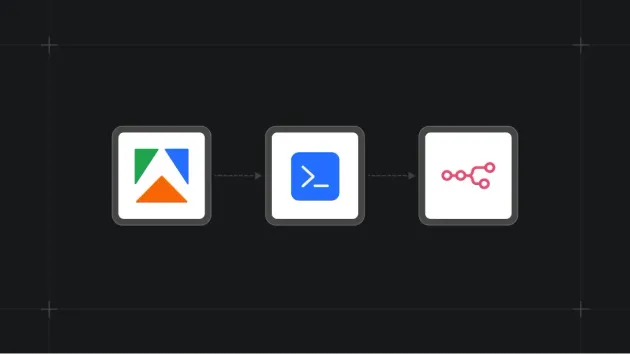
Up your Apify game 🔥 Get notified when users open/re-open issues on your Apify actors. This actor monitors your actors for new open/re-opened issues and automatically writes them to a JSON dataset, ready for external integrations (Telegram, Slack, Jira, n8n or custom webhooks..) - 100% Open Source
Pricing
Pay per usage
Rating
5.0
(1)
Developer

Azzouzana
Maintained by CommunityActor stats
2
Bookmarked
1
Total users
1
Monthly active users
2 months ago
Last modified
Categories
Share
🔔 My Actors Issues Notifier
An Open Source actor that pulls your Apify Console for new open/reopened actor issues on your account and writes webhook-ready rows to the default dataset - connect Telegram, Slack, and more from Integrations.
How it works
POST /public/authentication/resume— uses consoleApifyRTcookie → short-liveduiToken- Socket.IO subscribe to
userOwnedPublicActorsIssuesPub(paginated) - Keeps issues with
status === "OPEN" - Named KV store
apify-console-open-issues:firstRunComplete—falseuntil the first successful poll finishes (To not detect already open issues while running this for the first time)seenIssueIds— currently open issue IDs (closed IDs are removed each run)
- First run (
firstRunCompleteunset): save open ids + set flag — no dataset push - Later runs: for each new open id,
GET /actor-issues/{issueId}/comments(last array entry) → dataset row (type: "new_open_issue"), then refreshseenIssueIds - On resume/socket errors: one dataset row (
type: "fetch_failure")
Dataset records
New issue (type: "new_open_issue"):
| Field | Type | Description |
|---|---|---|
type | string | Always "new_open_issue" |
notifiedAt | string | ISO timestamp when the record was pushed |
issueId | string | Issue _id from Console |
title | string | Issue title |
status | string | Issue status (e.g. "OPEN") |
objectType | string | e.g. "PAID_ACTOR" |
objectId | string | Linked object id (often same as actor _id) |
createdAt | string | Issue creation time (ISO) |
url | string | Direct link to the issue in Console |
actorTitle | string | Actor display title (fallback: actor name or objectId) |
reporter | string | Reporter display name or username |
lastComment | string | null | Text of the last entry in /actor-issues/{issueId}/comments (HTML stripped) |
Example dataset output:
Failure (type: "fetch_failure"):
| Field | Description |
|---|---|
step | e.g. authentication/resume, socket.io subscribe |
errorMessage | Error detail |
notifiedAt | ISO timestamp |
Each new or failed notification is a row in this actor’s default dataset. Use that for integrations—no extra code required in this repo.
Configuration
Actor input
| Input | Required | Notes |
|---|---|---|
apifyRt | Yes | ApifyRT cookie from console.apify.com |
Copy ApifyRT from DevTools → Application → Cookies → https://console.apify.com.
Create a scheduled task and set apifyRt in the task input so the actor runs on a interval (e.g. every 10–15 minutes).
Webhooks (Telegram, Slack, etc.)
Open the actor’s Integrations tab in Apify Console: https://console.apify.com/actors/u45C6wzQQgsbqaeie/integrations
There, you can connect your preferred communication app (Slack, Telegram, WhatsApp, etc.) or ticketing system (Jira, Trello, Linear, etc.) using either Apify's native integrations or custom webhooks.
- Trigger on actor run succeeded
- Point the integration at this actor’s default dataset and map fields such as
title,actorTitle,reporter, andurletc in your custom message template.
📬 Contact & Support
Have feedback, a question, or just want to say hi? We'd love to hear from you!
- 💬 Discord:
@azzouzana - 📧 Email: labs@azzouzana.com