

Instagram Scraper – Posts, Places & Hashtags (No Login)
Pricing
from $1.25 / 1,000 results
Instagram Scraper – Posts, Places & Hashtags (No Login)
Scrape public Instagram without an account: latest posts and reels of a profile, post comments, profile details, hashtag post counts and places with coordinates and recent posts. One price per result, tiny $0.00005 start fee; URLs that return nothing are listed and never billed.
Pricing
from $1.25 / 1,000 results
Rating
0.0
(0)
Developer

Badr Bouargan
Maintained by CommunityActor stats
0
Bookmarked
2
Total users
2
Monthly active users
4 days ago
Last modified
Categories
Features
Share
Instagram Scraper – Posts, Reels, Comments, Profiles, Hashtags & Places
Export public Instagram profiles, posts, reels, comments, hashtags and places into one clean table — without an Instagram account.
- 🔗 Paste URLs or usernames: profiles, posts, reels, hashtags and places, several at once.
- ❤️ Likes, comments and dates of posts (with Open each profile post for full details), profile followers and bio.
- 📍 Places with address, phone and coordinates for local marketing: 1,000 results = $2.50 on the Free plan.
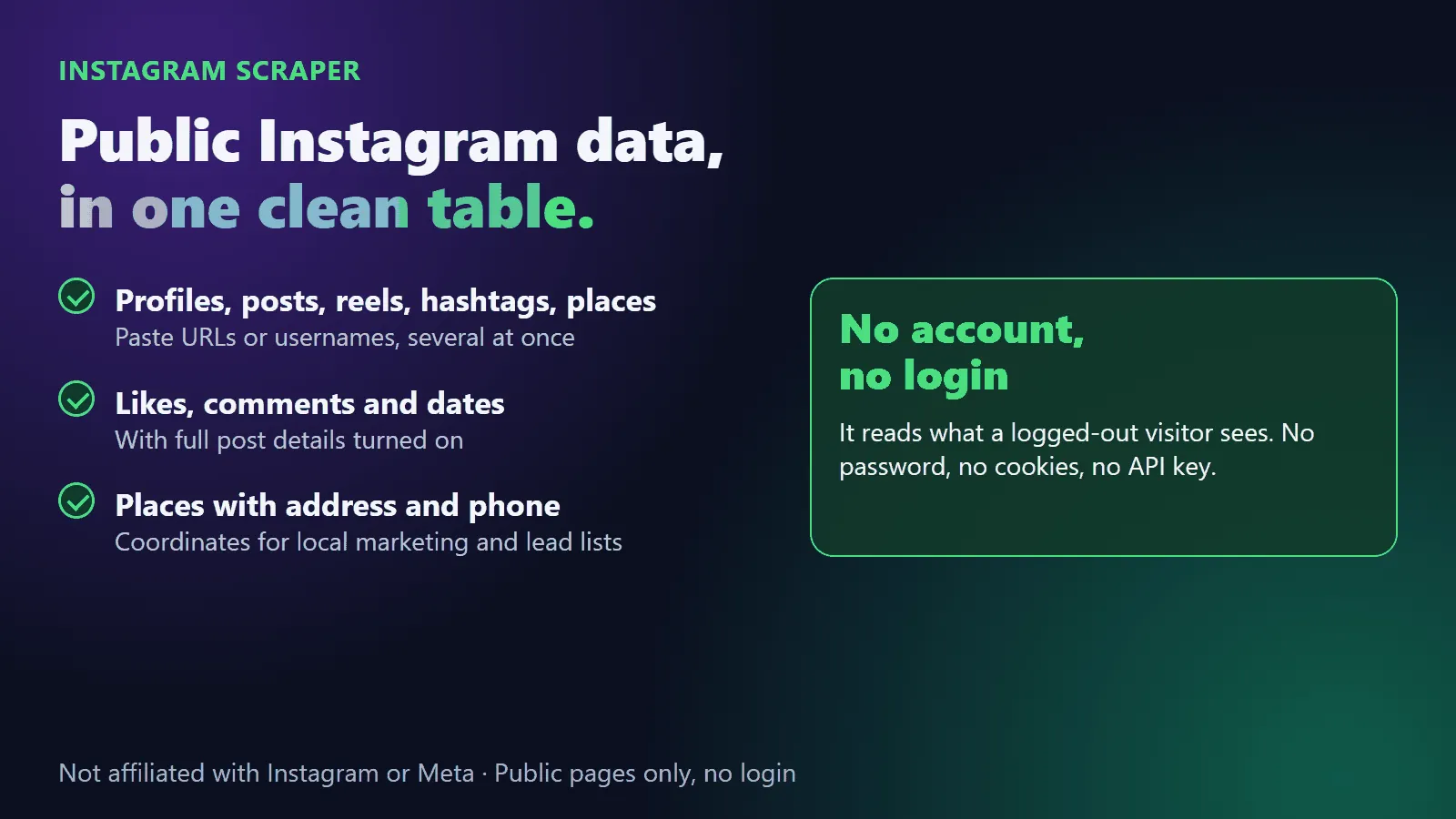
This Actor is not affiliated with, endorsed by or sponsored by Instagram or Meta. It reads only what a logged-out visitor sees and never logs in.
What it does. Instagram Scraper reads public Instagram pages — profiles, posts, reels, hashtags and places — and returns clean rows: posts and reels with likes and comments (and plays for the reels of a profile's /reels/ tab), the comments under a post, profile details with followers and bio, hashtag size with related keywords, and places with coordinates, address and phone.
The problem it solves. Instagram has no open API for public data, and copying posts or place details by hand does not scale. Paste URLs or usernames and get a table — without an Instagram account, login, cookies or API key.
Who it is for. Social media managers and agencies monitoring accounts, marketers researching hashtags, local-marketing and lead-generation teams working with Instagram places, and researchers collecting public posts.
What you get. One row per post, reel, comment, profile, hashtag or place (column resultType):
| Row | Main fields |
|---|---|
| Post / reel | url, shortCode, type, caption, hashtags, likesCount, commentsCount, videoPlayCount, timestamp, ownerUsername, displayUrl, musicInfo, taggedUsers |
| Comment | text, ownerUsername, likesCount, repliesCount, timestamp |
| Profile | username, fullName, biography, externalUrl, followersCount, followsCount, postsCount, verified, latestPosts |
| Hashtag | postsCount, related (related keywords) |
| Place | name, category, lat, lng, address, phone, postsCount, latestPosts |
Up to 12 posts per profile without login. Instagram shows logged-out visitors at most 12 posts (or 12 reels) per profile, whatever "Results per URL" says; this Actor never logs in.
Posts of a profile: likes, comments count and date need the details option. Instagram shows a profile's posts to logged-out visitors without
likesCount,commentsCountortimestamp, so these fields are empty unless you turn on Open each profile post for full details (includePostDetails: true), which opens each post (one extra page per post, still without any account).
How to start.
- Open the Actor's Store page and click Try for free — or open the ready-made task listed on that page (latest posts of a profile) to start from a working example.
- Paste profile, post, reel, hashtag or place URLs (or usernames, or
#tags) in Instagram URLs, and pick What to get: Posts, Reels, Comments or Details. - Click Start, then open the Overview table or download JSON, CSV, Excel or HTML.
Why choose it.
- Six kinds of data in one Actor, including places (coordinates, address, phone, linked business account) and hashtag related keywords.
- No account, no login, no cookies. It reads public pages as a logged-out visitor and never asks for a password.
- One price per row, no add-ons, and only a tiny $0.00005 start fee per run. URLs that give nothing are listed in
FAILED_INPUTSand never billed. - Exact budget control: Maximum results for the whole run or your maximum cost per run stops the run cleanly.
- Messy input is fine: mobile links,
instagr.am,?igsh=tracking,@names,#tagsand whole lists on one line are cleaned up; duplicates are read once.
How much it costs. $2.50 per 1,000 results on the Free plan ($2.00 Starter, $1.63 Scale, $1.25 Business), plus a tiny $0.00005 start fee per run. Example: 10 profiles × 12 posts = 120 results ≈ $0.30, and 1,000 results = $2.50 on the Free plan. Full table in How much does it cost?.
Use cases
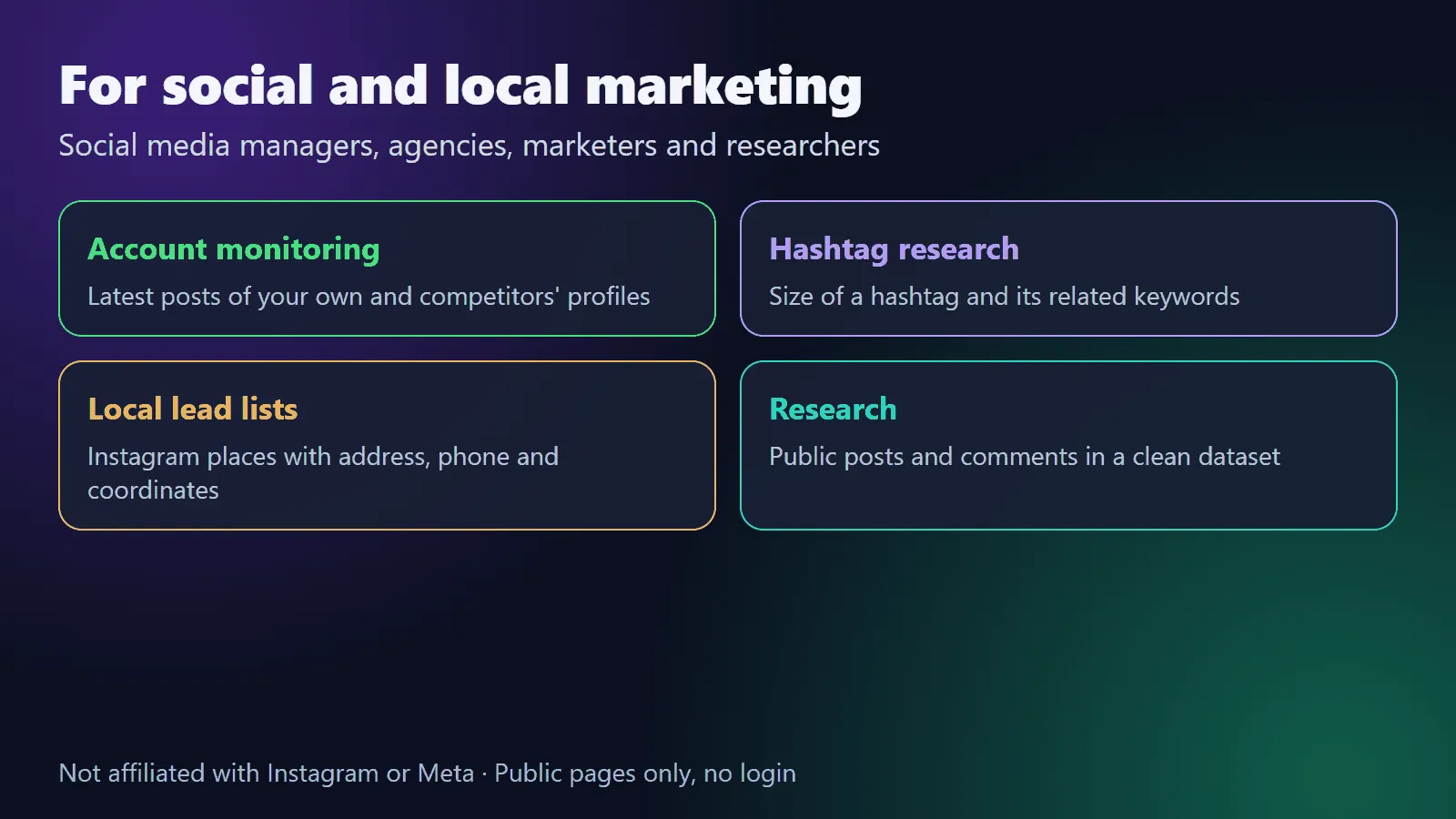
- Account monitoring (social media managers, agencies): schedule the latest posts of your own and competitors' profiles, with captions, hashtags and — with Open each profile post for full details — likes, comments, date and location.
- Local business research (local marketing, lead generation): turn Instagram place pages into rows with name, category, coordinates, address, phone and the linked business account.
- Hashtag research (content marketers): posts count and the related keywords people search with a hashtag, plus its top reels.
- Comment sampling (brand and community teams): the comments Instagram shows first on a campaign post, with author, likes and date.
- Influencer checks (agencies): followers, following, bio, links and latest posts of a creator in one row.
What does Instagram Scraper do?
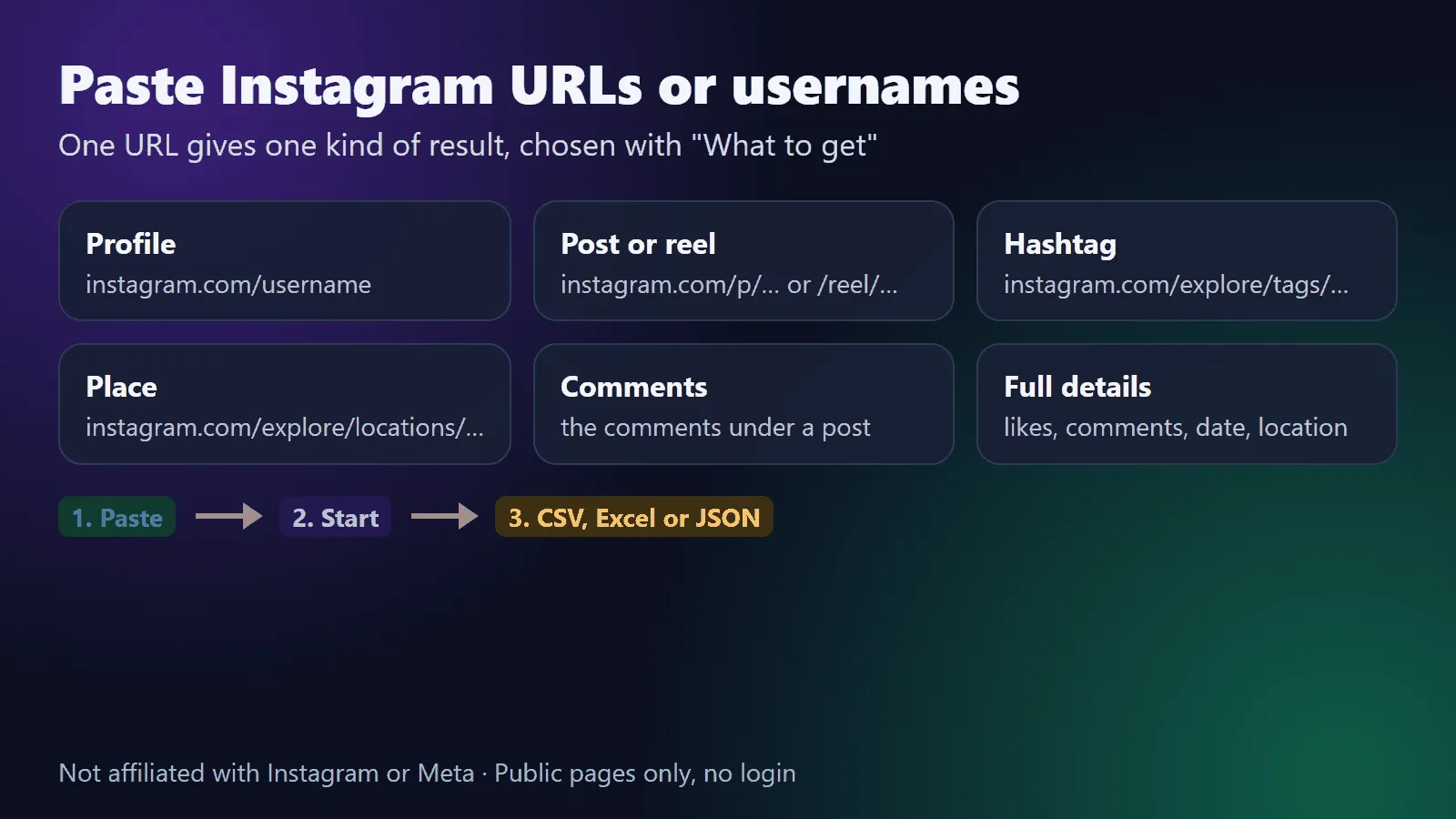
It opens each Instagram URL the way a logged-out visitor's browser does, through residential addresses, and reads the data Instagram puts in the page. One URL gives one kind of result, chosen with What to get:
| You paste | Posts | Reels | Comments | Details |
|---|---|---|---|---|
Profile instagram.com/natgeo/ | 12 latest posts | 12 latest reels with plays | – | Profile row + 12 latest posts |
Post or reel instagram.com/p/…, /reel/… | The full post | The full reel | ~15 comments shown | The full post |
Hashtag instagram.com/explore/tags/crossfit/ or #crossfit | Top 12 reels | Top 12 reels | – | Posts count + related keywords |
Place instagram.com/explore/locations/7538318/ | ~15 recent posts | Recent reels | – | Name, category, coordinates, address, phone, posts count |
Usernames work too: natgeo or @natgeo. Story links are reduced to their profile. Paste links the way you have them: mobile links, instagr.am links, links with ?igsh=… tracking, <brackets> or a final full stop, and whole lists on one line (natgeo, nasa, #crossfit) are all cleaned up for you. The same profile given three ways is read (and billed) once.
What data can I get?
- Posts and reels: shortcode, URL, type (Image, Video, Sidecar), caption, hashtags, mentions, likes, comments count, video plays (only for reels read from a profile's
/reels/tab), publication date, image and video URLs, size, carousel children, tagged users, co-authors, location, music, author. For the posts of a profile, likes (likesCount), comments count (commentsCount) and date (timestamp) are only available withincludePostDetails: true: Instagram does not show them on the profile page to logged-out visitors. - Comments: text, author (username, id, picture, verified), likes, replies count, date, comment link.
- Profiles: username, full name, bio, website links, followers, following, posts count, verified, private, profile picture, latest posts.
- Hashtags: posts count and related keywords people search with it.
- Places: name, category, latitude, longitude, address, zip, phone, price range, posts count, linked business account, latest posts.
The form works as it is: the prefilled run returns the 12 latest posts of National Geographic in about half a minute, for about three cents (without likes, comments count and date: see below). Optional: Only posts newer than (7 days, 2026-09-01) and Maximum results for the whole run. On a profile, the date filter needs includePostDetails: true; without it the posts have no date, are kept unfiltered, and the run log and RUN_SUMMARY (dateFilterWarning) say so.
Input example
Turn on Open each profile post for full details (includePostDetails) to add likesCount, commentsCount, timestamp, location, tagged users and the latest comments to the posts of a profile (one extra page per post, three opened at a time). Without it these fields are empty for a profile's posts, because Instagram does not show them to logged-out visitors, and Only posts newer than cannot filter those posts.
Two more options (both off by default, rows unchanged):
- Comment order (
commentsSort):instagram(default),newestormostLiked. It sorts the comments Instagram shows logged-out visitors (about 15 per post) before Results per URL keeps the first ones; it cannot reach comments Instagram does not show. - Add the parent page to every row (
addParentData: true): each post, reel or comment gets aparentDataobject describing where it was found — the profile (username, followers, posts count…), hashtag (name, posts count), place (name, address, coordinates) or, for comments, the post (shortcode, author, date, likes,postType). Useful when one run mixes many URLs.
Output example
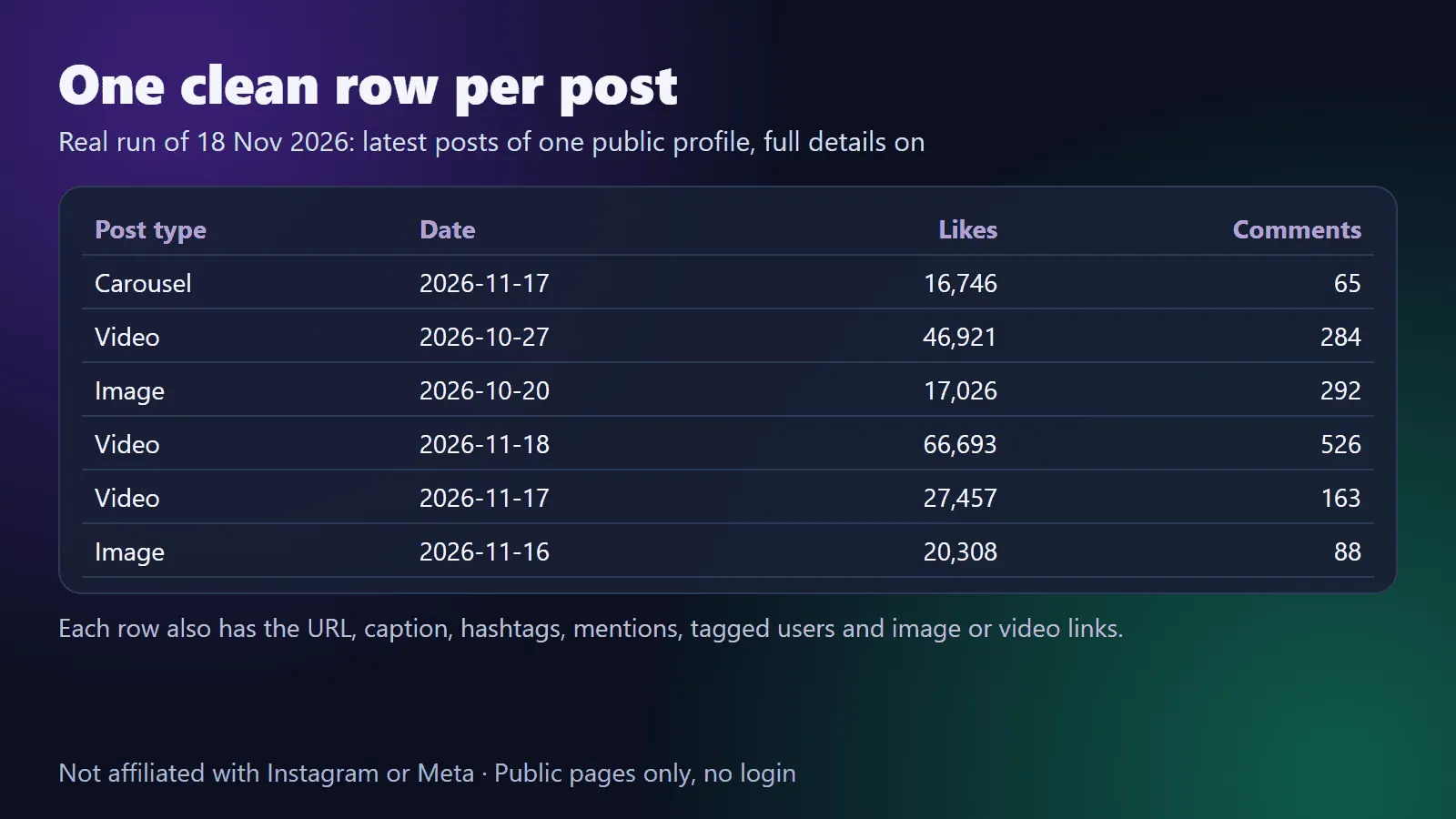
Real run of 18 Nov 2026: latest posts of one public profile, with Open each profile post for full details on.
A post:
A profile (Details):
In the Console, the Overview table shows every row whatever its type; the Posts and reels, Comments, Profiles, Places and Hashtags tables show the columns that matter for each.
Every run also writes RUN_SUMMARY (results by type, stop reason, failures, pages loaded, amount charged) and FAILED_INPUTS (each URL that gave nothing, with the reason) to the run's storage:
When Instagram refuses every input (or no input is usable), the run still ends SUCCEEDED with nothing charged and RUN_SUMMARY status BLOCKED (or CUSTOMER_ERROR); turn on Mark the run as FAILED when Instagram blocks every input (failRunOnError, Advanced) to make such runs FAILED. Technical errors always end the run FAILED.
Visual report
Every run also saves a visual report: one HTML page that shows your results as cards instead of rows.
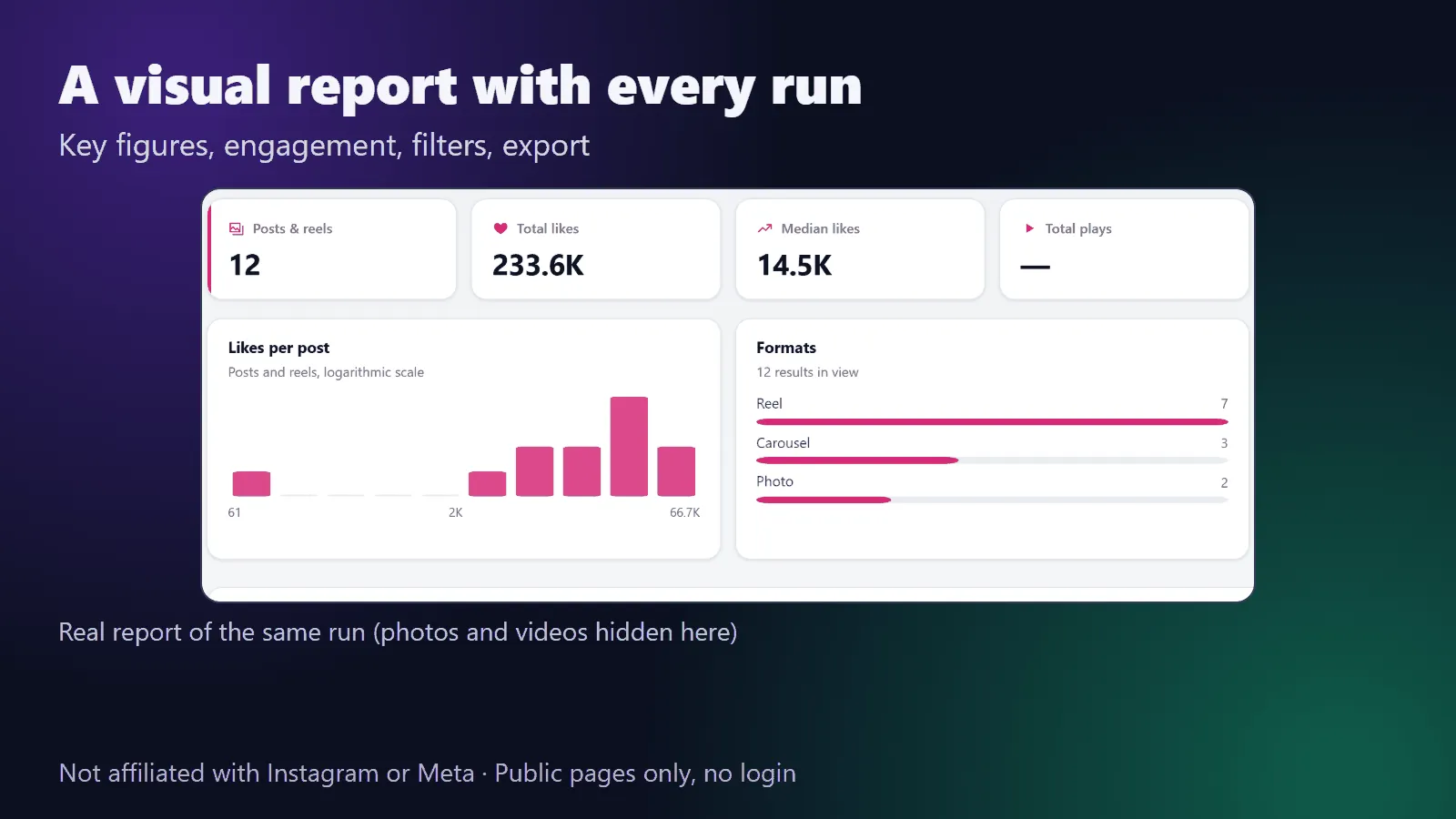
- Posts and reels as picture cards: image, Reel/Video/Carousel badge, plays and length, likes, comments, account, place, caption and hashtags. Carousels open as a gallery of all their slides.
- Profiles as header cards: profile picture, name, verified badge, category, bio, website, followers, following, posts and their 3 latest posts (each result shows at most 3 pictures; carousels show their first 3 slides — the dataset keeps them all). Places with their address and recent posts, hashtags with their size and related keywords, comments with their author, likes and replies.
- Key figures and charts: posts and reels, total and median likes, total plays, comments, accounts; likes distribution, formats, top hashtags. They follow your filters.
- Search, filters and sorting: caption/account/hashtag/place search, filters by type, format, account, hashtag, input and paid partnerships; sort by likes, comments, plays or date. Card or table view.
- Viewer: click a picture to see it full size, with arrows, keyboard (← → Esc) and swipe on mobile.
- Export: download the filtered rows as JSON or CSV, or the full dataset as JSON, CSV or Excel.
- Inputs that failed are listed at the top, grouped by reason (they are not billed), with run notes such as the date filter or the maximum charge.
- Live progress: the page exists from the start of the run, shows "URLs done / total" and the results so far, and refreshes itself every 30 s until the run ends (it is rewritten at most once a minute). A crashed or aborted run still gets its final page.
- Data quality panel: how complete the key fields are (caption, account, link, date, likes, comments, hashtags, location) and how many rows have a picture.
How to open it: in the run, go to the Output tab and choose Visual report (or open the REPORT record of the key-value store). The page works in any browser, offline included, except for the pictures.
Pictures are shown straight from Instagram in your browser; nothing is re-hosted. Instagram signs these links and they expire after a few days, so an older report shows neutral placeholders where pictures used to be — the data stays. The report holds the first 2,000 results of a run; the full dataset is always one click away. Saving the report is never billed and can never make a run fail.
How much does it cost?
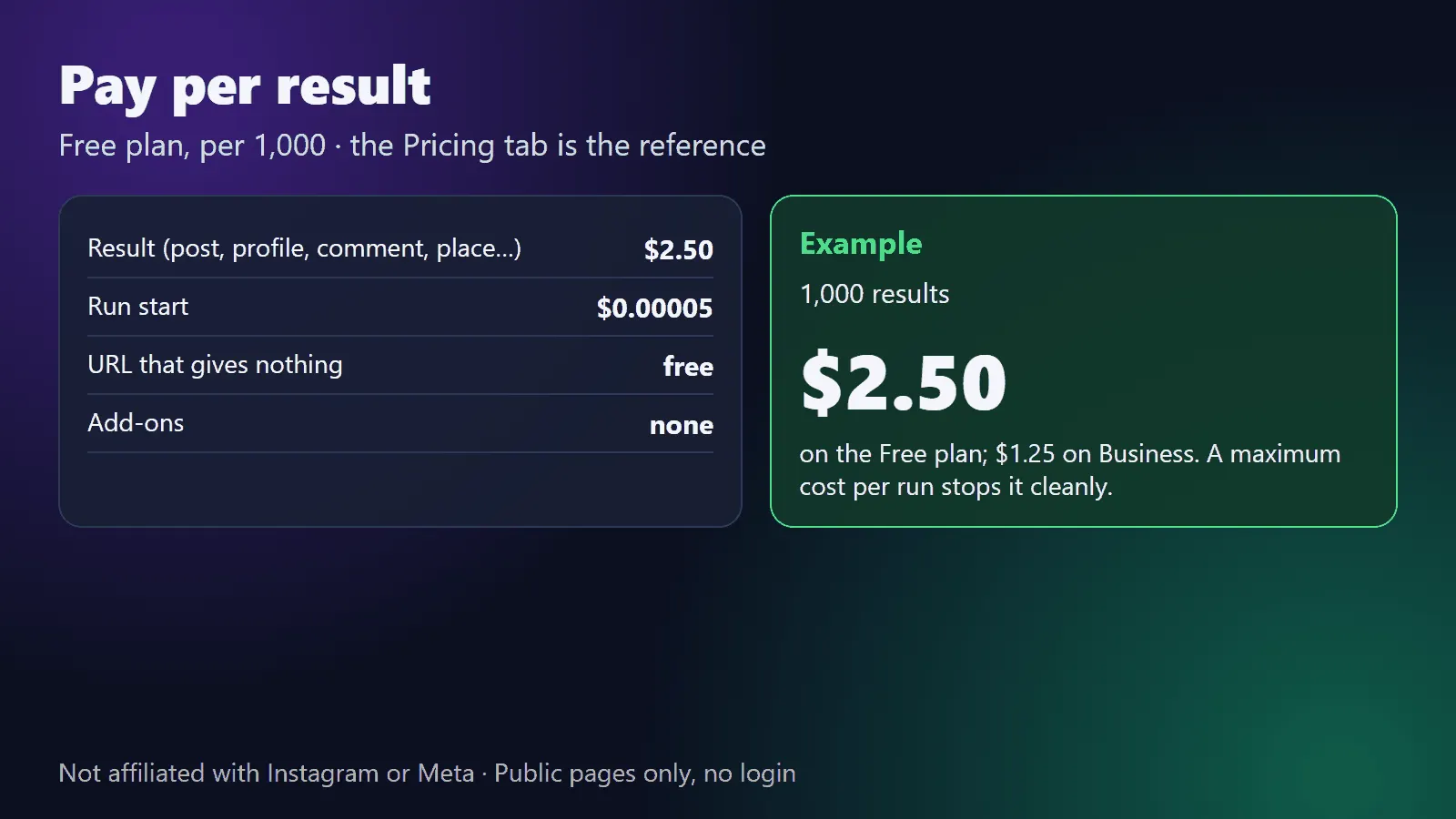
Pay per result: one row = one post, reel, comment, profile, hashtag or place. URLs that give nothing are listed in FAILED_INPUTS and never billed. Images, videos and Instagram's scripts are never downloaded, which keeps runs fast and cheap.
| Apify plan | Price per 1,000 results |
|---|---|
| Free | $2.50 |
| Starter | $2.00 |
| Scale | $1.63 |
| Business | $1.25 |
Example: 10 profiles × 12 posts = 120 results ≈ $0.30 on the Free plan. Set Maximum results for the whole run or a maximum cost per run, and the run stops cleanly at that limit.
Limits (what it can and cannot do)
It can: read any public profile, post, reel, hashtag or place without an account; return profile details with followers, bio and links; give likes, comments, music, tagged users and location for posts and reels, and plays for the reels of a profile's /reels/ tab; list the comments Instagram shows on a post; filter by date (for a profile's posts: with includePostDetails); stop exactly at your limit or budget.
It cannot go beyond what Instagram shows a logged-out visitor. This Actor never logs in, so it returns what a visitor sees:
- up to 12 posts or 12 reels per profile;
- about 15 comments per post (the ones Instagram shows first);
- the top 12 reels per hashtag;
- about 15 recent posts per place;
- no keyword search (Instagram refuses it to logged-out visitors): paste URLs instead;
- private profiles return their details but no posts;
- share links (
instagram.com/share/…), audio pages and story contents are not read.
Likes (likesCount), comments count (commentsCount) and dates (timestamp) of a profile's posts are not shown on the profile page to logged-out visitors: they are empty unless you turn on Open each profile post for full details (includePostDetails), and the date filter needs that option for a profile's posts. Collab posts by another account that appear on a profile keep that account as ownerUsername. Plays (videoPlayCount) come only from a profile's /reels/ tab (for example https://www.instagram.com/natgeo/reels/): Instagram does not show them to logged-out visitors on the posts tab or on a single reel link, even with full details (checked on 2026-11-19). videoViewCount, isBusinessAccount and the business category are rarely shown to logged-out visitors and are usually empty.
Integrations
Results are plain JSON rows, ready for your tools:
- API: start runs and read the dataset from any language (examples below).
- Make, Zapier and n8n: use the Apify app or node, pick
badr_xba/instagram-scraper, and send each new row to Google Sheets, Airtable, Slack, a CRM or a database. - AI agents (MCP): add
https://mcp.apify.com/?actors=badr_xba/instagram-scraperto Claude, Cursor or any MCP client and ask in plain words ("latest posts of @natgeo"). - Schedules and webhooks: run it daily on the same profiles to build a history, and get notified when a run ends.
Use it via API
Python (pip install apify-client):
JavaScript (npm install apify-client):
cURL (runs the Actor and returns the rows in one call):
Related Actors
Other Actors by the same developer that work well with this one:
- Instagram Profile Scraper – full profile details: followers, bio links, Threads account.
- Instagram Reel Scraper – reel plays, sponsors, paid partnerships and music.
FAQ
Do I need an Instagram account? No. The Actor reads public pages as a logged-out visitor. It never asks for your password or cookies.
Why do counts differ a little from what I see in the app? Instagram shows logged-out visitors slightly different numbers than signed-in users, and counts keep moving after the run. Compare with the page opened in a private window at the run's time.
Why is likesCount -1? The author hid the like count on that post.
Can I get more than 12 posts per profile? Not as a logged-out visitor. Add the profile's reels tab (…/reels/) for 12 more items, or run the Actor on a schedule to collect new posts as they appear.
How do I get a place's address and phone? Paste the place URL (instagram.com/explore/locations/<id>/) and choose Details.
Which proxy should I use? Keep the default residential group. Instagram blocks datacenter addresses.
Is it legal to scrape Instagram? The Actor scrapes only publicly available data, without logging in. You are responsible for complying with Instagram's terms and with data-protection law such as the GDPR: usernames, comments and bios can be personal data, so collect them only for a legitimate purpose and handle them accordingly.
Troubleshooting
| What you see | What to do |
|---|---|
A URL is in FAILED_INPUTS with type input | It is not a profile, post, reel, hashtag or place address. Share links must be opened once in a browser: paste the address they lead to. |
Type notFound | The post was deleted, the profile does not exist, or Instagram keeps that page (often a very big hashtag) for signed-in users. Check it in a private browser window. |
Type private | The profile is private: use Details to get its public figures. |
Type blocked | Instagram refused every address tried. Keep the RESIDENTIAL proxy group and run again; it is rare and never billed. |
likesCount, commentsCount and timestamp are empty for a profile's posts | Instagram does not show them on the profile page to logged-out visitors. Turn on Open each profile post for full details (includePostDetails: true). |
| Only posts newer than kept old profile posts, and the log says the date filter cannot apply | Same cause: without includePostDetails the posts have no date. Turn the option on (see dateFilterWarning in RUN_SUMMARY). |
| Fewer rows than Results per URL | Instagram shows logged-out visitors 12 posts per profile and about 15 comments per post. |
| The run stopped early | Maximum results for the whole run or your maximum cost per run was reached: see stopReason in RUN_SUMMARY. |
Support
Something does not work? Open an issue on the Actor's Issues tab with the run ID and the URL.
Feedback and reviews
If this Actor saved you time, a short review on its Store page helps other users find it. If something did not work as expected, please open an issue on the Issues tab with your run ID: we read every issue.


