
Instagram Reel Scraper – Plays, Sponsors, Comments & Music
Pricing
from $1.00 / 1,000 reels
Instagram Reel Scraper – Plays, Sponsors, Comments & Music
Instagram reel scraper without login: the latest reels of any public profile (up to 12, as Instagram shows logged-out), or any reel URL, with plays, likes, comments, paid-partnership flag, sponsors, tagged users, music and the 10 latest comments. Pay per reel; failed inputs never billed.
Pricing
from $1.00 / 1,000 reels
Rating
0.0
(0)
Developer

Badr Bouargan
Maintained by CommunityActor stats
0
Bookmarked
4
Total users
1
Monthly active users
4 days ago
Last modified
Categories
Features
Share
Instagram Reel Scraper – Plays, Likes, Sponsors & Music
Get the plays, likes, comments, music and paid partnerships of any public Instagram reel — without an Instagram account.
- 🎬 Latest reels of any public profile, or any reel URL, several at once.
- 📈 Plays, likes, comments, caption, hashtags, music, and the 10 latest comments with full details.
- 🤝 Paid partnerships and sponsors per reel: 1,000 reels = $2.60 on the Free plan.
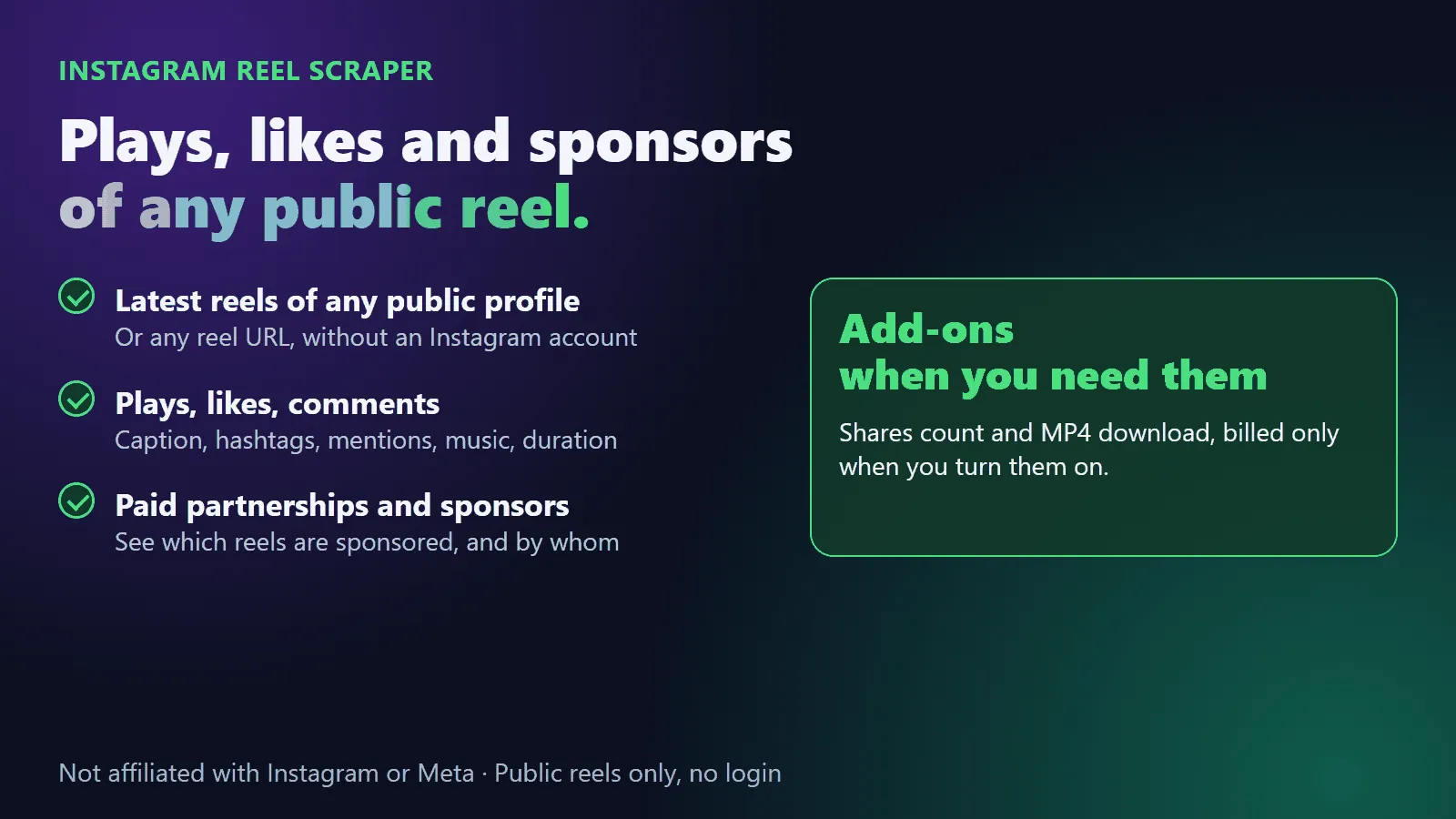
This Actor is not affiliated with, endorsed by or sponsored by Instagram or Meta. It reads only public reels and never logs in.
What it does. Instagram Reel Scraper returns the latest reels of public Instagram profiles, or any reel URL, as clean rows: plays, likes, comments, caption, hashtags, mentions, tagged users, paid partnership and sponsors, co-authors, music, location, duration, pinned status and the 10 latest comments. Optionally it adds the shares count and saves each reel as an MP4.
The problem it solves. Reel performance and sponsorship data is spread over many pages and is not exported by Instagram for accounts you do not own. This Actor collects it for any public account in one run, without an Instagram account or API key.
Who it is for. Influencer-marketing teams tracking creators and paid partnerships, brands monitoring competitors' reels, and content teams auditing what works (captions, music, length).
What you get. One row per reel:
url, shortCode, timestamp, caption, hashtags, mentions, videoPlayCount, likesCount, commentsCount, latestComments, ownerUsername, videoDuration, isPinned, paidPartnership, sponsors, taggedUsers, musicInfo (artist, song, original audio), plus downloadedVideo with the MP4 add-on.
How to start.
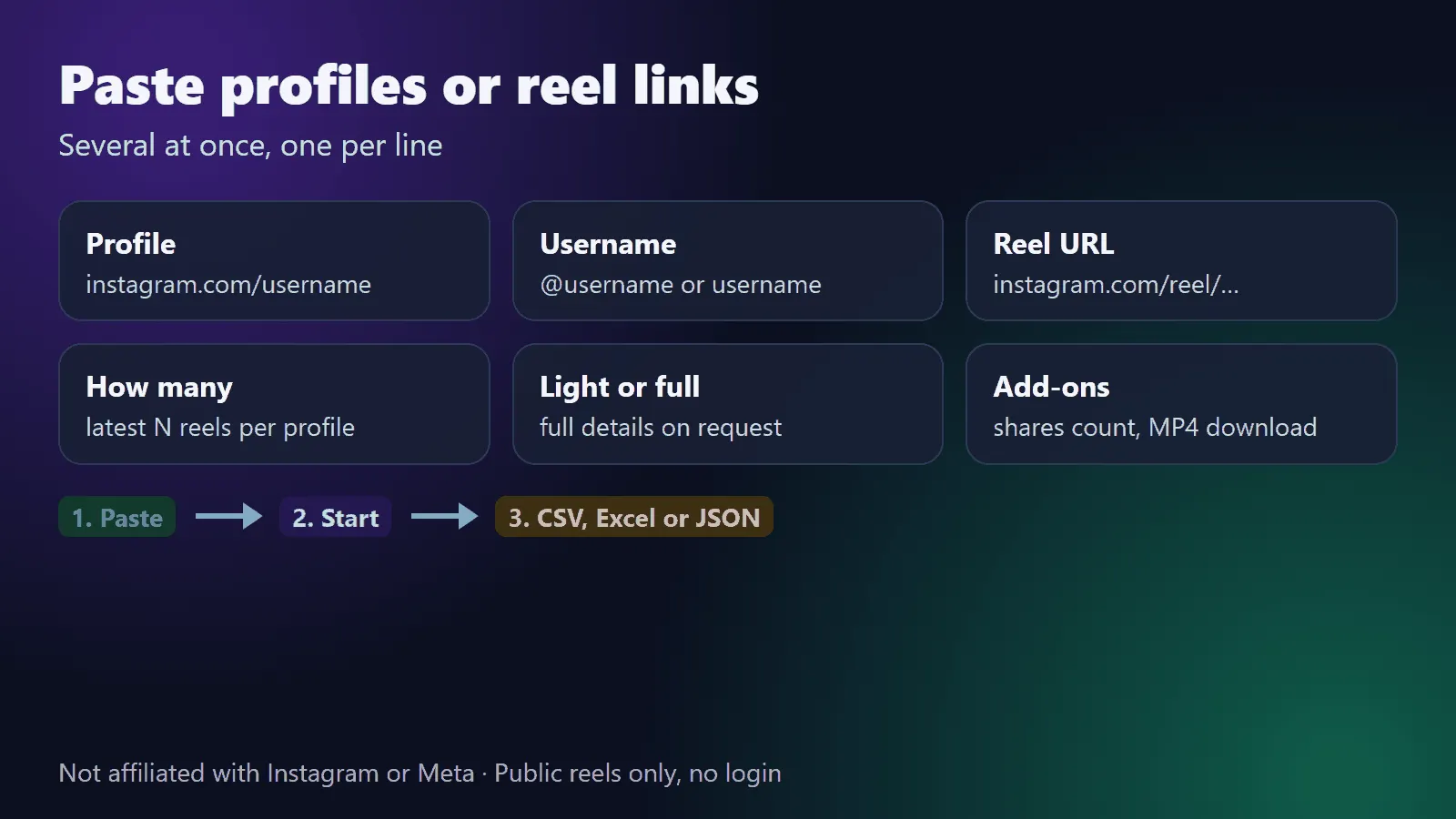
- Open the Actor's Store page and click Try for free — or open the ready-made task listed on that page (latest reels of a profile) to start from a working example.
- Add usernames (
natgeo), profile URLs or reel URLs (https://www.instagram.com/reel/DX7lzTOJ1p6/) and set the number of reels per profile (optional: date filter, skip pinned reels, shares count, video download). - Click Start, then open the Reels table or download JSON, CSV or Excel.
Why choose it.
- Sponsorship data per reel:
paidPartnership,sponsors,taggedUsersandmentions, ready to filter for campaign tracking. - No account, no login, no cookies.
- Comments and music included in the reel price: the 10 latest comments and the audio used.
- Pay per reel, add-ons only when on: the shares count is billed only for reels that actually have one; inputs that give nothing are never billed.
- Date filter and skip pinned reels, so a scheduled run only keeps new reels.
How much it costs. $2.60 per 1,000 reels on the Free plan ($2.30 Starter, $1.40 Scale, $1.00 Business), plus a start fee of $0.001 per GB of memory. From November 24, 2026: $2.60 Free, $2.30 Starter, $1.90 Scale, $1.60 Business, start fee $0.004 per GB. Example: 1,000 reels ≈ $2.60 on the Free plan, plus a few tenths of a cent to start; the MP4 download adds $0.02 per MB on the Free plan (a 5 MB reel ≈ $0.10). Full table in How much does it cost?.
Paste inputs the way you have them: @natgeo, mobile links, links with ?igsh=…, the profile's /reels/ tab, or a comma-separated list on one line. The same profile given twice is read (and billed) once. Anything that is not a profile or reel (a hashtag, an audio page, a typo) is listed in FAILED_INPUTS with the reason, never billed, and the run carries on.
Use cases
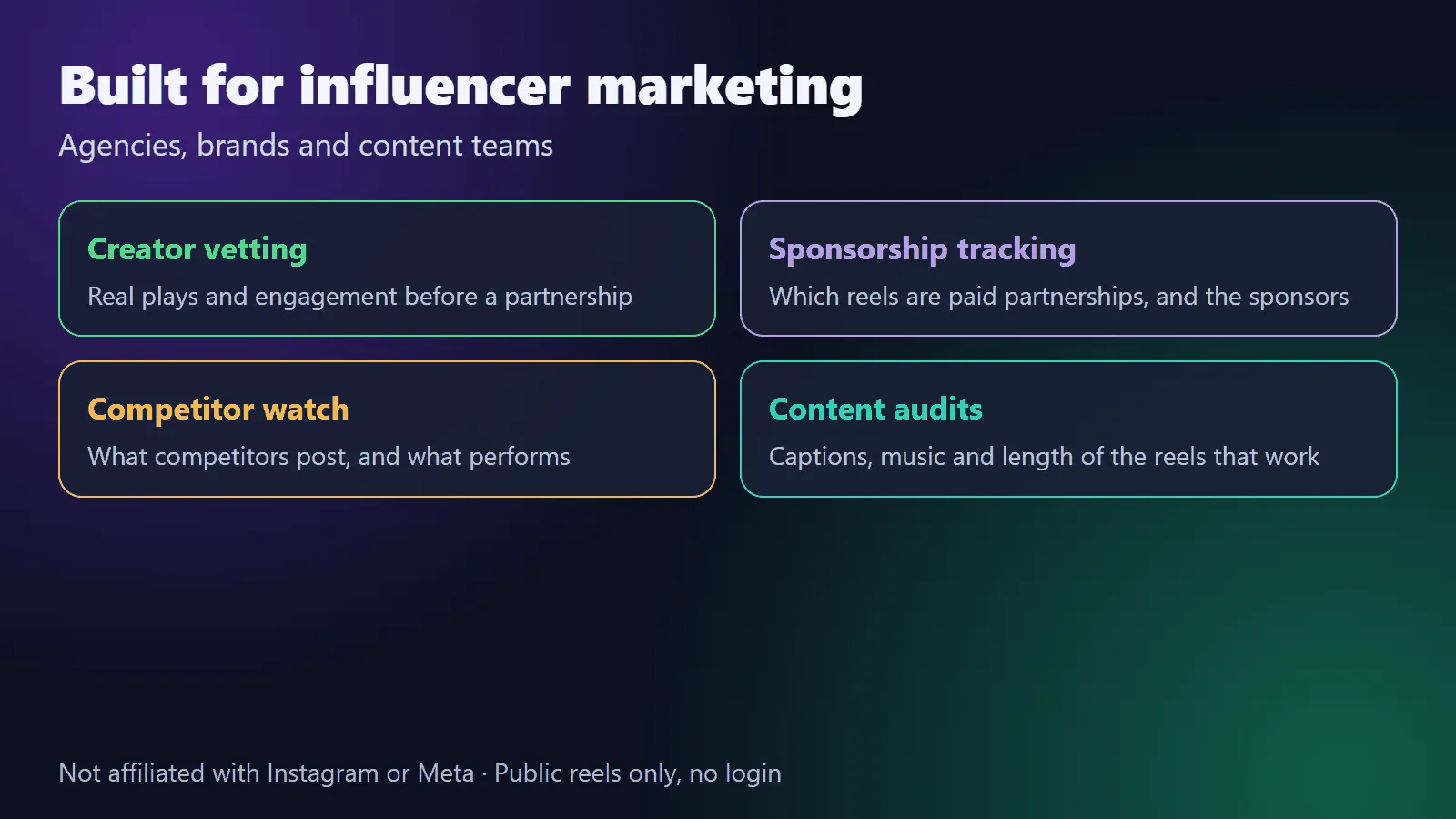
- Paid-partnership tracking (influencer agencies): list the reels of your creators with
paidPartnership,sponsorsand tagged brands, and check each campaign's plays, likes and comments. - Competitor monitoring (brands): schedule competitors' profiles with a date filter to get every new reel and its performance.
- Content audits (content teams): compare plays and likes against duration, music and caption to see what works.
- Archiving (legal, media teams): save the MP4 of each reel to your run storage before Instagram's links expire.
What can Instagram Reel Scraper do?
- Stats of the latest reels of any public profile: likes, comments, views, plays, date
- Metadata: caption, hashtags, mentions, tagged users, pinned status, paid partnership and sponsors, co-authors, music, location, dimensions, duration
- The 10 latest comments of each reel, with author, likes and date
- MP4 download of each reel to your run storage (add-on), before Instagram's links expire
- Date filter, skip pinned reels, and a minimum number of plays (
minPlays: reels under it are left out before their page is opened, so they are not billed) engagementRate((likes + comments) / plays x 100) andaudioUrl(the reel's audio-only track, a signed link that expires likevideoUrl; empty when only the profile list could be read)- Export to JSON, CSV, Excel, XML or HTML, or use the API, webhooks, Make, Zapier, n8n or the Apify MCP server
The prefilled run (natgeo, up to 12 reels) takes about half a minute and costs a few cents on the Free plan. Instagram shows logged-out visitors at most 12 reels per profile and sometimes fewer (a test run on 2026-11-09 returned 5).
Light by default, full details on request
By default the Actor reads one page per profile: each row has the reel's URL, code, caption, dates, plays, likes, comments count and the media URLs (video and cover) — fast and light. Turn on Include full reel details to also open each reel's own page for the 10 latest comments, tagged users, sponsors, co-authors, music and location (more requests, slower; the price per reel does not change). Downloading the videos (MP4 files saved to your run storage) stays a separate option, off by default.
Input example
Output example
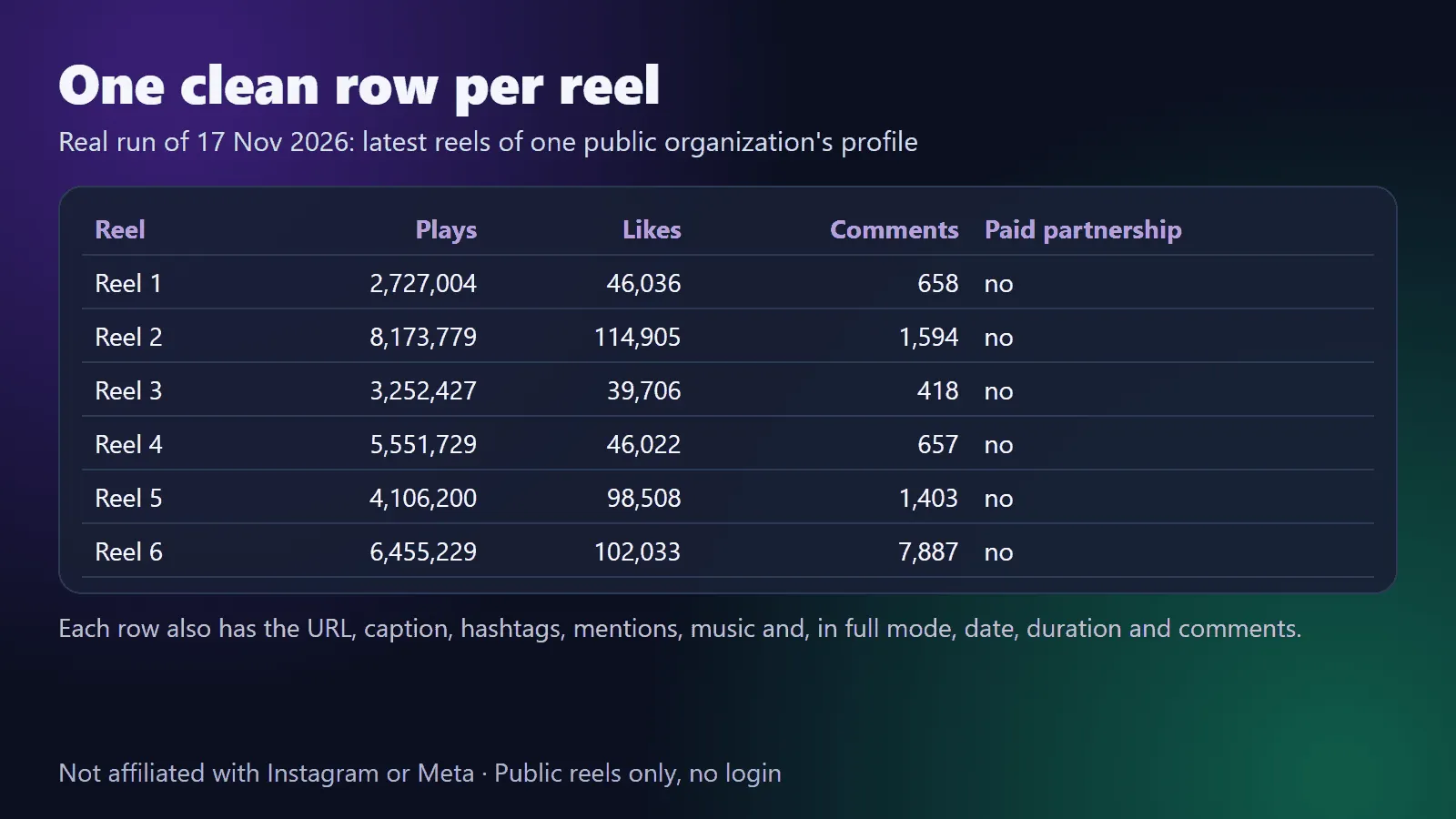
Real run of 17 Nov 2026: latest reels of one public organization's profile.
Every run also writes RUN_SUMMARY (reels saved, add-ons, amount charged) and FAILED_INPUTS (inputs that gave nothing, with the reason — never billed).
Visual report
Every run also saves a visual report: one HTML page that shows your reels as cards instead of rows.
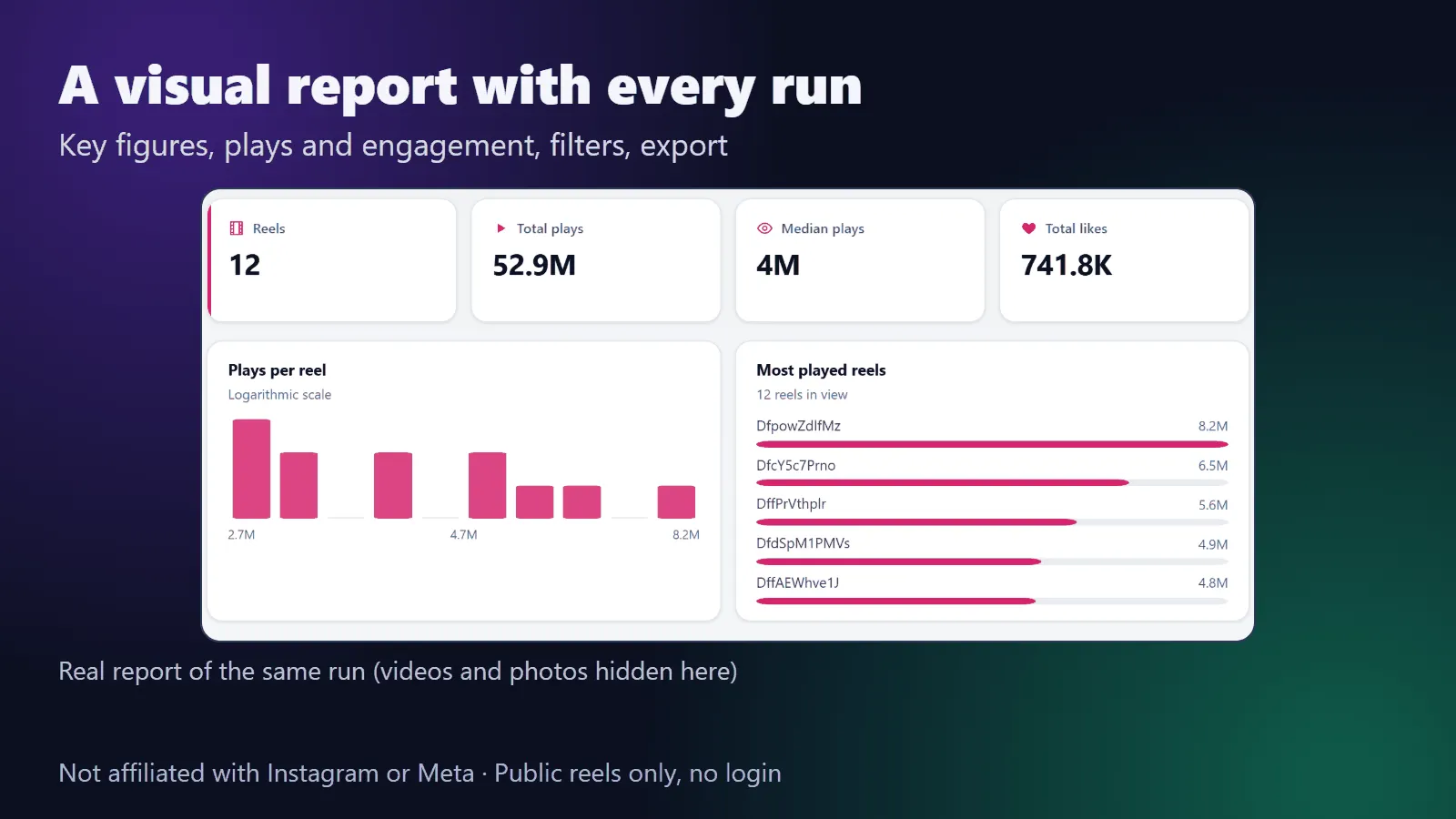
- Reels as 9:16 cards: cover, plays, duration, likes (or "hidden" when the owner hides them), comments, shares (with the shares add-on), engagement rate, account name and handle, caption, hashtags, music and co-authors (click a co-author to see only their collabs). Pinned reels and paid partnerships carry a badge.
- Key figures and charts: reels, total and median plays, total likes, average engagement, share of collabs; plays distribution, most played reels, top hashtags. They follow your filters.
- Search, filters and sorting: caption/account/hashtag/music search; filters by account, hashtag, collaborator, music, input, plays (10K+, 100K+, 1M+), paid partnerships and pinned reels; sort by plays, likes, comments, shares, engagement, date or length. Card or table view.
- Viewer: click a cover to see it full size, with arrows, keyboard (← → Esc) and swipe on mobile.
- Export: download the filtered rows as JSON or CSV, or the full dataset as JSON, CSV or Excel.
- Warnings and errors at the top: inputs that gave nothing, grouped by cause (they are not billed), and run warnings (limits reached, reels left out by your filters).
- Data quality: a one-line summary (completeness of the main fields, share of rows with a cover, duplicates) that opens to a fill rate per field: link, account, caption, plays, likes, comments, engagement, duration, date, music. It measures completeness, not accuracy.
- Live progress: while the run is going, the page shows the inputs done out of the inputs given and the reels so far, and refreshes itself every 30 seconds (updated at most once a minute).
- At most 3 images per reel (cover first).
How to open it: in the run, go to the Output tab and choose Visual report (or open the REPORT record of the key-value store). The page works in any browser, offline included, except for the images.
Covers are shown straight from Instagram in your browser; nothing is re-hosted. Instagram signs these links and they expire after a few days, so an older report shows neutral placeholders where covers used to be — the data stays. Reel rows carry no picture of their owner, so accounts appear with their initials. The report holds the first 2,000 reels of a run; the full dataset is always one click away. Saving the report is never billed and can never make a run fail.
How much does it cost to scrape Instagram reels?
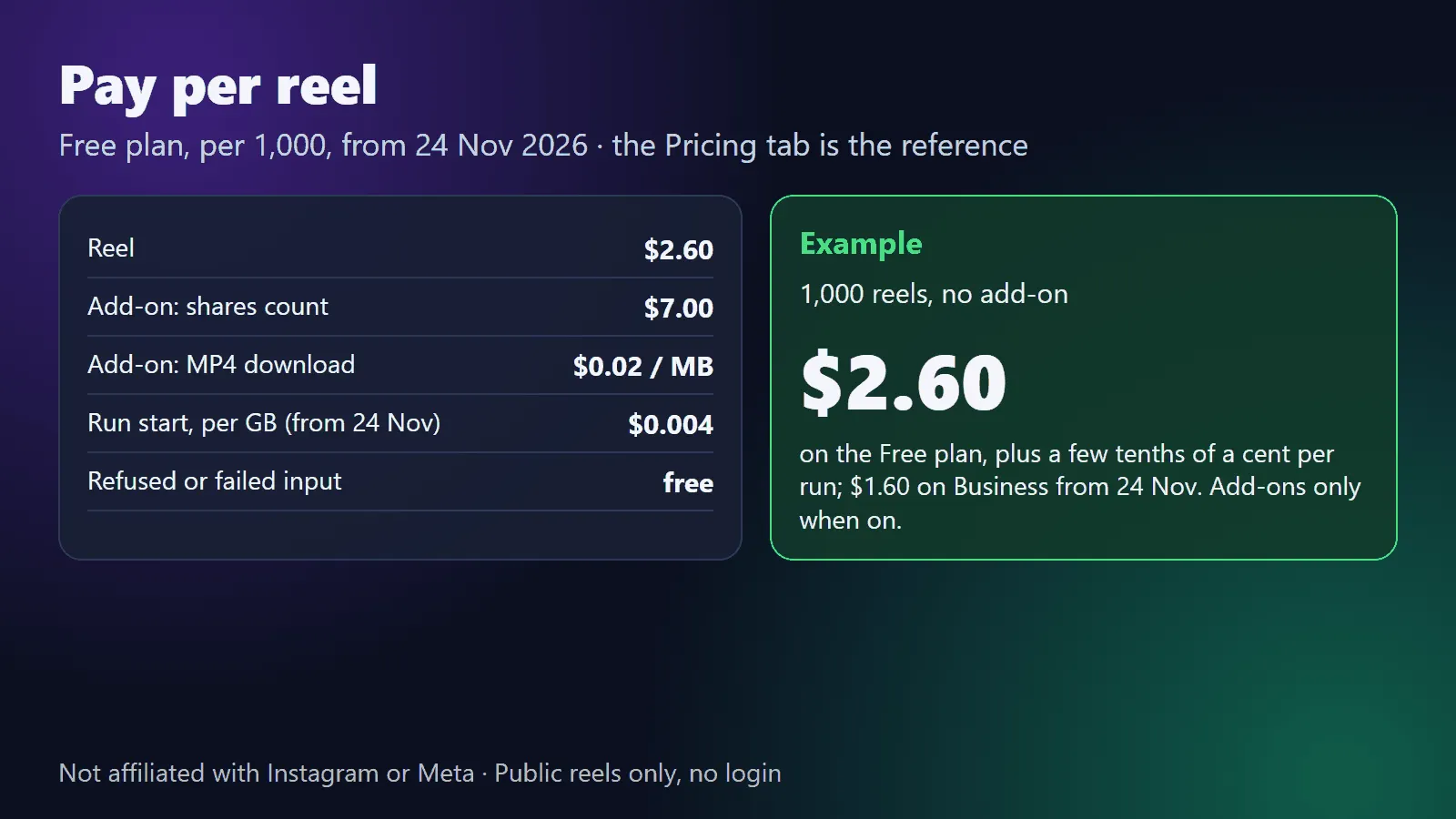
Pay per event: prices below are per Apify plan, and platform usage is included.
| Event | Free | Starter | Scale | Business |
|---|---|---|---|---|
| Reel | $2.60 / 1,000 | $2.30 / 1,000 | $1.40 / 1,000 | $1.00 / 1,000 |
| Add-on: Shares count (per reel with a count) | $7.00 / 1,000 | $6.00 / 1,000 | $5.00 / 1,000 | $4.00 / 1,000 |
| Add-on: Video download (per MB saved) | $20.00 / 1,000 | $15.00 / 1,000 | $12.00 / 1,000 | $10.00 / 1,000 |
| Actor start (per GB of run memory, once per run) | $0.001 | $0.001 | $0.001 | $0.001 |
From November 24, 2026: Reel $2.60 / $2.30 / $1.90 / $1.60 per 1,000 (Free / Starter / Scale / Business) and Actor start $0.004 per GB; add-on prices unchanged.
Example: 100 reels on the Free plan = $0.26, plus a start fee of a few tenths of a cent. With the video download, a typical 5 MB reel adds 5 × $0.02 = $0.10 on the Free plan. Cap any run with Maximum reels for the whole run or a maximum cost per run.
Limits (logged-out data)
The Actor reads Instagram exactly as a visitor who is not signed in. That means:
- 12 latest reels per profile at most — Instagram does not show more to logged-out visitors;
- profile IDs and audio pages cannot be used as input (use the username or the reel URL);
- transcripts are not available (
includeTranscriptis accepted, ignored and never billed); - trial reels never appear on profile pages, so they are never in the results;
- plays come from the profile's reels list: a reel given by URL alone has likes and comments but often no play count;
- views (
videoViewCount) and Facebook plays/likes are not shown to logged-out visitors: those fields are usually empty (plays are invideoPlayCount); - the shares count is only returned when Instagram includes it in the page, which is rare for logged-out visitors; you pay only for reels that have one;
- counts can be lower than what you see signed in (Instagram hides some engagement from visitors) and keep changing after the run.
Integrations
- API: start runs and read the dataset from any language (examples below).
- Make, Zapier and n8n: use the Apify app or node with
badr_xba/instagram-reel-scraperto send new reels to Google Sheets, Airtable, Slack or a database. - AI agents (MCP): add
https://mcp.apify.com/?actors=badr_xba/instagram-reel-scraperto Claude, Cursor or any MCP client. - Schedules and webhooks: track a list of creators every day and get notified when each run ends.
Use it via API
Python (pip install apify-client):
JavaScript (npm install apify-client):
cURL (runs the Actor and returns the reels in one call):
Troubleshooting
| What you see | What to do |
|---|---|
Type input in FAILED_INPUTS | Not a username, profile URL or reel URL (hashtags, places, audio pages and share links are not handled). The reason says which. |
Type private | The profile is private: its reels are not public. |
Type notFound | The reel was deleted or the account does not exist. Check it in a private browser window. |
Type filtered | Every reel was older than your date filter, or pinned while Skip pinned reels is on. |
Type blocked | Instagram refused every address tried. Keep the RESIDENTIAL proxy group and run again; never billed. |
videoPlayCount is empty | The reel was given by URL: plays come from the profile's reels list. Add the profile instead. |
| 12 reels or fewer per profile | Instagram shows logged-out visitors at most 12, sometimes fewer. Schedule the Actor to collect new reels as they appear. |
FAQ
Do I need an Instagram account? No. The Actor reads public pages as a logged-out visitor and never asks for a password or cookies.
Can I scrape private accounts? No, only public reels.
Can I skip pinned reels? Yes, with Skip pinned reels. Combined with a date filter, pinned reels newer than the date are kept.
How do I find sponsored reels? Filter the dataset on paidPartnership = true, or look at sponsors and taggedUsers.
How is the video returned? videoUrl is Instagram's own MP4 link (it expires). With the download add-on, downloadedVideo points to a copy in your run storage.
Why is the shares count usually empty? Instagram rarely includes it for logged-out visitors. The add-on is billed only for reels where a count was returned.
Is it legal? The Actor scrapes only publicly available data, without logging in. You are responsible for complying with Instagram's terms and with data-protection law such as the GDPR: usernames and comments can be personal data, so collect them only for a legitimate purpose. Downloaded videos remain the creators' content: check you have the right to store or reuse them.
Related Actors
Other Actors by the same developer that work well with this one:
- Instagram Profile Scraper – profile details, bio links and followers of the reel authors.
- Instagram Scraper – posts, comments, hashtags and places.
- TikTok Scraper – the same creators or trends on TikTok.
Support
Something does not work? Open an issue on the Actor's Issues tab with the run ID and your input.
Feedback and reviews
If this Actor saved you time, a short review on its Store page helps other users find it. If something did not work as expected, please open an issue on the Issues tab with your run ID: we read every issue.


