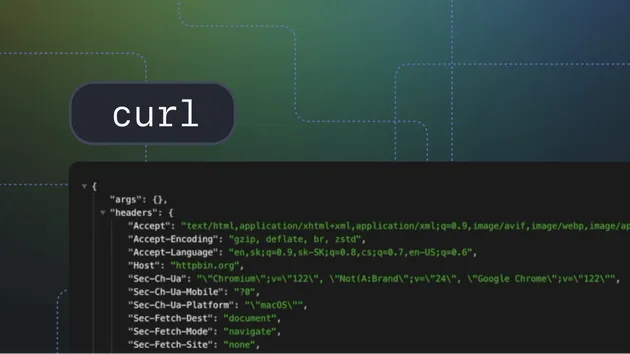
HTTP Headers Checker - Security Header Audit
Pricing
from $0.80 / 1,000 results
HTTP Headers Checker - Security Header Audit
Check HTTP response headers for websites, including status code, server, cache settings, redirects and common security headers.
Pricing
from $0.80 / 1,000 results
Rating
0.0
(0)
Developer

Ben
Maintained by CommunityActor stats
0
Bookmarked
9
Total users
2
Monthly active users
3 months ago
Last modified
Categories
Share
Check HTTP response headers for websites and turn them into a structured dataset. The actor returns status code, final URL, response time, server, content type, cache settings, redirect count, all response headers and a quick audit of common security headers.
What is the HTTP Headers Checker?
HTTP headers describe how a website responds before the browser renders the page. They reveal caching behavior, content type, server hints, redirects, compression, cookies and security policies. For technical SEO, security reviews, uptime checks and migration QA, headers are often the fastest signal that something changed.
This actor fetches each target URL, follows redirects, records the final response and normalizes the headers into a clean Apify dataset. It checks for common security headers such as Strict-Transport-Security, Content-Security-Policy, X-Frame-Options, X-Content-Type-Options, Referrer-Policy and Permissions-Policy. It is lightweight, browserless and suitable for scheduled monitoring.
Common use cases
Use this actor to audit security headers across a client portfolio, compare staging and production headers, check whether cache-control changed after a deploy, inspect CDN behavior, verify content types, document redirects, or monitor important landing pages.
SEO teams can use it to find unexpected redirects and incorrect content types. Developers can check whether security headers are present after infrastructure changes. Agencies can export header audits for reporting. Data teams can enrich a domain list with response metadata before running deeper crawls.
Input
Provide one or more URLs or domains.
Output
Each dataset item represents one checked URL.
Output fields
input- the original input.url- normalized URL used by the actor.final_url- final URL after redirects.domain- final response domain.status_code- HTTP status code.response_time_ms- measured response time.headers- all response headers in lowercase keys.server,content_type,content_length,cache_control- commonly inspected fields.security_headers_present- boolean map for common security headers.security_headers_count- quick total of detected security headers.redirect_count- number of redirects followed.error- connection error, if any.
Why use this actor?
Headers are small but important. They can explain caching bugs, indexation problems, security gaps and redirect surprises without crawling a whole website. Apify adds scheduling, exports, webhooks and API access, so the check can become part of a monitoring workflow instead of a manual browser inspection.
Example workflows
Run it weekly across client domains and alert when security_headers_count drops. Check a list of landing pages after a CDN migration. Export headers before and after a site launch to prove that cache-control and content-security-policy were preserved. Combine it with a sitemap extractor to audit every important URL from a sitemap.
For ecommerce teams, check category, product and checkout URLs separately because CDNs and application servers often apply different headers to each route. For SaaS teams, monitor documentation, app login pages, marketing pages and API docs as separate templates. For publishers, compare article pages and homepage headers to make sure caching does not accidentally serve stale breaking-news pages.
Integration ideas
Send the dataset to a webhook and store only the fields your team cares about, such as status_code, cache_control, security_headers_count and final_url. Use Make, Zapier or n8n to notify the responsible person when a header changes. If you already maintain a domain inventory, join it with this actor's output to build a simple technical-health report.
You can also run this actor after a sitemap extraction. First gather URLs from a sitemap, then inspect headers across the sampled pages. This catches route-level differences that a homepage-only check would miss.
Best practices
Check both the homepage and important templates such as product pages, blog posts and checkout pages. Security and caching headers can vary by route. Watch final URLs and redirect counts during migrations. If a site blocks HEAD, the actor falls back to GET, but some protected sites may still behave differently for automated traffic.
Review missing headers in context. Not every website needs the same policy, but the absence of HSTS, CSP or frame protections is worth discussing during a security or SEO audit. Treat the actor as a scalable inspection layer, then decide policy with your engineering or security team.
Data quality notes
Header names are normalized to lowercase to make filtering and joins easier. The full header dictionary is preserved, so you can inspect custom CDN, proxy and application headers beyond the summary fields. Response time is measured from the actor runtime and should be used as a directional signal, not a replacement for global performance monitoring.
FAQ
Does it use a browser?
No. It uses direct HTTP requests, which keeps runs fast and low-cost.
Can it detect missing security headers?
Yes. The security_headers_present map shows which common headers are present.
Can I run it on a schedule?
Yes. Schedule it daily or weekly and compare results to catch changes.
Does it crawl links?
No. It checks only the URLs you provide.
You might also like
- Website Status Checker - monitor status codes and page titles.
- Robots Sitemap Analyzer - inspect robots files and sitemap links.
- URL Shortener Expander - inspect redirect chains.
Keywords
HTTP headers checker, security headers audit, header API, cache-control checker, HSTS checker, CSP checker, website header scraper, SEO technical audit, Apify headers checker.