HTTP Headers Inspector - All Response Headers & Security
Pricing
from $0.50 / 1,000 results
HTTP Headers Inspector - All Response Headers & Security
$0.5/1K 🔥 HTTP headers inspector! All response headers, server, cache, CDN & security headers for any URL. No key. JSON, CSV, Excel or API in seconds. Debug & audit any site ⚡
Pricing
from $0.50 / 1,000 results
Rating
0.0
(0)
Developer

ninhothedev
Maintained by CommunityActor stats
0
Bookmarked
3
Total users
2
Monthly active users
a month ago
Last modified
Categories
Share
HTTP Headers Inspector 🔎
See every HTTP response header for any URL — server, cache, content-type, CDN and security headers — with no API key.
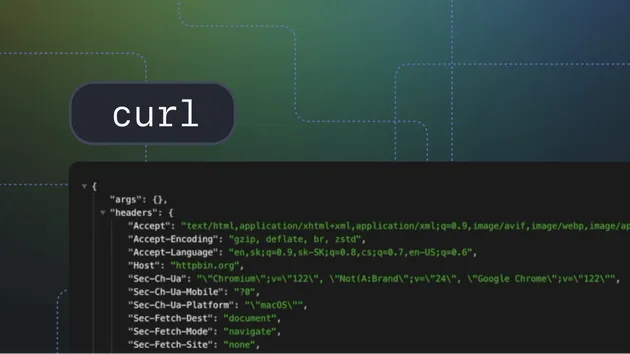
HTTP Headers Inspector fetches each URL you give it (real Chrome 124 fingerprint, redirects followed) and returns the complete set of response headers as a clean, lowercased dictionary, plus the headers that matter most pulled out into their own dedicated fields. Point it at one URL or thousands.
No login, no token, no browser automation to configure — paste URLs, run, get structured header data.
What you get per URL
| Field | Description |
|---|---|
url / final_url | Requested URL and the URL after redirects |
status_code | HTTP status (200, 301, 404, …) |
http_version | HTTP/1.1, HTTP/2 or HTTP/3 |
server | Server header value |
content_type | Content-Type header |
content_length | Content-Length as an integer |
cache_control | Cache-Control directives |
etag / last_modified | Cache validators |
content_encoding | gzip / br / deflate |
powered_by | X-Powered-By (framework/runtime hint) |
hsts | Boolean — is HSTS (Strict-Transport-Security) present? |
set_cookie_count | Number of Set-Cookie headers |
cdn | Detected CDN/edge (Cloudflare, Fastly, CloudFront, Akamai, Vercel…) |
all_headers | Every response header as a {lowercased-key: value} dict |
source, scraped_at | Provenance and UTC timestamp |
Input
- mode —
inspect(fetch URLs → header objects). - urls — list of URLs. Bare domains are auto-prefixed with
https://. - maxItems — cap on URLs processed per run (default 200, max 2000).
Example output
Use cases
- Tech audits — fingerprint the server, framework (
x-powered-by) and HTTP version across a list of sites. - CDN & cache debugging — check
cache-control,etag,x-cache,cf-cache-statusand which CDN is in front of each origin. - Security review — confirm HSTS is set, spot missing security headers, and audit
set-cookiecounts at scale. - Dev QA — verify deploys return the expected status, content-type and caching headers before and after a release.
Pricing
Runs on Apify's pay-per-usage. Inspecting headers is a single lightweight request per URL, so typical cost is about ~$0.5 per 1,000 URLs depending on response sizes and your plan. No third-party API key required.
Related Actors by ninhothedev
- Security Headers Checker — grade a site's security header posture.
- Website Uptime Monitor — scheduled up/down checks.
- Redirect Chain Tracer — follow and map full redirect hops.
- Website Tech Stack Detector — identify frameworks, servers and analytics.
Notes
- Uses
curl_cffiwith Chrome 124 impersonation and falls back tourllibif needed. - Every field is nullable; failed fetches return a row with an
errormessage rather than crashing the run. - Respect target sites' terms of service and robots policies when inspecting at scale.