
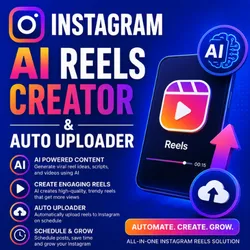
Instagram AI Reels Creator & Auto Uploader
Pricing
from $100.00 / 1,000 generate ai images
Instagram AI Reels Creator & Auto Uploader
Instagram AI Reels Creator & Auto Uploader :Create viral Instagram reels automatically with AI. Generate videos, captions, hashtags, voiceovers, and auto-upload reels to Instagram in one click.
Pricing
from $100.00 / 1,000 generate ai images
Rating
0.0
(0)
Developer

bhansalisoft
Maintained by CommunityActor stats
0
Bookmarked
215
Total users
4
Monthly active users
2 months ago
Last modified
Categories
Share
Instagram AI Reels Creator & Auto Uploader
Create engaging Instagram Reels automatically with AI. Generate reel ideas, scripts, images, videos, captions, hashtags, and voiceovers, then automate your Instagram content workflow from a single Apify Actor.
Instagram AI Reels Creator & Auto Uploader is built for creators, influencers, marketers, agencies, brands, meme pages, and faceless content channels that want to produce and publish Instagram Reels with less manual work.
🚀 What This Actor Does
Turn a simple story or content idea into an AI-powered Instagram Reel.
The Actor can help automate the complete content workflow:
Story / Idea → AI Content → Images → Video → Caption → Hashtags → Instagram Reel
You can use it to create content such as:
- Motivational Reels
- Health & food videos
- Product promotion videos
- Funny and joke videos
- Educational content
- Faceless videos
- Quote videos
- Storytelling videos
- Marketing content
- Theme-page content
✨ Key Features
🛠️ How to Use
Step 1 — Enter Your Story
Provide the story, topic, or idea you want to turn into a Reel.
Example:
Step 2 — Configure the Video
Choose your desired video type and visual style.
You can customize the content according to the type of Reel you want to create.
Step 3 — Run the Actor
Start the Actor from Apify Console or use the Apify API.
The Actor processes your input and generates the requested Reel content.
Step 4 — Publish Your Reel
- Publish on instagram require Instagram Cookie
Process for get Instagram Cookies
- ✅ Step 1 : Install Chrome Extension Export cookie JSON file for Puppeteer in chrome browser
- ✅ Step 2 : Login to your Instagram into chrome browser
- ✅ Step 3 : After login, open chrome Extension "Export cookie JSON file for Puppeteer" and Click Export cookies as JSON, it will download Cookie json file, from file copy cookie.
- ✅ Step 4 : Go to Software input Area,Paste Cookie on Box "Instagram Cookie"
Use the generated content in your Instagram publishing workflow and automate posting according to your configured schedule.
📥 Input Example
The current Actor API documentation shows these example input fields: Story, Video_Type, Image_Style, and ExtraTitle_Tag.
🔌 API Usage
You can run the Actor programmatically through the Apify API.
HTTP API
The Actor also provides synchronous API endpoints for running the Actor and retrieving dataset/output data.
💻 JavaScript Example
The Actor can be called from JavaScript/TypeScript and other environments using the Apify API.
🔄 Automation Workflow
A typical automated content workflow can look like this:
This makes the Actor useful for building automated social media content pipelines.
🤖 AI Reel Creation
Provide a simple story, topic, or idea and generate Reel content automatically.
Create:
- Reel scripts
- Hooks
- Story content
- AI-generated images
- Video scenes
- Captions
- Hashtags
- Voiceover content
🎬 Automated Video Creation
Create short-form vertical videos designed for social media platforms.
The Actor can combine AI-generated visual content with your story and video settings to produce Reel-ready content.
📱 Instagram Reel Auto Upload
Automate the process of uploading generated Reels to Instagram.
Instead of manually creating and uploading every video, you can integrate Reel creation and publishing into an automated workflow.
📅 Content Scheduling
Build a consistent Instagram publishing workflow by scheduling your content.
Useful for creators and businesses that want to maintain regular Reel publishing without manually posting every video.
#️⃣ AI Captions & Hashtags
Generate relevant captions and hashtags based on your Reel topic.
Use topic-specific hashtags to make your content easier to discover and improve your Instagram content workflow.
👥 Multi-Account Automation
Manage content workflows for multiple Instagram accounts.
This is particularly useful for:
- Social media agencies
- Marketing teams
- Multiple niche pages
- Client accounts
- Faceless content networks
You can configure multiple Instagram account sessions/cookies and manage automated posting workflows.
💰 Low-Cost AI Reel Creation
The Actor is designed to keep AI video creation affordable, with the current listed pricing starting from $100 per 1,000 AI images. Check the Apify pricing tab for the latest cost before running large workloads.
🎯 Who Is This For?
Content Creators
Generate a regular stream of Instagram Reel content without creating every video manually.
Influencers
Create engaging short-form content and maintain a consistent posting schedule.
Digital Marketers
Automate content production for campaigns, products, and social media marketing.
Social Media Agencies
Create and manage Reel content workflows for multiple clients.
E-commerce Businesses
Generate product-focused videos and promotional Reels.
Faceless Instagram Pages
Create automated content around niches such as motivation, health, education, entertainment, facts, and storytelling.
Meme & Theme Pages
Automate repetitive content creation and publishing workflows.
💡 Use Cases
Motivational Reels
Create motivational quotes, stories, and inspirational short videos.
Health & Food Content
Generate short-form health, nutrition, recipe, and food-related videos.
Product Advertising
Create promotional Reels for products, services, and online businesses.
Funny Videos
Generate joke, comedy, and entertainment-focused short videos.
Faceless Content
Build content channels without appearing on camera.
Automated Theme Pages
Create a repeatable content pipeline for niche Instagram pages.
📈 Why Use an AI Instagram Reel Creator?
Creating Reels manually can require:
- Finding content ideas
- Writing scripts
- Creating images
- Editing videos
- Recording voiceovers
- Writing captions
- Finding hashtags
- Uploading videos
- Maintaining a publishing schedule
Automating these repetitive steps can significantly reduce the time required to maintain an active Instagram content workflow.
⭐ Benefits
- Save time on repetitive Reel creation
- Generate content from simple ideas
- Automate captions and hashtags
- Create AI-powered visual content
- Build repeatable content workflows
- Support multiple Instagram accounts
- Automate scheduled publishing
- Useful for agencies and client accounts
- Create faceless Instagram content
- Scale short-form content production
🔐 Instagram Account & Automation
When using Instagram automation, use accounts and sessions that you own or are authorized to manage.
Avoid excessive posting or activity that could violate Instagram's rules. Configure reasonable posting schedules and automation delays and follow Instagram's current Terms and platform policies.
💵 Pricing
Pricing can change over time. Check the Apify Pricing tab for the latest Actor cost.
The current listing indicates pricing from $100 per 1,000 generated AI images.
🚀 Get Started
Start creating AI-powered Instagram Reels with automated content generation and publishing.
Apify Actor: https://apify.com/bhansalisoft/instagram-ai-reels-creator-auto-uploader
Use this Actor to build a scalable Instagram content pipeline for your personal brand, business, agency, or automated content channel.
🔎 SEO Keywords
Instagram AI Reels Creator, Instagram Reel Creator, AI Instagram Reels, Instagram Reels Generator, AI Reel Generator, Instagram Reel Automation, Instagram Auto Uploader, Instagram Reels Auto Poster, AI Video Generator, Instagram Video Creator, AI Social Media Automation, Instagram Content Automation, Instagram Reels Automation, Instagram Marketing Automation, AI Content Creator, Faceless Instagram Reels, Instagram Reel Scheduler, Instagram AI Video Generator, automated Instagram content, AI Instagram video creator.


