
Lazada Price Tracker — Price History, Stock & Sales API
Pricing
from $1.60 / 1,000 product details
Lazada Price Tracker — Price History, Stock & Sales API
Track Lazada prices, discounts, stock and sales on a schedule in Singapore, Malaysia, Thailand, the Philippines, Vietnam and Indonesia. Every run flags price drops, rises, restocks and new items vs the last run. Also scrapes products, search, shops and reviews. Export, API, MCP.
Pricing
from $1.60 / 1,000 product details
Rating
0.0
(0)
Developer

BlueskyScraper
Maintained by CommunityActor stats
0
Bookmarked
6
Total users
5
Monthly active users
2 days ago
Last modified
Categories
Share
What is Lazada Price Tracker?
Lazada Price Tracker watches Lazada prices, discounts, stock and sales over time on all six Lazada storefronts — Indonesia, Malaysia, Singapore, Thailand, the Philippines and Vietnam. Schedule it daily or hourly on your products, a search or a competitor's shop, and every run tells you what changed since the run before: 📉 price drops, 📈 price rises, 📦 sell-outs and restocks, 🆕 new listings and how many units sold in between.
It is also a full Lazada scraper and an unofficial Lazada API: product details with every variant's price and stock, search results, whole shop catalogs with 7- and 30-day sales, and ⭐ reviews with photos and seller replies. No login, no cookies, no official API key. Download the rows as JSON, CSV or Excel, or read them through the API, webhooks or an AI agent over MCP.
📈 How to monitor Lazada prices on a schedule
- Put your product URLs, a keyword or a shop URL into the input.
- Type any name into 📈 Watchlist name, for example
my-competitors. - Press Save & Start, then Schedule the Actor (daily or hourly) with the same input.
Every run compares itself with the previous run of the same watchlist. Each row gets:
| Field | Example | Meaning |
|---|---|---|
changeType | price-down | new, price-down, price-up, stock or unchanged |
previousPrice → price | 35 → 31.54 | price at the previous run and now |
priceChange, priceChangePercent | -3.46, -9.89 | |
previousStockStatus, stockChanged | out_of_stock, true | sold out or back in stock |
soldDelta, soldLast7DaysDelta | 42 | units sold since the previous run |
daysSincePrevious | 1 |
The run's status line sums it up — "5 rows. Since the previous run: 1 price-down, 1 price-up, 1 stock, 1 new." — and the 📈 Price & stock changes tab of the dataset shows only the comparison columns. Filter on changeType != "unchanged" in a webhook, Make, n8n or Zapier step to get an alert only when something moved.
The comparison is free. The history lives in a named key-value store on your own Apify account (lazada-watch-<name>), so nothing is lost between runs and items that drop out of a search keep their last known price. For a one-off comparison you can instead pick an earlier dataset in 📈 Compare with a previous run dataset.
What data can Lazada Scraper extract?
📦 Product details (one row per product URL)
| Field | Example | Notes |
|---|---|---|
title, brand | HADA LABO Hydrating Cleansing Oil 200ml, Hada Labo | |
price / priceText | 44.54 / RM44.54 | current sale price, number and as printed |
originalPrice, discountPercent | 65.5, 32 | strike-through price and Lazada's discount |
priceMin / priceMax | 44.54 / 44.54 | across all variants |
flashSaleActive / flashSaleSold | true / 182 | LazFlash counters while a flash sale runs |
rating, ratingCount, ratingDistribution | 5, 1903, {"5":1862,"4":36,"3":1,"2":1,"1":3} | full star histogram |
stockStatus, orderLimitMin/Max | in_stock, 1 / 200 | |
variations[] | {skuId, name: "Black / 128 GB", options, price, originalPrice, discountPercent, stockStatus} | every variant with its own name, price and stock |
seller | {id, name, url, positiveRatingPercent: 99, soldByStore: 615400, storeAgeYears: 9, repurchaseRatePercent: 47} | shop link and store badges |
vouchers[] | ["10% off","Min. spend RM60, Cap RM10"] | |
categories[] | ["Beauty","Makeup","Makeup Removers"] | breadcrumb |
deliveryText, deliveryEstimateMin/Max | Priority 48H, 2026-11-03 | delivery window |
images[], specifications, description | gallery, spec table, plain text |
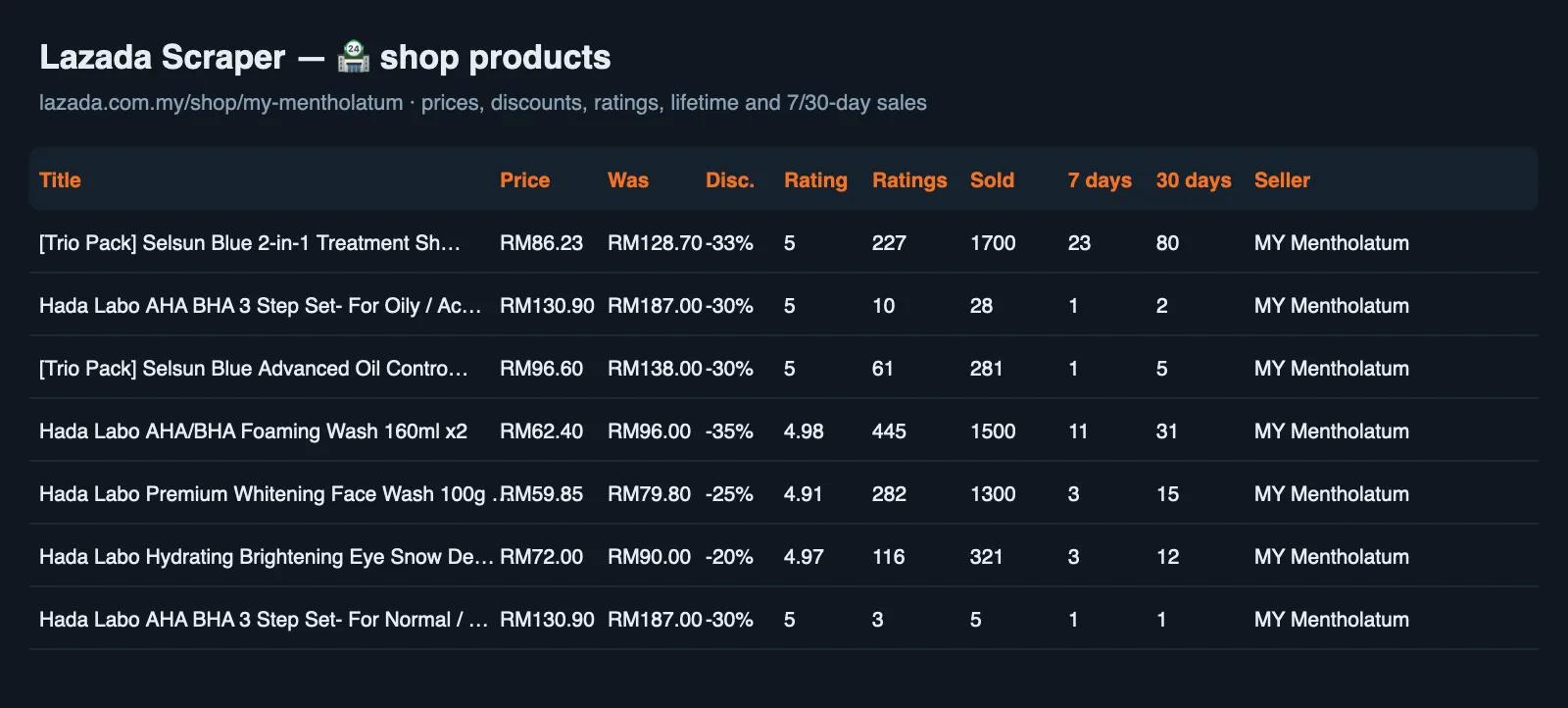
🔍 Search results and 🏪 shop products (one row per product card)
| Field | Example | Notes |
|---|---|---|
title, brand, url, image | ||
price, originalPrice, discountPercent | 95.55, 147, 35 | |
priceAfterVoucher | 85.99 | where Lazada shows a voucher price |
rating, ratingCount | 4.96, 1287 | |
soldTotal | 4230 | lifetime units sold |
soldLast7Days / soldLast30Days | 14 / 41 | 🏪 shop products Lazada features on the shop home page |
stockStatus, location | in_stock, Selangor | |
seller | {id, name, url} | |
query / shopUrl, shopFollowers | air fryer / shop link, 133176 |
⭐ Reviews (one row per review)
| Field | Example |
|---|---|
rating | 5 |
reviewContent | no fragrant. smooth and moist my skin so thoroughly… |
reviewAuthor | Y***n (masked by Lazada) |
reviewDate / reviewDateText | 2026-10-03 / 4 weeks ago |
variation | Volume:200 ml |
likes, images[], videos[] | 2, review photos, review videos |
sellerReply | Glad to serve you… |
productTitle, itemId, url | the reviewed product |
Every row starts with type (product, product_card, review or error), carries country and currency, and ends with scrapedAt. Each mode writes one row type, so the table is never a mix.
💰 How much does it cost to scrape Lazada?
Pay only for the rows you get. Error rows (wrong URL, delisted product, no reviews) are free.
| Event | Free plan | Bronze | Silver | Gold+ |
|---|---|---|---|---|
product_detail — one 📦 full product row | $3.20 / 1,000 | $2.40 / 1,000 | $1.60 / 1,000 | $1.60 / 1,000 |
product_card — one 🔍 search or 🏪 shop card | $3.20 / 1,000 | $2.40 / 1,000 | $1.60 / 1,000 | $1.60 / 1,000 |
review — one ⭐ review row | $1.20 / 1,000 | $1.03 / 1,000 | $0.87 / 1,000 | $0.79 / 1,000 |
Apify also charges a small start fee per run ($0.005 per GB of memory, about $0.01 per run). On a paid plan that is about 625 products per $1, and a 388-product shop catalog costs about $0.63. Set Max cost per run in the run options and the Actor stops exactly there, with everything written already paid for.
How to scrape Lazada with Lazada Scraper
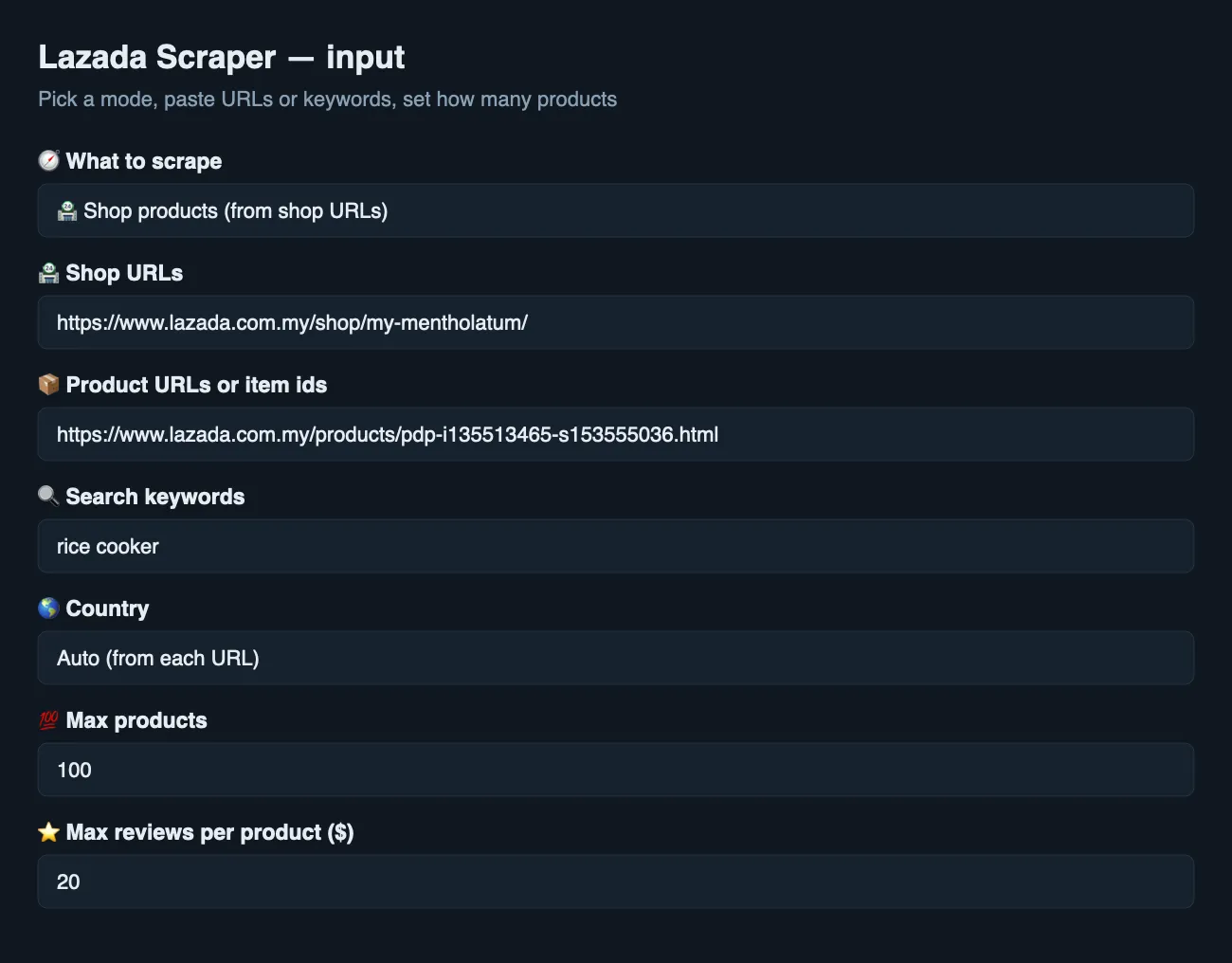
- Pick 🧭 What to scrape: 📦 Product details, 🔍 Search results, 🏪 Shop products or ⭐ Reviews.
- Paste product URLs, keywords (and choose a 🌎 Country), or shop URLs.
- Set 💯 Max products (and ⭐ Max reviews per product for reviews).
- Press Start, then download the dataset as JSON, CSV or Excel, or read it through the API.
⬇️ Input
📦 Product details
🔍 Search results
The Actor walks Lazada's result pages (40 cards each) until it has maxItems cards per keyword.
🏪 Shop products
The whole "All products" catalog of the shop, page by page.
⭐ Reviews
⬆️ Output
📦 Product row
🏪 Shop card
⭐ Review row
Use cases for Lazada data
Price monitoring and repricing
Schedule a watchlist on your competitors' product URLs: changeType, priceChange and flashSaleActive show every price move the day it happens, and stockChanged shows when a competitor sells out or restocks — the moment to raise your own price.
MAP and brand monitoring
Brands watch resellers on a search or shop watchlist and get a row with changeType: price-down whenever someone undercuts the minimum advertised price.
Sales tracking
soldDelta between scheduled runs of a shop or search watchlist estimates how many units each product sold per day.
Competitor shop analysis
🏪 Shop mode returns a competitor's whole catalog with prices, discounts, ratings and lifetime sold counts, plus 7- and 30-day sales for the products the shop features.
Market and assortment research
🔍 Search returns hundreds of cards per keyword with price, rating, sold count and seller — enough to map a category's price bands and which listings actually sell.
Review mining and product feedback
⭐ Reviews come with full text, attribute lines ("Effectiveness: …"), photos, videos and the seller's reply — ready for sentiment analysis, listing copy and support triage.
Catalogs for AI and RAG
Flat rows with stable field names drop into a spreadsheet, a database or a vector index without cleaning.
Integrations
- Apify API: run the Actor with
run-sync-get-dataset-itemsand get JSON back in one call. - Python / JavaScript: the
apify-clientpackage (example below). - n8n, Make, Zapier, Google Sheets, Airtable: use the Apify integration or an HTTP node; set a max cost per run so a loop cannot overspend.
- MCP server: AI agents can call it through the Apify MCP server (
mcp.apify.com). - Webhooks: subscribe to
ACTOR.RUN.SUCCEEDEDand fetch the dataset.
🤖 For AI agents
Minimal input. {"mode": "product", "productUrls": ["https://www.lazada.com.my/products/pdp-i135513465-s153555036.html"]}. Keywords need a storefront: {"mode": "search", "country": "th", "searchQueries": ["air fryer"]}. A shop: {"mode": "shop", "shopUrls": ["https://www.lazada.com.my/shop/my-mentholatum/"]}.
Behaviour. maxItems caps products per keyword, per shop, or in total for product URLs. Prices are numbers in the local currency (IDR, SGD, MYR, THB, PHP, VND) — convert before comparing countries. soldTotal is a lifetime counter shown on search and shop cards; Lazada no longer prints it on product pages, so product rows carry seller.soldByStore instead. Error rows explain the failure and are never charged; kind: "no-results" means the target simply has nothing (no reviews, no matches).
❓ FAQ
Is it legal to scrape Lazada?
The Actor collects only public data that any visitor sees without logging in. Reviewer names arrive already masked by Lazada. Personal data is protected by laws such as GDPR and PDPA; if you are unsure about your use case, consult a lawyer.
Can I track Lazada prices automatically?
Yes. Give the run a watchlist name and add a schedule (daily, hourly or any cron). Each run compares itself with the previous one and marks every row new, price-down, price-up, stock or unchanged. Connect a webhook, Slack, Google Sheets, Make or n8n to receive only the changes.
Can I use Lazada Price Tracker with the Apify API?
Yes. Every run can be started, scheduled and read through the Apify API or the apify-client libraries for Python and JavaScript.
Can I use it through an MCP server?
Yes. Connect the Apify MCP server to Claude, ChatGPT or any MCP client and the agent can call blueskyscraper/lazada-scraper directly — for example "check my Lazada watchlist and tell me which competitor dropped the price today".
Can I integrate it with other apps?
Yes — n8n, Make, Zapier, Google Sheets, Airtable, Slack and webhooks all work through Apify integrations.
How much does a typical run cost?
100 products on a paid plan cost about $0.16 plus the $0.01 start fee. Reviews are $0.79–1.20 per 1,000.
Is there one row per product?
One row per product in 📦 Product details, one per card in 🔍 Search and 🏪 Shop, one per review in ⭐ Reviews. Error rows are rows too, but free.
Do I need Lazada cookies, a login or an API key?
No. The Actor needs only a residential IP in the storefront's country, which it provides itself.
Why is Singapore slower to start?
The Singapore storefront challenges some residential exits. The Actor rotates exits and falls back to Apify Proxy; the first minute can go to opening a session, after which products are fast.
Why does a product row have no sold count?
Lazada removed the per-product sold counter from product pages. Use 🔍 Search or 🏪 Shop mode for soldTotal; product rows carry the store's total in seller.soldByStore.
Your feedback
Missing a field or a storefront feature? Open an issue on the Actor's Issues tab — we read every one and field requests ship fast. A short review on the Actor page helps other buyers find it.
You might also like
| Actor | What it does |
|---|---|
| Alibaba Scraper | Alibaba.com products, suppliers and prices |
| 1688 Product Details Scraper | 1688.com factory products, variants and wholesale prices |
| 1688 Image Search Scraper | Find the factory source of a product by its photo |
| Google Shopping Scraper | Google Shopping prices and sellers |


