

B2B Contact & Email Finder — Decision Makers by Domain
Pricing
from $0.02 / contact
B2B Contact & Email Finder — Decision Makers by Domain
Turn a company domain into named decision makers: full name, job title, seniority, department, LinkedIn URL and a work email built from the person's name, with a live DNS/MX check and full company firmographics attached to every contact.
Pricing
from $0.02 / contact
Rating
0.0
(0)
Developer

Yuliia Kulakova
Maintained by CommunityActor stats
0
Bookmarked
22
Total users
13
Monthly active users
a month ago
Last modified
Categories
Share
B2B Contact & Email Finder
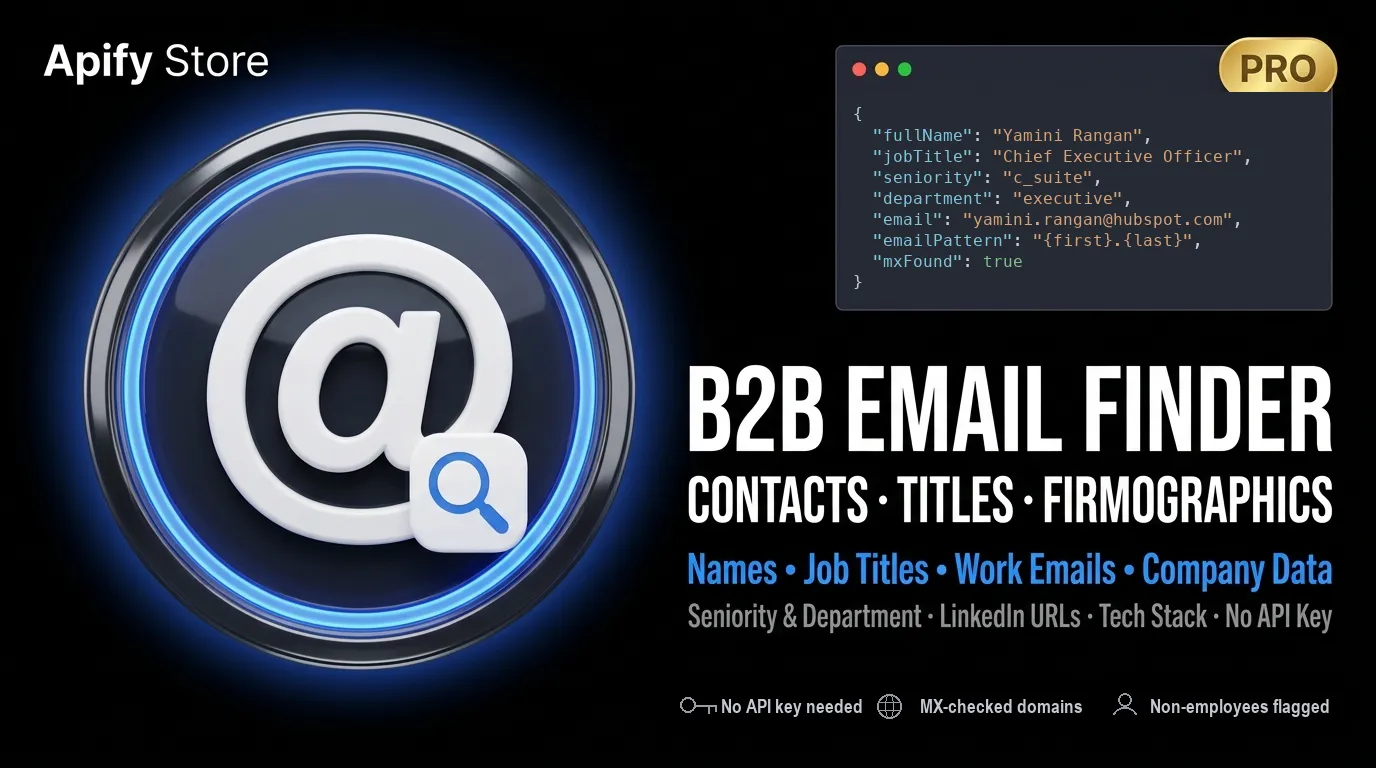
Give it a company domain, get named decision makers back. Full name, job title, seniority, department, LinkedIn URL and company firmographics — plus a work-email address for each person, with the domain's mail setup checked live and the exact evidence attached to every record.
What it does
Point the actor at one or more company domains. For each one it:
- Reads the company's own public pages, and falls back to a real browser for the ones that are rendered by JavaScript.
- Extracts named people — full name, job title, seniority, department and any publicly linked LinkedIn / social profiles — plus company firmographics (founded year, HQ, phone, tech stack, description, social profiles).
- Builds the work email when it isn't published. For a named person with no address on
the page it generates the likely work-email patterns (
{first}.{last}@domain, …), picks the highest-priority one, and records which pattern produced it inemailPattern. - Checks the address — syntax, role account, disposable domain and a live DNS/MX lookup of the domain — and returns a status, a 0-100 confidence score, the raw evidence and a timestamp.
Built for sales teams doing targeted outbound, recruiters sourcing named people at specific companies, and agencies building or cleaning contact lists for clients.
It works from public company websites plus generated patterns — it does not scrape LinkedIn and does not resell a third-party contact database.
What "checked" means here — read this before you buy
Email checking has levels, and this actor tells you exactly which level each record got.
| Check | What it proves | Runs on Apify |
|---|---|---|
| Syntax | the address is well formed | ✅ always |
| Role account | info@, sales@ … — a shared inbox, not a person | ✅ always |
| Disposable domain | throwaway mail provider | ✅ always |
| Live DNS / MX lookup | the domain really accepts mail, and through which server | ✅ always |
Mailbox probe (SMTP RCPT TO) | that one specific mailbox exists | ❌ needs outbound port 25 |
The mailbox probe does not run on Apify. Apify — like almost every cloud provider —
filters outbound port 25, so no actor running there can complete an SMTP handshake with a
mail server. The code for it is in the actor and switches on by itself wherever the port is
open (emailVerification: "full"), but on the platform it detects the block, writes
smtpBlocked: true into the record and falls back to the MX check. It never invents a
verdict it could not confirm.
So what you get per person is: a real name, a real title, and a pattern-built work address on a domain that is confirmed to accept mail — reported as
emailStatus: "unknown"emailConfidence: 50, because that is what was actually established. If a
tool promises you a per-mailbox valid verdict from inside a cloud platform, ask it which
port it used.
Addresses that are genuinely published on the company site are returned as found, not
guessed — the source field tells you which is which.
Key features
Per-record evidence, not a black-box score
emailStatus— on this platform you will seeunknown(domain accepts mail, mailbox not provable),role,disposableorinvalid. The valuesvalidandcatch-allexist in the code but require the mailbox probe, so they do not occur on Apify.emailConfidence— 0-100. What you will actually see: MX confirmed = 50, role = 40, disposable = 8, invalid or no MX = 0-3. (catch-all= 55 and a probed mailbox = 95 belong to the mailbox probe.)emailVerification—mode,mxFound,mxHost,smtpChecked,smtpBlocked,smtpCode,catchAll,disposable,roleand a human-readablenote.lastVerifiedAt— ISO-8601 stamp for freshness.
Browser-rendered team-page extraction
When the plain HTTP crawl finds zero people (JS-rendered leadership/team pages), a real
browser renders them and re-runs the same extractors. Controlled by renderJs
(auto = only when needed, always, off).
Company firmographics
Every contact carries a nested company object: name, website, industry, size, revenue
range, founded year, HQ address, phone, LinkedIn, social profiles, detected tech stack
and description.
No invented people, and no address that implies a job someone doesn't have
Every name and title comes off the page as written — nothing is inferred. People who appear
on a company page but are not employees — board members, investors, advisors, partners
at other firms — are returned with their real title and affiliation: "board/external", and
their company address is left null on purpose rather than built from a pattern.
The work address itself is either found on the site or built from the person's name,
and the record always says which: emailPattern names the pattern used, and source says
where the person came from (<domain> (team page), <domain> (json-ld), <domain> (site),
<domain> (role-probe), apollo (…)).
Word-accurate title filtering, and titles that carry two hats
Seniority and department are matched on whole words. Asking for CTO returns CTOs — not
every Director; asking for COO does not sweep in every Coordinator.
A title often belongs to more than one bucket: "CEO & Co-Founder" is both c_suite and
founder, "Chief Product & Technology Officer" is both product and engineering. Every
matching label is kept in seniorityAll / departmentAll, and your seniorities /
departments filters match against all of them — so filtering for the C-suite returns the
founder-CEO instead of quietly dropping them. seniority and department stay
single-valued for convenience and hold the primary label.
DNC / suppression list
suppressionList drops any email or whole domain you paste in — a simple opt-out / GDPR
do-not-contact control applied before results are written.
Role / shared-inbox separation
Generic inboxes (info@, sales@, support@, …) are never counted as people. The
opt-in roleEmailProbe writes them to a separate role-inboxes dataset, so they never
inflate your contact count and are never billed as contacts.
Optional: Apollo firmographic search (bring-your-own-key)
If you need free-text firmographic people search with no seed domain (industry / title /
seniority / headcount at scale), set mode: "search" and supply your own Apollo API key
(apolloApiKey). The query runs on your Apollo account, quota and terms; Apollo returns the
people and firmographics, and this actor builds and checks the emails. In this mode
domains and companyNames act as employer filters on the Apollo query — they are not
also crawled, so a search run never quietly bills you for a site crawl you did not ask for.
This is a secondary add-on — most users should use the default domain mode, which needs
no external key.
Input
The default and recommended mode is domainToContacts. Minimal example:
Core
| Field | Type | Default | Description |
|---|---|---|---|
mode | enum domainToContacts | search | domainToContacts | Pipeline mode. domainToContacts crawls the domains you give it; search is the optional Apollo/firmographic path. |
domains | array<string> | ["hubspot.com"] | Company domains to mine (e.g. hubspot.com). In search mode, an employer filter. |
companyNames | array<string> | [] | Company name filter / seed. |
personName | string | "" | Filter or seed by a specific person's name. |
maxResults | integer | 25 | Maximum contacts to output. |
Contact filters & output control
| Field | Type | Default | Description |
|---|---|---|---|
jobTitles | array<string> | [] | Keep people whose title contains any of these as a whole word (case-insensitive). |
excludeJobTitles | array<string> | [] | Drop people whose title matches any of these. |
seniorities | array<enum> | [] | founder, c_suite, partner, vp, head, director, manager, senior, entry. |
departments | array<enum> | [] | executive, engineering, product, sales, marketing, finance, hr, operations, legal, it. |
locations | array<string> | [] | Include locations (city / state / country substrings). |
excludeLocations | array<string> | [] | Exclude locations. |
keywords | array<string> | [] | Include keywords found on company pages. |
excludeKeywords | array<string> | [] | Exclude keywords. |
matchLogic | enum AND | OR | AND | Combine the filters above with AND or OR. |
requireEmail | boolean | true | Only return contacts with a non-invalid email. |
requirePhone | boolean | false | Only return contacts with a personal phone number. The site crawl yields company numbers, not per-person ones — with this on, domainToContacts runs usually return nothing. Useful mainly in Apollo search mode. |
dedup | boolean | true | Deduplicate by email + LinkedIn URL. |
suppressionList | array<string> | [] | Emails or domains to always drop (opt-out / DNC). |
Email verification
| Field | Type | Default | Description |
|---|---|---|---|
emailVerification | enum off | mx | full | mx | off = syntax / role / disposable only, no network; mx = also a live DNS/MX lookup; full = additionally attempt a mailbox probe, which needs outbound port 25 and falls back to mx automatically where the port is filtered (it is on Apify). |
emailPatterns | array<string> | 8 defaults | Patterns generated for named people. Tokens: {first} {last} {f} {l} {domain}. |
smtpTimeoutMs | integer | 8000 | Timeout per SMTP connection. Only used by emailVerification: "full"; where port 25 is filtered this is how long each blocked attempt waits before falling back. |
phoneEnrichment | boolean | false | Also collect phone numbers found on the company site into company.phone. |
roleEmailProbe | boolean | false | Opt-in. Also check common shared inboxes (info@, sales@, …). Written to a separate role-inboxes dataset; never counted as people and never billed. |
Crawl & rendering
| Field | Type | Default | Description |
|---|---|---|---|
maxPagesPerDomain | integer | 12 | Crawl budget per company domain. |
renderJs | enum auto | always | off | auto | Browser fallback for JS-rendered team pages. auto renders only when the HTTP crawl finds 0 people. |
proxyConfiguration | object | { "useApifyProxy": true } | Proxy for the site crawl and the browser fallback. Residential works best on protected sites. |
Firmographic search filters (search mode)
| Field | Type | Default | Description |
|---|---|---|---|
domainMatch | enum strict | contains | strict | How to match domains in search mode. |
industries | array<string> | [] | Industry filter. |
headcountRanges | array<enum> | [] | 1-10 … 10001+. |
revenueRanges | array<enum> | [] | <1M … >1B. |
fundingStage | array<enum> | [] | bootstrapped, pre_seed, seed, series_a … series_e_plus, ipo, acquired. |
techStack | array<string> | [] | Required technologies. |
Apollo (optional, bring-your-own-key)
| Field | Type | Default | Description |
|---|---|---|---|
apolloApiKey | string (secret) | "" | Your own Apollo master API key. Enables free-text firmographic people search with no seed domain. Runs on your Apollo account / quota / ToS. |
apolloSearchUrl | string | "" | Optional. Paste an Apollo people-search URL; its filters are parsed into the search. Requires apolloApiKey. |
apolloRevealEmails | boolean | false | Optional. Unlock each email via Apollo enrichment (consumes your own Apollo credits). Off = emails are built from name patterns and checked against DNS/MX at no extra cost. |
Output
One flat record per person, with a nested company object. Below is a real record
from a run against hubspot.com in mx mode, trimmed only by dropping the empty fields.
This address was not published on the site — it was built from {first}.{last}@{domain},
and what was confirmed is that the domain accepts mail. The record says exactly that.
When the mailbox probe is blocked
Running emailVerification: "full" on a network that filters port 25 — which includes the
Apify platform — produces this, a real captured object. Note that it reports the block
instead of returning a verdict:
Because the fallback is automatic and the outcome is the same as mx, running full on
Apify only costs you the timeout per domain. Use mx.
No company address for people who don't work there
Board members, investors and partners at other firms are returned with their real title and no company address — like this:
Field reference — person: recordType, fullName, firstName, lastName,
jobTitle, headline, seniority, seniorityAll, department, departmentAll,
affiliation, affiliationReason,
companyName, companyDomain, linkedinUrl, email, emailStatus, emailConfidence,
emailPattern, emailVerification, lastVerifiedAt, personalEmail, phone, mobile,
city, state, country, socials[], source. Company:
company.{ name, domain, website, industry, size, revenueRange, totalFunding, marketCap, foundedYear, hq, phone, linkedinUrl, socials[], techStack[], description, dataFreshness }Pricing
You pay for contacts, not for runtime. The full price list is two entries:
| Event | When it is charged |
|---|---|
lead-returned | One contact record written to your dataset — the person, their title and labels, LinkedIn URL, work address with its evidence, and the whole company object. |
apify-actor-start | Once when a run starts (Apify charges one of these per GB of the memory you run with). |
What is deliberately not on that list:
- Board members, investors and partners at other firms are returned for context but are not charged as contacts.
- Role / shared inboxes (
info@,sales@…) go to a separate dataset and are not charged either. - Email checking is not billed separately. A separate "email verified" charge would be billing you for a mailbox probe that cannot run on this platform, so there isn't one.
- Phone numbers are not billed separately. In Apollo mode the number came out of your own Apollo credits; charging again for it would be charging twice.
Set maxResults to cap what a single run can cost you.
Use cases
- Targeted outbound to specific companies — you already have an account list; feed the domains in and get named decision makers with work addresses for your sequencer.
- Account-based marketing (ABM) — map the buying committee at each target account (title + seniority + department) with company firmographics attached.
- Recruiting / sourcing — find named people at specific target employers without scraping LinkedIn.
- List enrichment — attach titles, seniority, department, LinkedIn URLs and firmographics to a list of domains you already have.
Honest limitations
- No per-mailbox verification on this platform. Outbound port 25 is filtered on Apify,
so the SMTP
RCPT TOprobe cannot complete and novalid/invalidper-mailbox verdict is produced here. You get syntax, role, disposable and a live MX check. If you need a per-mailbox verdict, run the output through a dedicated verification service before you send. The actor is explicit about this in every record rather than dressing a guess up as a confirmation. - A pattern-built address is a best guess on a confirmed domain. The pattern used is in
emailPattern, andsourcetells you whether the address was found on the site or built. - Catch-all domains can't be confirmed per mailbox by anyone. Where detectable they are
returned as
catch-all(confidence 55), flagged honestly, not asvalid. - Coverage depends on the public site. People and titles come from the company's own
team/leadership/about pages. Some companies deliberately publish none — Stripe is one:
it has no leadership page at all, so a run against
stripe.comreturns firmographics and zero named people. That is the site being empty, not the actor failing, and the log says so explicitly. - Firmographic people-search without a seed domain needs your own Apollo key. The default domain mode needs no external key and is what most users should use.
- No LinkedIn scraping. LinkedIn URLs are surfaced only when publicly linked on the site; the actor does not log in to or scrape LinkedIn.
FAQ
Where do the emails come from?
From the company's own site (mailto: links, contact/team pages) and, for named people
without a published address, from generated name patterns. Nothing is bought or resold from
a third-party database.
Is the email verified? The domain is verified live — MX lookup, plus syntax, role and disposable checks. The individual mailbox is not, because that requires outbound port 25, which this platform filters. Each record states exactly which checks ran.
What does emailConfidence mean?
A 0-100 score derived from the evidence actually collected: catch-all domain = 55, MX
confirmed but no mailbox probe = 50, role account = 40, disposable = 8, invalid or no MX =
0-3. The raw evidence sits in emailVerification, so you can set your own threshold.
Should I use emailVerification: "full"?
Not on Apify. It attempts a mailbox probe, waits out the blocked connection per domain and
then falls back to mx anyway — same result, slower. Use mx.
Do board members and shared inboxes count as contacts?
No. External/board people are returned with affiliation: "board/external" and no company
email; role inboxes (opt-in) go to a separate role-inboxes dataset. Neither is billed.
Do I need an Apollo key?
No — the default domainToContacts mode needs no external key. An Apollo key only unlocks
the optional free-text firmographic search mode.
Is this compliant for cold outreach?
The actor supports responsible use: a source field for provenance, a suppressionList
for opt-out/DNC, and field minimization. B2B cold email is generally defensible under
legitimate interest (GDPR Art. 6(1)(f)), but you are the data controller — keep a
documented basis and honour opt-outs.


