
Instagram Lead Finder
Pricing
from $30.00 / 1,000 leads
Instagram Lead Finder
Find Instagram leads by hashtag or username. Extract verified emails and phones from bios and websites, score every profile 0-100, classify influencer tiers, and detect niches. Export enriched leads ready for outreach.
Pricing
from $30.00 / 1,000 leads
Rating
0.0
(0)
Developer

Yuliia Kulakova
Maintained by CommunityActor stats
0
Bookmarked
26
Total users
4
Monthly active users
5 months ago
Last modified
Categories
Share
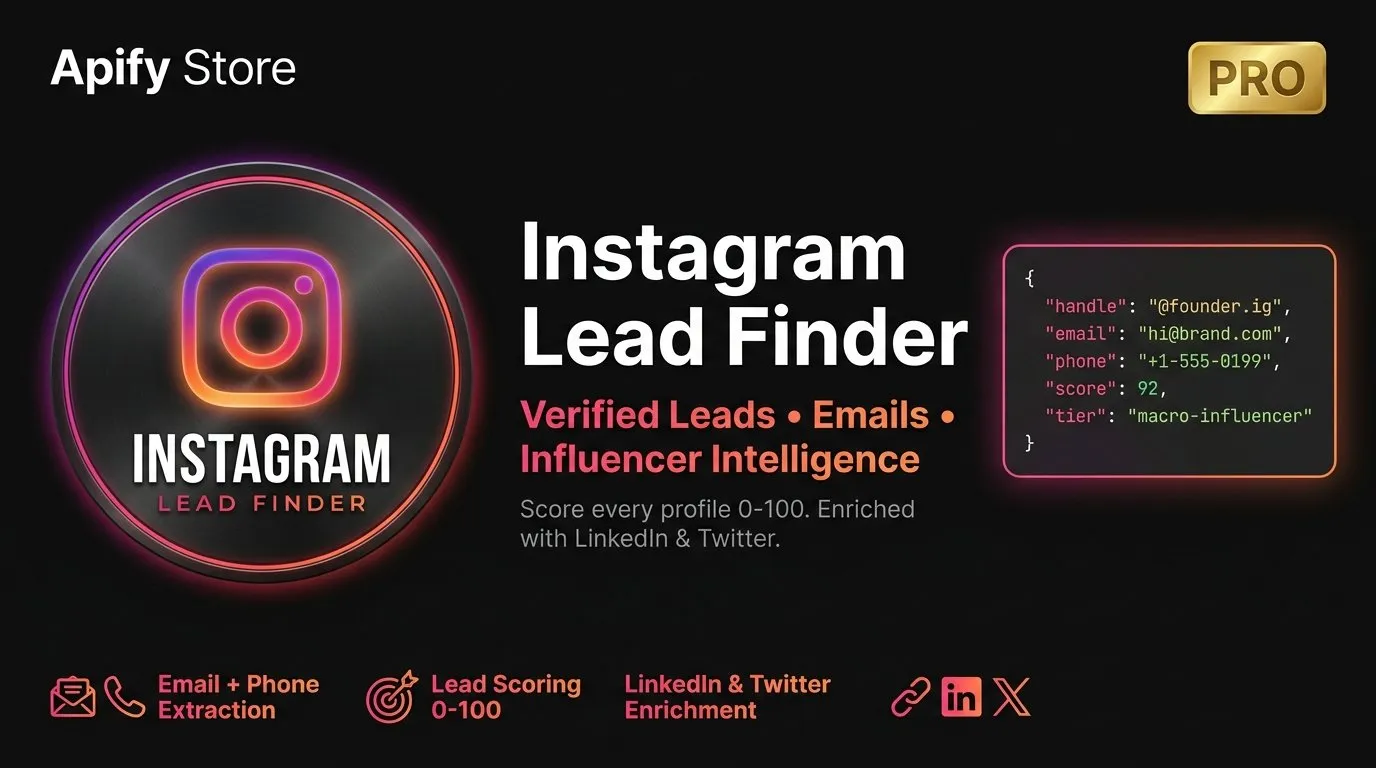
Turn any Instagram hashtag or username list into a scored, enriched lead database with verified emails, phone numbers, and cross-platform social links — ready for outreach in minutes.
What you get for every profile
- Email address — extracted from bio text and by crawling the profile's linked website (homepage + /contact page). Website crawl finds 3-5x more emails than bio alone
- Email verification — every email is checked via DNS MX record lookup. You see
valid,invalid, oruncertain— no guessing - Phone number — extracted from bio (international and domestic formats)
- LinkedIn & Twitter links — cross-referenced from bio text, so you can reach leads on multiple platforms
- Lead score 0-100 — transparent, honest scoring based on 7 signals. You see exactly why each profile scored the way it did
- Influencer tier — rising, nano, micro, macro, or mega — based on follower count
- Niche category — 15 categories auto-detected from bio keywords (fitness, business, marketing, tech, beauty, and more)
- Full profile data — followers, following, posts count, verified badge, business account flag, bio text, profile picture, website URL
Quick start
Option 1 — Enrich specific accounts (no login needed):
Option 2 — Find leads by hashtag (requires session cookie):
That's it. The actor handles everything else — extraction, enrichment, verification, scoring, and filtering.
Use cases
Find micro-influencers for brand deals
Search hashtags like #fitnesscoach or #beautyblogger, filter by 10K-100K followers and minimum engagement rate. Get a list of creators who actually have contact info and are reachable.
Build a B2B prospect list
Target founders, consultants, and agency owners by filtering bios for business keywords. The lead score prioritizes profiles that have email, website, and phone — the contacts most likely to convert.
Enrich a competitor's follower list
Already have a list of Instagram handles? Drop them in and get full enrichment — emails, phones, scores, tiers, niches — without needing a session cookie.
Find UGC creators open to collabs
Search for creators who mention collaboration availability in their bio. Filter for those with real contact info.
Lead score explained
Every profile gets a transparent score from 0 to 100. Here's how it works:
| Signal | Points | What it means |
|---|---|---|
| Email in bio | 25 | Direct contact found in profile text |
| Email on website | 20 | Contact found by crawling linked website |
| Phone in bio | 15 | Phone number found in profile text |
| Has website | 10 | Profile links to an external website |
| Engagement rate | 15 | Higher engagement = more points (capped at 10%) |
| Follower reach | 10 | Log scale — bigger audience = more points |
| Business account | 5 | Business or creator account type |
Score guide:
- 60-100 — High-value lead. Has email, website, strong engagement
- 30-59 — Warm lead. Partial contact data, worth reaching out
- 0-29 — Low priority. Limited contact info available
Every score comes with a full breakdown so you can see exactly where the points came from.
Output example
Influencer tiers
| Tier | Follower range |
|---|---|
| Rising | Under 1K |
| Nano | 1K - 9.9K |
| Micro | 10K - 99K |
| Macro | 100K - 999K |
| Mega | 1M+ |
Niche categories
The actor detects 15 niche categories from bio keywords:
Fitness, Health, Beauty, Fashion, Food, Travel, Business, Marketing, Tech, Photography, Real Estate, Finance, Education, Parenting, Lifestyle
If the profile has an official Instagram category set, that takes priority.
Filters
| Filter | What it does |
|---|---|
| Min/Max Followers | Target a specific audience size range |
| Bio Keywords | Only include profiles mentioning specific terms |
| Min Engagement Rate | Filter out low-engagement accounts |
| Min Lead Score | Only export leads above your quality threshold |
All filters stack — set as many as you need to get exactly the leads you want.
Session cookie
Hashtag search requires an Instagram session cookie. Direct username mode works without one.
How to get it:
- Log in to Instagram in your browser
- Open DevTools (F12) → Application → Cookies → instagram.com
- Copy the value of
sessionid - Paste it into the Session Cookie input field
Your cookie is stored securely and never logged.
Pricing
This actor uses pay-per-event pricing:
- $0.03 per lead saved to the dataset
- You only pay for results that pass all your filters
- No monthly fees, no subscriptions
- Platform fees (compute + proxy) are billed separately by Apify at cost
Example: 100 leads = $3.00 + platform fees
FAQ
Do I need a session cookie? Only for hashtag search. If you're enriching a list of usernames, no cookie is needed.
Can I scrape private accounts?
No. Private accounts are detected and marked as isPrivate: true, but their data is not accessible.
Why is engagement rate null for some profiles?
Instagram doesn't always include post engagement data in the API response. When this happens, the actor reports null rather than guessing.
Why is the email null even with website crawl enabled? Some websites don't have a publicly visible email address, or use contact forms instead. The actor checks the homepage and common contact pages (/contact, /contact-us, /about, /about-us).
Is this safe to use? The actor uses Instagram's own web API endpoint — the same one your browser calls when you visit a profile. It runs through residential proxies and respects rate limits.


