
SEO Page Audit: On-Page Checker, Meta, Headings, Schema
Pricing
from $7.00 / 1,000 audited pages
SEO Page Audit: On-Page Checker, Meta, Headings, Schema
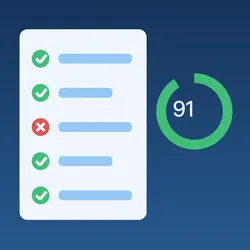
Audit pages for on-page SEO: title and meta description length and duplicates, canonical, noindex, headings, alt text, broken images, Open Graph, structured data and mixed content, with an issue list and a 0-100 score. Crawl a site, a sitemap or a URL list.
Pricing
from $7.00 / 1,000 audited pages
Rating
0.0
(0)
Developer

Charles Markette
Maintained by CommunityActor stats
0
Bookmarked
2
Total users
1
Monthly active users
3 days ago
Last modified
Categories
Share
SEO Page Audit checks the on-page SEO of any list of URLs, the pages in a sitemap, or a small crawl of one site. Each page becomes one row with its title, meta description, canonical, robots / noindex, hreflang, headings, word count, image alt text, broken images and links, Open Graph and Twitter cards, JSON-LD and microdata types, mixed content, a list of issues (each an error, warning or notice with a plain-English message) and a score from 0 to 100. Duplicate titles and meta descriptions across the run are flagged on every page that shares them.
Why this Actor
- One row per page, ready for a spreadsheet. Every check is a column (
title,titleLength,canonicalStatus,h1Count,wordCount…), and theissueslist says what to fix, so you can sort byscoreand start at the worst pages. - Indexability in one field.
indexableandindexabilityReasoncombine the HTTP status,noindexin meta robots or theX-Robots-Tagheader, a canonical pointing elsewhere, and whether robots.txt allows the page for Googlebot. - Duplicates across the run. Pages with the same title or meta description (ignoring case and spacing) are all flagged, not only the later ones, and the run summary lists each group with its URLs.
- Images and links checked. Up to 30 images per page are checked for errors and for files over 500 KB; with Check internal links on, up to 50 same-site links per page are checked for 4xx/5xx. Each image or link is requested once per run, however many pages use it.
- You pay only for real pages. A row is charged only when the page answered 2xx with HTML. 404s, redirects to errors, PDFs, timeouts, blocked addresses, pages blocked by robots.txt and invalid URLs get a free row that says why.
- Polite and safe. robots.txt is respected by default (for every URL and every redirect hop), at most 2 requests per site at a time, and a User-Agent that names the tool (
SEOPageAudit/1.0; +https://apify.com/charlesmarkette). Requests to private, loopback, link-local and cloud-metadata addresses are refused, on the first request and on every redirect.
Use cases
- Pre-launch checks: audit a staging or new site's pages for missing titles, descriptions, H1s, canonicals and
noindexleft on by mistake. - Regular site health: run weekly on your sitemap and compare scores and issue counts over time.
- Migrations: check that old URLs redirect in one hop and that new pages are indexable with self-canonicals.
- Client and competitor snapshots: audit a few dozen key pages of any site in minutes.
- Content teams: find thin pages (
wordCount), duplicate titles and descriptions, and images without alt text.
How to use it
- Paste page URLs under Start URLs, or add a sitemap under Sitemap URLs, or pick a dataset of URLs under Dataset to audit.
- Optional: turn on Crawl the site to follow links on the same site, up to Max pages (default 50, at most 5,000) and Max crawl depth (default 2).
- Run it, then open the Overview or Issues view of the dataset, or download it as CSV, Excel or JSON.
Input example:
Output example (one row, shortened):
Other columns: viewport, charset, favicon, jsonLdErrors, microdataItemCount, iframeCount, deprecatedTags, duplicateTitle, duplicateMetaDescription, contentType, depth, source (startUrls, sitemap, crawl or dataset). result is audited, http-error, not-html, robots-blocked, failed or invalid-url. The run summary (key-value store record OUTPUT) has counts per result, the average score, how many pages have each issue, and the duplicate title and description groups.
What is checked
All checks read the page's static HTML and response headers (no JavaScript is run). Each finding is an issue with a code, a severity and a message:
| Severity | Issue codes |
|---|---|
| error | robots-txt-disallowed, canonical-multiple, canonical-invalid, title-missing, h1-missing, images-broken, links-broken |
| warning | redirect-chain, insecure-http, meta-refresh, noindex, title-too-long, title-too-short, title-multiple, title-duplicate, meta-description-missing, meta-description-multiple, meta-description-duplicate, h1-empty, lang-missing, hreflang-invalid, hreflang-relative, hreflang-conflict, viewport-missing, mixed-content, images-missing-alt, images-large, structured-data-invalid |
| notice | redirect, slow-response, large-html, nofollow, canonical-missing, canonical-other, canonical-duplicate, canonical-relative, meta-description-too-long, meta-description-too-short, h1-multiple, heading-levels-skipped, low-word-count, lang-invalid, hreflang-no-self, charset-missing, favicon-missing, deprecated-tags, images-empty-alt, no-internal-links, open-graph-missing, twitter-card-missing, structured-data-missing |
Thresholds: title 30–60 characters, meta description 70–160 characters, at least 200 words of visible text, response over 3,000 ms, HTML over 1 MB, images over 500 KB. hreflang codes must look like en, en-GB, zh-Hant, es-419 or x-default.
Score: every page starts at 100 and loses 10 points per error, 5 per warning and 1 per notice. Each issue code counts once per page (20 images without alt text is one warning, not 20), and the score never goes below 0. Rows that weren't audited (HTTP errors, non-HTML, blocked, failed) have score: null and one issue saying why.
Duplicates: rows are kept in memory and written in blocks of up to 5,000 pages, so in runs of up to 5,000 pages every page of a duplicate group is flagged. In bigger runs (a large dataset or URL list), a page is compared with every page audited before it and in its own block, but rows already written in an earlier block aren't updated; the run summary still lists every group. Pages are told apart by their final URL, so two URLs that redirect to the same page aren't duplicates of each other.
How much does it cost?
Pay per event: $0.01 per page audited, plus Apify's $0.00005 run start. Apify platform usage is included.
- A page audited is one output row with
result: "audited": a URL that answered 2xx (after following redirects) with an HTML page. - Free: rows for HTTP errors (404, 403, 500…), non-HTML files (PDFs, images, JSON…), pages blocked by robots.txt, timeouts, DNS errors, blocked private addresses and invalid URLs. Image and link checks cost nothing extra. The $0.00005 run start applies to every run, even one where no page is audited.
Apify Store discounts: the price above is for Apify's Free plan. Paid plans pay less per page audited: $0.009 on Starter, $0.008 on Scale, $0.007 on Business. The "from" price at the top of the Store page is the Business price.
Worked examples:
Examples use the Free-plan rate. Where an example doesn't add it, each run also has its run-start charge, counted per GB of Actor memory (minimum one; one at the default 512 MB).
- The default input (2 home pages): 2 × $0.01 + $0.00005 = $0.02005.
- A crawl with Max pages 50 where 46 pages are HTML and 4 links return 404: 46 × $0.01 + $0.00005 = $0.46005. The 4 error rows are free.
- A sitemap of 1,000 pages, all live: 1,000 × $0.01 = $10.00 (+ run start).
- A weekly audit of the same 200 pages: 200 × $0.01 + $0.00005 = $2.00005 per run, about $8.00 per month (4 runs).
If you set a maximum cost per run, the Actor stops starting new pages when the next paid page wouldn't fit, and the summary says "stoppedBy": "max cost". No audited row is stored that wasn't paid for, and nothing is charged that wasn't stored; if a block of buffered rows doesn't fully fit at write time, the rest isn't written and the summary's notOutput says how many. If a run is restarted (for example after a migration or a timeout), URLs already in its dataset are skipped, so nothing is charged twice.
FAQ and limits
Does it run JavaScript?
No. It reads the HTML the server sends, as a search engine's first pass does. Titles, meta tags, links or structured data that only appear after JavaScript runs (many single-page apps) aren't seen, and those pages may show as missing a title or H1.
Does it measure page speed or Core Web Vitals?
No. responseTimeMs is only the time to download the HTML from Apify's servers. For LCP, CLS, INP and Lighthouse scores, use our PageSpeed & Lighthouse Audit.
Does it give backlinks, rankings or keyword data?
No. It audits what is on the page. It has no backlink, search volume or ranking data.
Does it use proxies or get past bot protection?
No. Requests come from Apify's servers without proxies. Sites that block automated access (Cloudflare challenges, HTTP 403 or 429) get a free http-error row.
How does the crawl work?
With Crawl the site on, links on each audited page are followed if they stay on the same site as a start URL or sitemap page (www. and the bare domain count as one site), skipping links to files such as PDFs and images. It stops adding pages at Max pages (default 50, at most 5,000) and Max crawl depth. Links on pages with nofollow aren't followed. Start URLs you list and dataset URLs are always audited, even beyond Max pages.
How does the robots.txt check work?
With Respect robots.txt on (the default), each site's robots.txt is read once per run, and pages it disallows for bots aren't fetched (free robots-blocked row). Separately, every row's robotsTxtAllowed says whether the site's rules allow the page for Googlebot, and a disallowed page gets the robots-txt-disallowed error. With it on, internal links that robots.txt disallows for bots aren't checked either (images are, like a browser loading the page would).
What do the image and link checks do?
For each page, up to 30 image URLs and (if turned on) up to 50 internal link URLs get a HEAD request (a short GET if the server refuses HEAD or doesn't send a size). An image or link is broken if it answers 4xx/5xx or can't be reached. External links aren't checked; for a full broken-link crawl, use our Broken Link Checker.
Are there size limits?
Pages are capped at 10 MB while downloading. Sitemaps are capped at 50 MB each, up to 50 sitemap files and 3 levels of sitemap indexes per run. Very large runs (thousands of pages with many images) may need more than the default 512 MB of memory.
Related Actors
| Actor | Use it to |
|---|---|
| PageSpeed & Lighthouse Audit | Measure Core Web Vitals and Lighthouse scores for the same pages. |
| Sitemap URL Extractor & New Page Monitor | Get every URL of a site's sitemaps (or only new ones), then audit them here with Dataset to audit. |
| Broken Link Checker | Crawl a whole site and check every internal and external link for 404s. |
| Bulk URL Status Checker | Check status codes, redirect chains and SSL certificates for large URL lists. |
| Website Tech Stack Detector | See which CMS, shop platform and analytics tools the audited sites use. |
| Google Sheets Sync | Send the audit rows to a Google Sheet after each run. |
Built with open-source software under permissive licences: lxml (BSD) for HTML and XML parsing, httpx (BSD) for requests, and charset-normalizer (MIT).


