Tavily Search MCP Server - Fast AI Web Search for Agents
Pricing
from $11.99 / 1,000 searches
Tavily Search MCP Server - Fast AI Web Search for Agents
Search the web through AI assistants via MCP. Tavily's AI search engine with ranked results, AI answers, images, and full page content. No API key needed. Works with Claude, ChatGPT, any MCP client.
Pricing
from $11.99 / 1,000 searches
Rating
0.0
(0)
Developer

ClearPath
Maintained by CommunityActor stats
1
Bookmarked
9
Total users
3
Monthly active users
14 hours ago
Last modified
Categories
Share
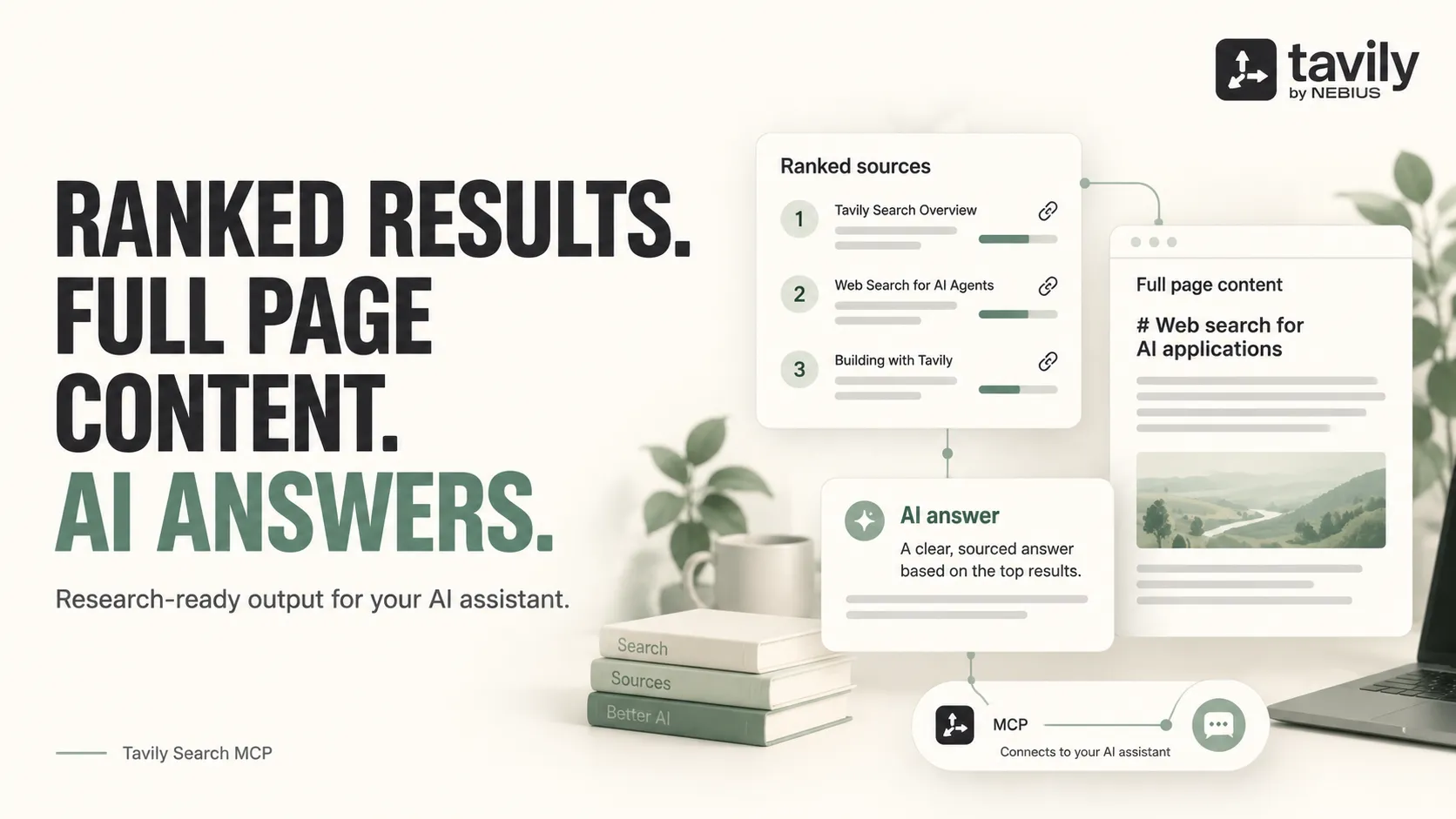
From Clearpath, creators of Tavily Search, Brave Search and Google AI Overview. Search results, source content and AI research tools from the same team.
Why choose this actor?
- Give your assistant the answer and its sources. Get ranked search results with relevance scores, source URLs and an optional AI-generated answer in the same response. Use scores to prioritize the pages worth reading.
- Bring full page content into the conversation. Enable Markdown or plain text to return source content alongside search snippets. Your assistant can work with the article itself; content availability depends on the source.
- Control where the research comes from. Include or exclude domains, set a date range, focus on news or use an exact phrase. Choose from four search depths and request up to 20 results per query.

Try a search with an answer and page content
Connect a compatible MCP client to:
Authenticate with Authorization: Bearer YOUR_APIFY_TOKEN, using your Apify token. No Tavily account or Tavily API key is needed. Ask your assistant to research how heat pumps work, with three sources, an AI answer and full page content, or call search with:
Open the actor for connection details. This example explicitly enables the AI answer and Markdown page content. Queries are sent through MCP; the actor input form needs no search configuration.
Charges follow search units used. Advanced search uses more units than Basic; answers may add units. Check the Pricing tab for current rates and plan discounts.
| Clearpath · Search & Research | |||
 Tavily MCP Tavily MCPYou are here |  Tavily Search Tavily SearchResearch exports |  Brave Search Brave SearchWeb, news & media |  AI Overview AI OverviewAnswers & sources |
Copy to your AI assistant
Copy this block into ChatGPT, Claude, Cursor, or any LLM to start using this actor.
Tool
1 tool available to connected AI agents:
search- Search the web using Tavily's AI search engine. Returns ranked results with relevance scores, snippets, and optional AI-generated answers, images, and full page content.
- Inputs:
query(string, required): Search query textsearch_depth(string, optional): "ultra-fast", "fast", "basic", or "advanced" (default "basic")max_results(number, optional): 1-20 (default 5)topic(string, optional): "general" or "news" (default "general")include_answer(string, optional): "false", "basic", or "advanced" (default "false")time_range(string, optional): "day", "week", "month", or "year"start_date(string, optional): Results after this date (YYYY-MM-DD)end_date(string, optional): Results before this date (YYYY-MM-DD)exact_match(boolean, optional): Exact phrase match only (default false)include_domains(array, optional): Only search these domainsexclude_domains(array, optional): Exclude these domainscountry(string, optional): Boost results from this countryinclude_raw_content(string, optional): "false", "markdown", or "text" (default "false")include_images(boolean, optional): Include image results (default false)include_image_descriptions(boolean, optional): AI descriptions for images (default false)chunks_per_source(number, optional): 1-3, advanced depth only (default 3)
- See the Pricing tab for current search-unit charges.
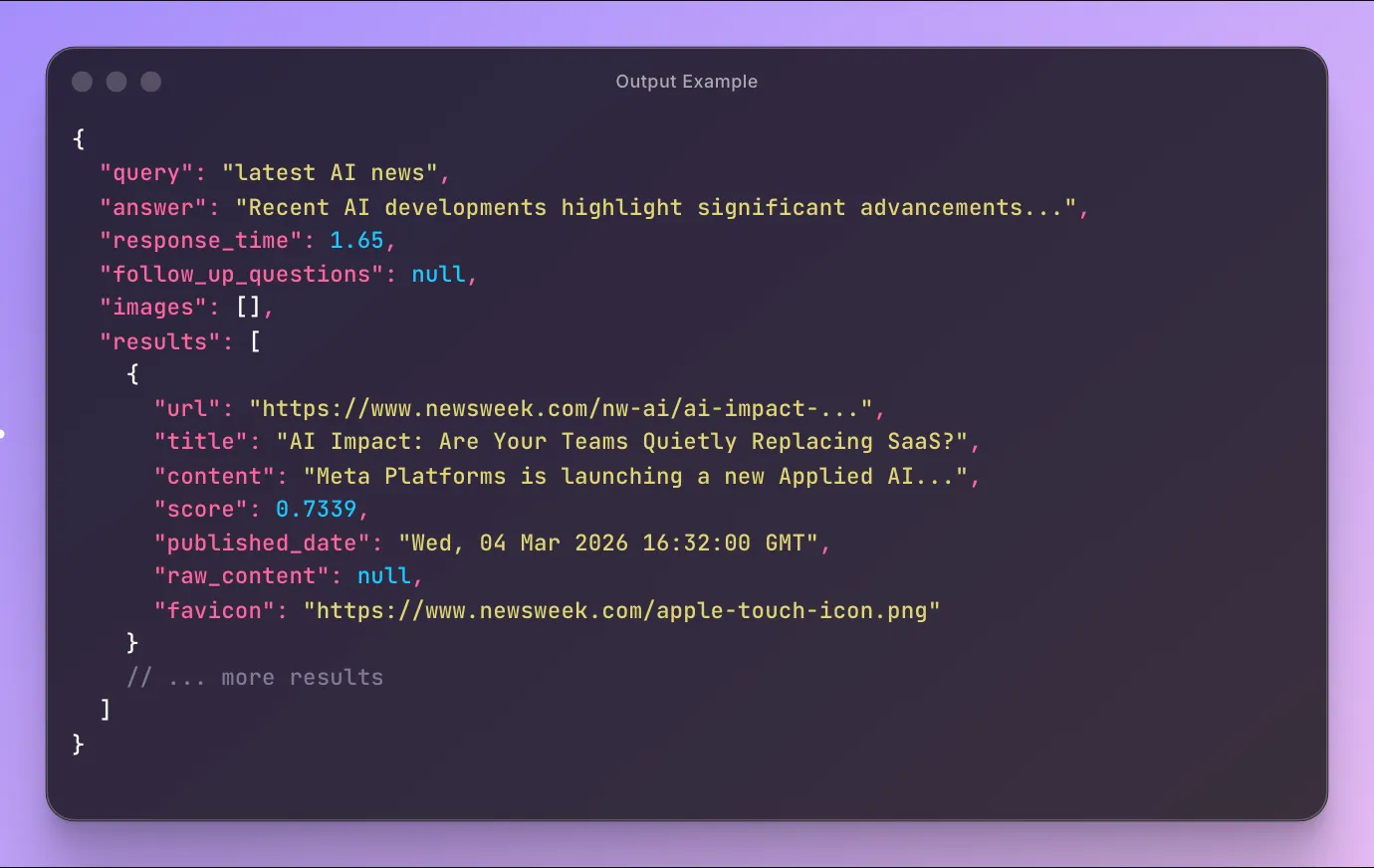
Output Example
Quick Start
Basic search
News search
Deep search with AI answer
Domain-restricted search
How It Works
- Agent connects to the MCP server endpoint
- Searches using the
searchtool with any combination of parameters - Gets results structured for easy consumption by the AI agent
No Tavily API key needed. The server handles everything.
Pricing
See the Pricing tab for current search-unit charges and plan discounts.
Basic, Fast and Ultra-fast searches normally use one search unit. Advanced uses two. AI-generated answers may use additional units; billing follows the units used by the request.
Configuration
No configuration required. The server works out of the box.
Replace YOUR_APIFY_TOKEN in all examples below with your Apify API token.
Usage with ChatGPT
ChatGPT supports MCP servers natively (Plus, Pro, Team, Enterprise plans).
- Open Settings > Connectors > Add connector
- Set Name to
Tavily Search - Set MCP Server URL to:
- Set Authentication to API Key and set the header:
- Header name:
Authorization - Value:
Bearer YOUR_APIFY_TOKEN
- Header name:
- Click Save
- Start a new chat, click + near the composer, select More, choose Tavily Search
Usage with Claude Desktop
Add to your claude_desktop_config.json:
- macOS:
~/Library/Application Support/Claude/claude_desktop_config.json - Windows:
%APPDATA%\Claude\claude_desktop_config.json
Restart Claude Desktop after saving.
Usage with Claude Code
Or add to your project's .mcp.json:
Usage with OpenClaw
Add to ~/.openclaw/openclaw.json:
Then message your OpenClaw bot on Telegram, WhatsApp, or Discord:
"Search for the latest news about AI regulation"
"Find me recent articles about climate change from the past month"
Other MCP Clients
Any client supporting the Streamable HTTP transport works. Use the MCP endpoint URL with your Apify API token as a Bearer auth header.
FAQ
Do I need a Tavily API key? No. No Tavily API key or Tavily account required. The server handles everything.
What's the difference between search depths? Ultra-fast and fast prioritize speed. Basic balances speed and relevance. Advanced provides the best relevance with multi-source content chunks.
What countries are supported?
195 countries. The country parameter boosts results from the specified country (general topic only).
Can I get full page content?
Yes. Set include_raw_content to "markdown" or "text" to get the full parsed content of each result page.
How is this different from the Tavily Search API actor? The API actor runs as a batch job and stores results in a dataset. This MCP server provides real-time search as tool calls for AI agents.
Can I use this without an AI assistant? Yes. Any MCP client works. You can also call tools programmatically via any MCP SDK.
Support
- Email: max@mapa.slmail.me
- Bugs: Issues tab
Search the web through AI agents. Get ranked results, AI answers, and full page content powered by Tavily.