


Telegram Number Validator - Bulk Check
Pricing
Pay per event
Telegram Number Validator - Bulk Check
Bulk verify phone numbers for active Telegram accounts. Check 1,000-10,000 numbers per run. Upload CSV or Excel files, get instant yes/no results. Clean contact lists, validate leads, enrich CRM data. No Telegram account needed. Global coverage with automatic phone format normalization.
Pricing
Pay per event
Rating
5.0
(1)
Developer

ClearPath
Maintained by CommunityActor stats
2
Bookmarked
518
Total users
31
Monthly active users
a day ago
Last modified
Categories
Share
Telegram Phone Number Validator | Bulk Verification API (2026)
| Clearpath Phone Intelligence • Bulk validation and profile enrichment for messaging platforms | ||||
 WhatsApp Number Validator WhatsApp Number ValidatorBulk WhatsApp yes/no checks |
 WhatsApp Profile Avatar API WhatsApp Profile Avatar APIAvatar, age & gender enrichment |
Phone Active Status Checker Carrier-level active checks |
MAX Messenger Number Checker Bulk MAX account checks |
Social & Crypto Number Checker 25-platform account checks |
Copy to your AI assistant
Copy this block into ChatGPT, Claude, Cursor, or any LLM to start using this actor.
Changelog
|
March 2026 NEW Smart Column Detection — upload any CSV/Excel file, phone column detected automatically even without headers NEW International Column Detection — files in many languages (Arabic, Japanese, German, etc.) are handled automatically NEW Scientific Notation Fix — Excel files with numbers like 9.17E+11 are automatically converted backGoogle Contacts, HubSpot, Salesforce Exports — works out of the box with multi-column files |
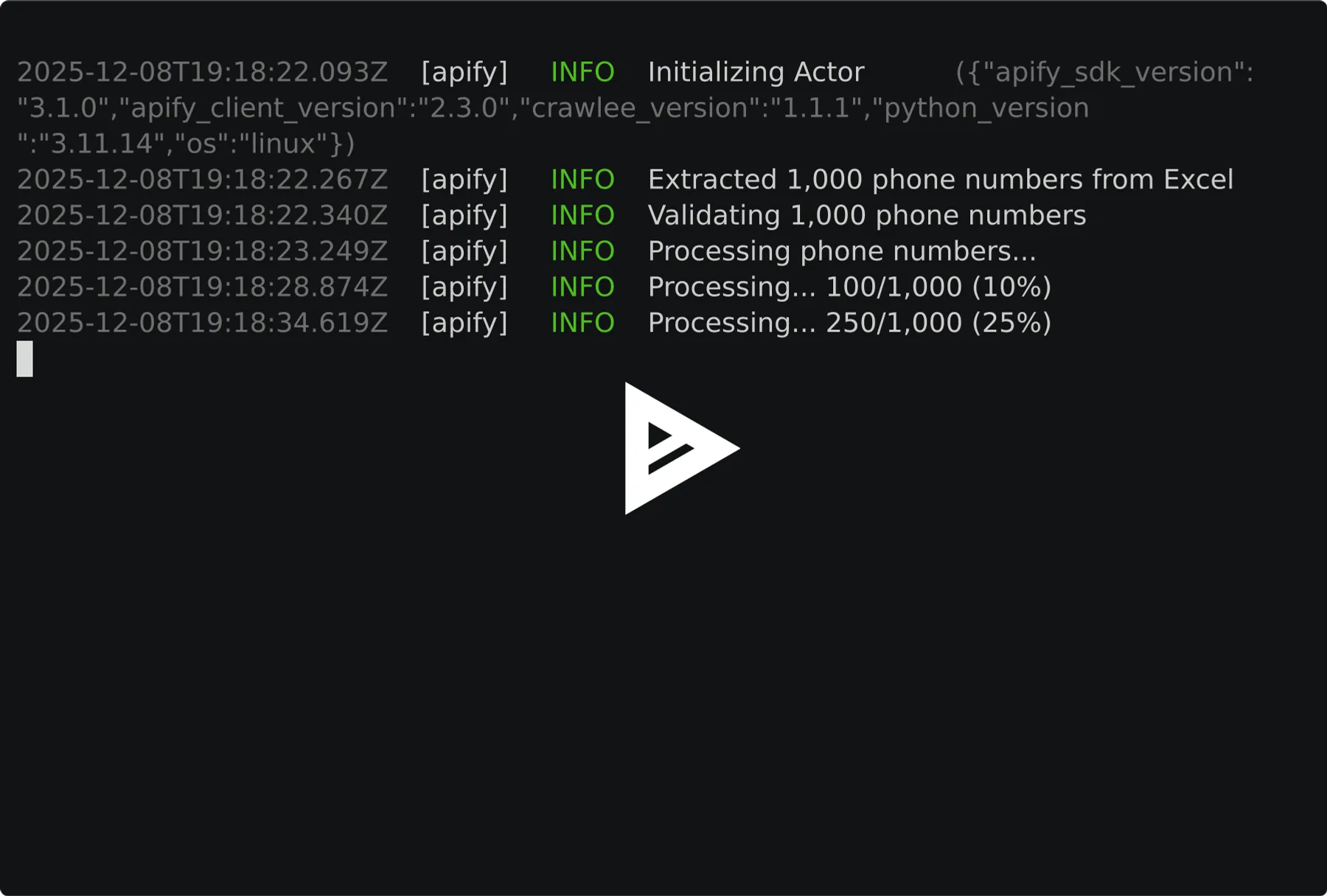
Telegram number validation API - Verify 1,000 to 10,000 phone numbers per run and instantly know which ones have active Telegram accounts.
|
⚠️ Minimum 1,000 phone numbers per run This is a bulk validation service designed for large batches. For lists with 100-999 numbers, use WhatsApp Phone Number Validator instead. Test Mode is enabled by default so you can preview the output format without using credits. Disable Test Mode in the input panel to validate real numbers. |
Stop wasting time on invalid Telegram contacts. This actor checks any phone number against Telegram's registration database and returns a simple yes/no for each number. Perfect for cleaning contact lists, validating leads, or building Telegram marketing campaigns.
- Bulk processing - Validate 1,000 to 10,000 numbers per run (minimum 1,000)
- Multiple input formats - Direct input, CSV, or Excel files
- Smart parsing - Auto-detects phone columns and normalizes formats
- Global coverage - Works with phone numbers from any country
- No Telegram account needed - Fully automated validation
Pricing
| Apify Plan | Per Number | Per 1,000 |
|---|---|---|
| Free | First 10 numbers free per account (paid plan needed to reach the 1,000 minimum) | - |
| No subscription | $0.005 | $5.00 |
| Bronze | $0.004 | $4.00 |
| Silver | $0.003 | $3.00 |
| Gold | $0.0025 | $2.50 |
Examples
| Numbers | No subscription | Bronze | Silver | Gold |
|---|---|---|---|---|
| 1,000 | $5.00 | $4.00 | $3.00 | $2.50 |
| 5,000 | $25.00 | $20.00 | $15.00 | $12.50 |
| 10,000 | $50.00 | $40.00 | $30.00 | $25.00 |
Duplicates are auto-removed — you only pay for unique numbers.
Quick Start
Minimum 1,000 numbers per run. Examples below show 3 phones for brevity — pad with the rest of your list.
Basic - Direct Input
From CSV File
From Excel File
Combined Input
Input Parameters
| Parameter | Type | Required | Description |
|---|---|---|---|
phoneNumbers | array | No* | List of phone numbers with country code (e.g., +1234567890). Min 1,000, Max 10,000. |
csvFile | string | No* | URL or Apify Key-Value store key to CSV or Excel (.xlsx) file with phone numbers |
defaultCountryCode | string | No | Country code to prepend to numbers without a + prefix (e.g., 91 for India, 1 for US) |
onlyTelegramUsers | boolean | No | Only output numbers that have Telegram (default: false) |
*At least one of phoneNumbers or csvFile is required. Minimum 1,000 unique numbers required.
Phone Number Formats
The actor accepts phone numbers in various formats and normalizes them automatically:
Numbers Without Country Code
If your CSV contains local numbers without country code prefix (e.g., 9876543210 instead of +919876543210), use the defaultCountryCode field:
| Your CSV | Default Country Code | Result |
|---|---|---|
9876543210 | 91 | +919876543210 (India) ✅ |
5551234567 | 1 | +15551234567 (US) ✅ |
+447911123456 | 91 | +447911123456 (unchanged) ✅ |
Numbers that already have a + prefix are not modified.
CSV/Excel File Requirements
- Supported formats:
.csv,.xlsx - Delimiters: Comma, semicolon, tab, pipe (auto-detected)
- Column detection: Automatically finds phone columns including:
- Standard:
phone,mobile,cell,tel,telephone,telegram - Variations:
phone number,mobile number,cell phone,contact number - CRM exports:
mobile phone,direct phone,work phone,personal phone,primary phone - International:
telefon,telefono,téléphone,celular,handy
- Standard:
- No headers? Scans content to find phone-like columns automatically
- International headers: Non-English phone columns are detected automatically when possible
Output
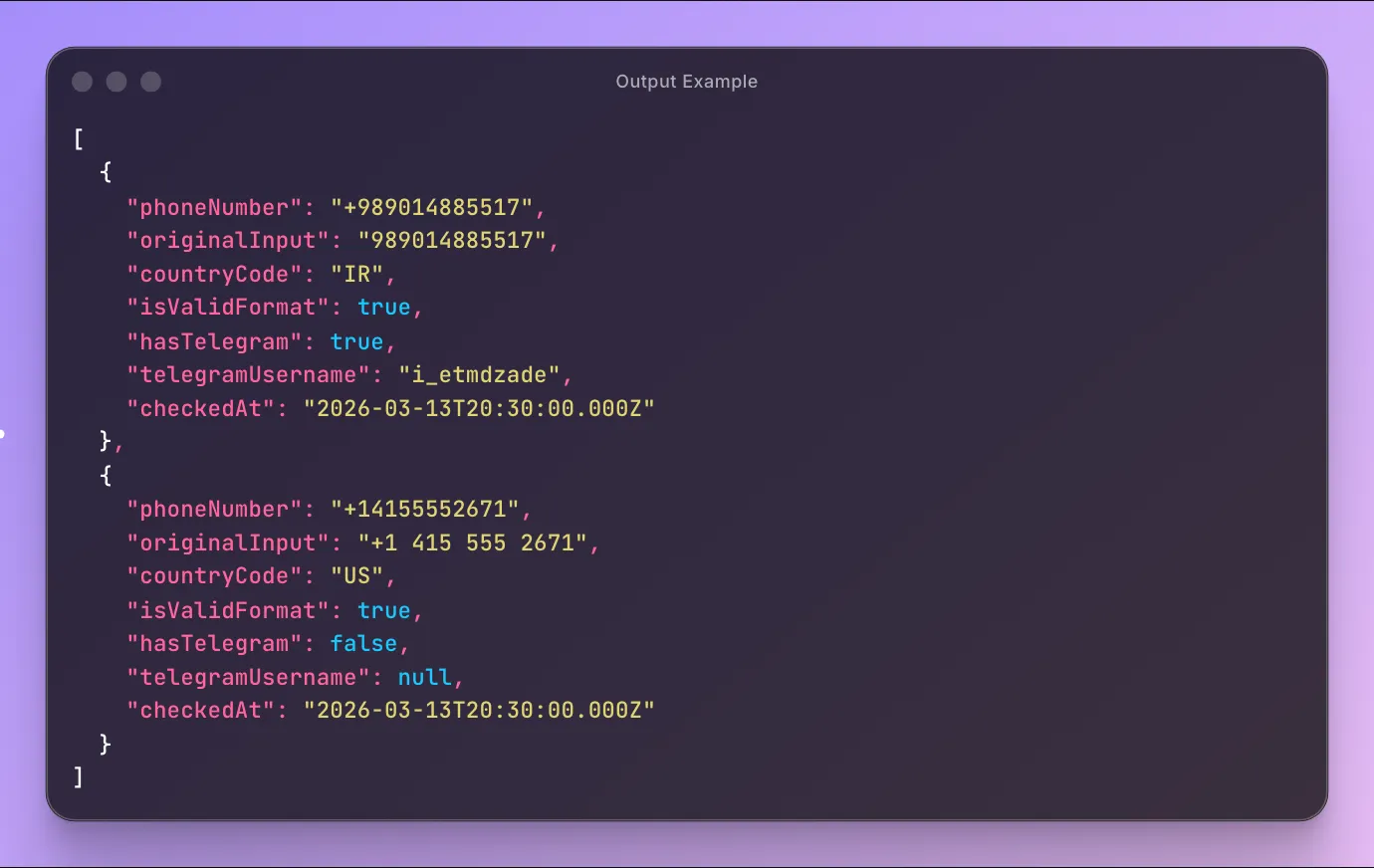
Each validated number returns:
| Field | Type | Description |
|---|---|---|
phoneNumber | string|null | Phone number in E.164 format (null when the input could not be read as a valid number) |
originalInput | string | Original input as provided |
countryCode | string|null | Detected country code (e.g., US, DE, GB); null for unreadable numbers |
isValidFormat | boolean | Whether the input was recognized as a valid phone number |
hasTelegram | boolean|null | true if number has Telegram, false if not, null if the number was not checked |
telegramUsername | string|null | Telegram username if available (without @), null if not set |
skipReason | string|null | Why a number was not checked: not_mobile (landline or other non-mobile line) or invalid_format (could not be read); null for checked numbers |
checkedAt | string | ISO 8601 timestamp of validation |
Telegram accounts only exist on mobile numbers. Landlines and other non-mobile lines are listed with skipReason: "not_mobile", and numbers that cannot be read are listed with skipReason: "invalid_format". These rows have hasTelegram: null, are not submitted for checking, and are never charged, so nothing in your input silently disappears. Only mobile numbers count toward the per-run minimum.
Output Example
API Integration
Python
JavaScript
cURL
Advanced Usage
Validate from Google Sheets
Export your Google Sheet as CSV and use the public URL:
Large Batch Processing
For lists over 10,000 numbers, split into multiple runs:
Filter Telegram Users Only
Use the onlyTelegramUsers option to only output numbers with Telegram:
Or filter programmatically:
FAQ
Q: Why is there a minimum of 1,000 numbers? A: Telegram validation uses a bulk processing pipeline with a 1,000-number minimum batch size. For lists of 100 to 999 numbers, use our WhatsApp Phone Number Validator instead, which supports a lower 100-number minimum.
Q: How accurate is the validation? A: Checks directly against Telegram's registration database. Results reflect status at time of validation.
Q: What countries are supported? A: All countries where Telegram operates. Numbers must include country code.
Q: Do I need a Telegram account? A: No. Fully automated, no Telegram credentials required.
Q: How fast is it? A: ~1-2 minutes per 1,000 numbers.
Q: What about duplicates? A: Auto-removed after normalization. You're only charged for unique numbers.
Related Actors
- WhatsApp Phone Number Validator - Bulk validate phone numbers for WhatsApp accounts. 100-number minimum.
- WhatsApp Profile Avatar, Age & Gender - Enrich WhatsApp numbers with avatar, inferred age, and gender.
- Phone Number Active Status Checker - Bulk carrier-level active, inactive, or unknown status checks.
- MAX Messenger Number Checker - Bulk MAX messenger registration checks.
- Social & Crypto Phone Number Checker - Bulk account checks across 25 platforms (Instagram, Facebook, Binance, and more).
Support
- Email: max@mapa.slmail.me
- Feature Requests: Email or submit via issues
- Response Time: Typically within 24 hours
Legal
This actor validates publicly available Telegram registration status. Users are responsible for complying with Telegram's Terms of Service and applicable data protection regulations (GDPR, CCPA).


