

🕵️ WhatsApp Status Spy | Secretly Scrape Any Status
Pricing
Pay per event
🕵️ WhatsApp Status Spy | Secretly Scrape Any Status
View and download WhatsApp status updates from any contact without them knowing. No read receipts, no "seen" notification. Download photos, videos, and text statuses secretly. Scan QR once, then runs automatically. Perfect for checking on someone discreetly.
Pricing
Pay per event
Rating
5.0
(1)
Developer

ClearPath
Maintained by CommunityActor stats
1
Bookmarked
82
Total users
1
Monthly active users
2 months ago
Last modified
Categories
Share
🕵️ WhatsApp Status Spy - Download Stories Without Being Seen
This WhatsApp status downloader keeps you completely invisible — view and save any contact's status updates (photos, videos, text) without them ever knowing you watched.
Ever wanted to check someone's WhatsApp status without leaving a trace? Whether it's an ex, a crush, an old friend, or just your own privacy preference — this Actor lets you download every status update from your contacts without triggering read receipts. They'll never see your name in their viewers list.
No read receipts. No "seen" notifications. Complete stealth.
Copy to your AI assistant
Copy this block into ChatGPT, Claude, Cursor, or any LLM to start using this actor.
Pricing — Pay Per Use
$0.05 per run + $0.02 per status — simple, transparent, no subscriptions.
| Statuses Downloaded | Cost |
|---|---|
| 5 statuses | $0.15 |
| 10 statuses | $0.25 |
| 25 statuses | $0.55 |
| 50 statuses | $1.05 |
| 100 statuses | $2.05 |
$0.05 base fee covers WhatsApp connection overhead. $0.02 per status downloaded.
Real-World Cost Examples
| Use Case | Frequency | Monthly Cost |
|---|---|---|
| Checking one person's status | Weekly | ~$0.60/month |
| Monitoring a few contacts | Daily | ~$3-5/month |
| Archiving all statuses | Daily | ~$6-12/month |
First-time setup: Scan a QR code once (like WhatsApp Web). After that, runs are fully automatic — no interaction needed.
🎯 Key Features
👻 Complete Invisibility
- Zero read receipts — Your name never appears in "viewed by" lists
- No online status leak — Connects silently without showing you as online
- Desktop client emulation — Appears as a background macOS device
📥 Full Media Downloads
- Images — Full resolution photos saved to cloud storage
- Videos — Complete video files with sound
- Text statuses — Captions, messages, and text overlays
- Stickers & audio — Every content type supported
- Public URLs — Direct download links for each file
🔐 Persistent Authentication
- Scan QR once — Session saved securely for future runs
- No repeated logins — Works across unlimited runs
- Multi-account support — Use different storage names for different WhatsApp accounts
Use Cases
For the Curious
- Check an ex's status — See what they're posting without awkward "seen" notifications
- Monitor a crush — Stay updated without revealing your interest
- Watch without watching — View anyone's stories on your own terms
For Privacy-Conscious Users
- Avoid social pressure — View statuses without obligation to respond
- Control your digital footprint — Your activity stays private
- Silent observation — No one knows when or if you've seen their posts
For Archival & Backup
- Save memories — Download statuses before they disappear in 24 hours
- Backup important updates — Keep records of announcements or messages
- Document content — Archive statuses for personal reference
For Scheduled Monitoring
- Daily checks — Automate runs to catch every status update
- Weekly summaries — Collect a week's worth of statuses in one dataset
- Custom schedules — Run on-demand or on your preferred interval
Quick Start
Minimal Input
Downloads all current statuses from your contacts. First run requires QR scan. Subsequent runs automatically fetch only new statuses (WhatsApp's built-in behavior).
Output
Each status is saved with complete metadata and media:
Data Fields
| Field | Type | Description |
|---|---|---|
statusId | string | Unique WhatsApp status identifier |
posterJid | string | WhatsApp ID of the poster (e.g., 491234567890@s.whatsapp.net) |
posterName | string | Contact's display name |
timestamp | datetime | When the status was posted |
expiresAt | datetime | When status expires (24h after posting) |
messageType | string | Content type: text, image, video, audio, sticker, document |
text | string | Text content or caption (if any) |
fromMe | boolean | Whether you posted this status |
media | object | Media details and download URL (see below) |
Media Object
| Field | Type | Description |
|---|---|---|
type | string | image, video, audio, sticker, document |
mimetype | string | MIME type (e.g., image/jpeg, video/mp4) |
fileSize | integer | File size in bytes |
width | integer | Width in pixels (images/videos) |
height | integer | Height in pixels (images/videos) |
duration | number | Duration in seconds (videos/audio) |
url | string | Public download URL for the media file |
downloadStatus | string | downloaded, expired, or failed |
Output Example
How It Works
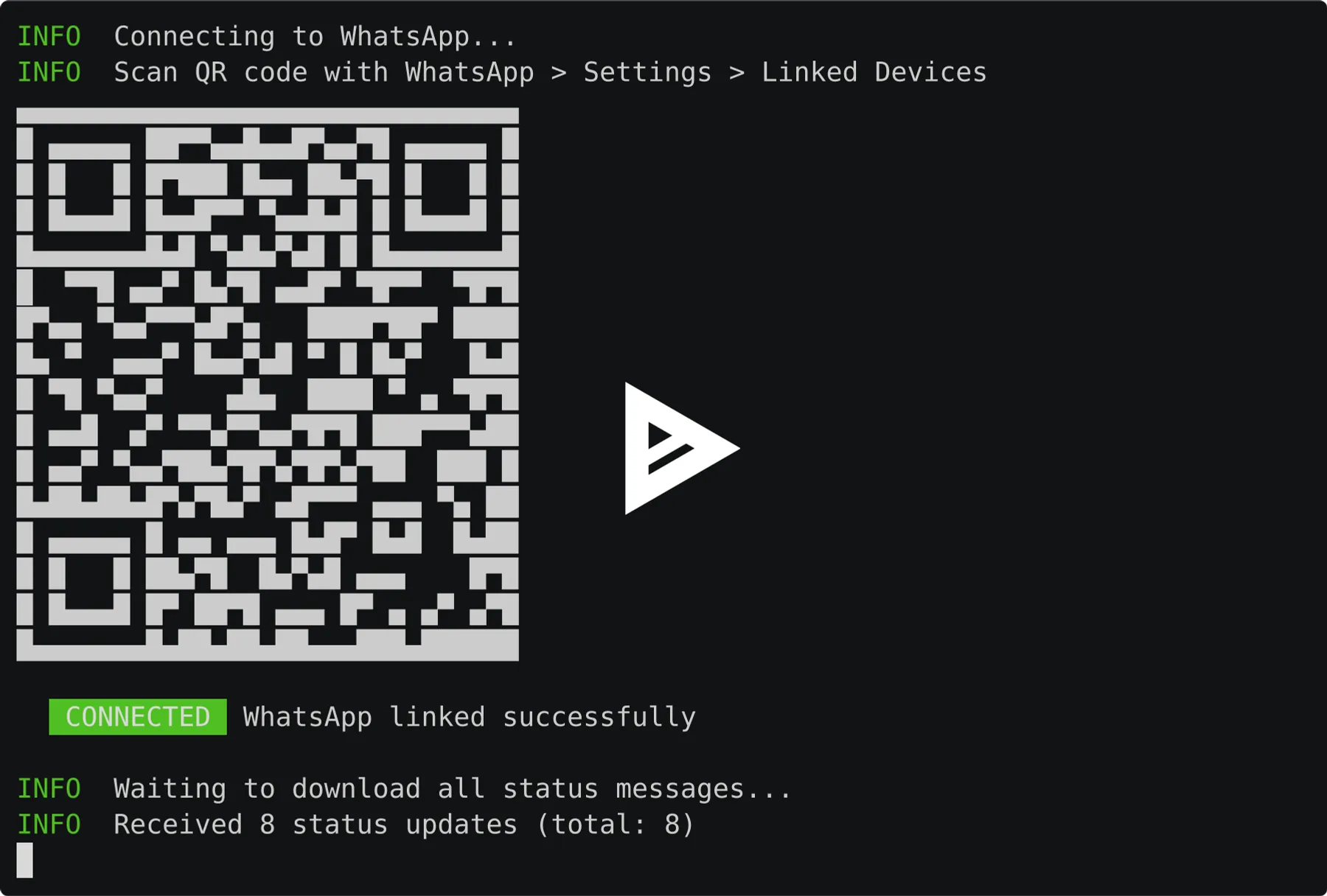
- Connect — On first run, scan the QR code displayed in the logs (just like WhatsApp Web)
- Sync — The Actor connects and waits for WhatsApp to send all current status updates
- Download — Each status is processed, media files are downloaded to cloud storage
- Save — Structured data is saved to the dataset with public media URLs
- Persist — Your session is saved so future runs are fully automatic
Important: Statuses expire after 24 hours on WhatsApp. The Actor only captures statuses currently visible in your status feed.
API Integration
Python
JavaScript
Scheduling & Automation
Set up automated runs to never miss a status:
| Schedule | Best For |
|---|---|
| Every 6 hours | Catching most statuses before they expire |
| Daily | Regular monitoring with minimal cost |
| Weekly | Periodic check-ins |
Note: WhatsApp automatically sends only new statuses on subsequent runs, so you won't get duplicates.
Webhook Integration
Get notified when new statuses are captured:
- Set up a webhook endpoint in your Apify account
- Receive real-time notifications when runs complete
- Process the data in your own systems
Data Export
Export your data in multiple formats:
- JSON — Full structured data for programmatic access
- CSV — Spreadsheet-friendly format for analysis
- Excel — Ready for reporting and visualization
Media files are stored separately with public URLs accessible directly from the output.
Technical Details
- Memory: 256-512 MB recommended
- Timeout: First run may take 2-3 minutes for QR scan; subsequent runs complete in 30-60 seconds
- Proxy: Not required — uses secure WhatsApp Web protocol
- Session Storage: Credentials stored in Apify Key-Value Store (encrypted)
Best Practices
For Best Contact Name Resolution
By default, status messages show phone numbers instead of names for contacts not in your phone's address book. For real names like "Sarah" instead of "491234567890", run the WhatsApp Export Actor first:
- Run WhatsApp Export once — it syncs your full message history and extracts 200+ contact names
- Names are saved to a shared storage that this Actor automatically uses
- Run WhatsApp Status Spy — statuses now show real contact names
Both Actors share the same WhatsApp session, so you only scan the QR code once.
For Monitoring
- Schedule runs every 6-12 hours to catch all 24-hour statuses
- WhatsApp automatically provides only new statuses after the first run
For One-Time Downloads
- Run with default settings to capture all current statuses
- Download media files before they expire (24h window)
FAQ
Q: Will people know I viewed their status? A: No. The Actor connects in stealth mode — your view is never registered, and you won't appear in their "viewed by" list.
Q: Do I need to scan the QR code every time? A: No. Scan once on first run, then all future runs are automatic. Your session is securely stored.
Q: How many statuses can I download? A: All statuses currently visible in your WhatsApp status feed. There's no artificial limit.
Q: What if a status has already expired? A: Statuses older than 24 hours are automatically filtered out. Media from very old statuses may fail to download.
Q: What happens if I'm logged out of WhatsApp? A: The Actor detects this and prompts for a new QR scan on the next run.
Q: Is my WhatsApp account safe? A: Yes. The Actor uses the official WhatsApp Web protocol — the same technology as scanning the QR code on web.whatsapp.com.
Q: Why do I see phone numbers instead of contact names? A: WhatsApp only provides names for contacts saved in your phone. For best results, run the WhatsApp Export Actor first — it extracts names from your message history and shares them with this Actor automatically.
Getting Started
1. Account Setup
- Sign up for Apify (free tier available)
- No credit card required to start
- Find this Actor and click "Start"
2. First Run
- Start the Actor with default settings
- Watch the logs for the QR code
- Scan with your WhatsApp mobile app (Settings → Linked Devices → Link a Device)
- Wait for statuses to sync and download
3. Automated Runs
- Set up a schedule (daily/weekly)
- Optionally configure webhooks for notifications
- WhatsApp automatically provides only new statuses on each run
4. Access Your Data
- View results in the Dataset tab
- Download in JSON/CSV/Excel format
- Access media directly via public URLs
Support
- 📧 Email: max@mapa.slmail.me
- 📖 Bug Reports: Issues tab on this Actor's page
- 🔧 Feature Requests: Email or issues
Privacy & Legal
This Actor downloads publicly available status updates from your own WhatsApp contacts — the same content visible when you open WhatsApp's Status tab.
Your Responsibility:
- Only use on accounts you own or have permission to access
- Respect others' privacy and content ownership
- Comply with WhatsApp's Terms of Service and applicable laws (GDPR, CCPA, etc.)
Content Ownership: Downloaded media belongs to the original poster. Use responsibly.
🕵️ Start Downloading Statuses Secretly Now
See every status. Download every photo. Leave no trace.


