

arXiv Papers Scraper & Monitor: Metadata & Versions
Pricing
from $1.19 / 1,000 saved papers
arXiv Papers Scraper & Monitor: Metadata & Versions
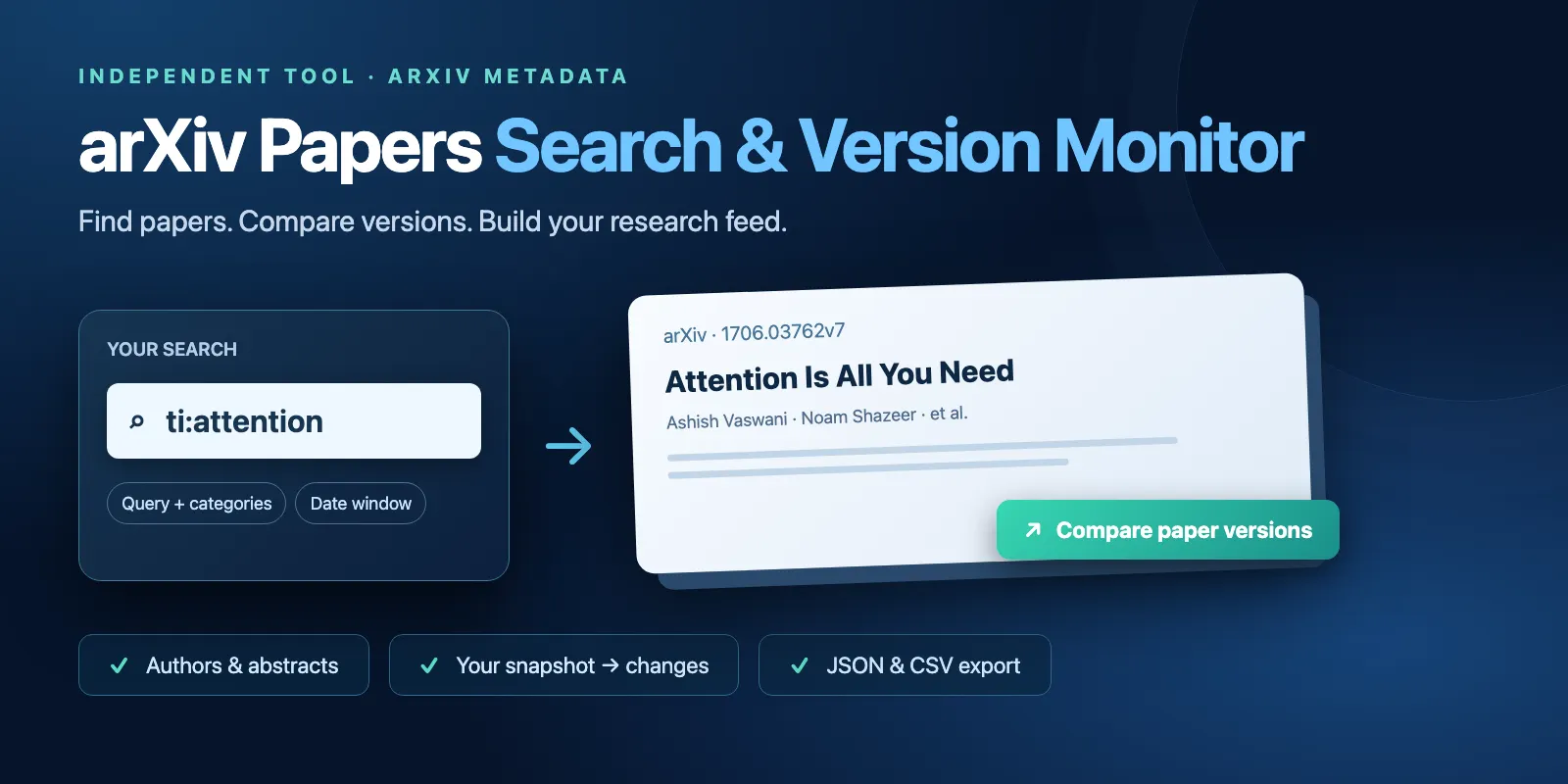
Search arXiv papers by query, category and dates. Export authors, abstracts, DOI and article links. Compare your snapshot for new papers, versions and withdrawal text notices.
Pricing
from $1.19 / 1,000 saved papers
Rating
0.0
(0)
Developer

Cliqto Media
Maintained by CommunityActor stats
0
Bookmarked
2
Total users
1
Monthly active users
8 days ago
Last modified
Categories
Features
Share
Search arXiv paper metadata by query, categories and dates. Get authors, abstracts, DOI links and version changes for your research feed, without an API key. A default run saves up to 25 papers from cs.AI over the last seven days and costs up to $0.0625 on the Free tier. Empty and filtered runs still have a $0.02 start fee.
Contents
- What it does
- Data you get
- Quick start
- Input
- Input examples
- Output
- Pricing
- Use cases
- Monitoring
- API, export and integrations
- Limits and partial results
- Troubleshooting
- FAQ
- Related Actors
- Support
What it does
Find papers through the arXiv metadata API. Add an arXiv query, category codes, or both. Choose a date window and save up to 500 papers per run. Export the results as JSON or CSV.
To compare runs, provide your previous snapshot. The Actor marks papers it sees for the first time, higher versions, metadata updates and explicit withdrawal notices. It keeps no shared watchlist and does not create a schedule for you.
Data you get
Each paper has an arXiv ID, version, title, authors, abstract, categories, publication and update dates. DOI, journal reference and comments are included when the source provides them. Links point to the abstract page and PDF; PDFs are not downloaded.
arXiv descriptive metadata is CC0. This covers the abstract metadata. Each full paper has its own license. Atom normally omits that license, so license is null and licenseStatus explains why. metadataLicense is separate. This Actor is independent and is not endorsed by arXiv.
Quick start
- Open Input.
- Keep the example:
categories: ["cs.AI"],lastDays: 7,maxResults: 25. - Click Start.
- Open Papers in the output. Check
id,title,authorsandupdated. - Export JSON or CSV. Open Snapshot and summary to copy the snapshot for another run.
The form example and an API input of {} use the same defaults. A recent-date query can be empty during a long source delay. Increase lastDays, or use lastDays: 0 to remove the start date.
Input
All fields are optional, but the resolved input must have a query or a category. Unknown fields and invalid values are rejected.
| Field | Type | Default | Values and effect | When to use it |
|---|---|---|---|---|
query | string | "" | Up to 1,500 characters. arXiv query syntax, such as ti:transformer or au:Vaswani. | Search words, titles or authors. Use categories: [] for query alone. |
categories | string[] | ["cs.AI"] | Up to 20 codes, such as cs.AI, cs.LG, stat.ML. Categories use OR; query and category group use AND. | Search one or several subject areas. |
dateFrom | string | absent | Inclusive UTC day, YYYY-MM-DD. Overrides lastDays. | Set a fixed start date. |
dateTo | string | absent | Inclusive UTC day, YYYY-MM-DD. No upper limit when absent. | Set a fixed end date. |
lastDays | integer | 7 | 0–3,650. Sets a rolling UTC start if dateFrom is absent. 0 removes that start. | Use seven days for a small current feed. |
dateField | string | submitted | submitted filters first submission. updated filters the received paper's update date. Updated mode always scans newest updates first. | Find new submissions or revisions of older papers. |
maxResults | integer | 25 | 1–500 saved papers. The source scan also stops at 500 records. | Start small; narrow queries for larger exports. |
sortBy | string | submittedDate | submittedDate, lastUpdatedDate, relevance. Updated-date mode always uses lastUpdatedDate. | Pick a source ranking in submitted-date mode. |
sortOrder | string | descending | descending or ascending. Updated-date mode always uses descending. | Choose newest or oldest first in submitted-date mode. |
previousSnapshot | object[] | [] | Up to 5,000 unique records. Each needs id without version and positive integer version; ISO updated and boolean withdrawn are optional. | Paste OUTPUT.snapshot from an earlier run. |
onlyNew | boolean | false | Requires a nonempty snapshot. Excludes unchanged and older versions; keeps first-seen records, higher versions, metadata updates and withdrawal notices. | Export a delta against your baseline. |
includeAbstract | boolean | true | False sets abstract to null; price is the same. | Reduce output size when titles are enough. |
Dates must be real calendar days. The resolved start cannot be after the end. With a historical dateTo, also set dateFrom or lastDays: 0.
For updated-date windows, the Actor sorts by update date and checks each received record. It does not restrict the original submission date. A broad or old window may hit the 500-record scan limit before it finds your matches; the summary reports partial in that case.
Input examples
A small current AI feed
This saves up to 25 papers, with metadata and article links. On the Free tier it costs $0.02 plus $0.0017 per saved paper.
Search titles across two categories
The query group is combined with the category group using AND. This returns titles and other metadata, with abstract: null.
Compare a paper version
The source version checked for this example was v7. It is marked new_version versus the supplied v6 baseline. Source values may change later.
Updated-date window
This uses newest-updated-first order. Check the summary for scan coverage, especially with an old end date.
Output
The default Dataset contains paper rows. Papers shows IDs, titles, authors, categories, dates and links. Changes shows change labels and withdrawal/license information for all saved rows; it is not a filtered delta view. Set onlyNew or filter changeType in your integration.
The key-value store contains:
RUN_SUMMARY: result status, date bounds, effective sort, counts, requests, retries and coverage.OUTPUT: the same summary plussnapshot, which you can pass aspreviousSnapshot.
A snapshot contains the papers saved in this run, unchanged papers skipped by onlyNew, and every record from your previous snapshot that this run did not see. So a paper outside today's search or date window is not sold again as new later. A paper left out by a charge or row limit keeps its old baseline record; if it was not in your baseline, it is not in the snapshot and the next run reports it as new. The snapshot holds up to 5,000 records: papers from this run come first, and the oldest carried records are dropped beyond that (snapshotDropped in the summary). If a run stops before it reads the source (for example a platform timeout or budget too small for the start fee), OUTPUT.snapshot repeats your valid input baseline; after invalid input it is empty, so keep your previous snapshot. A dropped record that appears again is reported as new. A paper missing from the next search is never marked withdrawn.
Paper fields
| Field | Type | Meaning and example |
|---|---|---|
id | string | Unversioned arXiv ID, such as 2610.13948. Older IDs can contain /. |
version | integer | Source version number, such as 1. |
versionedId | string | ID with version, such as 2610.13948v1. |
title | string | Paper title; line breaks and repeated spaces are normalized. |
authors | string[] | Author names in source order. |
abstract | string or null | Metadata abstract. Null if missing or disabled. TeX and Unicode are preserved. |
categories | string[] | All source category codes. |
primaryCategory | string or null | Main source category, such as cs.AI. Null if absent. |
published | string | First-submission ISO timestamp. |
updated | string | Received version's update ISO timestamp. |
doi | string or null | DOI supplied by arXiv; null if absent. |
journalRef | string or null | Journal reference supplied by arXiv; null if absent. |
comment | string or null | Source comment; null if absent. |
absUrl | string | HTTPS abstract page for this version. |
pdfUrl | string or null | PDF link when the feed provides one. No PDF is fetched. |
license | string or null | Full-paper license, if provided in Atom. Normally unknown (null). |
licenseStatus | string | source_provided or not_in_atom_feed. |
metadataLicense | string | CC0-1.0; applies to descriptive metadata, not the PDF. |
withdrawn | boolean or null | True for an explicit withdrawal text notice; null when no notice is known. This is not an authoritative status check. |
withdrawalEvidence | string or null | explicit_notice_in_comment_or_abstract or null. A text notice can require human review. |
changeType | string | new, new_version, withdrawn, metadata_updated, unchanged or older_version. |
provider | string | arXiv. |
sourceUrl | string | HTTPS source article URL. |
fetchedAt | string | ISO time when this response was parsed. |
sourceUpdatedAt | string | Same source timestamp as updated. |
new means first-seen against your snapshot, not necessarily newly published. metadata_updated requires a baseline updated timestamp. withdrawn means a new explicit text notice and takes priority over a version change. A repeated already-known notice may be unchanged or a new version.
Real output example
This is one shortened row from the current AI-feed example. The full row includes all fields in the table. Unknown values stay null; they do not become zero or a guessed license.
Summary outcomes
| Situation | Summary | Dataset | Next action |
|---|---|---|---|
| Normal result | complete | Saved papers | Read truncated and the scan counters. |
| Genuine empty or unchanged delta | complete if coverage completed | Zero rows | Check dates, query and baseline. |
| Output limit reached | complete, possibly truncated: true | Up to maxResults rows | Narrow the query or split the scope. |
| Scan or charge limit | partial with an error code | Saved rows, possibly zero | Read the reason and reduce the scope. |
| Source fails, run deadline or cancel after rows were saved | partial; failed run | Available saved rows | Retry later; pass OUTPUT.snapshot as before. |
| Invalid input or source failure before any saved row | error; failed run | No paper rows | Correct input or retry after the source recovers. |
The summary also reports sourceTotalResults (null before a valid response), scanned, matched, filtered, unchanged, duplicates, emitted, requests, retries, exhausted, snapshotCount, snapshotCarried, snapshotDropped, resolved dates and effective sorting. complete describes the bounded export, not every paper in arXiv. truncated is true when more results can remain. implementationCommit is a provenance marker, not a paper field.
Pricing
Pay per event. Platform usage is included in the event price. You pay once for the start of a valid run and once per paper saved to the Dataset. Unchanged papers removed by onlyNew do not have a paper charge. The $0.02 start fee still applies to valid empty, filtered and no-change runs, and to a valid run that later hits a source error.
| Store tier | Run start | Saved paper |
|---|---|---|
| Free | $0.02 | $0.0017 |
| Bronze | $0.02 | $0.0016 |
| Silver | $0.02 | $0.0015 |
| Gold | $0.02 | $0.0014 |
| Platinum / Diamond | $0.02 | $0.0014 |
Check the checkout price before running.
Examples at the Free tier: 0 papers $0.02; 1 paper $0.0217; 10 papers $0.037; 25 papers $0.0625; 100 papers $0.19; 500 papers $0.87. A 1,000-paper export needs at least two runs: $1.74 for two 500-paper runs, if both scopes have enough papers and do not overlap. These totals exclude any additional starts needed to divide the source scope.
Set Maximum cost per run to control spending. If the start fee cannot be covered, no search starts. If there is no budget for another paper, the Actor stops with a clear summary. No unsaved paper has a paper charge.
Use cases
| Task | Useful settings | Useful fields |
|---|---|---|
| A team research feed | Categories and recent days | Title, authors, abstract, links |
| A literature search | Query plus subject codes | ID, abstract, DOI, journal reference |
| Watch paper revisions | Previous snapshot and onlyNew | Version, updated, changeType |
| Review withdrawal notices | Query or categories, then review text | Comment, withdrawalEvidence |
| Prepare a metadata index | Export JSON or CSV | ID, categories, provenance |
Monitoring
Run once with onlyNew: false. Save OUTPUT.snapshot. Pass that array to the next run with onlyNew: true. Keep the same query and date scope when you want a comparable result. A broader query can mark old papers as first-seen.
You may create a schedule in your own Apify account. This Actor does not create schedules or webhooks. Do not overlap runs, and do not run other arXiv API clients in parallel: arXiv's three-second rule applies to combined traffic, not just one program. Each run sends only one request at a time with at least 3.1 seconds between attempts. Separate customers' runs are not centrally coordinated by this Actor.
arXiv announcements normally pause on Fridays and Saturdays. API updates can lag; seven days covers regular weekend gaps but cannot guarantee results during an outage or a long holiday delay.
API, export and integrations
Run cliqtomedia/arxiv-papers-monitor through the Apify API or client. Keep your token in an environment variable or your client's authentication settings, never in input. Use the same JSON input as the examples. Wait for the run, then read its default Dataset and OUTPUT record. Use the Dataset export menu for CSV, JSON, Excel and other Apify export formats.
Use with AI agents (MCP)
Use the Apify MCP server with this input:
Read id, title, authors, updated and absUrl. This call costs up to $0.037 on the Free tier. Small runs usually finish in seconds when arXiv responds promptly; a slow source can take longer, so check the run status. The Actor uses limited permissions and requires no arXiv key.
Limits and partial results
- At most 500 saved papers and 500 scanned source records per run. Broad searches are not full-archive exports.
- Updated-date filtering and
onlyNewcan scan many records without saving rows. Narrow the query or date scope and read the summary. - Source retries, response size and total work are bounded. Source work stops within an internal 180-second limit, even with a longer platform timeout. Use the default 300-second timeout and 256 MB memory.
- arXiv may reject a query, delay an update or become unavailable. Source failure is reported as error or partial, not an empty successful search.
- Withdrawal is a text-notice check, not a full registry of retractions. Absence never proves withdrawal. No notice means unknown, not confirmed active.
- Article licenses are normally not provided by Atom. Review the article page and license before reusing full content.
- No PDFs, full text, citation counts, peer-review checks or enrichment from other databases.
Troubleshooting
| Problem | Check | Action |
|---|---|---|
| Zero rows | Query, categories, dates and onlyNew | Remove a restrictive filter or expand the window. |
SCAN_LIMIT | Source count and filtered/unchanged counters | Narrow the query; do not treat the snapshot as a full archive. |
CHARGE_LIMIT | Maximum cost | Raise it enough for the start and desired saved papers, or reduce output. |
SOURCE_QUERY_ERROR | arXiv query syntax | Use a small valid field query such as ti:transformer. |
RATE_LIMITED, SOURCE_TIMEOUT, SOURCE_UNAVAILABLE | Source status and overlapping runs | Stop parallel clients and retry later. |
INVALID_INPUT | Exact keys, real dates and snapshot shape | Use the schema; avoid renamed fields from other Actors. |
| Version did not change | Baseline version and source updated date | A metadata correction may not create a higher version. |
FAQ
Do I need a key? No. This Actor uses public arXiv metadata.
Does it download a PDF? No. It returns a link. Review the paper's license before downloading or reusing full text.
Is new the same as newly published? No. It means absent from your provided baseline. Use submitted dates for new submissions.
Can I watch every paper in a category? Not in a single broad run. The scan limit is 500. Narrow and divide your scope, preserve snapshots and check partial results.
Why is a license null? Atom normally does not include the article license. Metadata CC0 and full-paper licenses are different.
Are withdrawn papers fully detected? No. Only explicit text notices are flagged. Review the source comment and abstract.
Related Actors
Use our DOI Metadata & Bibliography Enrichment when you have DOI identifiers and need broader citation metadata. It has a separate input contract and price.
Support
For help, open an issue on this Actor's Issues tab in Apify Store, or use the developer contact shown on Apify. Share the run ID and a small input example. Remove tokens and private information.


