

NPI Registry Provider Lookup — US Practices & Taxonomies
Pricing
from $1.40 / 1,000 provider records
NPI Registry Provider Lookup — US Practices & Taxonomies
Search CMS NPPES by specialty and practice location, or look up up to 200 NPI numbers. Export taxonomies, published licence details and addresses. Individual contact fields are omitted. Optional only-new NPI results.
Pricing
from $1.40 / 1,000 provider records
Rating
0.0
(0)
Developer

Cliqto Media
Maintained by CommunityActor stats
0
Bookmarked
2
Total users
1
Monthly active users
8 days ago
Last modified
Categories
Features
Share
Search the CMS NPPES NPI Registry for US providers by taxonomy and practice location, or look up NPI numbers in a batch. Get provider names, taxonomies, published licence details and practice addresses in an Apify Dataset.
Use it to prepare a provider directory, match NPI numbers or review organization records. The ready-to-use example searches for dentists in Providence, Rhode Island. On the Free tier, 25 delivered providers cost $0.07, including the $0.02 start fee.
Contents
- What it does
- Quick start
- Input
- Output
- Pricing
- Use cases
- Only new results
- API and integrations
- Limits and partial results
- Troubleshooting
- FAQ
- Support
What it does
- Search by taxonomy description, state, city, ZIP code, provider type or provider name.
- Look up up to 200 NPI numbers in one input. Duplicate inputs are removed.
- Read pages from NPPES and remove duplicate provider records.
- Save a row for each returned NPI, with the primary taxonomy and all published taxonomies.
- With
onlyNew, save only NPI numbers that are new to your baseline.
Individual phone numbers, e-mail addresses, fax numbers, authorized official details and digital endpoints are omitted. Organization rows may contain the published practice telephone number. No other data source is used for contact enrichment.
Quick start
- Open Input.
- Keep
taxonomyDescription: Dentist,state: RI,city: ProvidenceandmaxResults: 25. - Click Start.
- Open the Providers output and export the Dataset as JSON, CSV or Excel.
- Read Run summary for the completion status, saved count and missing NPI numbers.
The API returns active registry records. A reached result limit is reported as partial even when the requested rows were saved.
Input
Use npis OR search fields. Combining them is an input error. Empty input, a state alone or a provider type alone is also an input error.
| Field | Type | Default / prefill | Limits and effect | Recommendation |
|---|---|---|---|---|
npis | array of strings | Empty | Up to 200 inputs; 10 digits and a valid NPI checksum. Duplicates are removed. | Use quoted strings to preserve the exact identifier. |
taxonomyDescription | string | No runtime default; form prefill Dentist | Up to 100 characters; searches a description, not a taxonomy code. | Use NPPES taxonomy wording. |
state | string | No runtime default; form prefill RI | US state/territory abbreviation. Requires another meaningful filter. | Add taxonomy, city, ZIP or name. |
city | string | No runtime default; form prefill Providence | Up to 100 characters; practice location city. | Combine with state. |
postalCode | string | Empty | Exactly 5 or 9 digits; practice location ZIP. | Keep leading zeros. |
enumerationType | string | Both types | NPI-1 individual or NPI-2 organization. Requires another filter. | Choose NPI-2 for an organization directory. |
organizationName | string | Empty | Up to 100 characters; organization name as published. | Combine with NPI-2. |
lastName | string | Empty | Up to 100 characters; a trailing * is allowed after at least two characters. | Combine with NPI-1 and a location. |
maxResults | integer | Search: 25; lookup: 1000 when omitted; form prefill: 25 | 1–1000 saved rows per run; source window is bounded to the first 1000 candidates. | Start small and narrow the search. |
onlyNew | boolean | false | Save previously unseen NPI numbers within the same search scope. | Use only when a persistent baseline is useful. |
stateKey | string | npi-provider-baseline | 1–64 letters, digits, _ or -; must start with a letter or digit. Used only with onlyNew. | Use a separate namespace for a separate project. |
Searches use practice locations (address_purpose=LOCATION), rather than mailing addresses. The output contains the primary practice address; a match may come from another practice location in the source record.
Dentists in Providence
Organization lookup
Clear the prefilled search fields before switching to lookup.
Output
The Dataset contains provider rows. RUN_SUMMARY in the default key-value store records the outcome. Missing NPI numbers do not create provider rows.
Example
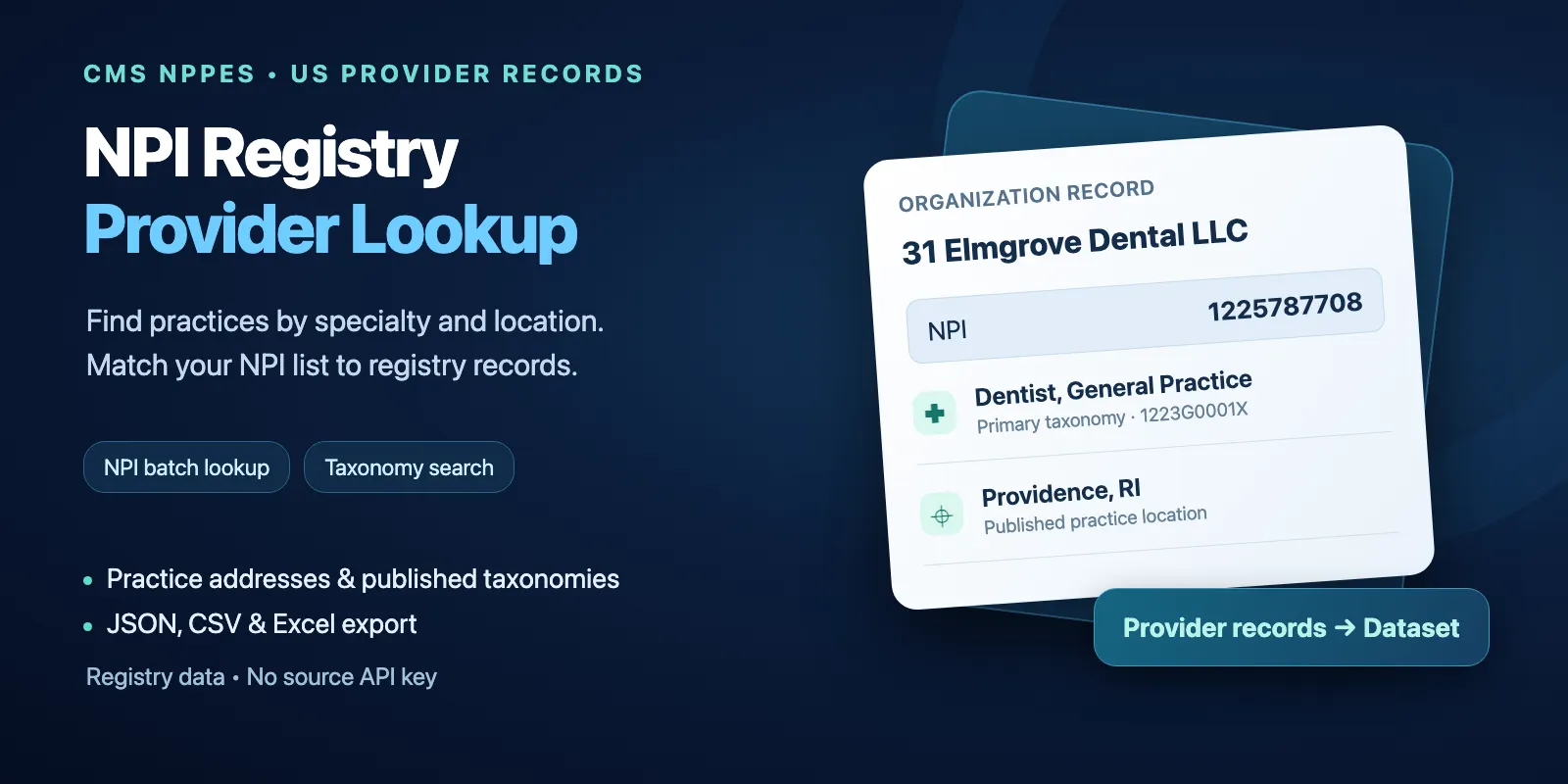
This is a trimmed real organization record from the Providence dentist search. Null means that the source did not publish a value in the selected field, or the contact policy omits it.
Provider fields
| Field | Type / can be null | Meaning / example |
|---|---|---|
npi | string / no | Unique 10-digit NPI, such as 1225787708. |
type | string / no | NPI-1 or NPI-2. |
name | string / no | Published organization name, or joined individual name parts. |
organization | string / yes | Organization name for NPI-2; null for NPI-1. |
credential | string / yes | Published credential, such as DDS; not verification. |
primaryTaxonomy | object / yes | First taxonomy marked primary; null if none is marked. |
taxonomies | array / no | All taxonomies returned by NPPES; may be empty. |
primaryTaxonomy.code, taxonomies[].code | string / no within an object | Published taxonomy code, such as 1223G0001X. |
primaryTaxonomy.description, taxonomies[].description | string / no within an object | Published taxonomy description. |
primaryTaxonomy.primary, taxonomies[].primary | boolean / no | Whether NPPES marks the taxonomy as primary. |
primaryTaxonomy.licenseNumber, taxonomies[].licenseNumber | string / yes | Licence number exactly as published; no current licence check. |
primaryTaxonomy.licenseState, taxonomies[].licenseState | string / yes | State for the published licence. |
practiceAddress | object / yes | First address marked LOCATION; mailing addresses are omitted. |
practiceAddress.address1, .address2 | string / yes | Published address lines. |
practiceAddress.city, .state, .postalCode, .countryCode | string / yes | Published location fields; ZIP remains a string. |
phone | string / yes | Organization practice phone only; always null for individuals. |
contactPolicy | string / no | individual_contacts_omitted or registry_practice_phone_only. |
enumerationDate | string / yes | NPI enumeration date, usually YYYY-MM-DD. |
lastUpdated, sourceUpdatedAt | string / yes | Last source record update date; not the fetch time. |
status | string / no | Source registry status, usually A. |
provider | string / no | CMS NPPES NPI Registry. |
sourceUrl | string / no | Public provider record URL. |
fetchedAt | string / no | ISO time when the record was processed in this run. |
dataLicense | string / no | Public NPPES dissemination under FOIA; no separate API licence stated. |
Run summary
| Field | Meaning |
|---|---|
status | complete, partial, not_found or error. |
reason | Null for normal completion, otherwise a safe reason code. |
found, saved, unchanged | Unique providers seen, delivered rows and baseline matches. |
requests, retries, responseBytes | Actual source attempts, retries and received bytes. |
notFoundNpis | Looked-up NPI numbers with no active registry result. |
unprocessedNpis | Inputs not completed before a limit or failure. |
startedAt, finishedAt | Run processing timestamps. |
datasetId | Default Dataset identifier. |
chargedProviders | Provider-result events reported by Apify; zero during local unpriced development. |
Pricing
Pay per delivered provider, plus $0.02 per run for the automatic start event at the supported 256 MB memory. The start fee also applies to valid empty searches, missing NPI batches and unchanged onlyNew runs. There is no per-request charge from NPPES.
| Apify tier | Per provider | Per 1000 providers, before start fee |
|---|---|---|
| Free | $0.0020 | $2.00 |
| Bronze | $0.0018 | $1.80 |
| Silver | $0.0016 | $1.60 |
| Gold, Platinum, Diamond | $0.0014 | $1.40 |
| Delivered providers | Free total | Gold+ total |
|---|---|---|
| 0, including up to 200 missing NPIs | $0.020 | $0.020 |
| 1 | $0.022 | $0.0214 |
| 10 | $0.040 | $0.034 |
| 25 | $0.070 | $0.055 |
| 100 | $0.220 | $0.160 |
| 1000 | $2.020 | $1.420 |
These are event charges before any tax or separately retained storage. The developer pays the run's platform compute and standard run storage/traffic under this pay-per-event model. A persistent onlyNew baseline in your account may have storage costs outside the run.
Missing NPI numbers and baseline matches do not create provider-result events. Delivered rows remain billable if a later source request fails. A customer charge limit stops delivery with partial and CHARGE_LIMIT; that run succeeds. Set a budget that covers the start fee and the number of providers you need. At the Free tier, a $2.00 cap can deliver at most 990 providers after the $0.02 start fee.
Use cases
| Task | Input | Useful output |
|---|---|---|
| Build a practice directory | Taxonomy + state + city | NPI, organization, taxonomy, practice address |
| Match an existing NPI list | npis | NPI, name, type, source dates and missing-number summary |
| Review published taxonomy details | Name or NPI | Primary taxonomy, all taxonomy codes and published licence fields |
Only new results
Set onlyNew: true and keep the same stateKey and filters between runs. Your baseline lives in the named key-value store npi-provider-baselines in your Apify account. The first run saves all returned providers; later runs omit NPIs already delivered. This mode tracks new identifiers, rather than edits to existing records.
Search filters are part of the baseline scope. maxResults is not, so increasing it can discover additional NPIs. Lookup lists are sorted for scope identity. Unseen baseline entries remain in history; only delivered rows are added. The baseline supports up to 100,000 identifiers per scope. Do not run the same scope concurrently: storage writes are not a transactional lock. Named storage may have storage costs. Use your own retention policy when the baseline is no longer needed.
Scheduling is optional and must be set up in your own account. No schedule is created by this Actor.
API and integrations
Run the Actor through the Apify API or SDK using the same JSON input. Read the default Dataset and RUN_SUMMARY; join records by npi. Dataset exports support JSON, CSV and Excel through Apify.
Use with AI agents (MCP)
After the Actor is available to your account, use Apify MCP with this input:
Key fields are npi (identifier), name (provider name), primaryTaxonomy (specialty), practiceAddress (location) and sourceUpdatedAt (source record date). The 25-record example costs $0.07 on the Free tier and usually finishes in a few seconds. Time depends on the registry. Search source work is limited to two minutes; lookup source work is limited to four minutes, plus time to save the output.
Limits and partial results
- Up to 200 NPI inputs and 1000 saved providers. NPPES returns at most 200 records per request. This Actor scans the first 1000 candidates, rather than the whole national registry.
- Search results are a bounded live sample. They are not a snapshot of a fixed total, and source records can change between pages.
- Up to 220 source attempts, 4 MiB per response and 8 MiB across a run. Requests are serial with at least 1.1 seconds between attempts. Retries respect Retry-After within the shared deadline.
- Search source work stops after 120 seconds; lookup source work stops after 240 seconds. Both stop before the platform timeout. A large batch may therefore stop before all NPIs are processed.
MAX_RESULTSmeans the saved-row cap was reached; narrow filters or raise the cap within the allowed range.SOURCE_WINDOW_LIMITmeans the scanned source window ended.- A source error fails the run and writes
error, orpartialif rows were already saved. Existing Dataset rows remain available. An input error also fails the run. - NPI Registry provides active records. A missing result may be unknown, unavailable or deactivated; the API alone cannot tell which. CMS publishes deactivation information separately.
- NPI issuance does not prove a current licence, credential, quality, insurance participation or Medicare enrolment. Data may contain outdated information supplied by providers.
Troubleshooting
| Symptom | Likely cause | Action |
|---|---|---|
| Input error before source requests | Bad checksum, mixed modes or unsupported filter | Review the input fields. Clear search prefills for lookup. |
Empty Dataset with not_found | No active record matches | Check spelling, taxonomy wording and filters; review notFoundNpis. |
Empty Dataset with complete and unchanged > 0 | All returned NPIs were already in the onlyNew baseline | Use onlyNew: false for a full export. |
partial and CHARGE_LIMIT | Customer budget reached | Increase the permitted charge or request fewer providers. |
SOURCE_RATE_LIMIT, SOURCE_TIMEOUT or SOURCE_UNAVAILABLE | Registry throttling or an outage | Wait and retry a small request. Preserve the existing Dataset. |
BASELINE_INVALID or BASELINE_SAVE_ERROR | Invalid baseline or a storage problem | Check your named KVS; use a new stateKey for a fresh history. |
FAQ
Is an NPPES API key needed?
No. The source endpoint is public. Apify API or MCP access still uses your Apify account permissions.
Does this verify a medical licence?
No. It returns published taxonomy and licence fields. Check the relevant licensing authority when verification is needed.
Can I get doctors' e-mail addresses or personal phone numbers?
No. Individual contact fields are omitted, and no contact enrichment is performed.
Does onlyNew detect changed addresses?
No. It tracks previously unseen NPI numbers. Use a full export and compare records in your own system for edits.
Can I export the whole US registry?
No. Use the CMS downloadable files for national bulk coverage. This Actor supports bounded searches and lookup batches.
Support
Use the Actor's Apify Issues tab for a bug or question. Include the run ID, input mode and safe error code. Do not send API tokens or private contact lists.


