
App Store & Google Play Reviews Scraper
Pricing
from $0.10 / 1,000 reviews
App Store & Google Play Reviews Scraper
Scrape Google Play and Apple App Store reviews by app ID, URL or search term: rating, text, date, helpful votes, app version, developer replies (Google Play). Star, date and language filters, optional app details. No login, no start fee.
Pricing
from $0.10 / 1,000 reviews
Rating
0.0
(0)
Developer

Delowar Munna
Maintained by CommunityActor stats
0
Bookmarked
2
Total users
1
Monthly active users
6 days ago
Last modified
Categories
Features
Share
App Reviews Scraper – Google Play & App Store
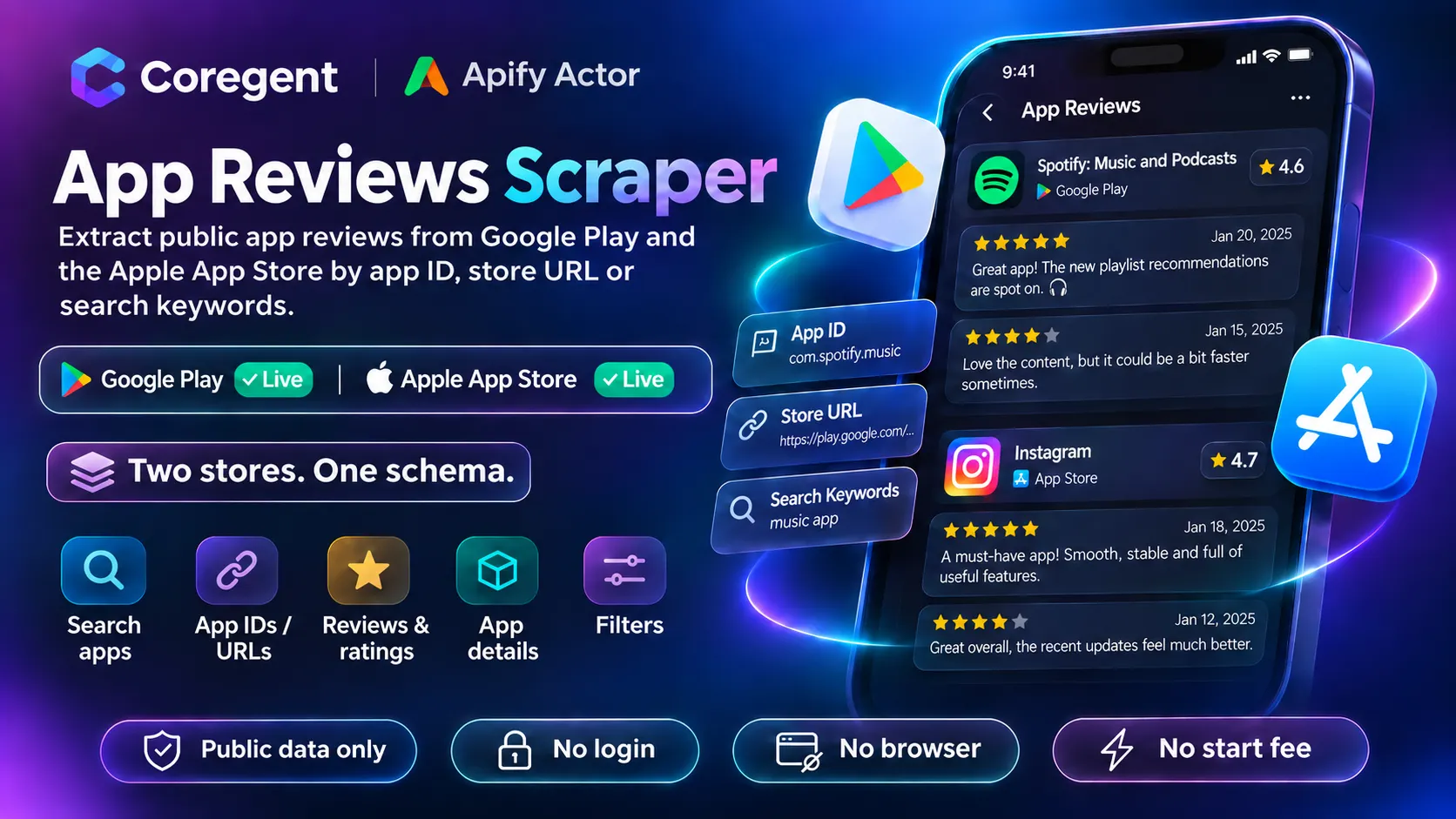
Scrape public Google Play and Apple App Store reviews by app ID, store URL or search term, all into one dataset with one schema. Every review row has the store, the star rating, the review text, the date, the reviewer's public name, how many people found it helpful, and the app version it was written for. Google Play rows also carry the reviewer's avatar and the developer's reply with its date; App Store rows carry the review's title.
Filter by country, star rating and date, sort by newest or the store's own order, and pick the review language on Google Play. One optional extra, off by default and charged only when you turn it on:
- App details: each app's title, developer, rating, rating count, price, genre, content rating, version and last update (Google Play also gives installs).
No Google or Apple account, login, cookies, browser or proxy needed, and no start fee: you pay only for data delivered.
What you can scrape
| Input | Example | What you get |
|---|---|---|
| Google Play apps | com.spotify.music or https://play.google.com/store/apps/details?id=com.spotify.music | That app's Google Play reviews |
| App Store apps | 324684580 or https://apps.apple.com/us/app/spotify-music-and-podcasts/id324684580 | That app's App Store reviews |
| Search terms | budget tracker | The top apps each store shows for the term (5 by default, up to 30 per store), then their reviews |
Put apps from both stores in the same Apps list and mix them with search terms in one run. Search in picks the stores the search terms run on: Google Play by default, the App Store, or both. An app found by two search terms, or given by ID and found by a search, is scraped once. One run takes up to 200 apps and 20 search terms; split bigger lists across runs.
- The Google Play package name is the
id=part of the app's Google Play URL. - The App Store ID is the number after
idin the app's App Store URL (…/id324684580). An Apple bundle ID such ascom.spotify.clientlooks like a Google Play package name and is read as one, so use the number.
Google Play and App Store compared
| Google Play | App Store | |
|---|---|---|
| Reviews per app | As many as you ask for: 10,000 of one app in testing, without reaching the end | Up to 500 per order (newest, most helpful); above 500 the Actor adds the other order's reviews, for up to about 1,000 |
| Newest reviews | Up to the minute | Apple's public feed runs a day or two behind |
| Country | Which store to ask | Which country's reviews you get |
| Review language filter | Yes | No: every review of the country's store |
| Star filter | Applied by Google Play | Applied by the Actor to the reviews the feed returns |
| Review title | None (null) | Yes |
| Reviewer avatar | Yes | None (null) |
| Developer reply | Yes, with its date | None (null): Apple's public feed has no replies |
Helpful count (thumbsUpCount) | Thumbs up | Helpful votes |
How many results
Max reviews per app sets how many reviews you get from each app. Google Play returns up to 200 reviews per request, and the Actor pages through as far as you ask: in testing it collected 10,000 reviews of one app in under a minute without reaching the end.
The App Store's public reviews feed gives 50 reviews per page and stops at 10 pages, so 500 per app and order. If you ask for more than 500 (and don't use Reviews since), the Actor also reads the other order and adds the reviews it hasn't seen yet: in testing, 948 to 997 reviews of WhatsApp in the US store (Apple's feed sometimes skips a page).
Run it with no input and it does a short demo: 10 Google Play reviews of com.spotify.music.
Filters
- Country (
country): on the App Store, the country's store whose reviews you get. On Google Play, the store to ask: it mainly decides which apps are available, and the language decides which reviews you get. - Review language (
language, Google Play only): Google Play returns reviews written in this language:degives German reviews,jaJapanese ones. - Sort by (
sort): newest first, or the store's own order ("most relevant" on Google Play, "most helpful" on the App Store). - Star ratings (
stars): only reviews with these ratings, e.g.["1", "2"]for the complaints. On Google Play, with several values, each app's limit is shared across them. On the App Store the filter is applied to the reviews the feed returns, so an app can give fewer than you asked for; the reviews filtered out are never charged. - Reviews since (
reviewsSince): only reviews written on or after a date (2026-11-01, or relative like7 days). Collection stops at the first older review, so a daily scheduled run collects only what's new.
Input examples
The newest 1,000 German 1★ and 2★ Google Play reviews of Spotify
The same app on both stores: its low-star reviews
Reviews of the top 3 "budget tracker" apps on each store, with app details
Daily monitoring: yesterday's new reviews of two apps
Schedule this run daily in Apify to collect each day's reviews. sort is always newest-first with Reviews since.
App Store reviews arrive in Apple's feed a day or two late, so for the App Store a window of a few days catches them.
Output
One dataset where every row is a review, from either store (store is google-play or app-store). Two views:
- Reviews: store, app, stars, title, text, date, reviewer, helpful count, app version, language.
- Developer replies: each review next to the developer's reply and its date (Google Play).
With Include app details, each review also carries an app object, and the key-value store gets an APP_DETAILS
record with one entry per app.
Reviews
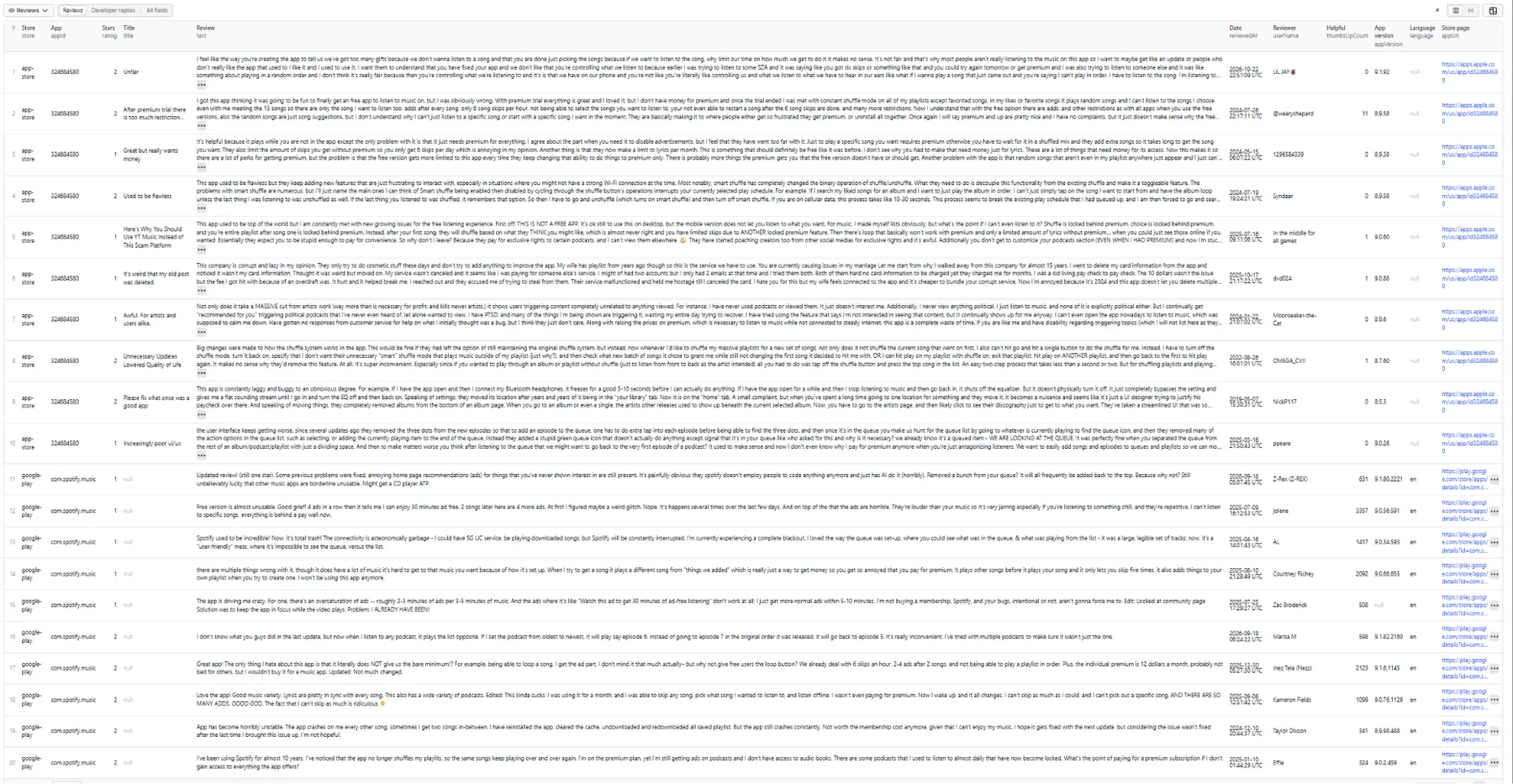
The samples below come from this input: Spotify on both stores, 10 low-star reviews each in the store's own order ("most relevant" on Google Play, "most helpful" on the App Store), with app details.
Sample Google Play review row
A full row with a developer reply (reviewer name and avatar shortened here):
Sample App Store review row
From the same run (reviewer name and review text shortened here). The fields Apple's feed doesn't have are
null:
Developer replies
The same row shape; this view shows the review next to the reply. Replies come from Google Play only. A sample from the screenshot run:
Review fields
| Field | Description |
|---|---|
store | google-play or app-store |
reviewId | The store's review ID |
appId, appUrl | The app's package name (Google Play) or App Store ID, and its store page |
rating | Stars, 1 to 5 |
title | The review title on the App Store; always null on Google Play (its reviews have no title) |
text | The review text, as written |
reviewedAt | When the review was written or last edited (ISO, UTC) |
userName | The reviewer's public display name |
userAvatarUrl | The reviewer's public avatar (Google Play); null on the App Store |
thumbsUpCount | How many people found the review helpful: thumbs up on Google Play, helpful votes on the App Store (0 is a real zero) |
appVersion | App version the review was written for, when the store shows it |
developerReply, developerRepliedAt | The developer's reply and its date (Google Play), or null if there is none; always null on the App Store |
country | The country you asked for |
language | The review language you asked for (Google Play); null on the App Store |
app | App details (with Include app details), otherwise null |
source | How the review was found: type (app or search), the input value, searchRank for search, sort (the order it came from), stars for Google Play star passes, and its position in the app's results |
scrapedAt | When the row was collected |
App details (app): store, title, developer, rating, ratingCount, price and currency, free,
genre and genreId, contentRating, version, updatedAt, iconUrl, url. Google Play also gives
reviewCount, installs (Google Play's label, in your language), minInstalls and summary; on the App Store
those are null. On Google Play, rating, reviewCount, genre, contentRating and summary follow the language
and country you chose, as on Google Play, and version is null for apps whose version varies with the device.
A value a store doesn't show is null, never a made-up 0 or empty text.
Inputs that couldn't be scraped
They are never dataset rows: each is logged, and listed with its reason in the RUN_SUMMARY record in the run's
key-value store (errors): an unknown app (or one not sold in the chosen country's App Store), a search with no
results, or an app with no reviews for your filters. RUN_SUMMARY also has counts per app and per store, and request
statistics. They are never charged.
Pricing
Pay per event: you pay for each review delivered, from either store, plus app details once per app per run when you turn them on. Inputs that couldn't be scraped, duplicates, reviews older than your Reviews since date and App Store reviews outside your star filter are free, and there is no start fee. See the Pricing tab for current rates. This README deliberately doesn't quote figures.
If you set a spending limit on a run, the Actor stops when it is reached and keeps everything already paid for.
🚦 Proxy policy
No proxy is needed for either store at this Actor's conservative request rate. If a store starts limiting a run, the Actor switches to the Apify Datacenter proxy by itself. You can also choose Apify Datacenter yourself.
Apify Residential proxy is not supported. The Actor will fail at startup if apifyProxyGroups includes
RESIDENTIAL. Reason: in pay-per-event Actors, residential bandwidth is billed per GB to the developer, not the run
user, so a single bandwidth-heavy run could exceed the per-result event revenue.
If you genuinely need residential routing, supply your own residential provider via the proxy editor's Custom proxy URLs field. That traffic goes through your provider, not Apify, and is unaffected:
FAQ
How many reviews can I get per app? On Google Play, as many as it pages through for your filters: in testing, 10,000 reviews of one app came back without reaching the end. On the App Store, up to 500 per order and about 1,000 per app in all (948 to 997 for WhatsApp in testing), because that is as deep as Apple's public feed goes. Apps with few reviews simply return fewer.
Why do I get at most about 1,000 App Store reviews? The Actor uses Apple's public reviews feed, which stops at 10 pages of 50 per order. Going further would need Apple's private app API, which this Actor doesn't use.
Why don't App Store reviews have developer replies or avatars?
Apple's public reviews feed doesn't include them. Those fields are null on App Store rows.
Why are the newest App Store reviews a day or two old? Apple's public feed runs behind the App Store itself. For a daily schedule, use a Reviews since window of a few days for App Store apps.
An App Store app returned no reviews, but it has ratings. Why?
Apple's public feed is sometimes empty for a few hours. The app is listed in RUN_SUMMARY.errors as no-reviews and
nothing is charged; run it again later.
Why do I get different reviews when I change the language? On Google Play, reviews are grouped by the language they were written in: pick the language of the reviews you want. The App Store has no language filter: change the country instead.
Why can a developer reply be dated before the review?
When a reviewer edits a review, Google Play shows the date of the latest edit, so reviewedAt can be later than a
reply to the first version.
Why is title always empty for Google Play?
Google Play reviews have no title. The field is there so every row has the same shape.
Why is appVersion sometimes empty?
The stores don't show the app version for every review.
Can I get reviews from a date range? Use Reviews since for the start date. The newest reviews come first, so set Max reviews per app high enough to reach back to that date (on the App Store, at most 500 reviews back).
Data and privacy
This Actor collects only what the stores show publicly to anyone. Reviewer names and avatars are personal data: the Actor returns the public display name (and avatar, on Google Play), and nothing else about the reviewer; it doesn't output the account or profile IDs the stores' responses contain. You are responsible for having a lawful basis to process this data and for following the laws that apply to you, including the GDPR where relevant, and Google's and Apple's terms.
This Actor is not affiliated with, endorsed by or sponsored by Google or Apple. Google Play is a trademark of Google LLC; App Store is a trademark of Apple Inc.


