
Facebook Events Scraper
Pricing
$1.00 / 1,000 event results
Facebook Events Scraper
Find public Facebook events by keyword, city, organizer Page or event URL. Get dates with time zones, venues with coordinates, organizers, ticket links, cover images and attendance counts. No Facebook login or cookies needed.
Pricing
$1.00 / 1,000 event results
Rating
0.0
(0)
Developer

Delowar Munna
Maintained by CommunityActor stats
0
Bookmarked
2
Total users
1
Monthly active users
3 days ago
Last modified
Categories
Share
Facebook Events Scraper — Events, Venues, Organizers, Tickets & Attendance
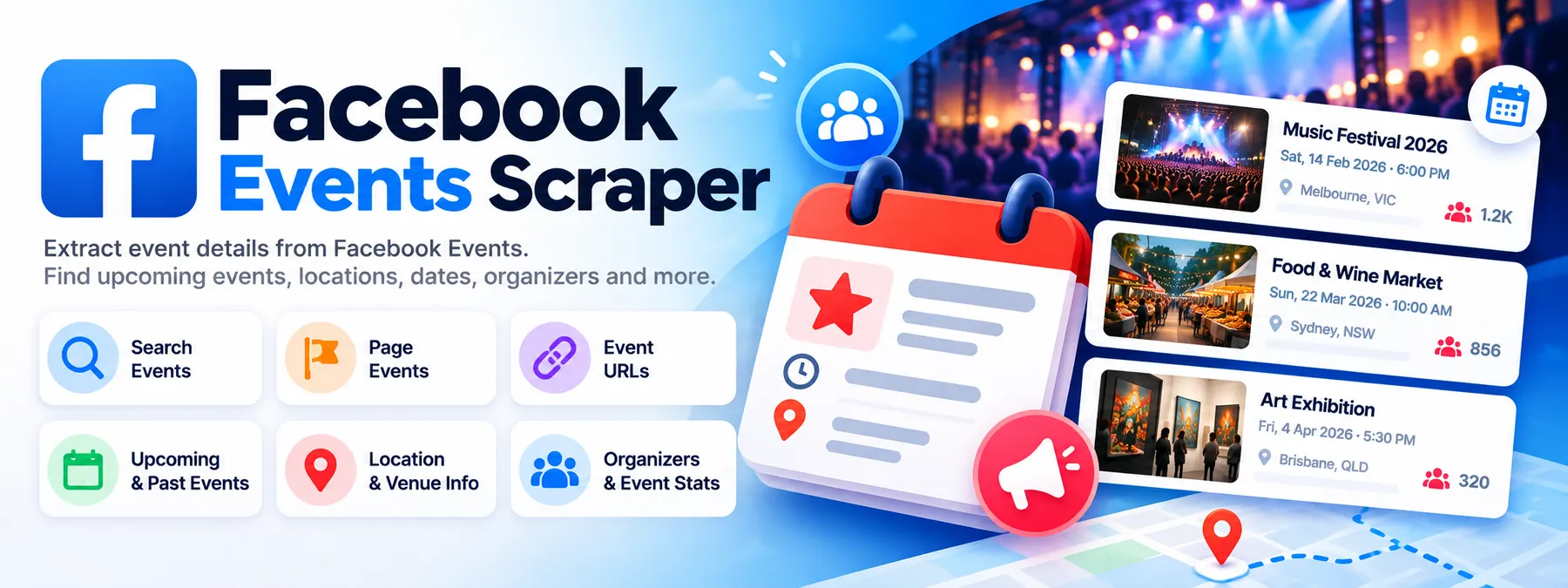
Find public Facebook events by keyword, city, organizer Page or event URL — and get one clean row per event with its dates and time zone, venue and coordinates, organizer, ticket link, cover image and attendance count. Export to JSON, CSV or Excel, or feed it straight into your own tools.
- 🔎 Search, Pages and direct URLs in one run — mix keywords, organizer Pages and event links; every event comes back once, listing every route that found it
- 📅 Day-by-day search — each keyword is searched across your date range one day at a time, which finds several times more events than a single Facebook search
- 🕐 Real local times —
startTimein the event's own time zone with its UTC offset, plus exact UTC instants - 📍 Venues with coordinates, city, address and the venue's Facebook page where the organizer set one
- 🎟️ Organizers, co-hosts, ticket links, cover images and attendance counts
- ✅ Strict filters — date range, upcoming/past, in-person/online and location are checked against each event's own page, not just trusted from search
- 🔓 No Facebook login, cookies, account or token
- 💸 Pay only for events delivered — searches, page reads, retries, duplicates and filtered-out events are never charged
What can I give it?
| Input | Use it for | Example |
|---|---|---|
| Search terms | Discovering events by topic | live music, food festival, startup networking |
| Facebook Page URLs | Every event of a venue, promoter or organizer | https://www.facebook.com/CMEventsLive |
| Facebook event URLs | Reading specific events | https://www.facebook.com/events/1869688844197879/, a numeric ID, or a fb.me/e/… link |
| Location (optional) | Keeping only events in a city | Canberra, ACT, Australia |
Give any one of the first three, or any mix. The mode is worked out from what you supply.
Quick start
Keyword search in a city
Several keywords, the next 30 days, in person only
All upcoming events of some organizer Pages
Specific events
Mixed — search, Pages and URLs together
Input
| Field | Default | What it does |
|---|---|---|
searchTerms | [] | Keywords. Up to 100. |
pageUrls | [] | Page URLs, handles or profile.php?id= links. Up to 200. |
eventUrls | [] | Event URLs, IDs or fb.me/e/ short links. |
maxEvents | 100 | Most unique events delivered in the run, across all inputs. |
maxEventsPerPage | 100 | Most events taken from each Page. |
eventTiming | UPCOMING | UPCOMING, PAST or ALL. |
startDateFrom / startDateTo | — | 2026-10-24, or relative: today, +7 days, -1 month. Compared with the event's local date. |
eventFormat | ALL | ALL, IN_PERSON or ONLINE. |
location | — | A city, ideally with region and country. See location. |
locationUrl | — | Advanced: a Facebook city URL or numeric city ID, for an exact city match. |
listOnly | false | On = a fast list of IDs and names (plus dates and cities for Page events) without reading event pages. Off = every row carries all details. |
maxConcurrency | 10 | Event pages read in parallel. |
Malformed URLs, negative limits and a start date after the end date are rejected before anything runs, with a message saying what to fix.
Output
One row per unique event. A real row from the default input ("searchTerms": ["live music"], upcoming), run on Apify — description, image URLs and ticket link shortened, and 2 of its 9 co-hosts shown:
Field notes
- Times.
startTime/endTimeare the event's local wall-clock time with its UTC offset.timezoneis Facebook's own label (AEDT,EDT,UTC+11) — Facebook shows no IANA zone name to logged-out visitors, soutcOffsetis the machine-readable part.startTimeUtc/endTimeUtcare exact. Events with no end time haveendTime: null. eventFormat—IN_PERSON,ONLINE, orUNKNOWN(list-only rows).status—SCHEDULED,CANCELED,PASTorUNKNOWN, only as Facebook states it. Facebook shows no "postponed" flag to logged-out visitors, soPOSTPONEDis never guessed.venue—nullwhen the organizer set no place (common for online events). Coordinates appear when the venue is a Facebook place; they are never geocoded.attendance.respondedCount— Facebook's public "people responded" number, which is going + interested together. Logged-out pages do not split it, sogoingCountandinterestedCountarenullrather than estimated. No attendee names or profiles are ever collected.- Recurring events — each occurrence is its own row with its own
eventId;seriesIdlinks it to its series. A series link (from search or a URL) is delivered as the occurrence its page shows, with that occurrence's date, venue and organizer. - Attribution —
inputSources(SEARCH,PAGE,DIRECT_EVENT) andmatchedSearches/matchedPages/matchedEventUrlslist every route that found the event. detailLevel—FULLwhen the event's page was read,DISCOVERY_ONLYwhenlistOnlywas on.
Output views and sample records
The dataset has three table views. One real record per view, from the same default-input run:
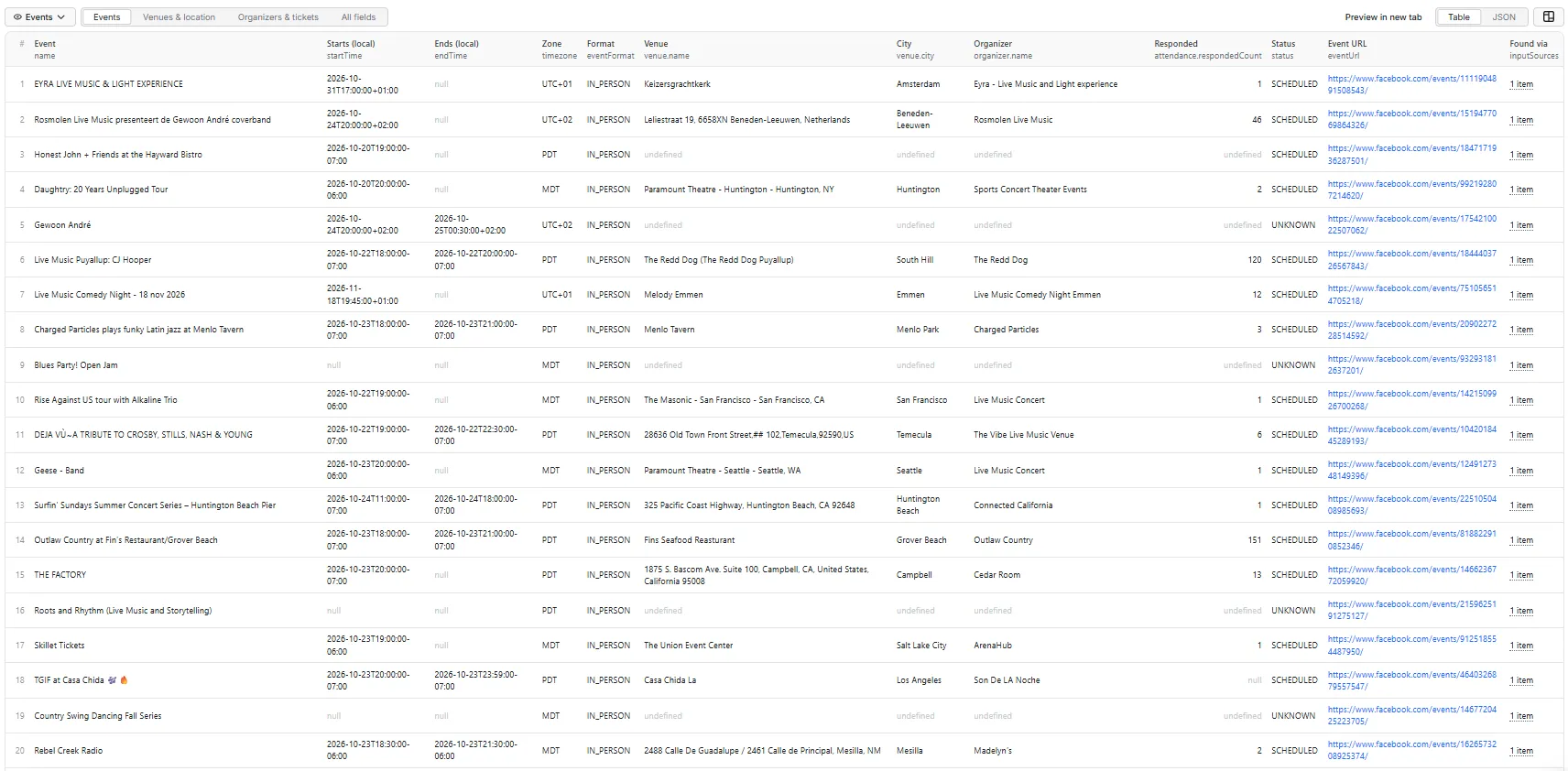
Events — name, local start/end, time zone, format, venue, city, organizer, responded count, status, URL, how it was found:
Venues & location — venue, address, city, coordinates, the venue's Facebook page, location match:
Organizers & tickets — organizer, verification, ticket link and provider, price text, responded count, category:
locationMatchStatus is null here because the run had no location; with one it is EXACT, CITY_MATCH or REGION_MATCH (see location).
Run summary and retries
Every run writes RUN_SUMMARY to the key-value store: events discovered, unique, delivered, duplicates merged, how many each filter removed, Pages with no events, failed inputs, the status of every input (SUCCESS, NO_EVENTS, PAGE_NOT_FOUND, EVENT_NOT_FOUND, INVALID_URL, RATE_LIMITED, BLOCKED, PARTIAL_RESULT, TEMPORARY_FACEBOOK_ERROR, PROVIDER_ERROR) and field availability. One failed input never fails the run. If anything did not finish, RETRY_INPUT holds a ready-to-run input with just those search terms, Pages and events.
Do I need a Facebook login or cookies?
No. The Actor reads only what Facebook shows a logged-out visitor: its own Events search, a Page's events tab and the event's public page. It never asks for a login, cookies, a session or a Meta API token.
Can I search by keyword?
Yes. Each search term is searched without a date filter, then across your whole date range, then one day at a time across that range (the next 30 days when you give no dates). Facebook answers each of those searches with a different short list, so together they find far more: in our tests one keyword returned 6 events from a single search and 44 distinct events from four date-filtered ones.
Why can keyword search return a limited number of events?
Facebook's logged-out event search returns a short list per search — often 5–25 events — and offers no way to page further. Day-by-day searching widens it a lot, but keyword search is not exhaustive and we do not market it as such. For broad coverage use:
several related keywords + the organizer Pages you care about + direct event URLs
Pages are the deep route: a Page's events tab lists every public event it hosts (we measured 709 upcoming and 9,295 past events on one Page).
Can I filter by city?
Yes, with two honest caveats.
With location set, each search term is searched together with the city (live music Canberra), and every event is checked against its own venue:
locationMatchStatus | Meaning | Kept? |
|---|---|---|
EXACT | the venue's Facebook city ID is the one in locationUrl | ✅ |
CITY_MATCH | the venue is in the named city (and its region/country agrees) | ✅ |
REGION_MATCH | a different town in the region you named (e.g. Wollongong for Sydney, NSW, Australia) | ✅ |
OUTSIDE_REQUESTED_LOCATION | somewhere else — including a same-named city elsewhere (Sydney, Nova Scotia) | ❌ |
UNKNOWN | the event's page shows no venue at all | ❌ when the page was read |
- Facebook cannot look up a city name for a logged-out visitor, so the city is matched against each venue rather than passed to Facebook's own city filter. If you know the city's Facebook ID,
locationUrlpasses it to Facebook's filter too and matches it exactly. - City search is shallow. Facebook's logged-out search returns few events for a keyword in one city. For a city, add the Pages of its main venues and promoters — that is where the depth is.
Can I scrape Page events?
Yes. Give Page URLs or handles. Upcoming events come soonest-first and past events most-recent-first, and reading stops as soon as the list passes your date range. A Page with no events is reported as NO_EVENTS, not as an error; a Page that does not exist is PAGE_NOT_FOUND.
Can I use direct event URLs?
Yes — full URLs, numeric IDs, fb.me/e/… short links, and a recurring event's occurrence link (…?event_time_id=…, read as that occurrence). A private, deleted or non-existent event is reported as EVENT_NOT_FOUND (logged out, Facebook does not say which of the three it is).
Are past events supported?
Yes — eventTiming: "PAST" or "ALL". Page past-event lists are the richest source.
Are online events supported?
Yes. eventFormat: "ONLINE" keeps only online events; onlineEventUrl carries the joining link when Facebook shows it publicly.
Are venue coordinates, ticket links and going/interested counts included?
- Coordinates — yes, when the venue is a Facebook place (most venue-based events). Free-text venues have none, and nothing is geocoded.
- Ticket links — yes, with the ticket provider's domain and Facebook's price text when the organizer set them.
- Attendance — the public responded count (going + interested combined). The separate going and interested numbers are not shown to logged-out visitors, so those fields stay
null. - Attendee identities — never. This Actor returns counts, not people.
Are Group events supported?
No. Events hosted inside Facebook Groups need a login to see, and this Actor never logs in.
💸 How is pricing calculated?
Pay per event: you are charged once per unique event delivered to your dataset. An event found by several keywords, Pages and URLs is delivered and charged once.
Never charged: searches, Page list requests, event-page reads, retries, duplicates, events removed by your filters, failed inputs, and runs that find nothing. There is no start fee.
The current price per event is on the Actor's Pricing tab. This README deliberately doesn't quote figures, so it can never disagree with the live price.
Your Apify spending limit is respected: the run stops cleanly at the limit with everything paid for so far.
Can I schedule runs?
Yes — save an input as a Task and schedule it in Apify (daily, weekly…). A weekly run over your city's venue Pages is a simple event calendar.
Can I call it through the API or MCP?
Yes. Run it with the Apify API or client libraries and read the dataset, or connect it to an AI agent through the Apify MCP server.
🔗 More Coregent Facebook Actors
Event organizers and venues are Facebook Pages — pass their URLs to our other Facebook Actors for posts, comments and search across the rest of public Facebook.
🚦 Proxy policy
Use Apify Datacenter proxy (the default) or no proxy for normal runs.
Apify Residential proxy is not supported. The Actor fails at startup if apifyProxyGroups includes RESIDENTIAL. Reason: in pay-per-event Actors, residential bandwidth is billed to the developer, not the run user, and event pages are large, so a single run could cost more than the events it delivers.
If you genuinely need residential routing, supply your own provider via the proxy editor's Custom proxy URLs field — that traffic goes through your provider, not Apify:
Limitations
- Keyword and city search are limited per search by Facebook (see above) — combine keywords, Pages and URLs for coverage.
- Going / interested are not split for logged-out visitors; only the responded total is.
- No IANA time zone name — Facebook's label plus the exact UTC offset.
- No "postponed" status, Group events, private events, attendee lists or ticket inventory.
- Event details and counts change over time; a row is a snapshot at
scrapedAt.
Privacy and responsible use
This is an unofficial product, not affiliated with or endorsed by Meta or Facebook. It processes public events only and never logs in, collects credentials, sends invitations or messages, or collects attendee identities. Public attendance counts do not imply anyone's consent to be contacted. You are responsible for using the data lawfully, including privacy and anti-spam rules where you operate.
Need something else?
Open an issue on the Actor's Issues tab — tell us the event, Page or search that did not work and what you expected.


