

Google Maps Review Text Sentiment Analyzer
Pricing
from $0.50 / 1,000 scored review results
Google Maps Review Text Sentiment Analyzer
Scrape Google Maps reviews and attach a hybrid sentiment score (star weight + non-AI keyword intensity) to every row. Built for reputation management, competitor benchmarking, and weekly brand-health monitoring at a fraction of LLM-based pricing.
Pricing
from $0.50 / 1,000 scored review results
Rating
0.0
(0)
Developer

Delowar Munna
Maintained by CommunityActor stats
0
Bookmarked
2
Total users
1
Monthly active users
3 days ago
Last modified
Categories
Share
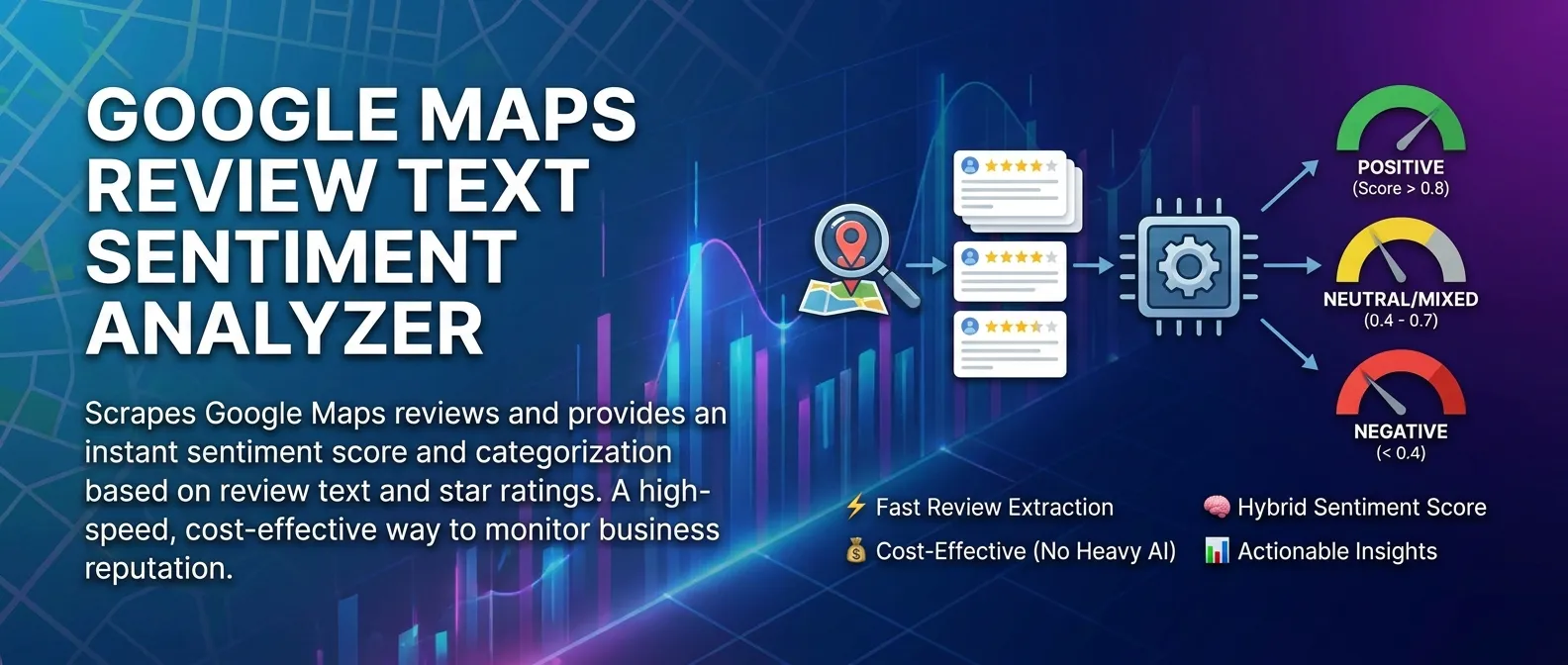
Scrape Google Maps reviews and attach a hybrid sentiment score (star weight + non-AI keyword intensity) to every row. Designed for reputation management agencies, local SEO consultants, multi-location brand managers, and B2B sales teams who need fast, cheap brand-health signal without paying LLM-per-review prices.
V1 is deliberately a "first-pass" sentiment tool: no LLM summaries, no historical charting, no image extraction. You get one flat row per review with a calculated sentiment score and label. Reviews are billed only when they are unique and pass your filters, plus Apify's small start fee per run.
✨ Why this scraper
- Hybrid sentiment, no AI — baseline
(rating / 5)adjusted by ±0.15 for each "intensity keyword" found in the review text. Catches the "5-star but rude" mismatch asMixedinstead of letting it hide behind the rating. - Pay-Per-Event — one event per unique review row pushed to the dataset. See the Pricing tab for the live rate.
- Full review lists, exact dates — reviews come from a review API rather than Google's signed-out "limited view", so you get the full list (up to 4,490 per place) in the sort order you choose, each with its exact publish timestamp.
- Recurring-run friendly — pass the newest
review_idfrom your last run aslastScrapedIdwithnewestsort. The actor reads a small first batch and stops at that review, so daily and weekly monitoring runs return only what's new. - CSV-friendly output — flat 11-field row, drops cleanly into Sheets/Excel/CRMs.
🚀 Quick start
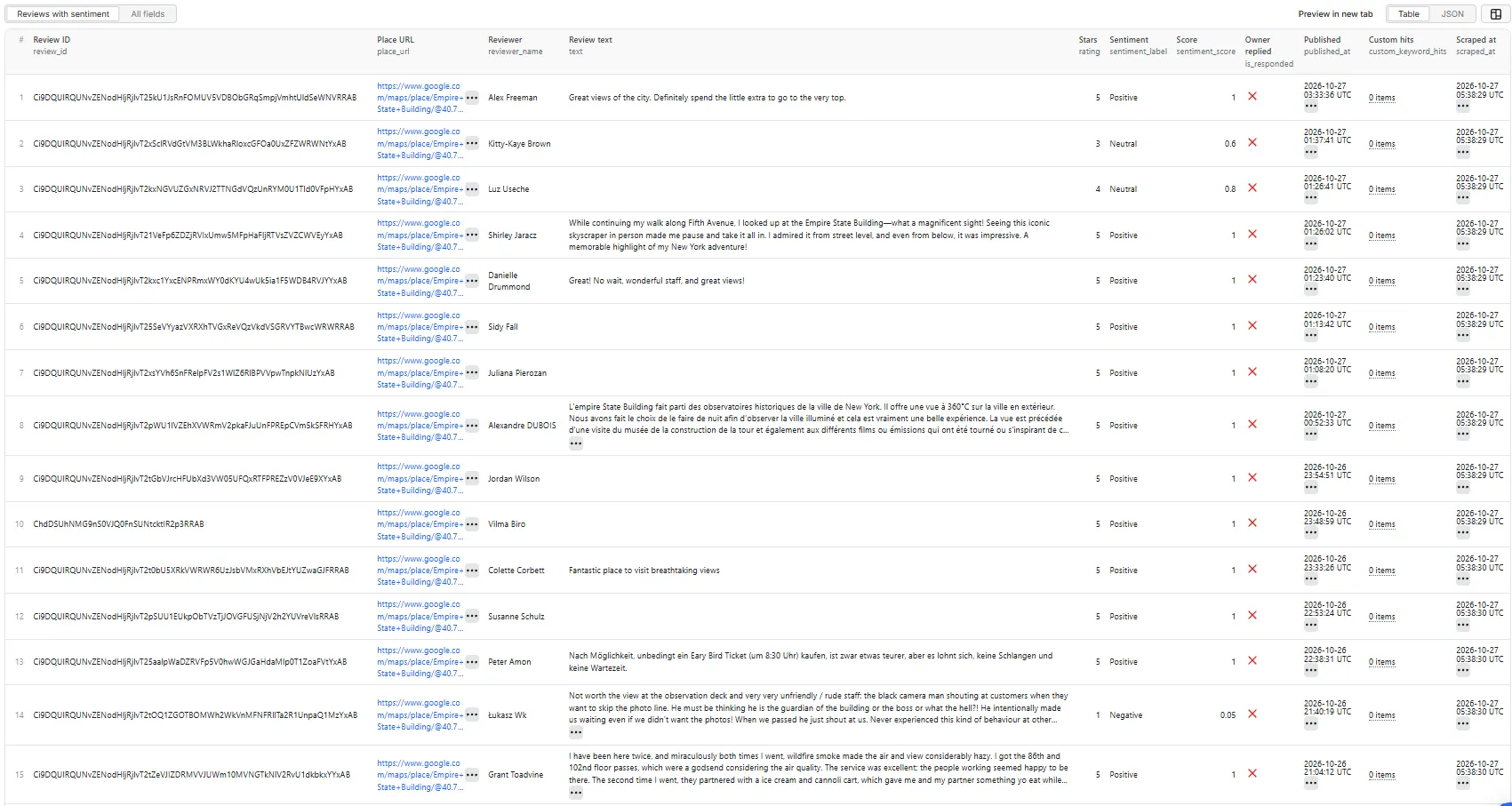
The default input: the 100 newest reviews of one place. This is the run that produced the sample output and screenshot below.
Weekly brand monitoring with complaint flags
Compare two competing observation decks and flag brand-specific complaint words in custom_keyword_hits.
Recurring run for one place
Pass the newest review_id from your previous run. lastScrapedId is a single value for the whole run, so run one place per input when you use it.
startUrls accepts both the Apify request-list { url } shape and bare strings. Use Google Maps place URLs. The actor finds the place by, in order of precision: its CID (!1s0x…:0x… in full Maps URLs), its Place ID (query_place_id= or q=place_id:), or the place name plus the map coordinates in the URL. Search-results URLs (/maps/search/…) without a Place ID can't be resolved; open the place and copy its URL instead.
📦 Output
The dataset has one view: Reviews with sentiment — a flat 11-field table.
Reviews with sentiment
Output fields (11)
| Field | Type | Description |
|---|---|---|
review_id | String | Stable Google Maps review identifier. Use it as lastScrapedId on your next run. |
place_url | String | The input Place URL the review came from. |
reviewer_name | String | Reviewer's display name. |
text | String | Full review text in the reviewer's original language. Empty for star-only reviews. |
rating | Integer | Star rating, 1–5. |
sentiment_label | String | Positive, Neutral, Mixed, or Negative. |
sentiment_score | Float | Hybrid score in [0.0, 1.0], rounded to 2 decimals. |
is_responded | Boolean | True if the business owner has replied to this review. |
published_at | String | Exact ISO 8601 publish timestamp. |
custom_keyword_hits | Array | Distinct customKeywords matched in the review text (does not affect score). Empty if unset. |
scraped_at | String | ISO 8601 timestamp of when the row was extracted. |
Sample records
From the Quick start run (100 newest Empire State Building reviews). A 1-star review whose "rude" lowers the score below the star baseline (0.2 − 0.15):
A 4-star review lifted into Positive by "friendly" (0.8 + 0.15):
In that run, 60 of the 100 reviews were star-only (empty text), so they are scored on the star baseline alone.
🎯 Hybrid sentiment engine
Transparent rule-based score (0.0 – 1.0) combining star weight with keyword intensity — no AI, no external API.
Baseline: rating / 5 (e.g. 3 stars → 0.6).
Adjustments (only when the review has text):
- +0.15 per distinct positive intensity word match: excellent · perfect · amazing · friendly · clean · love.
- −0.15 per distinct negative intensity word match: bad · rude · slow · dirty · overpriced · worst · avoid.
The score is clamped to [0.0, 1.0] and rounded to two decimal places.
Labels:
Positive— score above 0.8Neutral— score 0.4 – 0.8 (so a 4-star review with no keyword hits, at exactly 0.8, isNeutral)Negative— score below 0.4Mixed— applied as an override when:- rating ≥ 4 AND a negative intensity word was found, or
- rating ≤ 2 AND a positive intensity word was found.
Star-only reviews (empty text) skip the keyword adjustment entirely; their label comes straight from the score band.
⚙️ Filtering
| Filter | Stage | Effect |
|---|---|---|
minStars | Pre-push | Reviews with rating < minStars are dropped before charging. Tracked in reviews_filtered_out. |
lastScrapedId | Mid-read | When set, the place stops at that review_id; it and everything after it are skipped. Useful for daily / weekly recurring runs. |
Dedup by review_id | In-run | Within a run, duplicate review_ids (e.g. across multiple Place URLs that share reviews) are dropped. Tracked in reviews_deduped. |
Selective filters stop early. With minStars above 1 or a lastScrapedId, reviews are read in growing batches instead of all at once. A place stops at the first review past the filter when the sort lines up with it (newest + lastScrapedId, highest + minStars). It also stops when most of the reviews read so far fall below minStars. A run stops starting new places once it has filtered out far more reviews than it delivered. Every early stop is logged with the place it affected and sets filter_scan_cap_reached in the run summary. To get many 5-star reviews from a low-rated place, sort by highest.
💰 Pricing
Pay-Per-Event. One event per unique review pushed to the dataset, plus Apify's standard start fee:
| Event | Charged when |
|---|---|
review-result | Once per unique review that passed minStars and was successfully written to the dataset. |
| Actor start | Charged by Apify when a run starts, scaled by the run's memory (Apify's standard start fee). In return, Apify covers the first seconds of every run's compute. |
A run that returns no reviews costs only the small start fee. Live rates are on the actor's Pricing tab in the Apify Console; this README deliberately doesn't quote figures, because prices can change. Your bill is the start fee plus charged_events × price_per_event. The actor honors the user-configured per-run spending cap (eventChargeLimitReached) and stops cleanly when reached.
Not charged:
- Reviews dropped by
minStars. - Reviews dropped by review_id dedup.
- Reviews dropped by the
lastScrapedIdearly-stop. - Failed dataset pushes.
- Anything after the per-run spending cap is reached.
📊 Run summary
After each run, a RUN_SUMMARY entry is written to the key-value store. The counts for the Quick start run's 100 reviews:
The summary also has runtime_seconds, scraped_at, and an economics object recording the review API's usage for the run. charged_events is the number of reviews actually billed, which equals the rows pushed to the dataset (shown above as it reads for a billed run).
🔌 Where the reviews come from
Google now shows signed-out visitors a limited view of Google Maps: no Reviews tab, and at most a short preview of a few reviews. So this actor reads reviews through the DataForSEO Google Reviews API, which returns the full review list in the sort order you choose, with exact publish timestamps. No browser and no proxy are used on that path, and you need no API key of your own.
Places are looked up from your URL in this order of precision: the place's CID (in full Maps URLs, !1s0x…:0x…), its Place ID (query_place_id= or q=place_id:), then the place name plus the map coordinates in the URL. A URL with none of these (for example /maps/place//@lat,lng) fails with a clear message.
🚦 Proxy policy
The proxy setting only applies to the browser fallback, which the actor uses when the review API is not configured. In that mode Apify Residential is recommended, and Google's limited view still caps each place at a short preview.
🚧 Limitations (V1)
- No LLM summaries or topic modeling.
- No historical charting / trend lines (V2).
- No image, photo, or "popular times" extraction.
published_atis exact. Only the browser fallback parses "X months ago" into an approximate timestamp.- Per-place cap is 4,490 reviews (the review API's maximum depth).
- Sentiment lexicons are English-only in V1; reviews in other languages still get a star-baseline score but the keyword adjustment will be a no-op.
🛠️ Technical notes
- Stack: Node.js 22 · Apify SDK 3 · DataForSEO Google Reviews API; Crawlee + Puppeteer (headless Chromium) for the browser fallback.
- Concurrency: 3 places at a time on the review API;
maxConcurrency: 5in the browser fallback. - Run summary:
review_sourcesays which path ran;economicsrecords review-API calls and their cost. - Memory: 1 GB min · 2 GB default · 4 GB max.
- Network (browser fallback): image / stylesheet / font / media requests are blocked at the request-interception layer for speed.
- Diagnostics: on the first place where the Reviews tab cannot be reached, the actor saves the page HTML and URL to the key-value store as
debug-no-reviews-tab-html/debug-no-reviews-scroller-html/debug-zero-reviews-html.


