
LinkedIn Company Employees Scraper
Pricing
from $2.50 / 1,000 employee (basic)s
LinkedIn Company Employees Scraper
Find people who currently work at LinkedIn companies: names, profile URLs, current titles, headlines, locations, seniority and functions, with optional profile and verified work-email enrichment. Filter by title, location, seniority and function. No login or cookies.
Pricing
from $2.50 / 1,000 employee (basic)s
Rating
0.0
(0)
Developer

Delowar Munna
Maintained by CommunityActor stats
0
Bookmarked
12
Total users
7
Monthly active users
a day ago
Last modified
Categories
Share
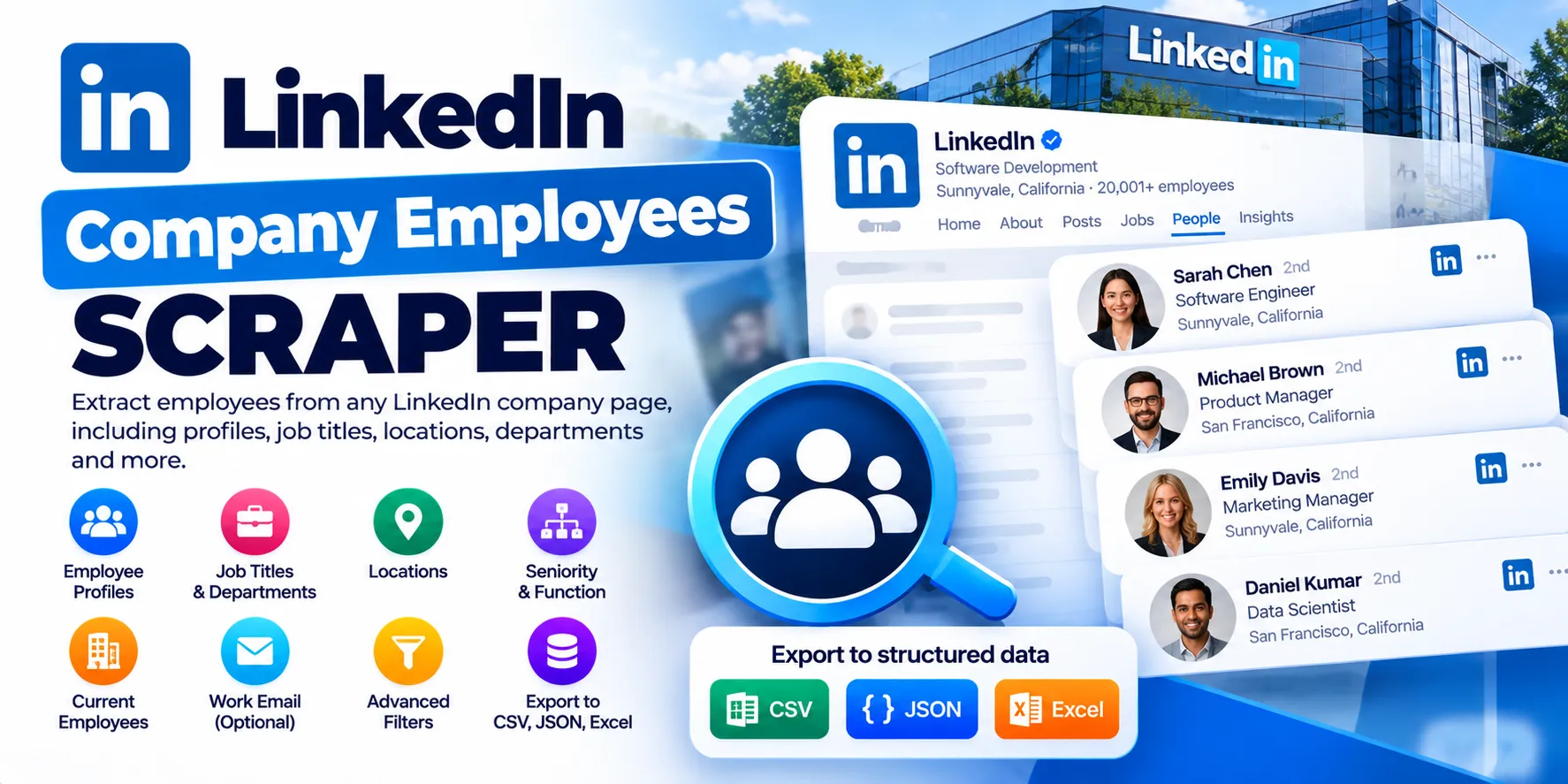
Give it target companies — get the people who currently work there, filtered by title, seniority, function and location.
For each LinkedIn company you provide (URL, slug or name), the actor returns one clean row per current employee: name, LinkedIn profile URL, headline, current job title, location, normalized seniority and function, and the company's context. Two optional depth modes add public profile details and work emails, each labelled with how far it was verified.
No LinkedIn login, cookies or session required.
What you get
| Field | Example |
|---|---|
fullName, firstName, lastName | Jane Smith |
profileUrl, publicIdentifier | https://www.linkedin.com/in/jane-smith/ |
headline | Sales Director at Example Company |
currentJobTitle | Sales Director |
location | Sydney, New South Wales, Australia |
seniority | DIRECTOR |
function | SALES |
currentCompany | { id, name, slug, url, website, domain, industry, companySize, employeesOnLinkedIn, headquarters, followers } |
isCurrentEmployee, employmentMatchConfidence | true, HIGH |
employmentEvidence | ["title_company", "snippet_experience"] |
coverageStatus | PARTIAL_PUBLIC |
inputCompany, profileMode, scrapedAt | what you asked for, and when |
PROFILE mode adds: profileSource, about, followersCount, connectionsCount, profilePictureUrl, currentPositions[], experience[], education[], skills[], languages[], certifications[].
What to expect from PROFILE fields, measured on 80 rows: followers and connections almost always; photo and education on about 70% of rows; about and languages on about 55%; certifications on about 20%. Past jobs are rarely available. experience[] and currentPositions[] usually hold only the current employer, with no title or dates, and skills[] is empty. The current job title comes from search results, in currentJobTitle.
PROFILE_EMAIL mode adds: workEmail, emailStatus, emailSource, emailConfidence, emailProvider, emailPattern.
How it works
- Resolve each company from LinkedIn's public company page: its ID, name, slug, website and domain. Company names are matched exactly. If a name fits more than one LinkedIn company, the actor tells you instead of guessing.
- Discover employees from public search results for that company's LinkedIn profiles. Your title, location, seniority and function filters are used to target the search, so they find more of the right people instead of only filtering a generic list.
- Validate current employment. Each person is checked against how LinkedIn itself summarises their current employer. Former employees, "ex-Company" profiles and people who only mention the company are dropped.
- Filter, normalise and deduplicate, then deliver.
- Optional: PROFILE reads the person's public profile, which re-checks current employment. PROFILE_EMAIL then looks up a work email.
Input examples
Minimal
Recruiters at two companies, in Australia
Decision makers, with profile details
Sales team, with work emails
Output
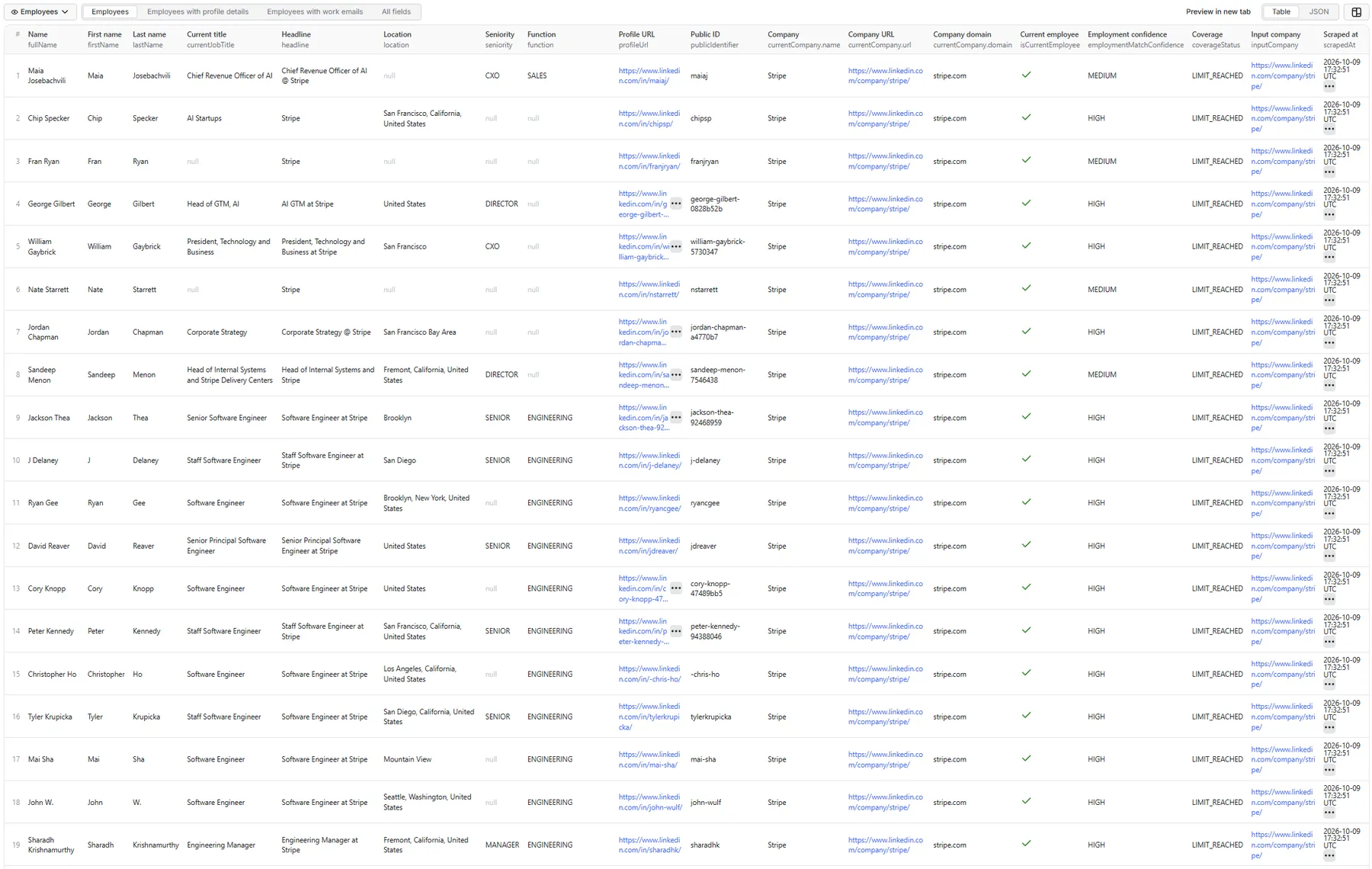
Employees: table view
The default Employees tab, from a real run on the minimal input above (Stripe, BASIC, 100 employees):
Employees: sample record (JSON)
One record from that run, with all fields:
employmentEvidence shows why the row counts as a current employee. Here four independent signals all name Stripe as the current employer, so confidence is HIGH.
The Profile details and Work emails tabs show the same rows with the extra PROFILE and PROFILE_EMAIL fields listed under What you get.
Ambiguous company name (a free status row; nothing is charged):
FAQ
Which company inputs are supported?
LinkedIn company URLs (https://www.linkedin.com/company/stripe/), slugs (stripe) and names (Stripe). URLs and slugs are the most reliable. Numeric company IDs can't be opened without a login, so use the URL or slug instead. Renamed companies are followed to their current page.
Do I need a LinkedIn login or cookies? No. Nothing is ever asked of you, and no LinkedIn account is used.
Does it return current employees only?
Yes. That is the core promise. Every row has isCurrentEmployee: true and an employmentMatchConfidence:
HIGH: two independent signals, or the person's public profile, show the company as their current position.MEDIUM: one clear current-position signal.
Set Minimum current-employment confidence to HIGH for maximum precision. employmentEvidence lists the signals behind each row.
Can it get all employees?
Not guaranteed, and the actor won't claim it does. Employees are found through public search results, so large companies usually return a partial set. Every row and every company carries a coverageStatus:
| coverageStatus | Meaning |
|---|---|
LIMIT_REACHED | Your Max employees per company was reached. |
PARTIAL_PUBLIC | All the current employees public search could surface, short of your limit. |
FULL_OR_NEAR_FULL | At least 90% of the employees LinkedIn lists for the company. |
NO_EMPLOYEES_FOUND | No current employees matched (filters may be too narrow). |
COMPANY_NOT_FOUND / AMBIGUOUS_COMPANY | The company couldn't be resolved unambiguously. |
BLOCKED / PROVIDER_ERROR | A temporary failure. The company is listed in RETRY_INPUT. |
How accurate are the filters?
Title filters match the current title first and fall back to the headline. Employment at the company is always required to be current. Location filters use the public profile location. A person with no public location is excluded when a location filter is set. Seniority and function are normalized from the current title, and a title that doesn't clearly indicate one is left null, not guessed.
What are BASIC, PROFILE and PROFILE_EMAIL?
- BASIC is the fastest and cheapest mode: everything in the table above.
- PROFILE adds public profile details. LinkedIn shows logged-out visitors only part of a profile: expect followers, connections, photo, education and about, but not a work history or skills.
profileSourcetells you where the data came from:PUBLIC_PAGE,PROVIDERorUNAVAILABLE. - PROFILE_EMAIL adds a work email.
Are the work emails verified or guessed? Every work email the provider finds is returned, labelled so you can decide what to send to:
VERIFIED: the provider confirmed the mailbox exists (emailConfidence: "HIGH").UNVERIFIED: the provider found the address but couldn't complete the check ("MEDIUM").CATCH_ALL: the company's mail server accepts any address, so nobody can confirm a mailbox there. The address follows the company's email pattern for this person, who is a confirmed current employee, but it may bounce ("LOW").
For outreach that must not bounce, filter to emailStatus: "VERIFIED". Invalid addresses and personal (free-mail) addresses are never returned. Other statuses: NOT_FOUND, NOT_REQUESTED, NO_COMPANY_DOMAIN, PROVIDER_ERROR, PROVIDER_NOT_CONFIGURED.
Can I scrape multiple companies? Yes, up to 1,000 per run. One company failing never stops the others.
What's the maximum per company? 5,000.
How does pricing work? Pay per result. You're charged once per delivered unique employee, at the rate for what that row actually contains:
| Event | When |
|---|---|
employee-basic | A BASIC row, or a PROFILE row for which no profile data could be obtained. |
employee-profile | A row with profile details, or a PROFILE_EMAIL row where no work email was found. |
employee-profile-email | A row with profile details and a work email (any label). |
You're never charged for company lookups, search pages, retries, duplicates, filtered-out people, former employees or company status rows. An empty run costs nothing. This README deliberately doesn't quote figures, so check the Pricing tab for current rates, which can differ by Apify plan. Runs respect your maximum charge per run.
Can I call it through the API or MCP? Yes. Like any Apify Actor, you can run it from the Apify API, the JavaScript or Python clients, and Apify's MCP server for AI agents.
How do I find work emails for these people with another tool?
Feed fullName + currentCompany.domain, or profileUrl, into Coregent's Work Email Finder or LinkedIn Profile Scraper. You can also use PROFILE_EMAIL mode here.
Run summary
Every run writes a RUN_SUMMARY record to the key-value store. It contains per-company status and coverage, candidates found, the current-employee validation rate, former/stale profiles rejected, filter match rate, duplicates, profile and email enrichment success rates, charged events, and runtime. Companies that failed for temporary reasons are written to RETRY_INPUT, which you can run again unchanged.
🚦 Proxy policy
Use Apify Datacenter proxy (the default) or no proxy for normal runs. Both work for LinkedIn company pages.
Apify Residential proxy is not supported. The actor fails at startup if apifyProxyGroups includes RESIDENTIAL. In pay-per-event actors, residential bandwidth is billed to the developer, not the run user, so one bandwidth-heavy run could cost more than it earns.
If you need residential routing, for example to improve the free public-profile path in PROFILE mode, supply your own provider via the proxy editor's Custom proxy URLs:
Limitations
- Coverage is public, not complete. People with hidden or unindexed profiles can't be found. Large companies return a partial set.
- Logged-out profile views are partial. LinkedIn hides much of a profile from visitors who aren't logged in, so PROFILE mode rarely includes past jobs, job titles inside
experience[], or skills. Treat it as follower, education and about enrichment, not a work-history export. - Seniority and function are derived from titles. Unusual titles get
null. - Work emails need the company's domain. At companies whose mail servers accept any address, emails are returned as
CATCH_ALL: the right pattern for a real employee, but not provably deliverable.
Compliance and privacy
This is an unofficial tool, not affiliated with LinkedIn. It processes public, professional information only, and doesn't infer private or sensitive attributes. You're responsible for processing results lawfully (for example under GDPR or CAN-SPAM). Collect only the fields you need for your purpose. Never send connection requests, messages or automated outreach in ways that breach LinkedIn's terms.


