

LinkedIn Employee Count / Company Growth Tracker
Pricing
from $2.40 / 1,000 company-growth-results
LinkedIn Employee Count / Company Growth Tracker
Track LinkedIn company employee counts, follower counts, company size, industry, and simple growth deltas from public company pages - no LinkedIn login or cookies required.
Pricing
from $2.40 / 1,000 company-growth-results
Rating
0.0
(0)
Developer

Delowar Munna
Maintained by CommunityActor stats
0
Bookmarked
2
Total users
0
Monthly active users
5 months ago
Last modified
Share
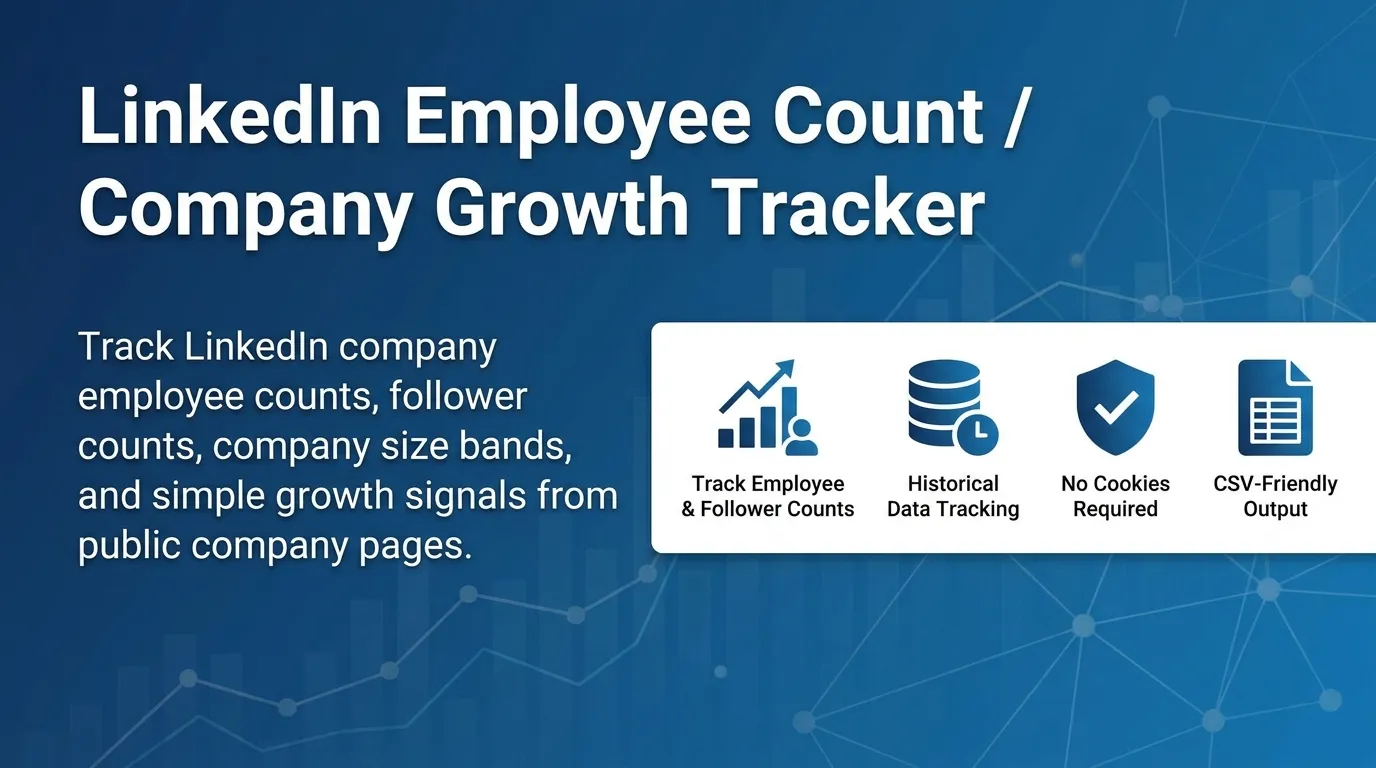
Track LinkedIn company employee counts, follower counts, company size, industry, and simple growth deltas from public company pages — one clean, flat, CSV-ready row per company. Built for B2B sales, recruiting, market research, and competitor / investor monitoring.
No LinkedIn login, no cookies, no session IDs. The actor reads LinkedIn's public guest company pages over HTTP, so it stays fast and cost-predictable. You pay one flat event per unique company row that passes your filters.
This is a company-level growth tracker, not a people scraper and not an AI company-monitoring report. It does not scrape individual employee profiles.
✨ Why this scraper
- Company-level signals, not profiles — current employee count, followers, size band, industry, HQ, website, plus growth deltas vs prior runs.
- Two input modes — paste LinkedIn company URLs, or just company slugs (
openai). - Automatic growth tracking — run it on a schedule and it remembers each company's last counts, computing
*_delta,*_delta_percent, agrowth_label, and a transparentgrowth_scoreon the next run. No paste-back, no setup. - 28 flat fields — no nested objects; drops straight into Sheets/Excel/CRMs.
- Pay-Per-Event — one flat
company-growth-resultevent per saved unique company. Duplicates, filtered, not-found, and blocked rows are never charged. - Transparent growth score — rule-based (no AI), explained below.
🚀 Quick start — sample inputs
Example 1 — track companies by URL + slug
Example 2 — filter a watchlist, custom residential proxy via your own provider
Provide at least one of
companyUrlsorcompanySlugs. If you provide both, they are merged and deduplicated across the whole run.
The actor blocks Apify Residential proxy; if you need residential routing, supply your own provider via
proxyConfiguration.proxyUrls. See 🚦 Proxy policy below.
📦 Output
The dataset has one view: Company growth — a 28-column flat table.
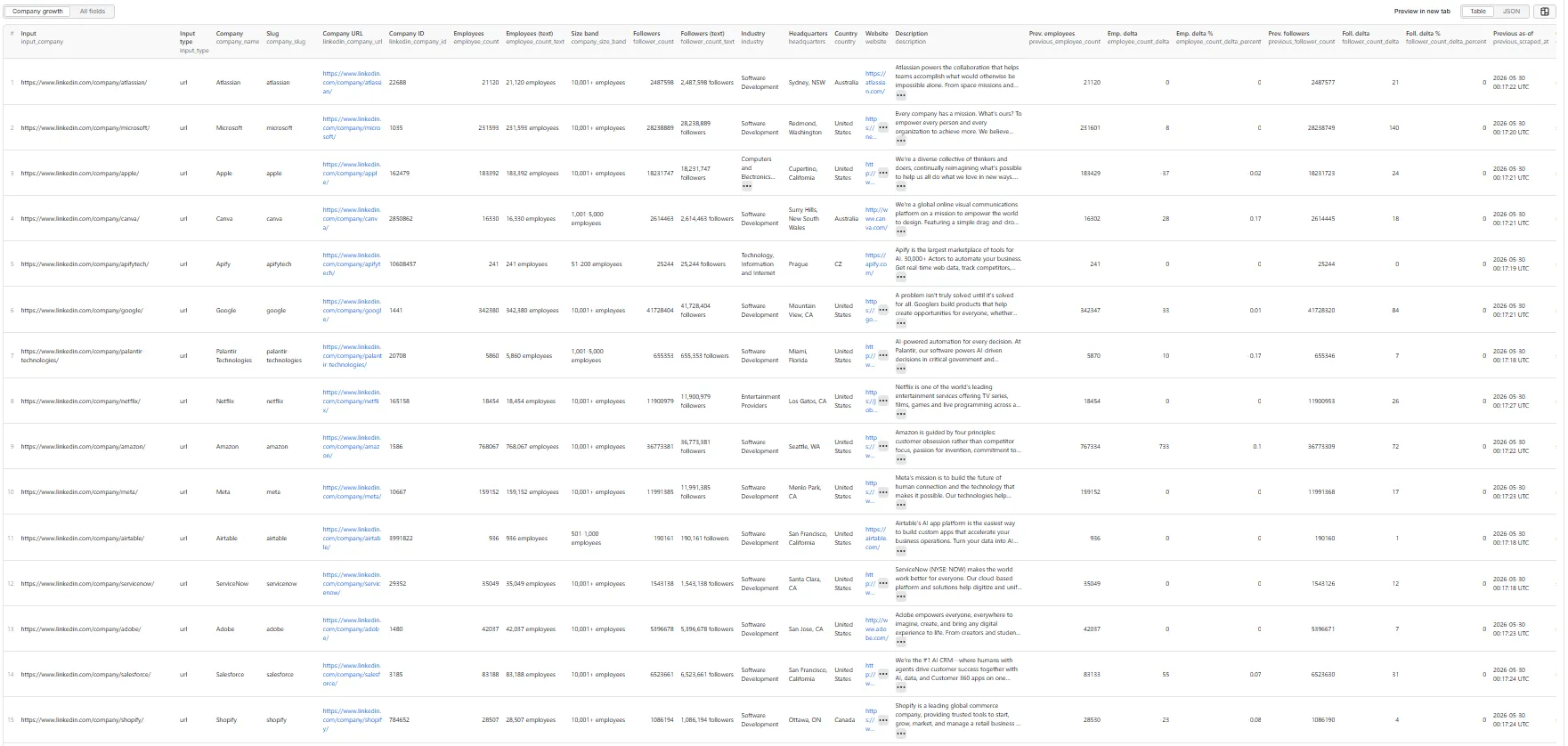
Output fields (28)
input_company, input_type, company_name, company_slug, linkedin_company_url, linkedin_company_id, employee_count, employee_count_text, company_size_band, follower_count, follower_count_text, industry, headquarters, country, website, description, previous_employee_count, employee_count_delta, employee_count_delta_percent, previous_follower_count, follower_count_delta, follower_count_delta_percent, previous_scraped_at, growth_label, growth_score, reason_tags, source_status, scraped_at.
Sample record — Company growth
Real output from a back-to-back run, so the deltas here are small and the label is
stable. Over daily/weekly schedules the*_deltafields andgrowth_label(growing/declining) reflect real headcount and follower movement.
🎯 Growth score
Transparent rule-based score (0–100) computed from extracted fields and run-over-run deltas — no AI, no external enrichment. Starts at 50, then:
| Signal | Points |
|---|---|
| Employee count delta ≥ 10% | +25 |
| Employee count delta ≥ 3% and < 10% | +15 |
| Follower count delta ≥ 10% | +10 |
| Follower count delta ≥ 3% and < 10% | +5 |
| Employee count ≥ 50 | +5 |
| Employee count ≥ 200 | +5 |
| Company size band present | +5 |
| Employee count delta ≤ -10% | −25 |
| Employee count delta < -3% and > -10% | −15 |
| Follower count delta ≤ -10% | −10 |
| Follower count delta < -3% and > -10% | −5 |
| Employee count missing | −10 |
Score is clamped to 0–100.
Growth label: growing (employee delta ≥ 3% or follower delta ≥ 10%) · declining (employee delta ≤ -3% or follower delta ≤ -10%) · stable (a previous count exists but no threshold met) · unknown (no previous count available).
reason_tags is a pipe-separated list explaining the row — e.g. employee_count_available, follower_count_available, previous_snapshot_matched, employee_growth_positive, follower_growth_positive, company_size_available, missing_previous_snapshot, missing_employee_count.
📈 Tracking growth over time
Growth deltas come for free across runs — no paste-back needed. With compareWithPreviousData on (default), the actor remembers each company's last-known employee/follower counts in a persistent store and diffs against them automatically on the next run:
- First run — no prior data yet, so deltas are
nullandgrowth_labelisunknown. Counts are saved to the store. - Next run(s) — each company is matched to its last-known counts (by canonical URL, then slug) and
*_delta,*_delta_percent,growth_label,growth_score, andprevious_scraped_atare computed. The store is then updated with the fresh counts.
Because the store keeps the last-known value per company, a company's baseline can come from an earlier run, not just the immediate previous one — so changing company lists and gaps are handled gracefully (a company with no prior data simply comes back unknown).
historyStoreName— set this to isolate separate tracking sets (e.g. one per watchlist). Leave empty for a sensible per-task default. The store is account-scoped and behaves the same locally and on Apify.compareWithPreviousData: false— disables tracking entirely (no store reads/writes; all rows come backunknown).
Just schedule the actor (daily/weekly/monthly) and growth is tracked for you.
💰 Pricing
Pay-Per-Event. One flat event per saved row (final per-event price is configured on the Apify console):
| Event | Charged when |
|---|---|
company-growth-result | Once per unique company row that passed all filters and was successfully written to the dataset. |
So your bill is simply results_saved × price_per_event. The actor honors the user-configured per-run spending cap (Apify eventChargeLimitReached): it caps how many companies it fetches up-front to what the limit can pay for, and stops cleanly the moment the cap is reached during charging.
Not charged:
- Duplicates (deduplicated by company ID, canonical URL, slug, and name+website/HQ keys).
- Rows filtered out by employee / follower / industry / growth filters.
- Not-found, blocked, or failed company pages.
🚦 Proxy policy
Use Apify Datacenter proxy or no proxy for normal runs — both work for LinkedIn's public guest company pages at this actor's conservative concurrency.
Apify Residential proxy is not supported. The actor will fail at startup if proxyConfiguration.apifyProxyGroups includes RESIDENTIAL. Reason: in pay-per-event actors, residential bandwidth (~/GB) is billed to the developer, not the run user, so a single bandwidth-heavy run could exceed the per-result event revenue.
If you genuinely need residential routing, supply your own residential provider via the proxy editor's Custom proxy URLs field — that traffic goes through your provider, not Apify, and is unaffected:
📊 Run summary
After each run, a RUN_SUMMARY entry is written to the key-value store:
charged_events equals the number of successfully saved unique rows.
⚙️ Filters
| Filter | Effect |
|---|---|
minEmployeeCount / maxEmployeeCount | Keep companies within the employee-count bounds. Missing counts are dropped when a bound is set. |
minFollowerCount | Keep companies with at least this many followers. Missing counts dropped when > 0. |
industryKeywords | Case-insensitive substring match on industry. Missing industry dropped when keywords given. |
growthFilter | any / growing / stable / declining / unknown (meaningful once prior data exists, i.e. from the 2nd run on). |
deduplicate | One row per canonical company (recommended ON). |
Filters are applied after extraction and scoring, and before any dataset push or event charge.
🚧 Limitations (V1)
- Public guest data only: no login, cookies, or member-only content. LinkedIn gates some company pages for guests; when a page is gated the company is reported as
blocked/partialin the summary and not charged. Use Apify Proxy and keep runs modest for best coverage. - Best-effort fields:
employee_count,follower_count,company_size_band,industry,headquarters, andwebsitepopulate only when LinkedIn shows them on the public page. Missing values arenulland the row is markedpartial. - Growth deltas need a prior run — the first run for a given company has no stored baseline, so
growth_labelisunknownand delta fields arenull; deltas appear from the second run onward (withcompareWithPreviousDataon). - No people scraping: no employee lists, new-hire detection, department/location breakdowns, job-page analytics, contact/email enrichment, website crawling, or AI narratives.
maxResultscaps saved unique rows across the whole run.
❓ FAQ
Do I need a LinkedIn account or cookies? No. The actor only reads LinkedIn's public guest company pages.
Why are some fields null / why is a row partial?
LinkedIn does not always expose every field publicly, and some pages are gated for guests. The actor returns whatever is visible and marks incomplete rows partial.
How do I get growth deltas?
Just run the actor more than once — with compareWithPreviousData on (default) it remembers each company's last counts and computes deltas automatically on the next run, no paste-back needed. See 📈 Tracking growth over time.
Can I pass just slugs?
Yes — put them in companySlugs (e.g. openai). They become https://www.linkedin.com/company/<slug>/.
Can I export to CSV?
Yes — every field is flat (no nested objects). Use Apify's CSV / Excel export, or call the dataset API with format=csv.
Will I get blocked? The actor uses conservative concurrency, realistic headers, session rotation, and retry/backoff. Default Apify Proxy is sufficient for typical small/medium runs. For large runs, split the list and/or supply your own proxy provider.
🛠️ Technical notes
- Stack: Node.js 22 · Apify SDK 3 · Crawlee
CheerioCrawler· Cheerio + native fetch. No browser. - Surface: LinkedIn public guest company page (
/company/<slug>/); parsed via JSON-LD,og:meta, and visible top-card / about text. - Concurrency:
min=1,max=5(conservative; tune after real runs). - Memory: 1 GB min · 2 GB default · 4 GB max.
- Proxy: Apify Proxy enabled by default; custom configs accepted; Apify Residential rejected at startup.


