

LinkedIn Profile Scraper
Pricing
from $4.00 / 1,000 profile results
LinkedIn Profile Scraper
Scrape complete LinkedIn profiles from URLs, usernames, or profile IDs. Work history, education, skills, certifications, current-company details, and optional business-email enrichment. Profiles are deduplicated across inputs. No LinkedIn login or cookies required.
Pricing
from $4.00 / 1,000 profile results
Rating
0.0
(0)
Developer

Delowar Munna
Maintained by CommunityActor stats
0
Bookmarked
32
Total users
10
Monthly active users
2 months ago
Last modified
Categories
Share
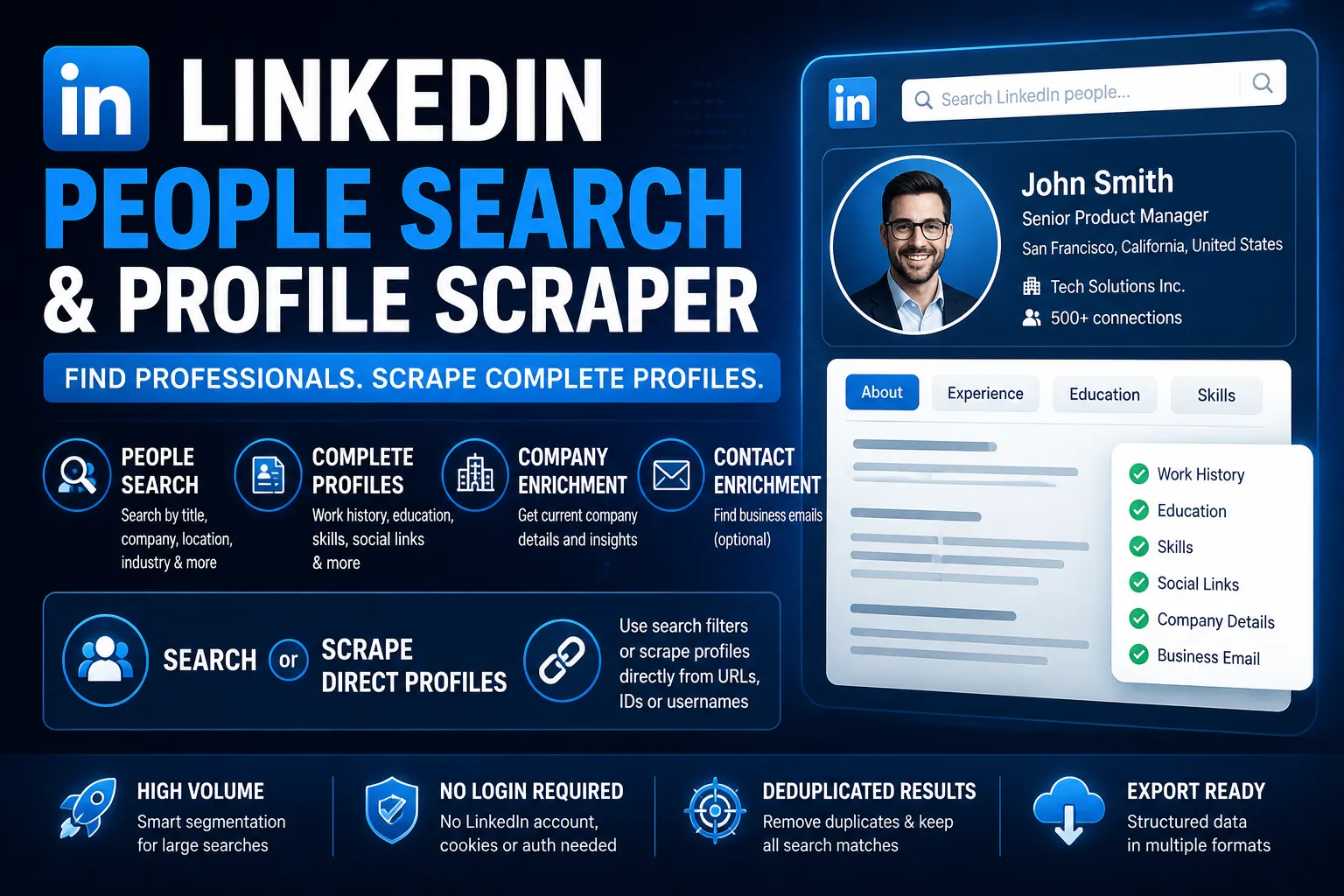
Turn a list of LinkedIn profile URLs, usernames, or profile IDs into structured records — verified current employer, full company details, location, and about text.
No LinkedIn login, cookies, li_at, or session ID is ever required.
What you reliably get, and what you do not. This actor reads LinkedIn's public, logged-out pages. Name, employer, location, education and photo come back on virtually every profile; certifications and languages on most. But LinkedIn withholds job titles, skills and employment dates from logged-out visitors entirely, so those arrive empty rather than invented — and no proxy or setting changes that. Every figure is measured, not estimated: What the data looks like in practice.
What does this actor do?
You give it the people you want. It returns one clean, normalized record each — deduplicated, with the current employer resolved to a real LinkedIn company and optionally enriched with that company's industry, size, website and headquarters.
Paste any mix of full profile URLs, usernames, or LinkedIn internal profile IDs. The actor detects each form automatically, merges equivalent entries, deduplicates people supplied more than once, and returns a consistent record for every one — with optional filters to narrow a large input list.
It reads LinkedIn's public profile pages. You never supply a username, password, cookie, li_at
token, or session ID.
This actor does not search LinkedIn. It looks up people you name. There is no public LinkedIn people-search endpoint, so finding new people by job title, location, or keyword is not something this actor can do — see Limitations.
Main use cases
- Verify and enrich a contact list — turn profile URLs into confirmed employer, location and company data. This is what the actor does best.
- Account mapping — resolve a list of people to the companies they work at, with industry, size and domain attached.
- CRM hygiene — refresh employers and locations for existing contacts, and spot movers.
- Lead enrichment — add the company domain you need for downstream email tooling.
- Automation — call it from the Apify API, a Task, a Schedule, or a webhook.
Quick start
What you get
Every profile is returned at full detail — there is no tier to choose.
| Field | Returned |
|---|---|
| Name, location, profile URL | ✅ always |
| Current employer — name, LinkedIn URL, slug | ✅ always |
| Profile photo | ✅ always |
| About / summary | usually — 65% |
| Education | usually — 77% |
| Work history (employer; dates are not published) | usually — 87% |
| Languages | often — 50% |
| Certifications | sometimes — 35% |
| Volunteering, honours | sometimes — ~20% |
| Job title, skills, tenure totals | not published by LinkedIn — see below |
| Current company details | opt-in — Include current company details |
| Business email | opt-in — Find business email |
| LinkedIn numeric member ID | when the paid fallback ran |
| Banner image + default-photo flag | when the paid fallback ran |
| Influencer / memorialized flags | when the paid fallback ran |
| "People also viewed" — 10 related profiles | when the paid fallback ran |
Those percentages are from a real 52-profile run, not estimates — the full table is in What the data looks like in practice. Sections LinkedIn withholds come back empty rather than guessed, and a filter that depends on missing data tells you so in the run log instead of silently passing everyone.
Two of those need a word of explanation. hasDefaultProfileImage: true means
profileImageUrl is LinkedIn's grey placeholder rather than a real photo — the placeholder is a
perfectly valid image URL, so without the flag you cannot tell them apart. And linkedinNumericId is
LinkedIn's internal member id, stable even when someone changes their profile URL; it is not the
ACoAAA… URN, which this data source does not expose at all.
peopleAlsoViewed lists 10 profiles LinkedIn considers related. It is returned as data and is
never crawled — this Actor only fetches people you named, so those entries are a starting point
for you rather than rows you will be charged for.
Those five fields come from the paid fallback, which runs when LinkedIn blocks the public page — so in practice most rows have them and the few served from the public page do not. They are always present as keys, empty where unavailable.
Why there is no Basic tier. There used to be, and it was removed because it saved nobody anything. Every person you supply has their profile page opened regardless — the basic fields come from that page — so a Basic row did exactly the same work and then had fields stripped before being returned. It cost us the same to produce and cost you less, which made it the worst possible deal for both sides. Full detail for everyone is simpler and honest.
One result event per person, and none at all for an empty row. If LinkedIn does not serve someone's profile page and the paid fallback cannot recover it either, that person is still returned — so you can see exactly who was missed rather than finding a short file — but no event is charged for them. You pay for people you actually received data about.
What the data looks like in practice
Measured on a real 52-profile run, not estimated — 52 people across 42 employers, 15 industries and 17 countries, deliberately spread so no single employer or profession skews the numbers. Every row returned data; 42 came through the paid fallback and 10 from the public page directly.
| Field | Populated | |
|---|---|---|
Profile URL, publicIdentifier | 100% | ✅ |
| Name, photo, follower count, location | 98% | ✅ |
| Current employer (name + LinkedIn URL) | 98% | ✅ |
| Work history entries | 87% | ✅ |
| Connections count, numeric member ID, banner | 87% | ✅ |
| Education | 77% | ✅ |
| "People also viewed" (10 related profiles) | 77% | ✅ |
| About / summary | 65% | |
| Languages | 50% | |
| Business email (opt-in) | 45% of people with a company domain — 40% of all rows | |
| Certifications | 35% | |
| Volunteering | 21% | |
| Honours & awards | 19% | |
| Other organisations / affiliations | 17% | |
| Websites | 14% | |
| Courses | 10% | |
| Recommendations count | 8% | |
| Headline, job title, years of experience / tenure | 6% | ⚠️ |
| Projects | 4% | |
| Skills, publications | 0% | ⚠️ |
| Open-to-work / hiring badges | 0% | ⚠️ |
LinkedIn URN (profileId) | 0% | ⚠️ |
These figures replaced ones measured on 18 profiles who were all pharmacists. Two moved sharply: certifications 72% → 35% and affiliations 72% → 17%. Licensed professionals carry credentials that a general population does not, so the old numbers flattered those two fields. Everything else moved a few points at most.
The ⚠️ rows, explained
These are not bugs and no setting changes them. They are what LinkedIn does not publish to a logged-out visitor, and what our data source does not carry.
Job titles are redacted. LinkedIn returns them as asterisks on ordinary profiles. We treat a
redacted value as absent rather than emitting "****" as though it were an answer — so
currentPosition.title is null while companyName is populated. Headline is empty for the
same reason on most profiles.
Employment arrives without dates. The employer is published; the start and end dates are not.
So experience[] is populated while totalYearsExperience and yearsAtCurrentCompany stay
null — there is nothing to compute them from. experienceCount: 1 beside
totalYearsExperience: null is honest, not broken.
Skills and publications are absent from the data source entirely. Verified against a captured payload rather than assumed.
Projects, recommendations, job title and tenure are rare rather than impossible — 4%, 8%, 6% and 6%. They come only from the minority of profiles LinkedIn serves in full to a logged-out visitor, so expect them occasionally and never depend on them.
profileId is the internal ACoAAA… URN, which our source does not expose. Use
publicIdentifier (100%) or linkedinNumericId (87%) instead — the latter is stable even if
someone changes their profile URL.
If your use case needs a job title, dated work history, or skills for every person, this Actor cannot deliver that from public LinkedIn data, and neither can any proxy or setting.
Filters
All optional, and all applied after extraction to narrow the list you supplied. They never find new people.
| Filter | Matched against | Needs Full? |
|---|---|---|
| Current job titles | title + headline | no |
| Locations | the profile's location text | no |
| Must contain / exclude keywords | headline, about, title, skills, work history | beyond the headline, yes |
| Exclude job titles / companies | title, headline, current employer | no |
| Past job titles / companies | work history | yes |
| Schools | education | yes |
| Industries | the enriched company's industry | needs company enrichment |
| Min/max years of experience | work history, overlapping roles counted once | yes |
| Min/max years at current company | the current role's start date | yes |
A filter that cannot be evaluated keeps the person rather than dropping them, so nobody is silently discarded because a field failed to parse.
The run tells you when this happens. If a filter could not be evaluated for some of your
results, the log says so with the count and the reason — for example "the Minimum years of
experience filter could not be evaluated for 9 of 10 saved profiles (90%), because LinkedIn does
not publish dated work history for them. Those people were KEPT rather than dropped, so this
filter excluded nobody among them." The same counts appear in RUN_SUMMARY.
That matters most for the four experience and tenure filters, which need dated work history — available for only a minority of profiles. They are genuinely useful when filtering a list of people who do publish dates, and honest about it when they cannot.
Company enrichment
Turn on Include current company details to add each person's employer: website, domain, industry, company size, employee count, company type, headquarters, offices, founding year, description, logo.
Each unique company is looked up once per run and charged once. 100 people at one company is a single company charge, not 100. Failed or blocked lookups return the person without company data and are never charged.
Email enrichment
Turn on Find business email (automatic with Full + contact). Emails come from two places, and the output records which:
contact.source: "linkedin_public"— the address was published in public LinkedIn text. Free, never charged.contact.source: "enrichment"— the address came from a third-party enrichment provider. That provider is not LinkedIn.
Billing: you pay only for addresses you actually receive. The email-enrichment event is charged
once per unique person for whom a verified address is returned. A lookup that finds nothing, returns
only a low-confidence result, or fails outright is never charged. Each unique person is looked up
at most once per run; duplicates and skipped people are never looked up. Free addresses stay free.
Paid email lookup requires a paid Apify plan. On the Apify Free plan the third-party lookup is skipped, nothing is charged for it, and no
email-enrichmentevents fire. Emails published in public LinkedIn text are still extracted on every plan and are always free. The run log says so plainly when it applies.
Only confirmed addresses are returned. emailStatus: "verified" means the provider tested the
mailbox and it exists. Anything the provider could not confirm is discarded rather than handed to
you, and never charged.
Why that matters more than it sounds. Many large employers run mail gateways that accept every recipient — that is how enterprises defeat address-harvesting. At such a domain a finder will return a pattern-derived address for any name at all. We tested this: asked for a person who does not exist at one such employer, the provider returned a plausible address for them, flagged internally as generated. An address obtained that way is evidence of nothing — not that the mailbox exists, not even that the person works there.
So those are dropped. The consequence is real and intended: expect an empty email column for a substantial share of people at large enterprises. A blank costs you nothing; a fabricated address costs you your sending reputation.
People with no employer domain cannot be looked up at all. A finder is given a name and a company domain; without a domain there is nothing to search. The run log reports how many people were in that position, so an empty column can be told apart from a vendor that found nothing.
emailStatus only ever uses the provider's own vocabulary — verified, valid, risky,
unverified, not_found. A status is never invented. Addresses found free in LinkedIn text are
unverified: we can see them but have not tested them.
Deduplication and incremental runs
- Remove duplicate people (default on) returns each person once, matched on LinkedIn profile ID, then username, then profile URL. So the same person supplied as a URL, a username, and an ID counts once and is charged once.
- Skip lists — paste profile IDs, usernames, or profile URLs you already have. Matched people are not extracted, not enriched, not saved, and never charged. Entries are cross-matched against all three lists, so a URL pasted into the ID field still works.
Example output
One record per person. This example reflects the real null pattern — a typical row recovered through the paid fallback, which is ~85% of output. Fields LinkedIn does not publish are shown as they actually arrive, rather than filled in with plausible-looking values.
Every key is always present. A field LinkedIn did not publish is null or [], never omitted —
so CSV columns stay aligned and you never have to guard an access. currentCompany and contact
are null unless you enabled those options.
matchedSearches records which of your inputs produced the row, which matters when the same
person was supplied twice in different forms — a URL and a bare username collapse to one row, and
this shows both inputs that led to it. searchPlanId is always null: it belonged to a search
feature this Actor does not have.
detailSource tells you where each row came from: linkedin_public for a row read straight off
the public page (richer, but LinkedIn serves only ~1 in 10), or tikhub for one recovered through
the paid fallback. contact.source does the same for the email — linkedin_public for an address
published in the profile text, enrichment for one found by the email finder, which is not
LinkedIn.
Output views
| View | Contents |
|---|---|
| Overview | Name, headline, location, current role, profile URL |
| Full profile | Every field including work history, education, skills |
| Contacts | Person, role, employer, discovered email and its source |
| Companies | Enriched current-employer details |
| Search trace | How each person was supplied, and how their detail was obtained |
Pricing
Pay per event, so you only pay for what you use:
| Event | Charged |
|---|---|
| Profile result | per unique person returned with profile data. Never charged for an empty row — see below |
| Company enrichment | per unique company per run — not per person |
| Email enrichment | per unique person for whom a confirmed address is returned; misses, unconfirmable results and failed lookups are all free. Requires a paid Apify plan. See Email enrichment |
One result event per person. Never charged: duplicates, people removed by filters, people on your skip lists, failed extractions, blocked company lookups, and emails found free in public LinkedIn text.
Current rates are on the Pricing tab — this README deliberately quotes no figures, so it cannot go stale.
🚦 Proxy policy
Apify Datacenter proxy is the default, and residential is not worth paying for here.
LinkedIn blocks a large share of public profile requests whatever the IP class. Measured on the same 19 profiles: 17 of 19 blocked on datacenter, and 17 of 19 blocked on residential — identical, plus residential added upstream proxy failures. A blocked profile still produces a result, recovered through a paid data provider, though that version carries fewer sections.
Bring your own provider under Custom proxy URLs and the Actor uses it instead — that traffic goes through your account:
No proxy is honoured exactly as set. Expect most profile pages to be blocked and recovered through the provider.
Every run reports what it used and what it cost in bandwidth — see the Proxy: and Bandwidth:
lines in the log, and economics.bandwidth in the run's key-value store.
API usage
Works from the Apify Console, the Actor API, Tasks, Schedules, webhooks, and the Dataset API. Inputs are simple top-level fields with no deeply nested objects.
Each run also writes a RUN_SUMMARY record to the key-value store: how many profiles were supplied,
resolved, deduplicated and skipped, full vs partial rows saved, companies enriched, emails found,
errors, and how often the free profile page succeeded rather than needing the paid fallback.
Limitations
Stated plainly, because they are the things people most often expect and do not get:
- This actor cannot find people. No searching by job title, location, keyword, industry, or company. LinkedIn publishes no public people-search endpoint and no upstream provider we can use offers one. You must supply the people you want.
- Email coverage is bounded by the employer domain. A finder is given a name and a company domain, so a person whose employer we could not resolve cannot be looked up at any price. On a measured 19-person run, 17 carried a usable domain — that is the ceiling, before the finder's own hit rate is applied. The run log reports both numbers.
- Email coverage is low at large enterprises, by design. Their mail gateways accept every recipient, so no provider can confirm a mailbox — and one asked anyway returns a pattern-derived address for any name, including invented ones. We discard those rather than return them, so the column is empty for those employers instead of full of guesses. Lookups that do not happen are never charged.
- The logged-out page is the ceiling, and the ceiling is specific. Measured on a real 52-profile run: skills and publications are never returned (0%), and the job title, headline and years of experience / tenure arrive on only 6% of rows (employment usually arrives without dates, so there is nothing to compute tenure from). Languages come through 50% of the time and certifications 35%, so those are occasional rather than reliable — the full table is in What the data looks like in practice. Missing sections come back empty rather than guessed, and no proxy setting or configuration changes what LinkedIn publishes.
- Job titles are frequently redacted to asterisks for logged-out visitors, so
currentPosition.titleis oftennullwhilecurrentPosition.companyNameis populated. The actor never emits a redacted value as though it were data. - Experience and tenure filters need dated work history and cannot be evaluated for most profiles. They keep those people rather than dropping them, and the run log reports exactly how often that happened.
- Recommendations are counted, not reproduced.
recommendationsCountonly — the text is a third-party personal statement. - Courses are not mapped. The public page exposes LinkedIn Learning courses authored by the person, which is not the same as coursework studied, so it is deliberately left empty.
openToWork/hiringarenullwhen no profile page was read. They are onlyfalseonce a page has actually been parsed — the actor does not assert a fact it did not observe.
FAQ
Do I need a LinkedIn account, cookies, or li_at?
No. The actor only reads pages that are public, and never asks for credentials.
Can I search for people by job title or location? No — see Limitations. Supply the profiles you want and use the filters to narrow them.
I supplied the same person as a URL and a username. Am I charged twice? No. They are recognised as one person, returned once, and charged once.
Will I be charged for people I already have? No. Put their IDs, usernames, or URLs in the skip lists and they are never extracted, enriched, saved, or charged.
Some rows came back almost empty. Was I charged for them? No. A row carrying only the URL you supplied — no name, no employer, no email — is returned so you can see who LinkedIn withheld, and no event is charged for it. Those rows are counted in the run log.
Why is a person's email empty when Find business email is on? One of four reasons, and none of them is charged: they publish no address and we could not resolve their employer's domain, so there was nothing to search on; the finder searched and found nothing; it found an address at a domain that could be verified but could not confirm it, so we discarded it; or the lookup failed. The run log breaks down which.
Why is the email column empty for most people at a big company? Because their employer's mail gateway accepts every recipient, so no provider can confirm whether a mailbox exists. A finder asked about such a domain returns a pattern-derived address for any name — we verified that it does so even for a person who does not exist — so we discard those instead of returning them. You are never charged for them.
Why are skills / certifications empty, and would a proxy fix it? No. LinkedIn does not publish those sections to logged-out visitors for most people, so they are absent from pages that load perfectly. This is a limit of scraping without credentials, not a blocking or proxy problem.
I set a minimum years of experience and got everyone back. Is the filter broken?
No — it could not be evaluated. Most profiles do not publish dated work history, and the actor
keeps people it cannot assess rather than dropping them. The run log reports the count, and
RUN_SUMMARY.experienceFilterUnknownKept records it.
Compliance and disclaimer
- You are responsible for using this actor lawfully.
- You must comply with applicable privacy and data-protection law, including any rules that apply to processing personal data about identified individuals.
- You must comply with the relevant platform terms and policies.
- Business email addresses may be obtained from a third-party enrichment provider and are not
necessarily extracted from the LinkedIn profile itself. The
contact.sourcefield records which applies for every row. - This actor reads only publicly accessible pages and data. It does not require, request, or use LinkedIn credentials, cookies, or session tokens.


