

X (Twitter) Tweet Scraper
Pricing
from $0.20 / 1,000 tweet results
X (Twitter) Tweet Scraper
Scrape public X (Twitter) tweets by keyword, hashtag, advanced search or profile. Get text, date, likes, retweets, replies, views, media, hashtags and author data in clean JSON or CSV. No login, no cookies. Pay only for tweets saved.
Pricing
from $0.20 / 1,000 tweet results
Rating
0.0
(0)
Developer

Delowar Munna
Maintained by CommunityActor stats
0
Bookmarked
35
Total users
15
Monthly active users
19 hours ago
Last modified
Categories
Features
Share
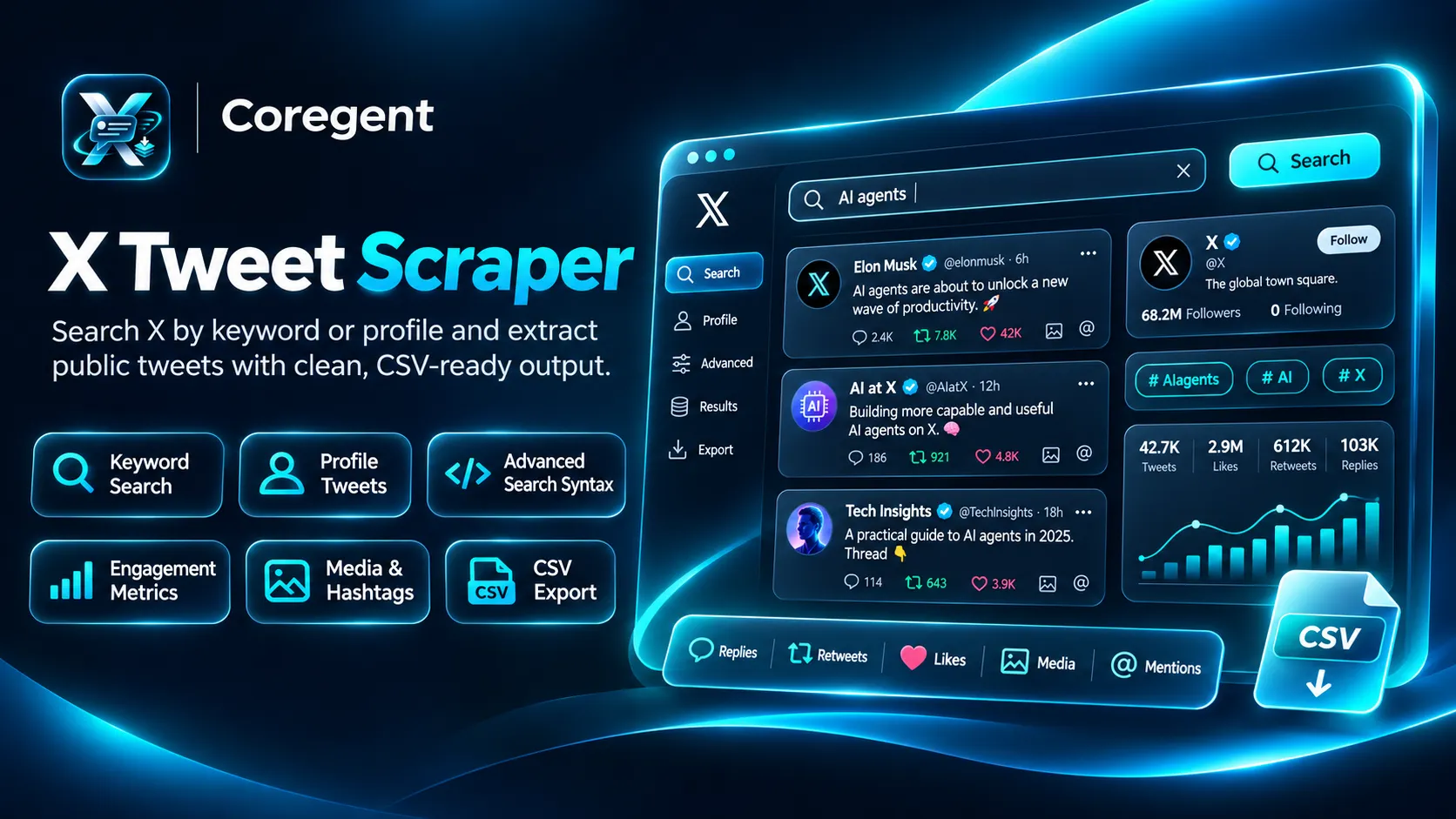
Scrape public X (Twitter) tweets by keyword, hashtag, advanced search query or profile. Every tweet comes back as one flat row with its text, date, likes, retweets, replies, quotes, bookmarks, views, media, hashtags, mentions, links and author details. Export to JSON, CSV, Excel or Google Sheets, or call it from the API, Make, Zapier, n8n or an AI agent.
- No login, no cookies, no X account. Public data only.
- Two modes: search (keywords, #hashtags, X advanced search syntax) and profile tweets (handles or profile URLs).
- Simple filters: date range (fixed dates or "last 1 day"), language, minimum likes / retweets / replies, media only, replies and retweets on or off.
- Built for monitoring. Schedule it daily or hourly with a relative start date and each run collects only new tweets.
- Pay only for tweets saved. Duplicates, tweets your filters drop, failed inputs and empty runs are free.
- Clear status messages. Every run tells you how many tweets it saved, which inputs found nothing, and why it stopped.
What can you do with it?
| Use case | What to enter | Typical setup |
|---|---|---|
| Brand monitoring | yourbrand, @yourbrand -from:yourbrand, "your product" | Daily schedule, Start date 1 day, results to Slack or Google Sheets |
| Competitor tracking | Competitor handles in Profiles, plus competitor OR competitor2 as a search | Daily schedule, replies off, compare engagement week to week |
| Customer complaints and support | @yourbrand (broken OR refund OR "not working") | Hourly or daily schedule, webhook to your helpdesk |
| Campaign and hashtag reporting | #yourcampaign | Start and end date around the campaign, one run for the report |
| Influencer research | Creator handles in Profiles | Minimum likes, export the Engagement view |
| Lead generation | "looking for" (agency OR tool OR freelancer) yourniche | Daily schedule, Authors view for usernames, bios and follower counts |
| Market and AI datasets | Topic keywords with a language filter | Large one-off run, JSON into your sentiment or LLM pipeline |
| Journalism and research | Event keywords or hashtags with a date range | Archive the conversation with dates and links |
How to use it
- Add search terms, profiles, or both.
- Set Maximum tweets per search term or profile (and, if you like, a total cap).
- Optionally add filters, such as a Start date to get recent tweets.
- Click Start, then download the results from the Output tab.
Run it with the defaults and it searches apify and returns about 10 tweets.
Search terms
Each entry is one X search. Anything that works in X's search box works here:
| You enter | What it finds |
|---|---|
apify | Tweets matching the word |
#webscraping | Tweets with the hashtag |
"web scraping" | The exact phrase |
from:nasa mars | Tweets by @nasa mentioning mars |
to:apify | Replies to @apify |
@apify -from:apify | Mentions of @apify by others |
openai OR anthropic | Either word |
scraper min_faves:100 | Tweets with at least 100 likes |
https://x.com/search?q=apify | A pasted X search URL (its query is used) |
A pasted x.com/hashtag/… link becomes the hashtag, and a profile URL pasted here is treated as a profile.
Result order. Search results come in X's relevance ("Top") order, not newest first. To get recent tweets, set a Start date: X then only returns tweets from that date on. The Start date can be a fixed date or a period before the run, such as 1 day or 7 days.
Matching. X matches more than the visible tweet text: a quoted tweet, a link card, media or the account can match too. So some results won't show your keyword in the text column. That's how X search works, and those tweets are still valid matches.
Profiles
Enter handles (nasa, @nasa) or profile URLs (https://x.com/nasa, twitter.com/nasa/with_replies). You get the profile's own tweets, replies and retweets, newest first. Turn off Include replies or Include retweets to keep only original posts.
For a retweet, text, the counts, the media and the entities are the original tweet's, with is_retweet: true and the original's ID and author in retweeted_tweet_id and retweeted_author_username. created_at is when the profile retweeted it.
Accounts that don't exist, are suspended or are protected return no tweets. The run marks them as failed inputs in the status message and carries on with the rest.
Filters
| Filter | Search mode | Profile mode |
|---|---|---|
Start date / End date (a date, or a period such as 1 day) | Added to the query (since: / until:); a period is also checked to the minute on each tweet | Checked on each tweet; paging stops once tweets are older than the start date |
| Language | lang: | Checked on each tweet |
| Minimum likes / retweets / replies | min_faves: / min_retweets: / min_replies: | Checked on each tweet |
| Only tweets with photos or videos | filter:media | Checked on each tweet |
| Include replies (off) | -filter:replies | Checked on each tweet |
| Include retweets (off) | Not needed (search returns original tweets) | Checked on each tweet |
If your own search term already contains an operator (for example lang:de), your term wins and the form's value isn't added for that term.
Monitor X on a schedule
Most teams don't scrape X once: they watch a brand, a competitor or a topic every day. This Actor is built for that.
- Set up your input with the search terms or profiles you want to watch.
- Set Start date to a relative period that matches how often it runs:
1 dayfor a daily run,1 hourfor an hourly run. Each run then collects only tweets from that window, so you don't pay twice for the same tweet. - Click Save as a new task, then open the task's Schedules and pick daily, hourly or a cron expression.
- Send the results where your team works: the Actor's Integrations tab connects runs to Slack, Google Sheets, email, webhooks, Make, Zapier and n8n.
Tip: set a Maximum tweets (total) and a maximum cost per run in the run options, so a busy news day can't turn into a surprise bill.
Input examples
One search and one profile, 10 tweets each (the run behind the sample output below):
Recent English tweets about two topics, no replies, at least 10 likes:
Daily brand monitoring (save as a task and schedule it daily):
An account's own posts only (no replies, no retweets):
Output
One row per tweet. Fields marked (profiles) are only filled in profile mode, because X's search results don't include them.
| Field | Description |
|---|---|
tweet_id, tweet_url | Tweet ID and link |
text | Full tweet text |
created_at | When it was posted (ISO, UTC) |
lang | Language detected by X |
like_count, retweet_count, reply_count, quote_count, bookmark_count, view_count | Engagement counts |
is_reply, is_retweet, is_quote | Tweet type |
in_reply_to_tweet_id (profiles) | The tweet it replies to |
conversation_id | The thread it belongs to |
hashtags, mentions, urls | Entities, joined into one text field each |
media_type, media_urls, video_url | photo, video, mixed or none; image and video-thumbnail URLs; the best MP4 link |
is_sensitive | Marked sensitive by X |
source_app (profiles) | The app it was posted from, when X provides it |
quoted_tweet_id, quoted_tweet_text, quoted_author_username | The quoted tweet, for quote tweets |
retweeted_tweet_id, retweeted_author_username | The original tweet, for retweets |
author_id, author_username, author_name, author_followers, author_verified, author_location, author_created_at, author_avatar_url | The author |
author_description (profiles) | The author's bio |
source_input_type, source_input_value | Which search term or profile found the tweet |
scraped_at | When it was collected |
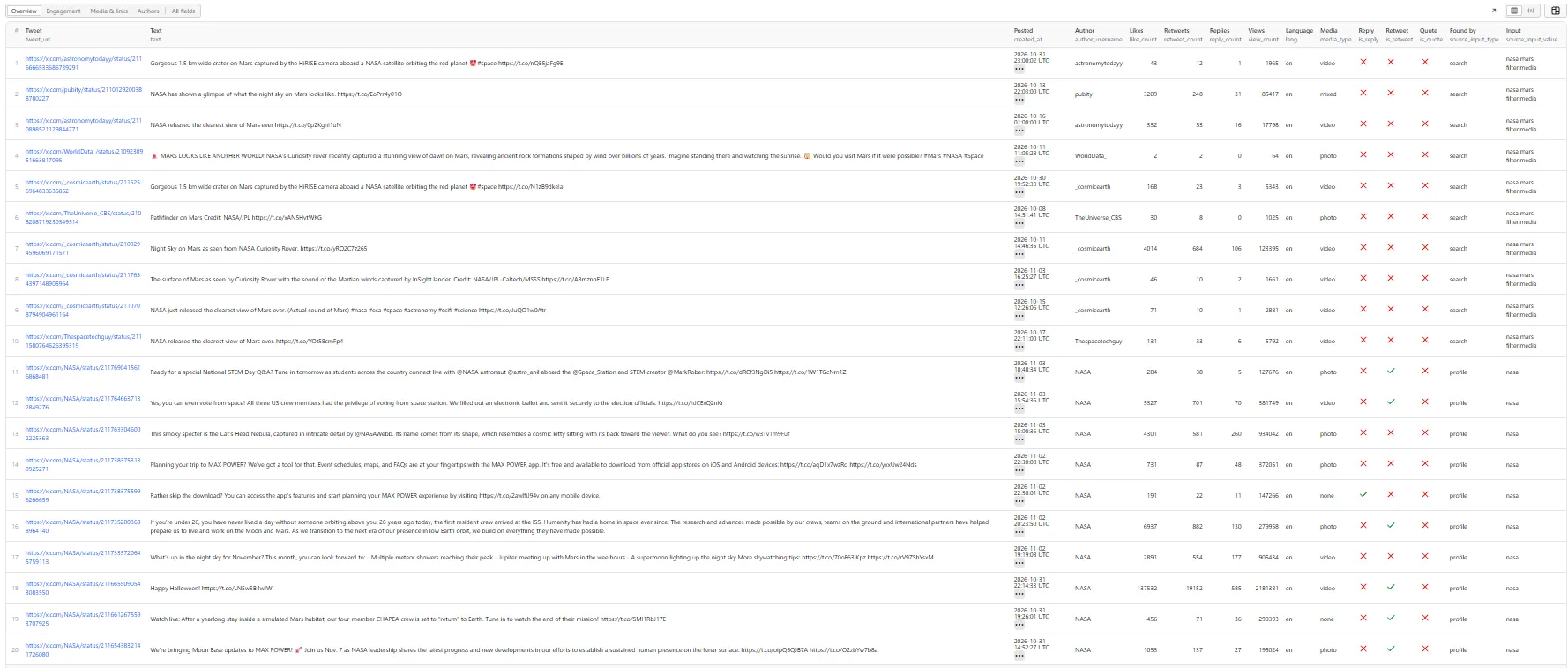
The Output tab has four views: Overview, Engagement, Media & links and Authors. Every view is the same dataset; the views only pick different columns. The samples below are real rows from the first input example above, trimmed to each view's columns.
Overview
Engagement
Media & links
A retweet from the profile run: the media, link and counts belong to the original tweet by LearnWithNASA.
Authors
A search row. author_description is empty in search mode (see the field table above).
A run summary is saved in the key-value store as RUN_SUMMARY: inputs, tweets found and saved, duplicates, filtered tweets, failed inputs and why the run stopped.
Pricing
This Actor uses pay-per-event pricing: you pay one tweet-result event per unique tweet saved to the dataset. Nothing else is charged:
- duplicate tweets found by more than one input,
- tweets dropped by your filters,
- inputs that fail or find nothing,
- the run summary, and runs that save nothing.
The per-tweet price is on the Actor's Pricing tab in the Apify Console, and it can differ by Apify plan. This README deliberately doesn't quote figures, so it never goes out of date. Set a maximum cost per run in the run options and the Actor stops saving before it would exceed it.
Limits and good to know
- Public data only. Protected accounts, private lists, DMs and anything that needs a login aren't available.
- Search order is X's "Top" order. Use a Start date for recent tweets (see above).
- How far back you can go depends on X: very old or very large searches may return fewer tweets than you ask for. The status message tells you when an input ran out.
- Counts change. Likes, views and followers are a snapshot taken when the run happened.
- Timeouts. If a run gets close to its timeout, it stops by itself, keeps every tweet already saved and says so in the status message. Raise the timeout for very large runs.
FAQ
Do I need an X account or API key? No.
Is scraping X legal? This Actor collects publicly available data only. You're responsible for how you use it: follow X's terms, data-protection laws such as GDPR, and don't collect personal data without a lawful reason.
Can I get followers, replies under a tweet, or likers? Not in this Actor. It covers search and profile tweets.
Why does a result not contain my keyword? X matched it through a quoted tweet, a link card, media or the account (see "Matching" above).
A search returned nothing and the status says search is unavailable. What happened? Our data provider occasionally can't run X searches for a while. The run tells you so, your profiles still work, and failed searches are never charged. Try the search again later.
Can I run it every day without getting the same tweets again? Yes. Set Start date to 1 day and schedule the task daily (see "Monitor X on a schedule"). Tweets outside the window are dropped and never charged.
Can I use it from code or an AI agent? Yes. Call it through the Apify API, the Apify client libraries or the Apify MCP server, and read the dataset as JSON.
Feedback
Found a problem or need a field that's missing? Open an issue on the Actor's Issues tab and include the run link.


